Does Storage Type Affect Boot Time: Unlock Speed Secrets Now
Have you ever wondered why your computer takes longer to start up sometimes? The type of storage your device uses could be the hidden reason behind those frustrating wait times.
Understanding how storage affects boot time can help you make smarter choices for faster, smoother performance. Keep reading to discover how your storage type impacts the speed of your startup—and what you can do to speed things up.

Credit: www.dell.com
Boot Time Basics
Understanding boot time basics helps explain why your computer starts fast or slow. Boot time is the period from pressing the power button to when the system is ready to use. This process involves multiple steps and hardware working together. Knowing these steps clarifies how different factors can affect boot speed.
What Happens During Boot
The boot process starts with the computer’s power supply turning on. The system firmware, called BIOS or UEFI, runs a quick check on hardware. It looks for the main storage device with the operating system. Then it loads essential files into memory. After this, the operating system begins to load. Finally, the system finishes setup and shows the login screen.
Factors Influencing Boot Speed
Several factors influence how fast the boot process completes. The type of storage device plays a big role. Faster drives load data quicker. The amount of hardware connected can slow down checks. The operating system’s efficiency also matters. Startup programs and services can add delay. Firmware settings and updates impact speed as well.
Types Of Storage Drives
Storage drives play a big role in how fast a computer boots up. Different types of drives store and access data in unique ways. This affects how quickly your system starts and runs. Let’s look at the main types of storage drives and their impact on boot time.
Hdd Characteristics
Hard Disk Drives (HDDs) use spinning disks to read and write data. They have moving parts, which makes them slower. Accessing files takes more time because the disk needs to spin to the right spot. HDDs are usually cheaper and offer large storage space. But their boot times are longer compared to newer drives.
Ssd Advantages
Solid State Drives (SSDs) use flash memory with no moving parts. This allows data to be accessed almost instantly. SSDs are much faster than HDDs in reading and writing data. They make boot times shorter and system performance smoother. SSDs are more durable and use less power too.
Nvme Drives And Speed
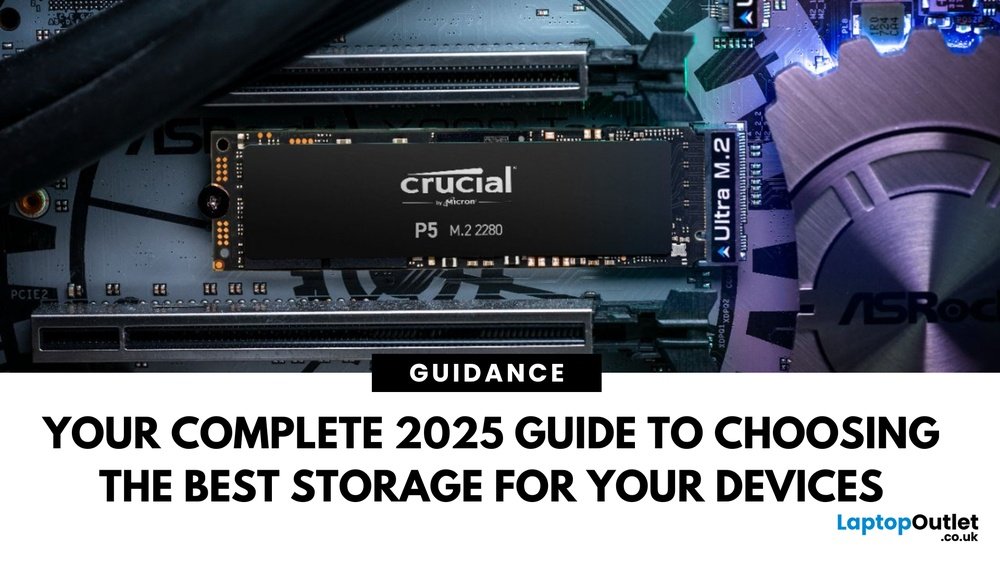
NVMe drives are a type of SSD that connect directly to the motherboard. This connection is faster than traditional SSDs using SATA. NVMe drives offer very high read and write speeds. They reduce boot times even more than regular SSDs. This makes them ideal for users who want the fastest startup.
Storage Impact On Boot Times
Storage type plays a big role in how fast a computer boots up. Different drives have different speeds for reading and writing data. This affects how quickly your operating system loads and your computer becomes ready to use.
Choosing the right storage can save you time every day. It also improves overall system performance and user experience.
Hdd Vs Ssd Boot Performance
HDDs use spinning disks to read data. This mechanical process slows boot times. SSDs use flash memory with no moving parts. This makes them much faster at loading files. Typically, SSDs boot Windows or macOS in under 20 seconds. HDDs often take 1 to 2 minutes or more. The speed difference is clear and noticeable.
Nvme Vs Sata Ssds
NVMe SSDs connect through PCIe lanes. This gives them higher data transfer speeds. SATA SSDs connect via an older interface with lower speed limits. NVMe drives can boot systems in less than 10 seconds. SATA SSDs are slower but still much faster than HDDs. NVMe is best for users wanting the fastest start-up times.
Real-world Boot Time Comparisons
Tests show HDDs boot in about 60 to 90 seconds. SATA SSDs cut that time to 20 to 30 seconds. NVMe SSDs often boot in 8 to 12 seconds. These numbers vary by system and software setup. Upgrading from HDD to SSD gives the biggest boost. Moving from SATA to NVMe improves boot time, but less dramatically.
Credit: www.lenovo.com
Other Storage-related Factors
Storage type is important for boot time, but other storage-related factors also play a role. These factors can speed up or slow down your computer’s startup. Understanding them helps improve boot performance.
Drive Health And Fragmentation
Drive health affects how fast your computer boots. Old or damaged drives work slower. Errors in the drive can cause delays during startup. Fragmentation happens when files are scattered in pieces. This makes the drive take longer to find and load data. Regularly checking drive health and defragmenting can help your PC boot faster.
Firmware And Driver Roles
Firmware controls how storage devices work. Outdated firmware can slow down boot time. Storage device drivers also matter. They help the operating system communicate with the drive. Old or corrupted drivers can cause delays or errors during boot. Updating firmware and drivers keeps the system running smoothly.
Storage Configuration Effects
How storage devices are set up changes boot speed. Using RAID or multiple drives can affect startup time. RAID arrays can be faster but need proper setup. Having many drives may cause the system to take longer to detect them. Simple, well-configured storage setups often boot quicker.
Optimizing Boot Speed
Optimizing boot speed can make your computer start faster. Faster boot means less waiting and more work time. Many factors affect boot time, but storage type plays a big role. Choosing the right storage and keeping it healthy helps a lot. Adjusting BIOS and OS settings also improves startup speed. Here is how to optimize your boot time step by step.
Choosing The Right Storage
Storage type impacts how fast your system boots. SSDs start much faster than traditional hard drives. SSDs use flash memory, which reads data quickly. Hard drives have moving parts that slow down data access. NVMe SSDs are even faster than SATA SSDs. Picking an SSD over a hard drive speeds up your boot time. For the best speed, use an NVMe SSD if your system supports it.
Maintaining Storage Health
Healthy storage keeps boot times low. Over time, disks fill up and slow down. Remove unnecessary files and programs regularly. Run disk cleanup tools to free space. Check your disk for errors using built-in utilities. Defragment hard drives to organize data better. SSDs do not need defragmentation but benefit from firmware updates. Keeping storage healthy avoids slow boots and crashes.
Bios And Os Settings
BIOS settings control hardware initialization during boot. Enable fast boot options in BIOS to skip slow checks. Set your storage device as the first boot option. Disable unused devices to reduce boot delays. In the operating system, limit startup programs. Many programs launch at startup and slow boot. Use task manager or system settings to manage startup apps. Adjusting these settings streamlines your boot process.

Credit: en.wikipedia.org
Frequently Asked Questions
Does Ssd Improve Boot Time Compared To Hdd?
Yes, SSDs significantly improve boot time due to faster data access speeds. They reduce startup delays compared to traditional HDDs, making your system boot quicker and more efficiently.
How Does Storage Type Impact Overall System Performance?
Storage type affects data read/write speeds, influencing boot time and application loading. SSDs offer faster performance, enhancing user experience and reducing wait times during startup.
Can Nvme Drives Boot Faster Than Sata Ssds?
Yes, NVMe drives use faster PCIe interfaces, enabling quicker boot times than SATA SSDs. They provide higher data transfer rates, resulting in improved system responsiveness.
Does Using An External Drive Affect Boot Speed?
Booting from an external drive usually slows down startup due to slower connection interfaces. Internal drives generally offer faster boot times compared to most external storage options.
Conclusion
Storage type clearly impacts how fast your computer boots. SSDs start systems much quicker than traditional HDDs. Faster boot times save you time daily. Choosing the right storage can improve your overall experience. Think about your needs and budget when picking storage.
A simple upgrade might make a big difference. Small changes can lead to faster, smoother startups. Storage matters more than many realize for boot speed.