What Cpu is Enough for Daily Use Pc: Ultimate Guide 2026
Choosing the right CPU for your daily use PC can feel confusing. You want something powerful enough to handle your tasks but not so expensive that you waste money.
What if you could find the perfect balance that fits your needs and budget? This guide will help you understand exactly what CPU is enough for your everyday activities, from browsing the web to streaming videos and working on documents.
Keep reading, and by the end, you’ll know how to pick a processor that makes your PC run smoothly without breaking the bank.

Credit: www.reddit.com
Choosing A Cpu For Daily Use
Picking the right CPU for a daily use PC is important. The CPU affects how fast and smooth your computer runs. It handles all tasks, from simple web browsing to running apps. Choosing a CPU that matches your needs helps avoid slowdowns.
Most daily tasks do not need the most powerful CPU. A balanced choice saves money and gives good performance. Let’s explore key factors to help you decide.
Key Factors To Consider
First, check the number of cores and threads. More cores improve multitasking and app performance. For daily use, four cores are usually enough. Clock speed matters too. Higher GHz means faster processing.
Energy efficiency affects heat and power use. A CPU with good efficiency keeps your PC cool and quiet. Compatibility with your motherboard is vital. Make sure the CPU fits your system socket.
Budget plays a role. Choose a CPU that fits your price range without overspending. Balance performance and cost for the best value.
Common Daily Tasks
Daily tasks include web browsing, watching videos, and using office apps. These do not require very high CPU power. Streaming videos or video calls need moderate performance.
Light photo editing or basic gaming needs better CPUs but still not top-end models. Most users get smooth experience with mid-range CPUs. Basic tasks run well on budget processors too.
Choose a CPU based on tasks you do most often. This ensures smooth and fast daily computing.
Cpu Performance Basics
The CPU is the heart of your daily use PC. It handles tasks and runs programs smoothly. Understanding CPU basics helps you pick the right one. Focus on core count, clock speed, and integrated graphics.
These factors affect how well your computer works for browsing, office work, and media. Let’s break down each part to see what matters most.
Core Count And Threads
CPU cores are like workers. More cores mean more tasks at once. Threads are the paths each core uses to do work. More threads help multitasking and running several apps smoothly.
For daily use, a CPU with four cores and eight threads is usually enough. It handles web browsing, watching videos, and light software without lag.
Clock Speed Importance
Clock speed shows how fast a CPU works. Measured in gigahertz (GHz), higher speeds mean quicker task completion. But speed alone does not guarantee better performance.
A balanced clock speed around 2.5 to 3.5 GHz is good for everyday tasks. It keeps your PC responsive and quick during normal use.
Integrated Graphics Role
Integrated graphics are built into the CPU. They display images and videos without needing a separate graphics card. This saves money and power for daily users.
For basic tasks like watching videos, browsing, and office work, integrated graphics work well. Only choose a dedicated graphics card if you do heavy gaming or video editing.
Popular Cpu Models For 2026
Choosing the right CPU is key for a daily use PC in 2026. The market offers many models. Each suits different needs and budgets. Knowing popular CPUs helps pick the best one. The list below covers budget-friendly, mid-range, and high-end options.
Budget-friendly Options
For basic tasks, budget CPUs work well. They handle web browsing, office work, and streaming smoothly. Models like Intel Core i3-13100 and AMD Ryzen 3 4100 offer good speed. These CPUs use less power and stay cool. They are perfect for simple daily use PCs.
Mid-range Picks
Mid-range CPUs fit users who multitask or use light editing software. Intel Core i5-13600K and AMD Ryzen 5 7600X are popular choices. These CPUs have more cores and better performance. They handle games, video calls, and photo editing with ease. Mid-range models balance power and price well.
High-end Choices
High-end CPUs suit power users and creators. Intel Core i7-13700K and AMD Ryzen 7 7800X are top picks. These CPUs offer many cores and fast speeds. They work well for heavy multitasking, 3D rendering, and large projects. These models deliver strong performance for demanding daily use PCs.

Credit: www.amazon.com
Comparing Intel And Amd Cpus
Choosing the right CPU is important for a daily use PC. Intel and AMD are the two main brands. Each offers CPUs with different strengths. Understanding their differences helps you pick the best one for your needs. This guide compares Intel and AMD CPUs on key points like performance, power use, and price.
Performance Differences
Intel CPUs often have faster single-core speeds. This helps with tasks like web browsing and office work. AMD CPUs usually have more cores and threads. This suits multitasking and running several apps at once. Both brands handle daily tasks smoothly. The choice depends on the tasks you do most.
Power Efficiency
AMD CPUs use newer technology to save power. They often run cooler and consume less electricity. Intel has improved power use in recent models. Lower power means less heat and quieter fans. This is useful for small or quiet PC setups.
Price Considerations
AMD CPUs often offer more cores for the price. This gives good value for multitasking users. Intel CPUs tend to cost more but perform well in some tasks. Budget and needs guide the best choice. Both brands have options for daily use PCs at different prices.
Compatibility And Future-proofing
Choosing a CPU for daily use requires more than just speed and cores. Compatibility and future-proofing play key roles. A CPU must fit well with your system and last through upcoming software needs. This section explains how to pick a CPU that works smoothly today and stays useful tomorrow.
Motherboard Support
The motherboard must match the CPU socket type. Different CPUs use different sockets. Check the motherboard’s socket before buying a CPU. Also, the chipset affects features like USB ports and RAM speed. A compatible motherboard ensures stable performance and easy setup.
Upgrade Paths
Consider if your motherboard supports newer CPUs. Some boards allow easy upgrades without changing much. This saves money and effort in the future. Choose a CPU with upgrade options in mind. It helps keep your PC relevant longer.
Longevity Expectations
A CPU should handle daily tasks for several years. Basic tasks like browsing and office work do not need extreme power. Aim for a CPU that can manage new software updates. This avoids frequent replacements and keeps your PC running well.

Credit: www.hp.com
Tips For Optimizing Cpu Usage
Optimizing CPU usage is key to keeping your daily use PC fast and responsive. Proper management helps avoid slowdowns and extends the CPU’s life. Small changes can make a big difference in performance and stability.
Below are practical tips to improve how your CPU works every day.
Managing Background Processes
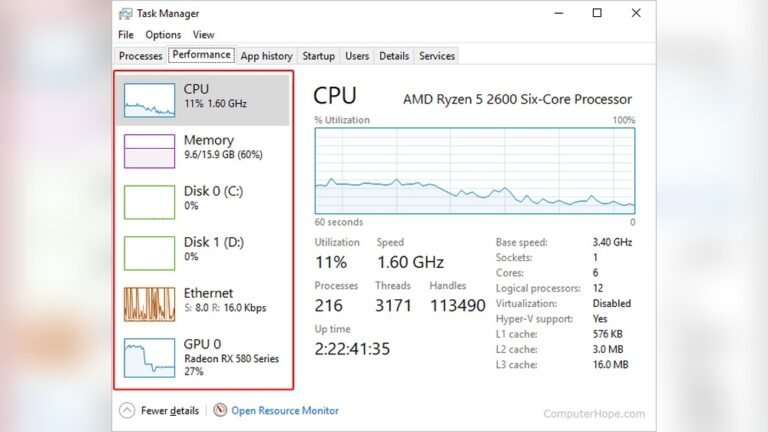
Many programs run in the background without your knowledge. They use CPU power and slow your computer. Open the task manager to see active processes. Close unnecessary apps that consume too much CPU. Disable startup programs you don’t need. This frees up resources and speeds up your PC.
Thermal Management
Heat slows down CPUs and can cause crashes. Keep your PC clean and dust-free to improve airflow. Use cooling pads or fans if needed. Avoid placing your PC on soft surfaces that block vents. Monitor CPU temperature with simple software tools. Cooler CPUs perform better and last longer.
Software Updates
Updates fix bugs and improve CPU efficiency. Regularly update your operating system and drivers. Software developers optimize their programs to use less CPU power. Outdated software can cause unnecessary CPU load. Set updates to automatic or check them weekly to keep your PC running smoothly.
Frequently Asked Questions
What Cpu Speed Is Ideal For Daily Use Pc?
A CPU with 2. 5 to 3. 5 GHz speed is ideal for daily tasks. It handles browsing, office apps, and streaming smoothly without lag.
How Many Cpu Cores Are Enough For Daily Computing?
A quad-core CPU is sufficient for daily use. It manages multitasking and common applications efficiently without unnecessary power consumption.
Should I Choose Intel Or Amd For Daily Use Pc?
Both Intel and AMD offer great CPUs for daily use. Choose based on budget, availability, and specific features like integrated graphics or power efficiency.
Is Integrated Graphics Enough For Everyday Computing?
Yes, integrated graphics handle everyday tasks like video playback and casual gaming well. Dedicated GPUs are not necessary for most daily users.
Conclusion
Choosing the right CPU for daily use does not need to be hard. A mid-range processor usually handles everyday tasks well. Browsing, watching videos, and office work run smoothly on it. Save money by avoiding top-tier CPUs meant for heavy gaming or editing.
Focus on balance: good speed, enough cores, and energy efficiency. This keeps your PC fast and responsive without extra cost. Remember, a suitable CPU makes daily computing simple and effective. Pick wisely, and your PC will meet your needs easily.