Does Ssd Improve Pc Speed: Unlock Ultimate Performance Boost
Are you tired of waiting for your PC to catch up with your tasks? You might be wondering if upgrading to an SSD is the secret to speeding things up.
Imagine opening files instantly, loading programs without delay, and feeling your computer respond faster than ever before. You’ll discover how an SSD can change the way your PC performs and whether it’s the upgrade you really need. Keep reading, because the answer might surprise you—and it could make a big difference in your daily computing experience.
Credit: www.kingston.com
How Ssds Work
Understanding how SSDs work helps explain their impact on PC speed. SSDs use different technology than older hard drives. This difference makes them faster and more reliable. Let’s explore the basics of flash memory and compare SSDs to HDDs.
Flash Memory Basics
SSDs store data using flash memory chips. These chips hold information even without power. This is different from traditional memory that needs constant power. Flash memory has no moving parts. This allows quick access to data. Data can be read or written almost instantly. This speed helps improve overall PC performance. The memory cells in SSDs can be rewritten many times. This durability supports daily use and heavy workloads.
Ssd Vs Hdd Technology
Hard disk drives use spinning disks and a moving read/write head. This mechanical process slows down data access. SSDs have no moving parts, so they access data faster. The lack of movement means less noise and heat. SSDs start the computer and load files more quickly. They also reduce lag in apps and games. HDDs are cheaper but slower and less durable. SSDs cost more but give a much better speed boost. This difference makes SSDs a popular choice for faster PCs.
Speed Benefits Of Ssds
SSDs offer clear speed benefits for your PC. They use flash memory, which works much faster than traditional hard drives. This change makes many tasks quicker and smoother. Your computer feels more responsive and efficient.
Faster Boot Times
With an SSD, your PC starts up in seconds. No long waits to reach the desktop. This means less downtime and faster access to your work or entertainment. Boot times drop from minutes to just a few seconds.
Quicker File Transfers
Copying and moving files happens much faster on an SSD. Large files transfer quickly without long delays. This saves time, especially when handling photos, videos, or backups. You spend less time waiting and more time doing.
Improved Application Loading
Applications open almost instantly with an SSD. Programs load faster, boosting your productivity. You can start editing, browsing, or gaming without delays. This smooth experience helps keep your workflow steady and enjoyable.
Real-world Performance Gains
Upgrading to an SSD brings clear speed benefits to everyday computing. These real-world gains show how much faster your PC can run. Not just in numbers, but in tasks you do every day. SSDs cut down wait times and make your system feel more responsive.
Gaming Experience
Games load much faster with an SSD. Levels appear quickly, reducing long waits. Texture and asset streaming improves, making gameplay smoother. Less stuttering during play means better immersion. SSDs help reduce lag caused by slow data access.
Content Creation
Editing photos and videos speeds up with an SSD. Files open instantly, saving time. Exporting and rendering tasks complete faster. Large projects load without delays, improving workflow. Creators spend less time waiting and more time creating.
Everyday Tasks
Opening apps and files is quicker on an SSD. Boot times drop from minutes to seconds. Web browsing feels snappier with faster cache access. Multitasking runs smoothly without slowdowns. Overall, daily computer use becomes less frustrating and more efficient.
Credit: www.kingston.com
Types Of Ssds
SSDs come in different types. Each type fits different needs and computers. Knowing the types helps choose the right SSD. This affects how much your PC speed improves.
Sata Ssds
SATA SSDs use the same connection as old hard drives. They are easy to install and work with many PCs. Their speed is much faster than hard drives but slower than other SSD types. SATA SSDs are good for basic upgrades.
Nvme Ssds
NVMe SSDs connect directly to the motherboard. They use a faster pathway to send data. This makes them much faster than SATA SSDs. NVMe drives reduce loading and boot times significantly. They are best for users who want high speed.
M.2 Ssds
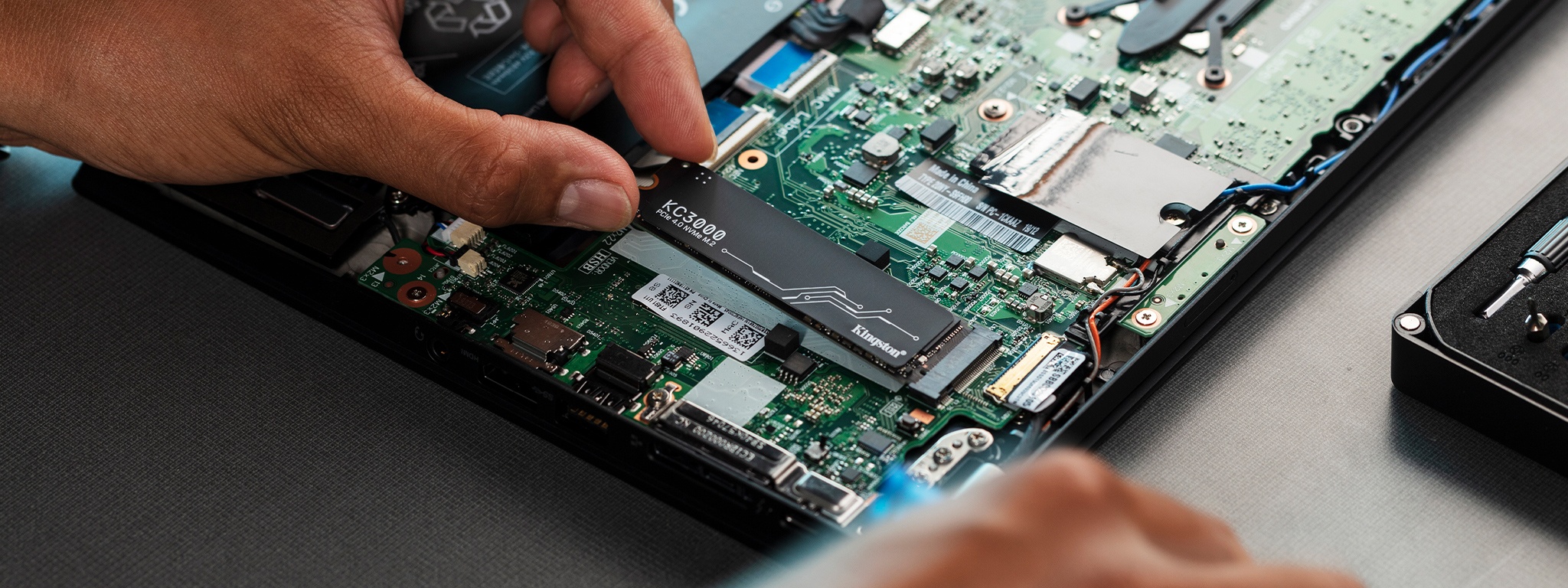
M.2 is a small form factor for SSDs. It can use either SATA or NVMe technology. M.2 SSDs save space inside the PC. Many laptops and desktops support M.2 drives. They offer flexibility and good speed in a compact size.
Installing An Ssd
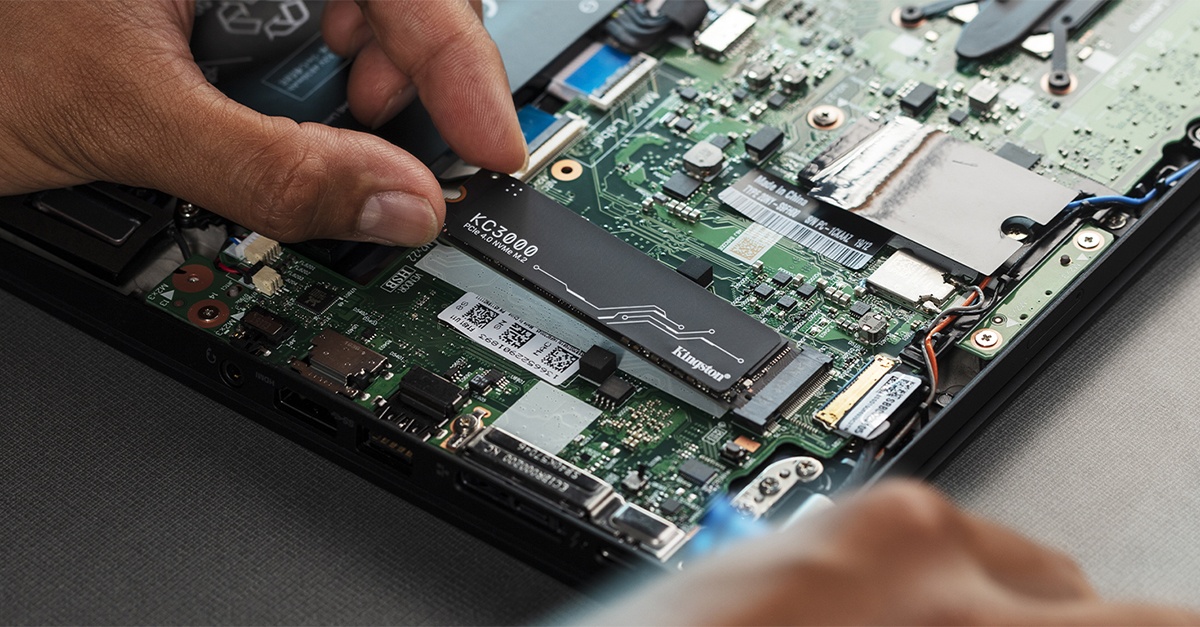
Installing an SSD can greatly improve your PC’s speed. It helps your computer start faster and load programs quicker. The process is simple with the right tools and steps. This guide covers how to choose an SSD, install it, and move your data safely.
Choosing The Right Ssd
Pick an SSD that fits your PC’s needs and budget. Check the storage size you require. Larger SSDs hold more files but cost more. Look for good read and write speeds for better performance. Confirm the SSD’s form factor matches your PC’s drive slot. Common types are 2.5-inch SATA and M.2 NVMe. Also, consider the brand’s reliability and warranty for peace of mind.
Installation Steps
Turn off and unplug your PC before starting. Open the case carefully. Locate the drive bay or M.2 slot. If replacing an old drive, remove it gently. Insert the new SSD into the slot securely. For 2.5-inch SSDs, connect the SATA and power cables. For M.2 drives, screw them down firmly. Close the case and plug your PC back in. Power on the computer and check if the SSD is recognized in BIOS.
Data Migration Tips
Transfer your files to the new SSD to avoid losing data. Use cloning software that copies your entire system. This keeps your operating system and apps intact. Back up important files before starting. Make sure the SSD has enough space for all data. After cloning, set the SSD as the primary boot drive. Remove the old drive or format it for extra storage.
Limitations And Considerations
SSDs can boost PC speed, but they come with limits and things to think about. Knowing these helps you choose the right drive for your needs. Some factors might affect your experience more than you expect.
Storage Capacity
SSDs usually offer less storage than traditional hard drives. Large files and many programs can fill them quickly. You might need to manage space often or buy a bigger SSD.
Cost Vs Performance
SSDs cost more per gigabyte than hard drives. Faster models are even pricier. Balancing how much speed you want and what you can spend is key.
Lifespan And Reliability
SSDs wear out after many writes. Each cell can only be rewritten a limited number of times. Still, most users won’t reach this limit soon. Backing up data is always a good idea.
Optimizing Pc With Ssd
Adding an SSD to your PC can boost speed noticeably. Still, to get the best results, some extra steps help. Optimizing your PC with an SSD means adjusting settings and habits. These small changes make your SSD work faster and last longer.
System Settings Tweaks
Adjusting system settings can improve SSD performance. Disable disk defragmentation because SSDs don’t need it. Turn on TRIM support to keep the drive clean. Make sure your PC uses AHCI mode for faster data transfer. Set your power plan to high performance for quicker response. These tweaks help the SSD run smoothly without extra wear.
Regular Maintenance
Keep your SSD healthy with simple maintenance tasks. Clear temporary files and unused apps regularly. Check for firmware updates from the SSD maker. Avoid filling the drive completely; leave some free space. Back up important data often to prevent loss. These steps keep your SSD efficient and reliable over time.
Combining Ssd With Other Upgrades
Pairing an SSD with other upgrades boosts overall speed. Increasing RAM helps your PC handle more tasks easily. A faster CPU speeds up processing and software tasks. Upgrading your graphics card improves visuals and gaming. Together, these upgrades create a balanced and faster system.
Credit: ftd.com.sg
Frequently Asked Questions
Does Ssd Speed Up Boot Time Significantly?
Yes, SSDs reduce boot time drastically by offering faster data access. This means your PC starts within seconds, unlike traditional HDDs that take longer to load the operating system.
Can Ssd Improve Overall Pc Performance?
Absolutely, SSDs enhance overall performance by speeding up file transfers and application loading times. This results in smoother multitasking and quicker response from your PC during daily use.
How Does Ssd Affect Gaming Experience?
SSDs reduce game loading times and improve texture streaming. This leads to less lag and smoother gameplay, providing a more enjoyable gaming experience compared to HDDs.
Will Ssd Increase Software Installation Speed?
Yes, software installs much faster on SSDs due to quicker read/write speeds. This saves time when setting up or updating applications on your PC.
Conclusion
Upgrading to an SSD can make your PC run faster and smoother. It helps start your computer quickly and loads programs in seconds. You will notice less waiting time and better overall performance. SSDs use newer technology than old hard drives.
They also use less power and produce less noise. For many users, this is a simple way to improve their computer experience. Consider an SSD if you want quicker access to files and apps. It is a practical step to speed up your PC today.