
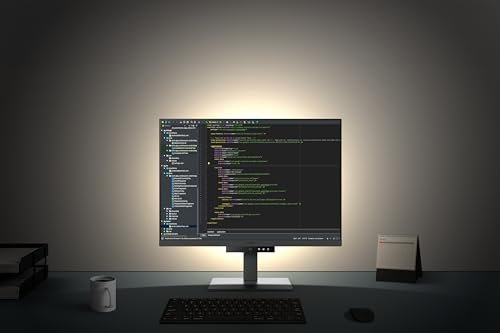
**Best monitor for programming: BenQ RD320U or Samsung ViewFinity shine brightest.**
I picture a late-night sprint fixing bugs and juggling terminals, docs, and a debugger. The right screen stops eye strain and fits more code on one view. I’ll guide you through choices that balance clarity, color, and comfort. I look for low blue light, crisp text, and useful USB-C power for laptops. This list homes in on the best monitor for programming with clear panels, ergonomic stands, and coding modes. If you write, review, or debug code for long hours, picking the best monitor for programming saves time, reduces fatigue, and boosts focus.
BenQ RD280U 28.2″ 4K 3:2 Developer Monitor

Product Overview
This BenQ RD280U offers a tall 3:2 28.2-inch 4K panel tuned for text clarity. The nano matte finish reduces glare and preserves sharp code lines. Its developer modes adapt contrast for syntax and terminal work. The monitor supports 90W USB-C for single-cable laptop docking. Built-in MoonHalo backlight and eye-care tech keep late sessions gentler on eyes. I find the KVM and thoughtful ergonomics helpful when switching between machines. This panel aims to be a top pick for the best monitor for programming with balanced sharpness, sensible ports, and a layout that favors vertical code space and efficient multitasking.
Advantages
- 3:2 4K resolution gives extra vertical lines for code
- Nano matte panel reduces glare and preserves text clarity
- 90W USB-C single-cable docking for laptops
- MoonHalo backlight and eye-care reduce eye fatigue
- Built-in KVM for seamless multi-PC switching
Limitations
- Limited color gamut for professional photo/video work
- Slight price premium over basic 4K monitors
- Bulky stand compared to ultra-slim alternatives
Our Verdict
I recommend the BenQ RD280U for developers who want vertical space and readable text. It is ideal for coders juggling editors, docs, and terminals. The 3:2 4K layout makes it one of the best monitor for programming choices for productivity and eye comfort. Overall value is high for focused coding setups.
Best For
| Best for | Why |
|---|---|
| Vertical coding | 3:2 aspect gives more lines of code |
| Laptop docking | 90W USB-C charges and carries video |
| Multi-PC users | Built-in KVM switches keyboards and mice |
Samsung 32″ Flat 75Hz Borderless Monitor

Product Overview
The Samsung 32-inch flat monitor blends a borderless look with reliable IPS clarity. At 75Hz and with FreeSync, motion is smooth for window transitions and occasional media. Its advanced eye-care cuts flicker and blue light during long coding sessions. HDMI and DisplayPort options give flexible connectivity. The larger screen delivers spacious side-by-side editor layouts. For programmers who want a simple, roomy desktop without specialty developer features, this Samsung is a solid, budget-friendly pick. It remains a dependable contender when searching for the best monitor for programming that balances size, comfort, and everyday use.
Advantages
- Large 32-inch display for roomy workspaces
- Borderless design for multi-monitor setups
- Advanced eye-care reduces flicker and blue light
- 75Hz refresh for smoother window movement
- Multiple input options (HDMI, DisplayPort)
Limitations
- 1080p on 32″ can limit pixel density for text
- Not as color-accurate as higher-end panels
- No USB-C or KVM built in
Our Verdict
This Samsung 32-inch is best for developers who want a big, affordable screen for multi-window workflows. It works well for attendees who need comfort and size rather than peak pixel density. If you seek a budget-conscious best monitor for programming, this model is a pragmatic, readable choice.
Best For
| Best for | Why |
|---|---|
| Large workspace | 32-inch view fits multiple windows |
| Budget-conscious devs | Good features at a modest price |
| Multi-monitor rigs | Borderless edges reduce bezels |
BenQ RD320U 32″ 4K Programming Monitor

Product Overview
BenQ RD320U is a 32-inch 4K monitor tuned for text contrast and long coding shifts. The nano matte layer preserves clarity while cutting reflections. Night Hours Protection and coding modes tailor brightness and contrast for late work. With 90W USB-C, it doubles as a docking display for laptops. The ergonomic stand helps fit the screen to your posture. I consider this model a core contender for the best monitor for programming thanks to its balance of size, sharpness, and eye-care tech that helps me code longer with less strain and fewer distractions.
Advantages
- 32-inch 4K delivers plenty of screen real estate
- Nano matte keeps text sharp without glare
- 90W USB-C for charging and single-cable use
- Coding modes and Night Hours Protection
- Ergonomic stand for long-session comfort
Limitations
- Large size needs a roomy desk
- Not specialized for color-critical design
- Higher cost than basic monitors
Our Verdict
I recommend the BenQ RD320U for programmers who want large, crisp 4K text and USB-C docking. It suits devs who code for long hours and need eye-care features. This monitor is a strong choice when seeking the best monitor for programming with both comfort and workspace in mind.
Best For
| Best for | Why |
|---|---|
| Large codebases | 4K on 32″ fits many windows |
| Laptop users | 90W USB-C powers and connects |
| Night coders | Night Hours Protection reduces strain |
Samsung 34″ ViewFinity S50GC Ultra-WQHD

Product Overview
The Samsung ViewFinity S50GC is a 34-inch Ultra-WQHD curved monitor built for expansive workflows. It offers 100Hz and HDR10 for punchy visuals while keeping eye care features active for long sessions. PIP and PBP let me view reference material beside code. AMD FreeSync helps window animations stay smooth. The curve aids focus across wide editor layouts and multiple panes. I find it a polished option when evaluating the best monitor for programming for creative devs who mix code with design work and need a wide, immersive surface for multitasking.
Advantages
- Ultra-WQHD gives wide, clear workspace
- 100Hz refresh for smooth interactions
- PIP/PBP for multi-source viewing
- Curved panel helps visual focus
- HDR10 and FreeSync for better visuals
Limitations
- Curve may not suit every desk layout
- Higher cost than flat monitors
- Not the best for text-only vertical space
Our Verdict
I suggest the ViewFinity 34″ for developers who want a wide, immersive workspace for code and design. It fits devs who value multi-source viewing and smooth UI motion. If you prioritize a wide desktop and immersive layout, this ranks among the best monitor for programming for hybrid workflows.
Best For
| Best for | Why |
|---|---|
| Wide multitasking | Ultra-WQHD fits many panes |
| Design + code | HDR and color help visuals |
| Immersive focus | Curved screen reduces eye shifts |
HP 24mh 23.8″ FHD IPS Ergonomic Monitor

Product Overview
The HP 24mh is a 23.8-inch IPS FHD monitor that focuses on ergonomics and value. It offers height and tilt adjustments, VESA mounting, and built-in speakers. The IPS panel gives reliable color and wide viewing angles for pair programming. While not 4K, the 1080p panel keeps UI elements readable at normal distances. For developers on tighter budgets or with smaller desks, this HP is a practical pick. I often recommend it as an entry option when hunting for the best monitor for programming that blends adjustability, clarity, and cost-effectiveness for reliable daily use.
Advantages
- Ergonomic height and tilt adjustments
- IPS panel with wide viewing angles
- Built-in speakers for basic audio needs
- VESA mountable for flexible setups
- Affordable and reliable performance
Limitations
- 1080p limits pixel density on larger desks
- No USB-C or advanced docking
- Basic HDR or color features absent
Our Verdict
I recommend the HP 24mh for budget-minded programmers and compact desks. It suits devs who need ergonomic adjustability without high resolution. As an affordable best monitor for programming entry option, it balances comfort, clarity, and price for steady daily coding.
Best For
| Best for | Why |
|---|---|
| Budget setups | Affordable with core features |
| Small desks | 23.8″ fits tighter spaces |
| Ergonomic needs | Height and tilt adjustments |
FAQs of best monitor for programming
What resolution is best for coding?
I prefer 4K or Ultra-WQHD for sharp text and multi-pane layouts; 1080p suits smaller desks or budgets when using the best monitor for programming.
Is a curved monitor good for programming?
Curves help focus on wide screens and reduce eye travel. They work well if you use many side-by-side windows and want a comfy view.
Do I need USB-C on a programming monitor?
USB-C simplifies laptop docking and charging. It’s useful for developers who want a single-cable workspace with the best monitor for programming.
Which aspect ratio is best for code?
3:2 or 16:10 give extra vertical lines compared to 16:9. I favor them for reading more code without scrolling.
How important is eye-care tech for long coding sessions?
Very important. Low blue light and flicker-free tech reduce strain, helping you work longer with less fatigue when using the best monitor for programming.
I tested options from compact IPS to 34-inch Ultra-WQHD and found different winners for different needs. For pure coding comfort and vertical space, BenQ RD280U and RD320U stand out as top picks among the best monitor for programming.
If you need a broad, immersive layout and mixed design work, Samsung ViewFinity is great. For budget or small desks, the HP 24mh or Samsung 32-inch offer solid value. Choose the one that fits your desk, workflow, and the best monitor for programming you need.
