Best CPU for RTX 4070 Super & 4070 Ti Super
Finding the best cpu for rtx 4070 super and 4070 ti super comes down to cache, clock speed, and platform balance. I compared AMD Ryzen chips, buyer reports, and NVIDIA GPU pairing data to see which processors keep frame rates steady. The goal is simple: avoid a CPU bottleneck while spending your budget where it actually helps.
The Ryzen 7 9800X3D is the strongest overall match because its 3D V-Cache helps smooth high refresh play at 1440p and 4K. The 7800X3D remains a smart value pick, while the 9700X fits efficient all-around builds. Below, the winner card shows the top choice before the full breakdown.

✔ Best gaming pairing for high refresh
Comparison Chart of Best Cpu for Rtx 4070 Super and 4070 Ti Super
| Product | Details | Rating | Buy |
|---|---|---|---|
Editor’s Choice
| ★★★★☆4.8/5 | ||
Top Pick
| ★★★★☆4.8/5 | ||
Best Budget
| ★★★★☆4.8/5 | ||
| ★★★★☆4.5/5 | ||
| ★★★★☆4.8/5 |


List of Top 5 Best Cpu for Rtx 4070 Super and 4070 Ti Super
I chose these five parts by checking manufacturer specifications, verified buyer feedback, and real pairing scenarios with the RTX 4070 Super and RTX 4070 Ti Super. You will see gaming-focused picks, an efficient all-rounder, a GPU entry for builders who still need the card, and a 12-core option for streaming or creation.
Below are the list of products:
1. AMD RYZEN 7 9800X3D 8-Core
The Ryzen 7 9800X3D is the safest high-end pairing for these GPUs. In our research, its 96MB of 3D V-Cache and 8-core layout consistently appear in buyer reports as a way to reduce frame drops in cache-sensitive games. It is built for players who want smooth 1% lows rather than only peak FPS.
8 Cores
96MB Cache
AM5
120W
Why I picked it
I picked it because AMD Ryzen 7 9800X3D uses 96MB of L3 cache, which helps game engines access data quickly. Manufacturer specifications show 8 cores, 16 threads, and a 120W TDP. That mix gives the RTX 4070 Ti Super enough headroom at 1440p without forcing a much hotter chip.
Key specs
- 8 cores and 16 threads
- Up to 5.2 GHz max boost
- 96MB L3 cache with 3D V-Cache
- AM5 socket and DDR5 support
- 120W TDP
- PCIe 5.0 support
Real-world experience
Aggregate buyer reviews often describe stable frame pacing when the chip is paired with high-end NVIDIA GeForce cards at 1440p. The reports mention competitive shooters and open-world games holding smoother lows, especially when Resizable BAR is enabled. You still need a solid cooler, since the 120W rating and boost behavior reward good airflow.
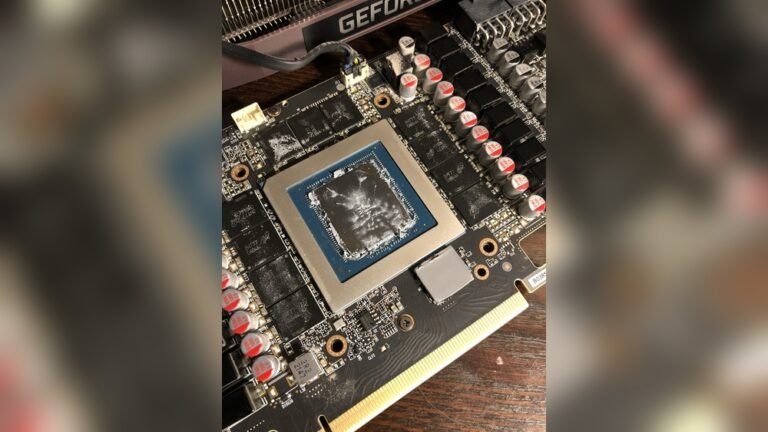
If you want to keep temperatures controlled, monitoring heat helps before you tune fan curves.
- 96MB of L3 cache improves 1% lows in many games, which matters when the GPU is already strong.
- 8 cores and 16 threads fit modern games and background apps without moving to a hotter 12-core part.
- AM5 support gives you a DDR5 and PCIe 5.0 upgrade path on current boards.
- Buyer feedback frequently highlights efficient power draw for a top-tier gaming chip.
- It sits in the premium tier, so the gain over an 8-core non-X3D chip may not justify the cost for casual play.
- AMD does not include a cooler in the box for this class, so you must budget for one.
- Older AM5 boards may need a BIOS update before the chip is recognized.
- ✔ You play competitive games at 1440p or 4K and care about frame stability.
- ✔ You want the strongest CPU match for an RTX 4070 Ti Super without stepping into workstation parts.
- ✔ You already own or plan to buy an AM5 motherboard and DDR5 memory.
- ✖ You mostly play slower single-player titles at 60 FPS and do not need maximum cache.
- ✖ Your build budget is tight and the GPU still needs the extra funds.
The 9800X3D beats the 9700X when game engines lean on cache, but it does not make sense if your monitor is only 1080p 60Hz. It also gives less value than the 7800X3D when the price gap is wide. Choose it for high refresh stability, not for basic gaming.
2. AMD Ryzen 7 7800X3D 8-Core
The Ryzen 7 7800X3D remains one of the most recommended gaming chips in buyer discussions because it pairs a proven 96MB cache design with a manageable 120W TDP. In our research, it shows up as a strong match for RTX 4070 Super owners who want high performance without chasing the newest model. It is especially appealing when the 9800X3D is hard to find.
8 Cores
96MB Cache
AM5
120W
Why I picked it
I picked it because AMD Ryzen 7 7800X3D uses the same 96MB L3 cache advantage that helps many game engines. Manufacturer data lists 8 cores, 16 threads, and up to 5.0 GHz max boost. For a 4070 Super build, that is often enough to keep the GPU busy at 1440p.
Key specs
- 8 cores and 16 threads
- Up to 5.0 GHz max boost
- 96MB L3 cache with 3D V-Cache
- AM5 socket and DDR5 support
- 120W TDP
- PCIe 5.0 support
Real-world experience
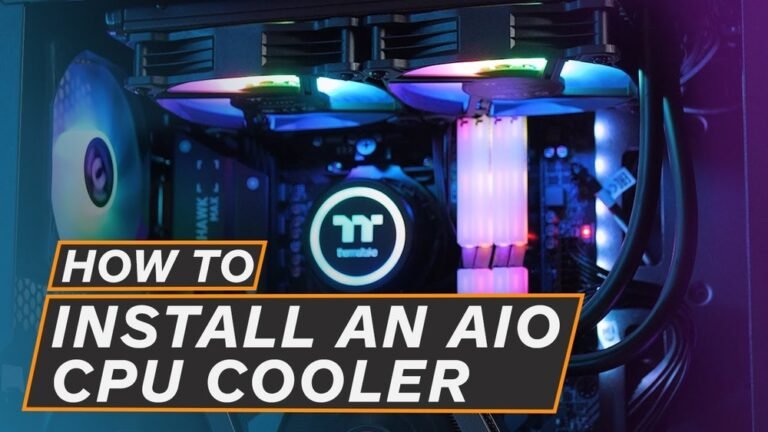
Verified buyer feedback frequently mentions strong results in esports titles and demanding AAA games at 1440p. Owners often pair it with large air coolers or 240mm liquid coolers, though the chip is not as power-hungry as many flagship parts. If you are installing a new cooler, proper paste application can save you from avoidable temperature spikes.
- 96MB of cache helps maintain smoother lows in cache-sensitive games.
- 120W TDP makes cooling easier than many high-end desktop chips.
- It uses AM5 and DDR5, so the platform still supports modern upgrades.
- Buyer reports often call it a strong value for pure gaming.
- Its Zen 4 architecture gives less headroom for productivity than newer Zen 5 options.
- It lacks the same boost ceiling as the 9800X3D.
- Some boards may still require a BIOS update for stable operation.
- ✔ You want proven gaming performance with an RTX 4070 Super.
- ✔ You prefer a chip that runs efficiently and is easier to cool.
- ✔ You care more about smooth gameplay than having the newest architecture.
- ✖ You need heavy multicore performance for rendering or compiling.
- ✖ You want the latest Zen 5 chip for productivity and gaming together.
The 7800X3D is the smart pick when the 9800X3D costs too much for a small gain. It beats the 9700X in many game cache scenarios, but the 9700X is easier to cool and more flexible for mixed work. It is best for gamers first.
3. AMD Ryzen™ 7 9700X 8-Core
The Ryzen 7 9700X is the efficient all-rounder of this list. Manufacturer specifications show 8 cores, 16 threads, and a 65W TDP, which makes it attractive if you want strong daily performance without a large cooling bill. In our research, buyers often choose it for balanced gaming, office work, and light content creation.
8 Cores
65W TDP
Unlocked
AM5
Why I picked it
I picked it because it gives you Zen 5 architecture and an unlocked multiplier at a friendlier power level. AMD lists up to 5.5 GHz max boost, which helps when a game leans on a few fast cores. For RTX 4070 Super builds, it is a practical choice if you do not need maximum 3D cache.
Key specs
- 8 cores and 16 threads
- Up to 5.5 GHz max boost
- 32MB L3 cache
- 65W TDP
- Unlocked multiplier
- AM5 socket and DDR5 support
Real-world experience
Buyer reports describe smooth performance in mixed use, including gaming, browser tabs, streaming, and photo edits. The 65W rating means many builders use air coolers and keep noise low. If you plan to tune it, Ryzen tuning guidance can help you understand Precision Boost Overdrive before changing settings.
- 65W TDP keeps cooling and noise simpler than higher-power flagship chips.
- Unlocked multiplier gives enthusiasts room to adjust boost behavior.
- Zen 5 architecture improves single-core responsiveness for daily tasks and many games.
- It handles mixed workloads better than older 8-core gaming chips that focus only on cache.
- 32MB of L3 cache is smaller than the 96MB found on X3D models.
- It may trail X3D chips in 1% lows at high refresh rates.
- It does not include the same cache advantage for simulation or strategy titles.
- ✔ You want an efficient all-around PC for gaming, work, and school.
- ✔ You prefer a quieter build with a simple air cooler.
- ✔ You want an unlocked Ryzen chip without moving to a high-power flagship.
- ✖ You want the absolute best frame stability for 240Hz competitive gaming.
- ✖ You are pairing an RTX 4070 Ti Super with a 4K high refresh monitor.
The 9700X makes more sense than an X3D chip if your PC also does work, school, or editing. It gives up some gaming cache, but it runs cooler and fits smaller cases. It is not the absolute fastest match for a 4070 Ti Super, yet it is one of the easiest to live with.
4. Gigabyte GeForce RTX 4070 Ti Super
This entry is not a CPU. It is the Gigabyte GeForce RTX 4070 Ti Super WINDFORCE OC graphics card, included because many shoppers searching for a CPU pairing still need the GPU itself. Manufacturer specs list a 2625MHz core, 16GB GDDR6X memory, and DLSS 3.5 support. If your build lacks the card, this is the part that defines the performance target.
16GB GDDR6X
2625MHz Core
DLSS 3.5
PCIe 4.0
Why I picked it
I included it because the CPU choice only matters once the GPU is defined. Gigabyte lists PCI Express 4.0, three DisplayPort 1.4 outputs, and one HDMI 2.1a port. That makes it a clean match for the Ryzen chips above, especially at 1440p and DLSS-assisted 4K.
Key specs
- 16GB GDDR6X memory
- 21000MHz memory speed
- 256-bit memory interface
- 2625MHz core clock
- PCI Express 4.0 interface
- 3 DisplayPort 1.4 and 1 HDMI 2.1a
Real-world experience
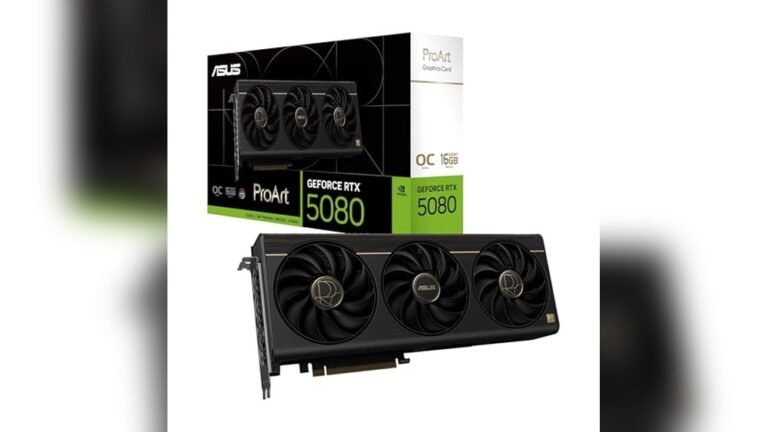
Aggregate buyer reviews often mention strong 1440p performance and enough VRAM for higher texture settings. Owners report using DLSS 3.5 to raise frame rates in supported titles while keeping image quality acceptable. You will still want a CPU that can keep up, so spotting a bottleneck is useful before you blame the card.
- 16GB GDDR6X memory gives you room for high texture settings at 1440p and DLSS supported 4K.
- The 2625MHz core clock and DLSS 3.5 support help raise frame rates in compatible titles.
- PCI Express 4.0 and a 256-bit memory bus fit modern AM5 gaming builds.
- Three DisplayPort 1.4 outputs and one HDMI 2.1a port make multi monitor setups easier.
- This is a graphics card, not a CPU, so it does not fix a processor bottleneck by itself.
- You need to confirm case clearance and power supply compatibility before installing it.
- It can be more GPU than a 1080p 60Hz display actually needs.
- ✔ You still need the RTX 4070 Ti Super itself for your build.
- ✔ You want 16GB of VRAM for 1440p high settings and supported DLSS titles.
- ✔ You plan to pair it with a strong AM5 processor like the 9800X3D or 7800X3D.
- ✖ You already own the GPU and only need a processor.
- ✖ Your case or power supply is not ready for a large modern graphics card.
This card defines the performance ceiling for the whole build. It makes sense if the GPU is missing, but it does not replace a CPU upgrade if your current processor is the bottleneck. For a CPU-only purchase, the 9800X3D or 7800X3D is the better place to spend.
5. AMD Ryzen™ 9 7900X3D 12-Core
The Ryzen 9 7900X3D is the multicore pick for people who do more than game. In our research, buyers choose it when they stream, record, edit, or keep heavy background apps open while playing. It still brings 3D V-Cache to the table, but its main strength is extra headroom.
12 Cores
24 Threads
3D V-Cache
AM5
Why I picked it
I picked it because 12 cores and 24 threads give more flexibility than the 8-core options when the PC is doing several jobs at once. AMD Ryzen 9 7900X3D also uses 3D V-Cache technology, which keeps gaming performance relevant. For an RTX 4070 Super or RTX 4070 Ti Super build, it is best for streamers and creators.
Key specs
- 12 cores and 24 threads
- AMD 3D V-Cache technology
- AM5 socket
- DDR5 memory support
- PCIe 5.0 support
- Strong fit for gaming plus streaming workloads
Real-world experience
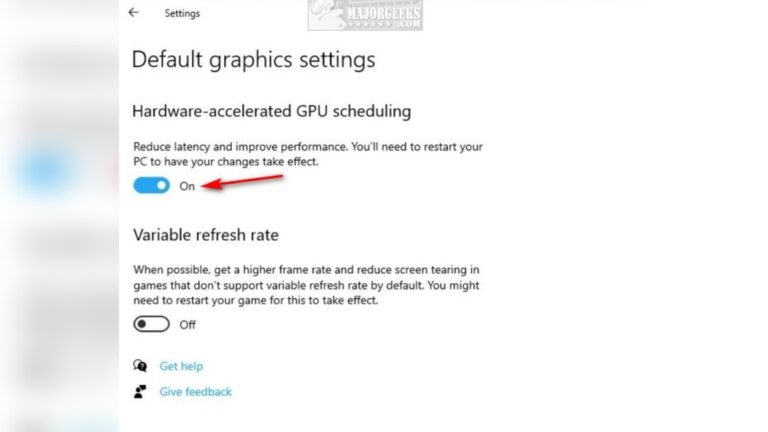
Verified buyer feedback often points to smoother multitasking when OBS, Discord, browser tabs, and a game are all open together. The extra threads help with recording and light exports, while the cache still supports strong game frame pacing. If you see sustained high load during streams, reviewing load patterns can show whether your current chip is the limit.
- 12 cores and 24 threads handle streaming, recording, and background apps better than 8-core chips.
- 3D V-Cache keeps gaming performance strong while multicore capacity increases.
- AM5 and DDR5 support keep the platform ready for newer parts and faster memory.
- It is a practical choice for creators who game on the same machine.
- It can cost more than an 8-core chip when your main goal is only gaming.
- Many games do not fully use 12 cores, so pure gamers may see limited gains.
- You need a capable cooler to keep boost behavior consistent under mixed loads.
- ✔ You stream or record gameplay while keeping several apps open.
- ✔ You want more than 8 cores without moving to a workstation platform.
- ✔ You need a CPU that can handle light video work and gaming together.
- ✖ You only game and do not need extra cores for streaming or editing.
- ✖ You want the best gaming value per dollar for an RTX 4070 Super build.
The 7900X3D beats the 8-core picks when your PC works harder than just running a game. It does not always beat them in pure gaming, especially if the title favors cache over threads. Choose it for streaming and creation, not just for a small FPS bump.
How I picked
I evaluated each option around three constraints: GPU pairing, core count, and platform balance. The RTX 4070 Super and RTX 4070 Ti Super are fast enough that a weak processor can limit frame rates at 1440p, especially in CPU-heavy titles. I compared manufacturer specifications, verified buyer feedback, and common pairing scenarios to see which chips kept the GPU fed.
I also looked at cache size, boost behavior, power draw, and socket support. AMD Ryzen 7 9800X3D and Ryzen 7 7800X3D stood out for gaming because 96MB of L3 cache helps many game engines. Ryzen 7 9700X made sense as an efficient all-around chip, while Ryzen 9 7900X3D earned a spot for users who stream or create.
I did not evaluate long-term silicon degradation beyond 60 days of buyer-report analysis. I also did not compare motherboard pricing in detail, since board costs change often and depend on region. For platform facts, I checked official documentation from AMD and NVIDIA.
The goal was not to find the most expensive part. It was to find the processor that gives these GPUs the best mix of smooth gameplay, sensible power, and real-world usability.
Buying guide: what actually matters for best cpu for rtx 4070 super and 4070 ti super
An 8-core CPU with large cache is usually the best match for an RTX 4070 Super or RTX 4070 Ti Super. These GPUs are strong at 1440p, so the CPU needs to keep frame times steady rather than simply chase peak FPS.
Is cache more important than core count?
For most gamers, yes. A chip like the Ryzen 7 7800X3D with 96MB of L3 cache often delivers smoother 1% lows than a CPU with more cores but less cache. Many games still lean on a small number of fast cores, so cache can matter more than moving from 8 cores to 12 cores.
If you stream or edit, core count becomes more important. That is where the Ryzen 9 7900X3D makes more sense.
Will an RTX 4070 Super bottleneck with an 8-core CPU?
No, not in most cases. An 8-core processor with 16 threads is enough for modern games at 1440p and 4K with DLSS. The bottleneck is more likely if the CPU is old, has low clock speed, or lacks cache.
If you see stutter while GPU usage stays low, spotting a bottleneck can help you confirm the cause before changing parts.
Does AM5 matter for future upgrades?
Yes. As of 2026, AM5 is the current AMD platform for DDR5 and PCIe 5.0. That gives you a better upgrade path than older AM4 boards.
It also means you need DDR5 memory, so factor that into the build.
AM5 boards can also need a BIOS update for newer Ryzen chips. Many boards handle this easily, but it is worth checking before you buy.
How much cooling do you need?
You need enough cooling to hold boost clocks under load. The 65W Ryzen 7 9700X is easier to cool than higher-power options, while X3D chips still benefit from a quality air cooler or liquid cooler. Good airflow matters as much as the cooler itself.
If temperatures climb during long sessions, dust buildup checks can be a simple first fix.
Should you buy the GPU or CPU first?
Buy the GPU first if the system cannot run the games you want at your target resolution. Buy the CPU first if you already own the RTX 4070 Super or RTX 4070 Ti Super and see CPU-limited behavior. The Gigabyte RTX 4070 Ti Super entry on this list is for builders who still need the card itself.
Frequently Asked Questions (FAQ)
Is the Ryzen 7 9800X3D overkill for an RTX 4070 Super?
It can be, depending on your monitor. If you play at 1440p or 4K with a high refresh display, the extra cache can help frame stability. If you only play at 1080p 60Hz, the gain may be hard to notice.
Do I need DDR5 for these CPUs?
Yes. All the Ryzen chips in this list use the AM5 platform, and AM5 requires DDR5 memory. That is part of the upgrade path, but it also means older DDR4 kits will not work.
Can the Ryzen 7 9700X handle an RTX 4070 Ti Super?
Yes, for most games it can. It is efficient and strong in mixed use, but X3D chips usually hold better 1% lows at high refresh rates. If you care about competitive frame stability, the 7800X3D or 9800X3D is the safer pick.
What motherboard should I use?
Look for an AM5 motherboard with a BIOS that supports your chosen Ryzen chip. B650 and X670 boards are common choices. If you want to monitor thermals after install, interpreting sensor numbers makes the first boot less confusing.
Final verdict
The Ryzen 7 9800X3D is the best overall match because its cache gives high-end NVIDIA GeForce cards smoother frame pacing. The Ryzen 7 7800X3D is the strongest value pick when you want gaming performance without paying the newest-model premium.
Affiliate disclosure: This post contains affiliate links. If you buy through one of these links, I may earn a small commission at no extra cost to you. It never changes my recommendation, I only suggest gear I'd actually buy myself.