What Does Motherboard Do in a Pc: Ultimate Guide to Its Functions
Have you ever wondered what makes your PC run smoothly and keep all its parts connected? The answer lies in a crucial component called the motherboard.
Without it, your computer wouldn’t function at all. Understanding what the motherboard does can help you make smarter choices when buying or upgrading your PC. You’ll discover how this hidden hero controls everything inside your computer, making sure all the pieces work together perfectly.
Keep reading to unlock the secrets of your PC’s powerhouse!
Credit: www.cyberpowerpc.com
Motherboard Basics
The motherboard is the main circuit board in a PC. It connects all parts and lets them communicate. Without it, the computer cannot work.
This board holds important components and slots for others. It controls how data moves inside the PC. Understanding the basics helps you know how a PC works.
Core Components
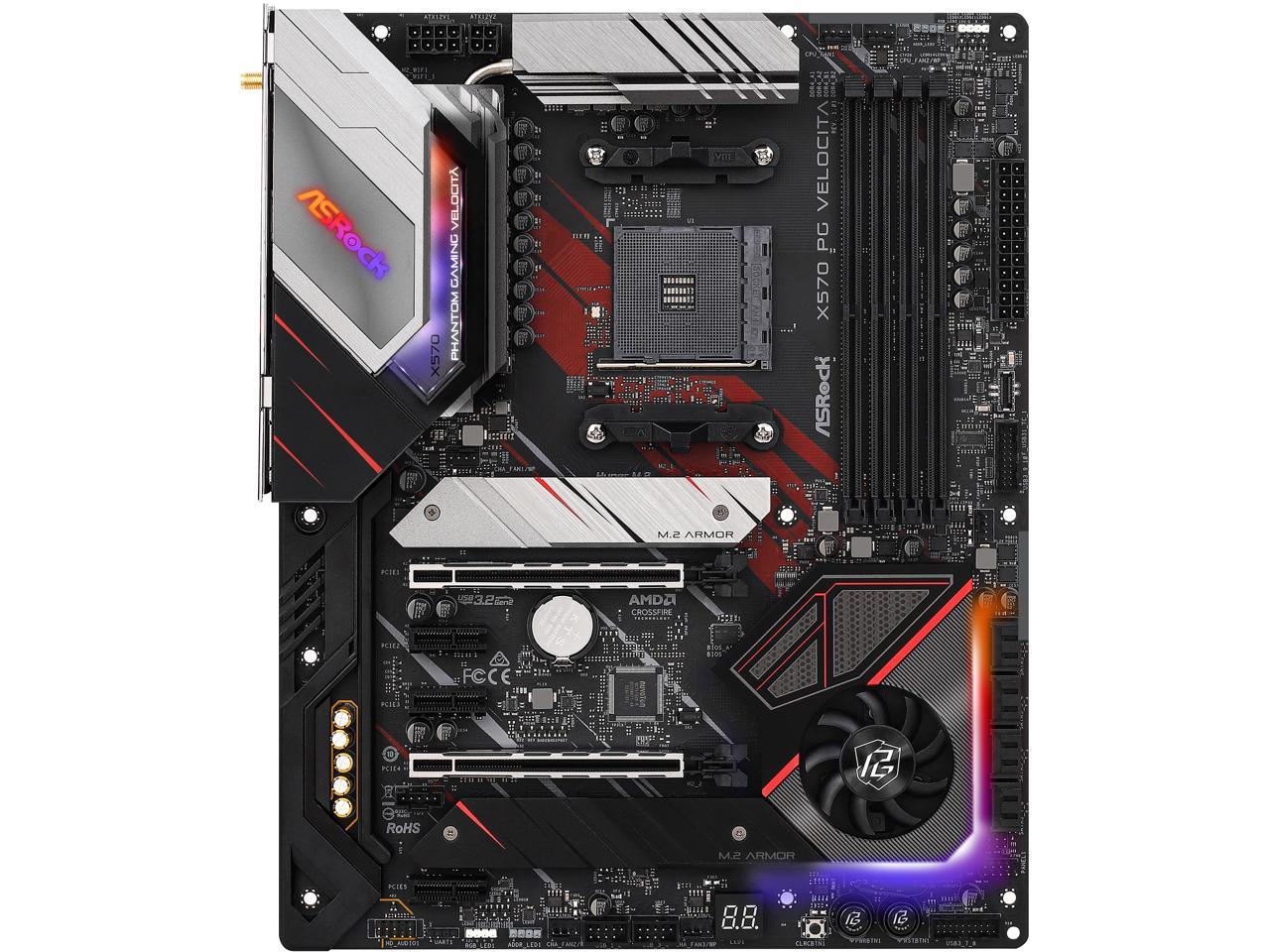
The motherboard holds the CPU socket, where the processor fits. It also has RAM slots for memory sticks. Storage devices connect through SATA or NVMe ports.
Power connectors link the motherboard to the power supply. Expansion slots allow extra cards like graphics or sound cards. All these parts work together to run your PC.
Form Factors
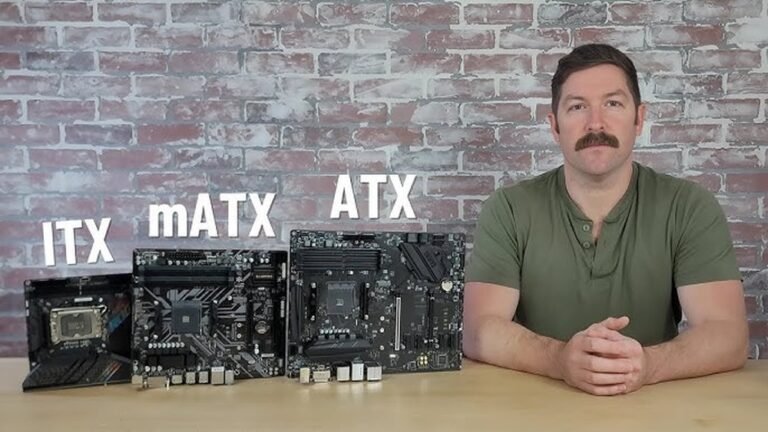
Motherboards come in different sizes called form factors. The most common are ATX, Micro-ATX, and Mini-ITX. Each size fits different computer cases and needs.
ATX boards have more slots and ports. Smaller boards save space but have fewer features. Choose a form factor based on your PC’s size and use.
Chipsets Explained
The chipset controls data flow between the CPU, memory, and devices. It decides what features your motherboard supports. Different chipsets offer different speeds and options.
Some chipsets support faster RAM or more USB ports. Others allow multiple graphics cards. Knowing the chipset helps pick the right motherboard for your needs.
Central Hub For Communication
The motherboard acts as the central hub for communication inside a PC. It links all parts together. Signals travel through it, allowing components to work as a team. Without the motherboard, the PC cannot function properly.
This central role makes the motherboard very important. It connects the CPU, memory, and other parts. Every message or data move passes through it. This keeps the PC running smoothly and fast.
Connecting The Cpu
The CPU is the brain of the PC. The motherboard holds the CPU socket. This socket fits the CPU perfectly and connects it to other parts. It allows the CPU to send and receive data. This connection keeps the PC active and responsive.
Memory Slots And Ram
Memory slots on the motherboard hold the RAM sticks. RAM stores data that the CPU needs quickly. The motherboard lets the CPU access this data fast. More RAM means better performance for tasks and programs.
Expansion Slots And Cards
Expansion slots let you add extra cards to the PC. Graphics cards, sound cards, and network cards fit here. The motherboard links these cards to the CPU and memory. This adds new features and power to the PC.
Power Distribution
The motherboard acts as the main hub for power distribution in a PC. It receives electrical power from the power supply unit. Then, it spreads this power to all the essential parts. Proper power distribution keeps the PC stable and running smoothly. Without it, components may not work correctly or could get damaged.
Power Connectors
Power connectors link the power supply to the motherboard. The largest one is the 24-pin connector. It provides the main power to the motherboard. There is also a smaller 4 or 8-pin connector. It supplies extra power to the CPU. These connectors ensure all parts get the right power amount.
Voltage Regulation
The motherboard controls voltage levels for each component. It uses voltage regulator modules (VRMs). VRMs adjust the voltage to safe and stable levels. This protects sensitive parts like the CPU and RAM. Voltage regulation prevents damage from power spikes or drops.
Battery And Cmos
A small battery powers the CMOS chip on the motherboard. CMOS stores important settings like date and hardware info. This battery keeps settings saved when the PC is off. Without it, the system would lose its configuration every time.
Data Transfer And Storage
The motherboard acts like the central hub for data transfer and storage in a PC. It connects storage devices and controls data flow between components. This ensures your files and programs load fast and run smoothly.
Data moves through different types of connections on the motherboard. These include storage interfaces, USB ports, and network links. Each plays a key role in handling information inside your computer.
Sata And Nvme Interfaces
SATA and NVMe are the main ways your motherboard connects to storage drives. SATA is common for hard drives and some SSDs. It offers decent speed for everyday use.
NVMe is faster and connects through the PCIe lanes on the motherboard. It works with modern SSDs and speeds up data transfer. This helps load software and games quickly.
Usb Ports And Connectivity
USB ports on the motherboard allow you to connect external devices. These include flash drives, external hard disks, and smartphones. USB types like 3.0 or 3.1 give faster data transfer than older versions.
USB ports also power devices and enable quick file sharing. They keep your data accessible and your workspace organized.
Networking Capabilities
Motherboards often have built-in network controllers. These support wired Ethernet or wireless Wi-Fi connections. They manage data sent and received over the internet or local networks.
Good networking helps with smooth online gaming, video calls, and downloading files. It keeps your PC connected and productive.
Bios And Firmware
The BIOS and firmware are key parts of a motherboard. They control the basic functions of your PC. BIOS stands for Basic Input/Output System. It acts as the bridge between your computer’s hardware and software. Firmware is the software programmed into the motherboard’s chip. It helps the computer start and run correctly.
Boot Process
The BIOS begins working as soon as you turn on your PC. It checks all hardware parts like the processor, memory, and drives. This check is called POST, or Power-On Self-Test. If everything is fine, BIOS loads the operating system. This step is important for the computer to start properly.
Settings And Configuration
BIOS also lets you change hardware settings. You can adjust the system clock, boot order, and device settings. These options help customize how your PC works. You enter the BIOS setup by pressing a key during startup, usually F2 or Delete. Changing settings can improve performance or fix hardware issues.
Firmware Updates
Firmware updates improve the BIOS and fix bugs. Motherboard makers release updates to support new hardware. Updating firmware can increase stability and security. It is done by downloading a file and running it from the BIOS menu. Keeping firmware updated helps your PC run smoothly over time.

Credit: logixconsulting.com
Audio And Visual Integration
The motherboard plays a key role in managing audio and visual functions in a PC. It connects and controls the parts that handle sound and display. These features affect how you hear music, watch videos, and use peripherals. Understanding how the motherboard integrates audio and visual components helps you see its importance in daily computer use.
Onboard Audio Chips
Motherboards often include built-in audio chips. These chips process sound signals for speakers and headphones. They support multiple audio channels for surround sound. Onboard audio reduces the need for extra sound cards. This saves space and lowers cost in most PC builds. Good audio chips improve sound clarity and reduce noise.
Video Output Options
The motherboard provides video output ports for monitors. Common ports include HDMI, DisplayPort, and VGA. These allow connection to different types of screens. Some motherboards support multiple monitors at once. Built-in graphics support basic video tasks without a separate GPU. Video outputs are essential for clear, high-quality display.
Peripheral Support
Motherboards connect various audio and video peripherals. These include microphones, webcams, and external speakers. USB and audio jacks link these devices easily. The motherboard manages data transfer between peripherals and the PC. Good support ensures smooth performance with no lag or sound issues. This integration helps create a complete multimedia experience.
Troubleshooting And Maintenance
Troubleshooting and maintaining your PC’s motherboard keeps your computer running smoothly. The motherboard connects all parts and controls communication between them. Problems here can stop your PC from working properly. Regular checks help catch issues early and avoid bigger damage.
Simple care and timely upgrades improve performance and extend your PC’s life. Understanding common problems and tools for diagnosis makes fixing easier. Knowing when to upgrade the motherboard can also boost your computer’s capabilities.
Common Issues
Motherboards face several typical problems. Power failures, no display, or random restarts are common signs. Loose connections or damaged capacitors often cause these issues. Overheating can also harm the board and other parts. Dust buildup blocks airflow and raises temperature. Physical damage from drops or spills may break circuits. Detecting these problems early saves time and money.
Diagnostic Tools
Using diagnostic tools helps find motherboard issues quickly. Software like CPU-Z and HWMonitor checks hardware status and temperature. BIOS or UEFI settings can reveal errors during startup. POST (Power-On Self-Test) codes indicate specific problems. Multimeters test electrical connections on the board. Visual inspection with a flashlight can spot damaged parts. These tools guide repairs or confirm when replacement is needed.
Upgrading The Motherboard
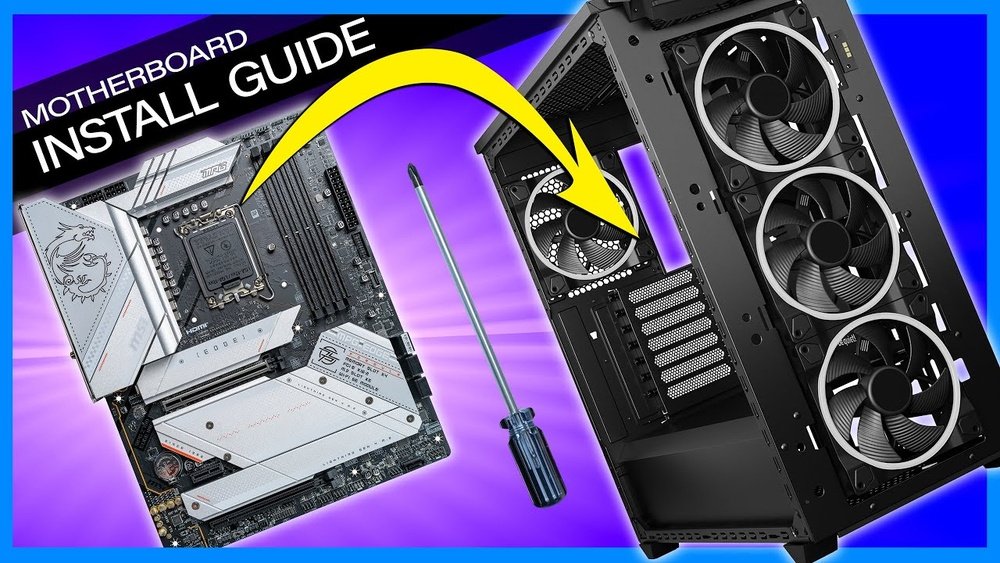
Upgrading the motherboard can improve speed and add new features. Choose a board compatible with your CPU, RAM, and case. Newer motherboards support faster memory and more ports. Installation requires careful handling to avoid damage. Backup data before starting any upgrade. Upgrading may also need a fresh operating system install. This step keeps your PC up-to-date and ready for future software.
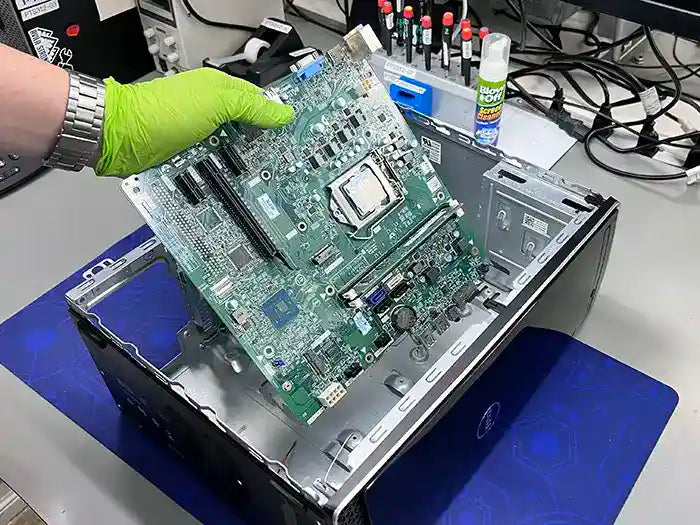
Credit: primetechsupport.com
Frequently Asked Questions
What Is The Primary Function Of A Motherboard?
The motherboard connects all PC components, enabling communication and power distribution. It acts as the main circuit hub for the entire system.
How Does A Motherboard Affect Pc Performance?
A motherboard determines compatibility and speed for CPUs, RAM, and GPUs. It impacts data transfer rates and system stability, influencing overall performance.
Can I Upgrade My Pc By Replacing The Motherboard?
Yes, upgrading the motherboard can support newer hardware and features. Ensure compatibility with existing components before making a replacement.
What Components Are Connected To A Motherboard?
Key components like the CPU, RAM, storage drives, GPU, and power supply connect to the motherboard. It also supports peripherals via USB and audio ports.
Conclusion
The motherboard acts as the heart of your PC. It connects all parts to work as one. Without it, the PC cannot function. It allows communication between the processor, memory, and other devices. Choosing the right motherboard helps your computer run smoothly.
Understanding its role makes PC building easier. Remember, every part depends on the motherboard’s support. It keeps everything organized and ready to go. Simple yet important.