Can a Pc Run Without a Gpu: Essential Facts You Need to Know
Have you ever wondered if your PC can work without a GPU? Whether you’re building a new computer or troubleshooting an old one, this question can save you time and money.
You might think a graphics card is essential, but the truth might surprise you. Keep reading to discover when your PC can run without a GPU and what you need to know to keep your system running smoothly. This could change how you think about your computer’s setup.

Credit: www.reddit.com
Pc Components And Gpu Role
A PC has many parts that work together to run programs and tasks. Each component has a special job. The GPU, or graphics processing unit, is one of these parts. It helps create images and videos on your screen. Understanding the GPU’s role helps to know if a PC can work without it.
Key Parts Of A Computer
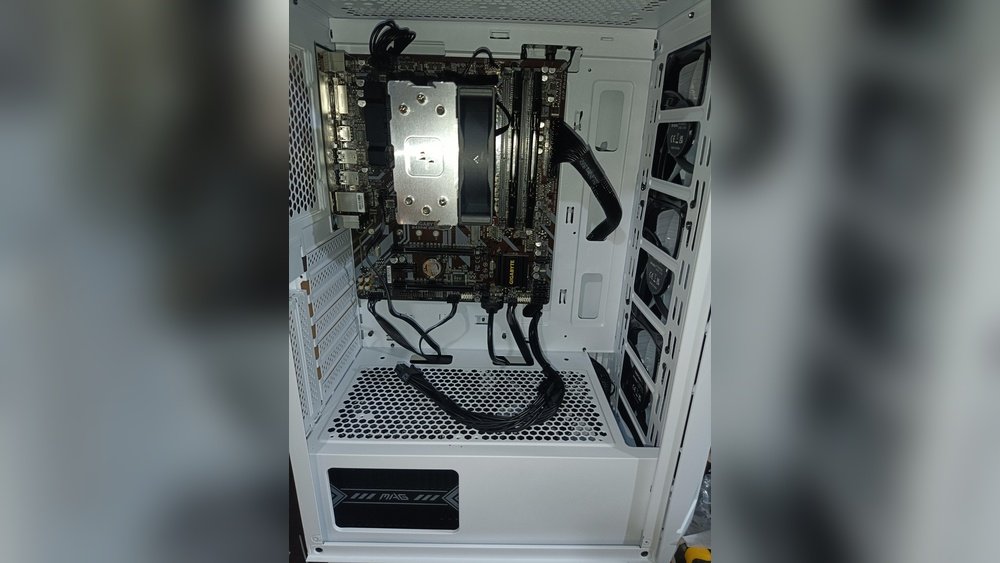
The main parts of a computer include the CPU, RAM, storage, motherboard, power supply, and GPU. The CPU is the brain. It handles most tasks and calculations. RAM stores temporary data for quick access. Storage keeps files and programs. The motherboard connects all parts. Power supply gives energy. Each part depends on the others.
What A Gpu Does
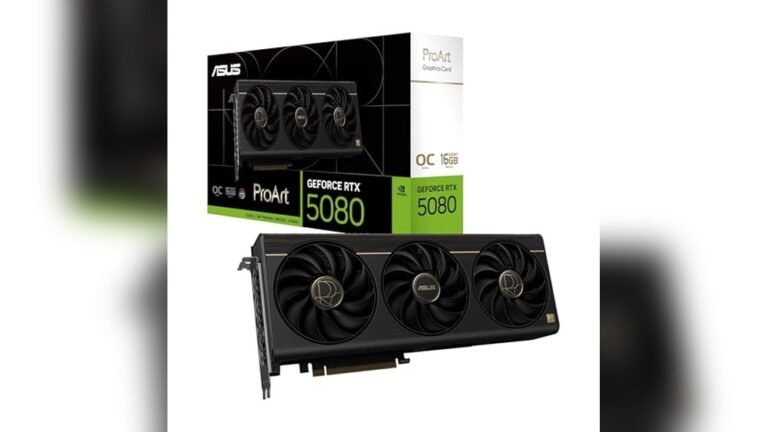
A GPU processes graphics and visuals. It makes images, videos, and animations smooth and clear. The GPU helps with tasks like gaming, video editing, and 3D design. Without a GPU, the CPU can handle basic graphics but may struggle with complex visuals. The GPU also frees the CPU to focus on other tasks. This balance improves the computer’s speed and performance.
Credit: www.partitionwizard.com
Integrated Graphics Vs Dedicated Gpu
Choosing between integrated graphics and a dedicated GPU is key for PC performance. Both handle graphics tasks but work very differently. Understanding their roles helps decide if your PC needs a separate graphics card or not.
How Integrated Graphics Work
Integrated graphics use the computer’s main processor to handle visual data. They share memory with the CPU instead of having their own. This design saves space and power inside the PC. Integrated graphics can run basic games and video playback smoothly. They fit well for everyday tasks like browsing and office work. The performance depends on the CPU model and the amount of shared memory. Integrated graphics are common in laptops and budget desktops.
Benefits Of Dedicated Gpus
Dedicated GPUs have their own processor and memory for graphics. This leads to faster and more powerful performance. They handle complex tasks such as 3D games, video editing, and graphic design. Dedicated GPUs reduce the load on the CPU, improving overall system speed. They support higher resolutions and multiple monitors easily. These GPUs are essential for users needing strong graphics power. They also allow for better cooling and upgrades over time.
Running A Pc Without A Gpu
Running a PC without a GPU is possible in many cases. Many modern processors come with built-in graphics. This means the computer can display images without needing a separate graphics card. This setup suits basic computer tasks well.
Understanding when a GPU is not necessary helps users save money. It also reduces power use and noise from the PC. But knowing the limits of this setup is important.
When A Gpu Is Not Required
Many everyday tasks do not need a dedicated graphics card. Browsing the internet, checking emails, and working on documents are good examples. Most CPUs with integrated graphics handle these jobs smoothly.
Watching videos and streaming online also works fine without a GPU. Some business applications and simple photo editing do not demand a powerful graphics card. For these uses, integrated graphics provide enough performance.
Limitations Without A Gpu
Graphics performance is lower without a dedicated GPU. Running high-end games or 3D design software becomes difficult. These programs need more graphics power than integrated chips provide.
Video editing and animation also suffer without a GPU. The process can be slower and less efficient. Some software may not run properly or at all.
Multiple monitor setups and higher resolutions can cause issues too. A GPU supports more displays and better image quality. Without one, options are limited for advanced users.
Performance Impacts
Running a PC without a dedicated GPU affects its overall performance. The CPU and integrated graphics handle all tasks. This setup impacts tasks needing strong graphics power.
Some everyday activities work fine without a GPU. But certain tasks slow down a lot. The impact varies depending on the type of work.
Gaming And Graphics Performance
Games depend heavily on a powerful GPU. Without one, games run very slowly or not at all. Integrated graphics cannot process complex visuals well. Frame rates drop, causing lag and poor experience. High-detail settings become impossible to use. Older or simple games may still work but with lower quality.
Video Editing And Rendering
Video editing needs strong graphics support for smooth playback. Without a GPU, rendering times increase a lot. The CPU must do all the work alone. This slows down the editing process. Previewing effects and transitions may stutter or freeze. Large video files take much longer to export. Overall, video work becomes less efficient and more tiring.
Troubleshooting No-gpu Setups
Troubleshooting a PC without a GPU can be tricky. Many people wonder if their system will work properly without a dedicated graphics card. Some PCs have integrated graphics in the CPU or motherboard, which helps display images without a GPU. Still, problems may arise during setup or use. This section explains common issues and offers simple solutions for no-GPU setups.
Common Issues Faced
One common problem is no video signal on the monitor. This happens if the PC uses a GPU but does not detect it. Another issue is poor display performance. Without a GPU, some tasks may run slowly or freeze. Some software may not start if it needs a graphics card. Overheating can also occur if the system tries to use the wrong hardware. Lastly, BIOS settings may prevent booting without a GPU installed.
Solutions And Workarounds
Check if the CPU or motherboard supports integrated graphics. Use the correct video output port, usually on the motherboard. Update the BIOS to enable no-GPU mode if needed. Lower display resolution to reduce load on integrated graphics. Install drivers for the integrated graphics to improve performance. Disable any settings that require a dedicated GPU in the BIOS. Use lightweight software that does not need strong graphics. Keep the PC clean and cool to avoid overheating. These steps help run a PC smoothly without a GPU.

Credit: www.youtube.com
Choosing The Right Setup
Choosing the right PC setup depends on your needs and budget. Not every PC needs a separate GPU. Some can run fine with just the CPU’s built-in graphics. This choice affects cost, performance, and power use. Understanding your main tasks helps pick the best setup.
Budget Considerations
GPUs add extra cost to your PC build. Integrated graphics save money by using the CPU for display tasks. For basic tasks, this is enough. Spending more on a GPU only makes sense if you need better graphics. Consider future upgrades too. A simple setup may be cheaper now but cost more later.
Use Case Scenarios
Basic office work, browsing, and video watching do not need a GPU. CPUs with integrated graphics handle these well. For video editing or gaming, a GPU improves performance. Some software needs a GPU to run smoothly. Choose based on the programs you use most. This keeps your PC efficient and suited to your needs.
Frequently Asked Questions
Can A Pc Run Without A Dedicated Gpu?
Yes, a PC can run without a dedicated GPU if it has integrated graphics in the CPU. Integrated graphics handle basic tasks like web browsing and video playback, but won’t support high-end gaming or heavy graphic design.
What Tasks Can A Pc Do Without A Gpu?
Without a GPU, a PC can perform everyday tasks such as browsing the internet, streaming videos, office work, and light photo editing. However, it will struggle with 3D gaming, video editing, and other graphics-intensive applications.
How Does Integrated Graphics Differ From A Gpu?
Integrated graphics are built into the CPU and share system memory. Dedicated GPUs have their own memory and provide superior performance for gaming and professional graphics work.
Will A Pc Without A Gpu Affect Gaming Performance?
Yes, gaming performance will be significantly lower without a GPU. Integrated graphics can run only older or less demanding games at reduced settings and lower frame rates.
Conclusion
A PC can run without a dedicated GPU in many cases. Basic tasks like browsing and office work do not need extra graphics power. Integrated graphics in the CPU handle simple visuals well. For heavy gaming or video editing, a GPU helps a lot.
Some computers may not start without a GPU, depending on the model. Always check your PC’s specifications before removing or skipping a GPU. This choice depends on what you want to do with your computer. Simple setups often work fine without one.