

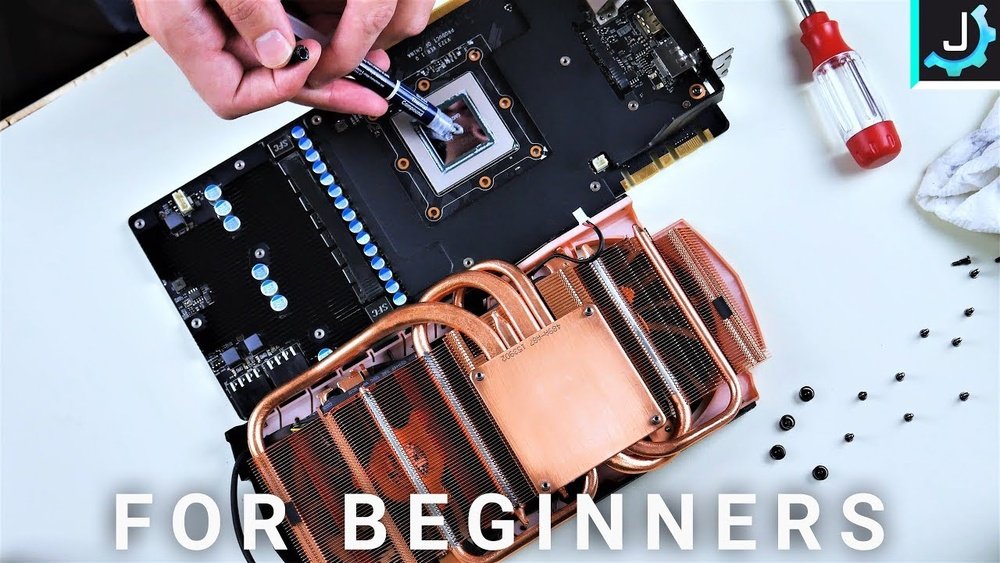
Are you wondering if your GPU really needs thermal paste? You might think it’s just an extra step, but the truth could affect your graphics card’s performance and lifespan.
If you want to keep your GPU running cool and avoid costly damage, understanding the role of thermal paste is key. Keep reading, and you’ll discover why this simple substance can make a big difference for your gaming, streaming, or graphic work.
Don’t risk overheating—learn what you need to know right now.
Role Of Thermal Paste In Gpu Cooling
Thermal paste plays a vital role in keeping your GPU cool. It helps transfer heat from the GPU chip to the cooler. Without thermal paste, heat cannot move efficiently. This may cause the GPU to overheat and slow down.
Applying the right amount of thermal paste improves the contact between surfaces. It fills tiny gaps and bumps on the GPU and cooler. This ensures better heat flow and stable GPU performance.
How Thermal Paste Enhances Heat Transfer
Thermal paste acts as a bridge for heat. It fills microscopic spaces between the GPU and its cooler. These spaces trap air, which blocks heat flow. The paste removes this air gap and lets heat pass easily. This leads to faster cooling of the GPU chip.
Good heat transfer means the GPU stays at a safe temperature. It helps prevent damage and keeps the GPU running smoothly. Proper use of thermal paste lowers the risk of overheating during heavy use.
Common Materials Used In Thermal Paste
Thermal pastes come in different materials. The most common types include silicone, metal-based, and ceramic pastes. Silicone pastes are affordable and easy to apply. Metal-based pastes have high thermal conductivity but may cause electrical issues if misapplied.
Ceramic pastes offer good performance without electrical risks. Many users prefer ceramic for safety and efficiency. Choosing the right material depends on your GPU and cooling needs.
Credit: koolingmonster.com
When To Apply Thermal Paste On A Gpu
Thermal paste on a GPU helps move heat from the chip to the cooler. Knowing when to apply it is important for your graphics card’s health. The right time to apply or reapply thermal paste can save your GPU from overheating and damage.
Signs Your Gpu Needs New Thermal Paste
If your GPU runs hotter than usual, it may need new thermal paste. Sudden temperature spikes during simple tasks are a warning sign. Fans running louder and longer than normal can also mean poor heat transfer. Lower performance or crashes might happen due to overheating. These symptoms suggest the thermal paste has dried or lost its effectiveness.
Situations That Require Reapplying Thermal Paste
Remove and replace thermal paste after cleaning or replacing the GPU cooler. Over time, thermal paste dries out and stops working well. If you open your GPU for repairs or upgrades, reapply paste before closing it. Using old or damaged thermal paste will reduce cooling efficiency. Regular maintenance every couple of years can keep your GPU running cool and safe.
Choosing The Right Thermal Paste For Your Gpu
Choosing the right thermal paste for your GPU is important. It helps keep the graphics card cool and works better. Different thermal pastes have different qualities. Picking the right one can improve your GPU’s life and performance.
Types Of Thermal Pastes Available
There are several types of thermal pastes. Silicone-based pastes are common and easy to use. They work well for regular use. Metal-based pastes conduct heat very well but can be tricky to apply. Ceramic-based pastes are safe and do not conduct electricity. They offer good heat transfer but may be less effective than metal ones. Liquid metal pastes provide the best heat transfer but need careful handling.
Factors To Consider Before Purchase
Check the thermal conductivity rating. Higher numbers mean better heat transfer. Look for paste that is safe for electronics. Some metal-based pastes can cause short circuits if applied wrongly. Consider how long the paste lasts. Some dry out faster than others. Ease of application is also important. Beginners should choose pastes that spread easily. Price matters but do not choose only by cost. Balance quality and cost for best results.

Credit: www.reddit.com
Step-by-step Guide To Applying Thermal Paste
Applying thermal paste on your GPU is important for good heat transfer. This guide shows easy steps to do it right. Follow these steps to keep your GPU cool and safe.
Preparing The Gpu Surface
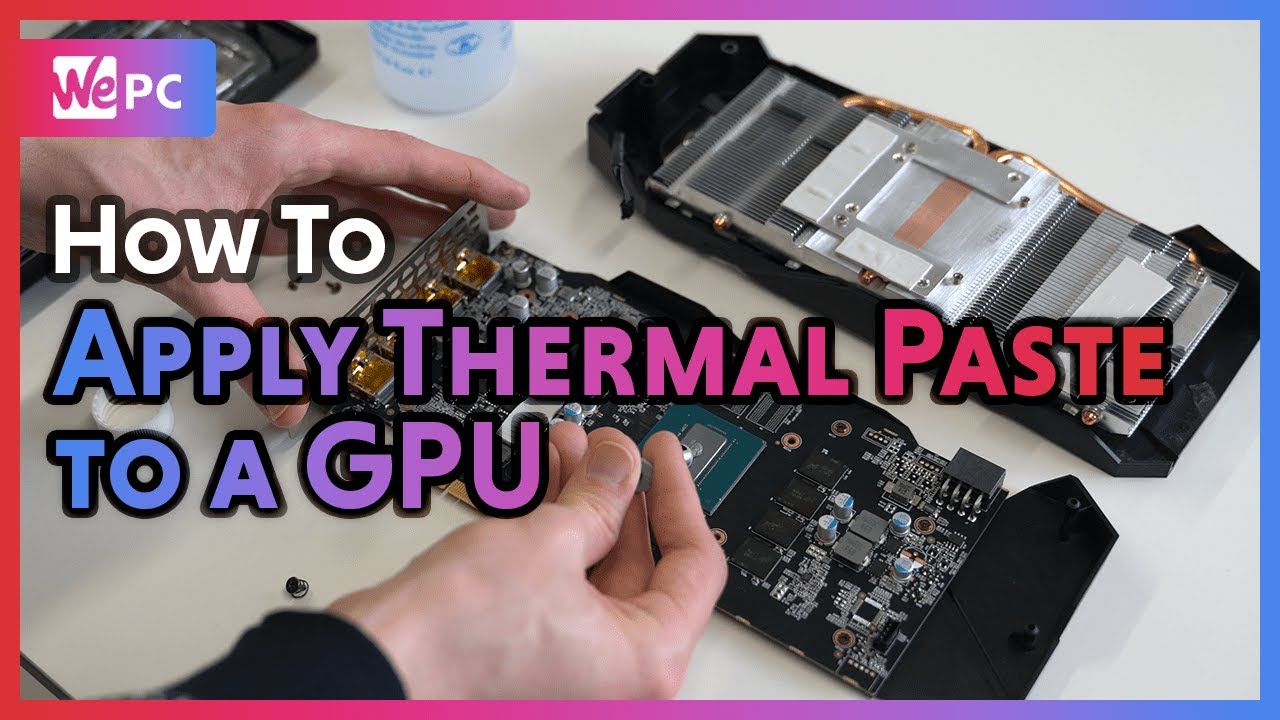
Turn off your PC and unplug it first. Remove the GPU carefully from the computer. Clean the old thermal paste from the GPU chip. Use a soft cloth or paper with isopropyl alcohol. Wait until the surface is dry and clean. Avoid touching the cleaned area with your fingers.
Correct Amount And Application Techniques
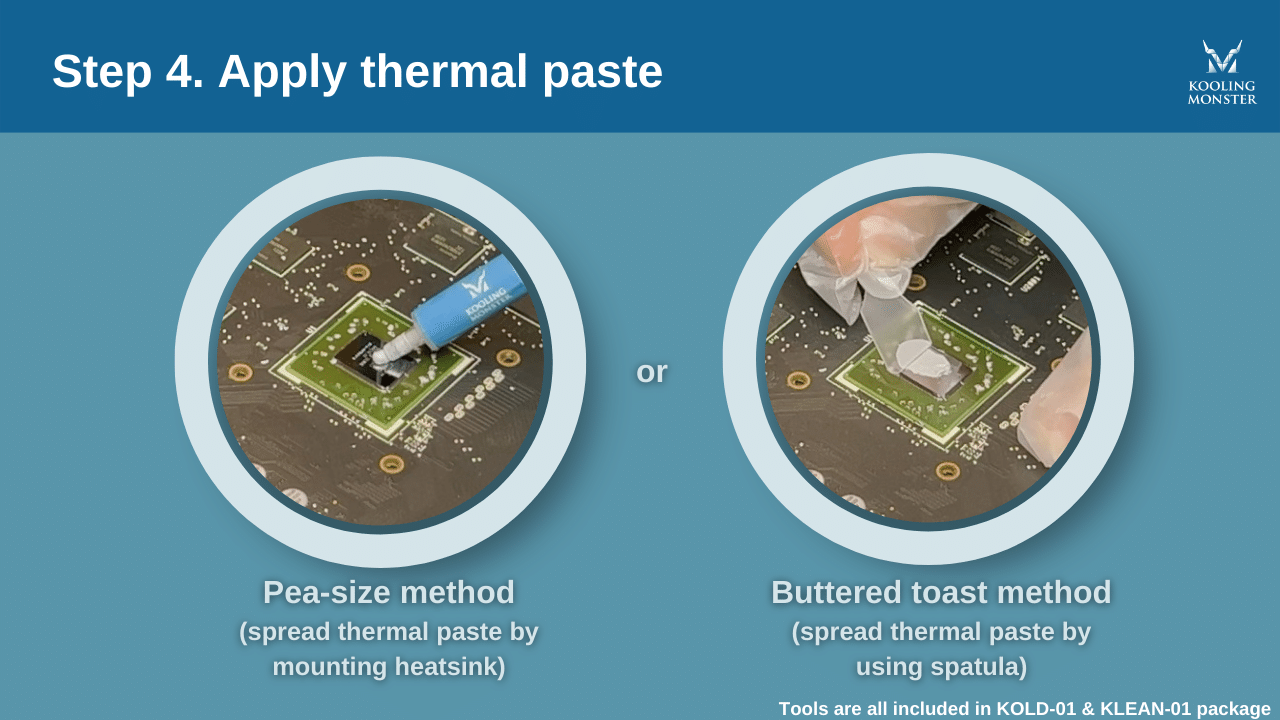
Put a small pea-sized drop of thermal paste in the center. Spread it evenly with a plastic card or let the heat spread it. Too much paste can cause problems. Too little paste will not cool well. Aim for a thin, even layer over the chip.
Reassembling The Gpu
Place the heatsink back on the GPU gently. Make sure it sits flat and aligned. Tighten screws slowly in a cross pattern to spread pressure. Avoid overtightening to prevent damage. Reinstall the GPU into your computer carefully. Plug in and turn on your PC to check performance.
Common Mistakes To Avoid When Applying Thermal Paste
Applying thermal paste on your GPU is important for keeping it cool. Many people make mistakes during this process. These errors can reduce cooling efficiency and cause overheating. Avoiding common mistakes helps your GPU work better and last longer.
Using Too Much Or Too Little Paste
Using too much thermal paste can block airflow and trap heat. It may spill over the GPU, causing damage. Using too little paste leaves gaps between the GPU and cooler. This reduces heat transfer and can cause overheating. Apply a small, pea-sized amount for best results.
Skipping Cleaning Before Application
Old thermal paste and dust can stop new paste from working well. Clean the GPU surface with isopropyl alcohol and a soft cloth. Skipping this step leaves dirt and old paste behind. This lowers the paste’s ability to cool the GPU properly.
Alternative Cooling Solutions For Gpus
GPUs generate a lot of heat during use. Keeping them cool is important to avoid damage. Thermal paste helps transfer heat, but other cooling options exist. These alternatives can improve GPU performance and lifespan.
Some users prefer different cooling methods to suit their needs. These choices depend on budget, noise levels, and cooling power. Understanding these options can help maintain your GPU better.
Aftermarket Coolers
Aftermarket coolers replace the stock GPU fan and heatsink. They often offer better cooling and quieter operation. These coolers use larger fans or more heat pipes. Installation is usually straightforward for most users. They help keep GPU temperatures lower during heavy use.
Aftermarket coolers also come with improved designs to spread heat efficiently. This reduces the risk of overheating and can extend GPU life. Many models support different GPU sizes and brands. They are a popular choice for gamers and PC builders.
Liquid Cooling Options
Liquid cooling uses water or coolant to move heat away from the GPU. It offers better cooling than air in many cases. Liquid coolers have a pump, radiator, and tubes for heat transfer. These systems can lower GPU temperatures significantly.
They run quietly because fans can spin slower. Installation is more complex and may need extra space in the PC case. Some users prefer all-in-one liquid coolers for easier setup. Custom loops provide the best cooling but require more skill and care.
Liquid cooling is ideal for high-performance GPUs and overclocking. It keeps the GPU stable and reduces noise during heavy tasks.
Monitoring Gpu Temperatures After Maintenance
Monitoring GPU temperatures after applying thermal paste is crucial for your graphics card’s health. Proper temperature checks help ensure the paste works well. It also prevents overheating and system crashes. Regular monitoring lets you catch problems early and keep your GPU running smoothly.
Recommended Software Tools
Several tools show real-time GPU temperatures. MSI Afterburner is popular and easy to use. GPU-Z offers detailed hardware info, including temperature. HWMonitor tracks various system sensors. These tools help you watch GPU heat during gaming or work. Use them to verify thermal paste effectiveness after maintenance.
Ideal Temperature Ranges For Gpus
Most GPUs run safe between 30°C and 85°C. Idle temps often stay below 40°C. Under load, 70°C to 85°C is normal. Temperatures above 90°C can cause damage. Keep your GPU below this limit to avoid issues. Good thermal paste helps maintain these safe ranges.
Credit: www.youtube.com
Frequently Asked Questions
Does A Gpu Need Thermal Paste For Cooling?
Yes, a GPU needs thermal paste between the chip and cooler. It improves heat transfer by filling microscopic gaps. This helps keep the GPU temperature low and performance stable.
How Often Should I Replace Thermal Paste On My Gpu?
Replace thermal paste every 2-3 years or if temperatures rise. Old paste dries out and loses effectiveness. Fresh paste ensures optimal heat dissipation and prevents overheating.
Can I Apply Thermal Paste On A Gpu Myself?
Yes, applying thermal paste on a GPU is doable with care. Clean old paste, apply a small dot of new paste, then reattach the cooler firmly for best results.
What Happens If I Don’t Use Thermal Paste On Gpu?
Without thermal paste, heat transfer is poor. This causes the GPU to overheat, throttle performance, and may damage the hardware over time.
Conclusion
Thermal paste plays a key role in keeping your GPU cool. It helps fill gaps between the GPU and the cooler. Without it, heat may build up and cause problems. Applying fresh thermal paste can improve your GPU’s performance and lifespan.
Regular checks can prevent overheating issues. Always use the right amount for the best results. Taking care of your GPU with thermal paste keeps it running smoothly. Small steps make a big difference in cooling and safety.
