Does Amd Adrenalin Update Gpu Drivers: Essential Facts Revealed
Are you looking to get the best performance from your AMD graphics card? You might have heard about the AMD Adrenalin software and wondered if it actually updates your GPU drivers.
Keeping your drivers up to date is key to smooth gameplay, faster speeds, and fewer crashes. But does the Adrenalin software really handle this for you, or do you need to take extra steps? You’ll discover exactly how AMD Adrenalin works with your GPU drivers and what you should do to keep your system running at its peak.
Keep reading to make sure you never miss an important update again.
Credit: www.amd.com
Amd Adrenalin Software Basics
AMD Adrenalin Software is a key tool for AMD graphics card users. It helps manage and update GPU drivers easily. The software offers useful features for better gaming and graphic performance. Users find it simple to use and effective for keeping their graphics cards up to date.
This section covers the basics of AMD Adrenalin Software. It explains its main features, user interface, and compatibility with different devices.
Core Features
AMD Adrenalin Software updates GPU drivers automatically. It improves performance and fixes bugs. The software includes game optimization settings for smooth gameplay. Users can record and share their gaming moments. It also offers tools to monitor GPU temperature and usage.
User Interface
The user interface is clean and easy to navigate. Menus are well-organized for quick access to settings. Users can customize the layout to fit their needs. Clear icons and labels help users find options fast. The interface supports multiple languages for global users.
Compatibility
AMD Adrenalin supports a wide range of AMD graphics cards. It works on Windows operating systems, including Windows 10 and 11. The software is regularly updated to support new hardware. It also supports some older GPUs to extend their life. Compatibility ensures most AMD users can benefit from it.

Credit: www.youtube.com
Gpu Driver Updates Explained
Understanding GPU driver updates is important for PC users. These updates keep your graphics card running smoothly. They fix bugs, add features, and improve speed. AMD Adrenalin is the software that provides these updates for AMD GPUs. Let’s dive into how these updates work and why they matter.
Role Of Drivers
Drivers are small programs. They help your computer and GPU talk to each other. Without drivers, your GPU cannot work correctly. Drivers translate commands from your operating system to the graphics card. They also control how your GPU handles games and apps.
Update Frequency
AMD releases driver updates regularly. Sometimes updates come every few weeks. Other times, they appear less often. Updates depend on new games, software changes, or fixing problems. Staying up to date helps your GPU work at its best.
Impact On Performance
Updating drivers can improve your GPU’s speed and stability. New drivers often fix bugs that cause crashes or slowdowns. They can also boost frame rates in games. This means smoother gameplay and better visuals. Updated drivers keep your PC safe and efficient.
How Amd Adrenalin Handles Driver Updates
AMD Adrenalin software manages GPU driver updates with ease and clarity. It keeps your graphics card up-to-date for better performance and stability. The process is simple and user-friendly. It helps users stay informed and in control of their updates.
Update Notification
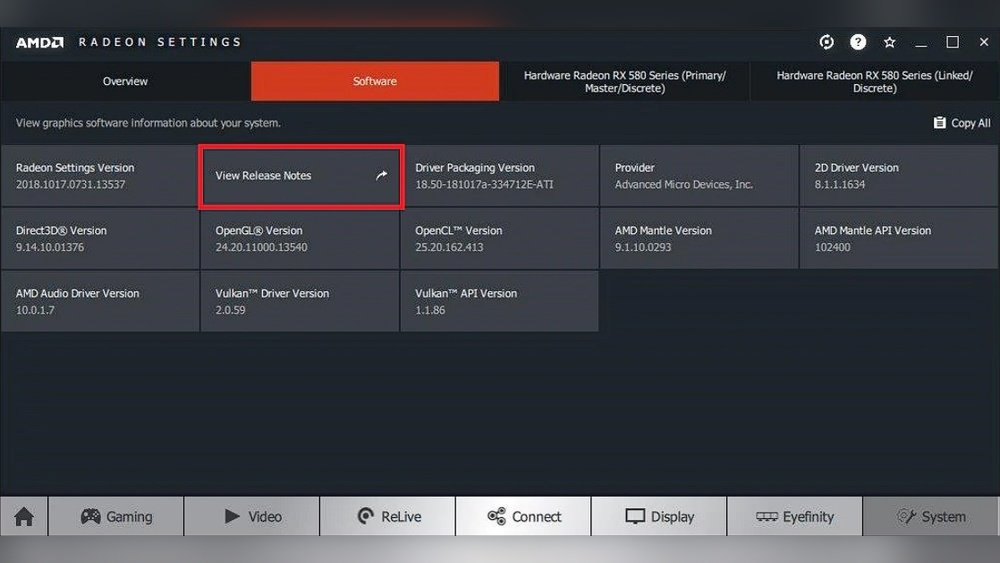
AMD Adrenalin notifies users when a new driver update is available. A pop-up message appears on the screen. This alert shows the update version and release notes. Users can see what improvements or fixes the update includes. This notification ensures users never miss important updates.
Automatic Vs Manual Updates
The software offers both automatic and manual update options. Automatic updates download and install without user action. Manual updates require users to start the process themselves. This choice lets users decide how and when to update. Both methods keep your GPU drivers current and reliable.
Installation Process
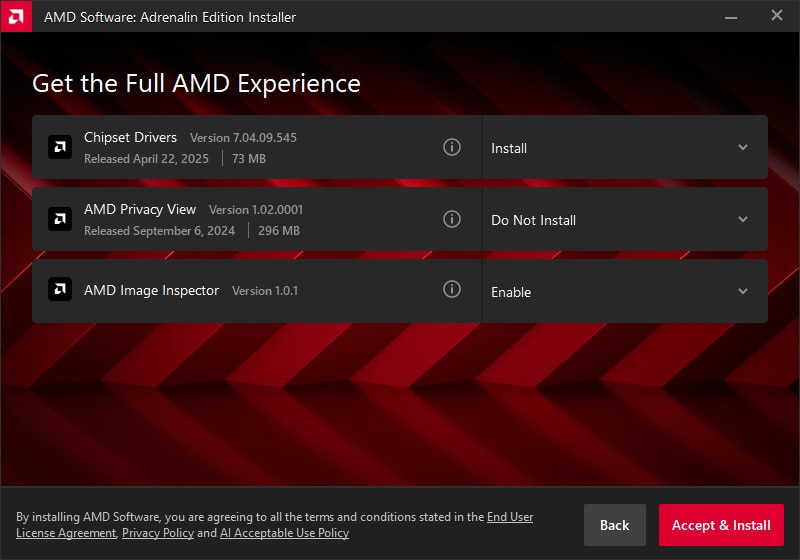
Installing updates with AMD Adrenalin is straightforward. The software guides users through each step. It checks system compatibility before starting the installation. Progress bars show how much time is left. After installation, a quick system restart may be needed. This clean process helps avoid errors and keeps drivers working well.
Benefits Of Using Amd Adrenalin For Drivers
Using AMD Adrenalin to update GPU drivers offers many advantages. It keeps your graphics card running smoothly and improves overall performance. Regular updates help your system stay compatible with new games and software. It also provides important fixes and features to enhance your experience.
Enhanced Stability
AMD Adrenalin updates improve your GPU’s stability. They reduce crashes and freezes during gaming and work. Your system becomes more reliable with each update. This means fewer interruptions and smoother performance overall.
New Features
Each update may include new features for your GPU. These can improve graphics quality and add useful tools. You get better control over settings and performance. New features help you get the most from your hardware.
Bug Fixes
AMD Adrenalin updates fix known issues in the drivers. Bugs that cause glitches or slowdowns get resolved. This makes your system more efficient and responsive. Regular bug fixes keep your GPU running at its best.
Common Issues And Troubleshooting
Updating GPU drivers with AMD Adrenalin can improve performance and fix bugs. Sometimes, updates do not install correctly. This causes problems for users and their computers. Knowing common issues helps solve them faster. Troubleshooting steps can restore system stability and driver function.
Here are typical problems users face and ways to fix them.
Update Failures
Update failures happen due to many reasons. A slow internet connection can interrupt downloads. Conflicts with existing software also block installation. Sometimes, the system lacks enough space for new files. Driver updates may fail if antivirus software blocks the process. Restarting the computer and closing other apps can help. Running the installer as an administrator often solves permission issues.
Rollback Options
Not every driver update works well for all systems. Rollback options let users return to the previous driver version. This option is found in the Device Manager under the GPU settings. Rolling back fixes problems caused by new updates. It keeps the system stable until a better update arrives. Always create a restore point before updating drivers for safety.
Support Resources
AMD provides many support resources for driver issues. The official AMD website has guides and FAQs for updates. User forums offer advice from other AMD users and experts. AMD’s customer service can help with complex problems. Checking these resources saves time and avoids guesswork. Keeping drivers updated ensures the best GPU performance.
Comparing Amd Adrenalin With Other Update Tools
Choosing the right software to update your GPU drivers is important. AMD Adrenalin is popular for AMD cards. Many users compare it with other tools to find what works best. This section looks at how AMD Adrenalin stands against other update tools.
Nvidia Geforce Experience
NVIDIA GeForce Experience is the official update tool for NVIDIA cards. It scans your system and finds the latest drivers. The software also optimizes game settings automatically. It is easy to use and keeps your drivers current. Many gamers trust it for smooth performance.
Third-party Software
Third-party tools update drivers for many brands. These include Driver Booster and Driver Easy. They scan all hardware and find missing updates. They support many devices beyond GPUs. These tools can be helpful if you want one program for all drivers. Some may offer free and paid versions.
Pros And Cons
AMD Adrenalin is designed for AMD GPUs only. It offers detailed settings and performance monitoring. The software updates drivers quickly and safely. The downside: it does not support other brands. NVIDIA GeForce Experience works only with NVIDIA cards. It has good game optimization features. Third-party tools cover many brands but may lack full support for each. Some may show ads or require payment for full features.
Tips For Optimizing Gpu Performance
Optimizing your GPU helps get the best performance from your graphics card. Simple steps can improve speed and stability. These tips help maintain smooth graphics and avoid crashes.
Focus on keeping your GPU drivers current, setting custom options, and using monitoring tools. These actions keep your system running well and games looking sharp.
Regular Updates
Keep your GPU drivers updated regularly. AMD Adrenalin software often releases new drivers. These updates fix bugs and boost performance. Updated drivers ensure better compatibility with new games. Check for updates monthly or use auto-update features.
Custom Settings
Adjust settings to fit your needs. AMD Adrenalin lets you change graphics options easily. Lowering some effects can improve frame rates. Tweaking settings like anti-aliasing or resolution helps balance quality and speed. Save profiles for different games or tasks.
Monitoring Tools
Use monitoring tools to track GPU health. AMD Adrenalin includes built-in tools for temperature and usage. Keeping an eye on these helps avoid overheating. It also shows if the GPU is working too hard. Monitoring helps you decide when to tweak settings or clean your PC.

Credit: www.pwmachineservices.com
Frequently Asked Questions
Does Amd Adrenalin Update Gpu Drivers Automatically?
Yes, AMD Adrenalin software can automatically update your GPU drivers. It notifies users about new driver releases and offers easy installation options.
How Often Does Amd Release Adrenalin Gpu Driver Updates?
AMD typically releases Adrenalin GPU driver updates monthly or as needed. These updates improve performance, fix bugs, and add new features.
Can I Manually Update Gpu Drivers Using Amd Adrenalin?
Absolutely. AMD Adrenalin allows users to manually check for and install the latest GPU drivers within the software interface.
Does Updating With Amd Adrenalin Improve Gaming Performance?
Yes, updating GPU drivers via AMD Adrenalin often boosts gaming performance. It optimizes compatibility and fixes issues for smoother gameplay.
Conclusion
AMD Adrenalin does update GPU drivers regularly. These updates improve performance and fix bugs. Keeping drivers current helps your graphics card run smoothly. You can download updates through the Adrenalin software easily. Staying updated ensures better gaming and video experiences.
Check for updates often to avoid problems. This simple step keeps your PC ready for new software. Updates are important for security too. Trust AMD Adrenalin to manage your GPU drivers well.