How to Mount Gpu Vertically: Ultimate Guide for Stunning Builds
Are you looking to give your PC a sleek, modern look while improving airflow and cooling? Mounting your GPU vertically is a simple upgrade that can transform your setup.
But how do you do it right? If you’ve ever wondered how to mount your GPU vertically without damaging your components or losing performance, this guide is for you. Keep reading, and you’ll learn the exact steps to make your graphics card stand out and work better in your rig.
Benefits Of Vertical Gpu Mounting
Mounting your GPU vertically can change how your PC looks and works. This setup offers clear benefits beyond regular horizontal placement. It can improve the way your computer cools and lets you show off your graphics card better. These advantages make vertical mounting a popular choice among PC builders.
Enhanced Aesthetics
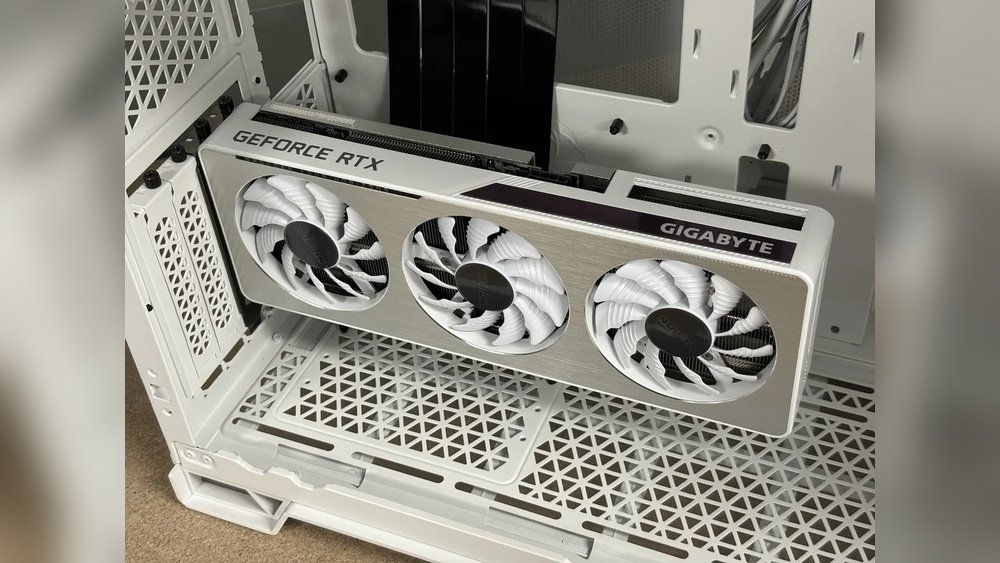
Vertical GPU mounting gives your PC a cleaner look. The graphics card stands out and looks more organized. It prevents the card from hiding behind other parts. This setup highlights the GPU’s design and lighting effects clearly. Many users prefer this style for building a neat and stylish PC.
Improved Cooling Potential
Mounting a GPU vertically can help airflow inside the case. It often creates more space around the card. This space helps cool air reach the GPU fans better. Cooler air means the card can run at lower temperatures. Lower temperatures improve the card’s performance and lifespan.
Showcasing Custom Gpu Designs
Many GPUs have unique designs and RGB lighting. Vertical mounting puts these features in full view. Custom paint jobs and cooler designs become visible to everyone. This setup lets you display your investment proudly. It turns the GPU into a centerpiece of your build.
Types Of Vertical Mounting Brackets
Mounting your GPU vertically gives your PC a sleek look. It also helps show off your graphics card’s design. To do this, you need the right tools. Vertical mounting brackets come in different types. Each type fits different needs and cases. Knowing these types helps you pick the best one for your setup.
Pcie Riser Cables
PCIe riser cables move your GPU away from the motherboard. They connect the card to the PCIe slot with a flexible cable. This allows you to place the GPU vertically. Riser cables come in different lengths and qualities. Choose one with good shielding to avoid signal loss. They are the base component for most vertical mounts.
Dedicated Vertical Brackets
Dedicated vertical brackets are made for specific cases. They hold the GPU firmly in a vertical position. These brackets replace the regular PCIe slots on the case. They often come with slots designed to fit your GPU size. Dedicated brackets provide a stable and clean look. Installation is usually simple and secure.
Universal Mounting Kits
Universal mounting kits work with many different cases. They include adjustable brackets and riser cables. These kits let you mount your GPU vertically anywhere inside the case. Universal kits are flexible and fit most PC builds. They offer a good option if your case lacks a vertical mount slot.
Choosing The Right Components
Choosing the right components is key to mount your GPU vertically successfully. Each part must fit well and work smoothly together. This ensures your GPU stays secure and performs well. Pay close attention to compatibility, cable quality, and airflow space.
Compatibility With Your Case
Check if your PC case supports vertical GPU mounting. Some cases come with built-in brackets or slots. Others need extra parts to hold the GPU upright. Measure the space inside your case. Make sure it can fit the GPU without blocking other parts.
Selecting High-quality Riser Cables
Use good riser cables for a stable connection between GPU and motherboard. Poor cables cause signal loss or slow speeds. Buy cables with shielded connectors and thick wiring. This reduces interference and keeps your GPU running smoothly.
Ensuring Sufficient Clearance And Airflow
Vertical GPUs need room to breathe. Check the space around the card for airflow. Avoid tight spots that trap heat. Good airflow helps cool your GPU and prevents overheating. Leave enough space for fans to move air freely.
Step-by-step Mounting Process
Mounting your GPU vertically can improve your PC’s look and airflow. The process is simple if you follow clear steps. This guide breaks down each part of the installation. Take your time and work carefully for the best results.
Preparing Your Workspace
Clear a clean, flat area to work on. Gather all tools like screwdrivers and screws. Turn off your PC and unplug all cables. Ground yourself to avoid static damage to parts.
Removing The Existing Gpu
Open your PC case by removing screws or panels. Find your current GPU and unscrew it from the case. Carefully disconnect the power cables from the GPU. Gently pull the GPU out of its slot.
Installing The Vertical Bracket
Locate the vertical bracket that came with your kit. Remove the standard PCI slot covers from the case. Attach the vertical bracket to the case using screws. Make sure it fits tightly and lines up well.
Connecting The Riser Cable
Take the riser cable included in your vertical mount kit. Connect one end to the PCIe slot on the motherboard. Attach the other end to the GPU’s PCIe connector. Check that both ends are secure and snug.
Securing The Gpu Vertically
Slide the GPU into the vertical bracket’s slot. Align the screw holes with the bracket’s mounts. Use screws to fix the GPU firmly in place. Reconnect the power cables to the GPU. Close your PC case and plug in all cables.
Common Challenges And Solutions
Mounting a GPU vertically improves the look of a PC build. It shows off the graphics card better. Still, this setup brings some challenges. These issues can affect performance or cause damage if not handled well. Understanding common problems helps keep the system safe and efficient. Here are key challenges and easy solutions to consider.
Managing Cable Flexibility
Vertical GPU mounts need flexible cables. Standard cables may be too stiff or short. This can stress the cable or connectors. Use high-quality, flexible riser cables made for vertical setups. Avoid bending cables sharply. Gentle curves prevent damage. Check cable length before buying. Proper cable management keeps the build neat and functional.
Avoiding Signal Interference
Signal interference can cause display issues. It happens when the riser cable is low quality. Cheap cables may block or weaken signals. Buy shielded, well-made riser cables to ensure good signal flow. Keep cables away from power lines or strong magnets. Test the setup before full assembly to catch problems early.
Dealing With Heat And Airflow Issues
Vertical mounting can change airflow inside the case. Poor airflow leads to higher GPU temperatures. Make sure fans blow air across the GPU properly. Use extra case fans if needed to improve ventilation. Avoid placing the GPU too close to other hot parts. Monitor GPU temperature regularly to prevent overheating.

Credit: www.youtube.com
Optimizing Your Vertical Gpu Setup
Optimizing your vertical GPU setup enhances both the look and performance of your PC. It improves airflow and shows off your graphics card nicely. Proper setup avoids damage and keeps your system running cool.
Cable Management Tips
Keep cables tidy for better airflow and a clean look. Use cable ties or Velcro straps to bundle wires. Route cables behind the motherboard tray or along case edges. Avoid blocking fans or vents with cables. Label cables for easier troubleshooting later.
Adding Rgb And Lighting Effects
Lighting makes your GPU stand out in the case. Choose RGB strips or fans that match your build’s colors. Sync lighting effects with your motherboard or GPU software. Place lights where they highlight the card without glare. Use soft lighting to avoid eye strain.
Regular Maintenance Practices
Dust buildup reduces cooling efficiency. Clean your GPU and case every few months with compressed air. Check that the GPU mount is secure and not loose. Inspect cables for wear or damage. Keep software and drivers updated for best performance.
Popular Cases Supporting Vertical Mounts
Many PC builders want to mount their GPU vertically. This style shows off the graphics card better. It also helps improve airflow inside the case. To do this, you need a case that supports vertical mounting. Not all cases have this option. Some cases come with special brackets and slots for vertical GPUs. These cases range from small to large sizes.
Choosing the right case is important for a clean and efficient build. Below are popular cases that support vertical GPU mounts. They fit different needs and budgets.
Compact Cases
Compact cases save space and fit on small desks. Many compact cases include vertical mount options. They often have limited room, so the vertical mount helps with airflow. Popular compact cases support vertical GPU installation with included brackets. These cases are great for small builds without losing style.
Mid-tower Options
Mid-tower cases are the most common size for PC builders. They balance space and cooling well. Many mid-tower cases have slots for vertical GPU mounts. These cases offer more room for large graphics cards. Vertical mounting in mid-towers helps show off the GPU and can improve airflow.
Full-tower Builds
Full-tower cases provide the most space and cooling options. They support large GPUs and vertical mounting easily. These cases often include adjustable brackets for vertical installs. Full-towers are perfect for high-end builds where showing the GPU is key. They give plenty of room to arrange components neatly.

Credit: www.darkflash.com
Faqs On Vertical Gpu Installation
Many users want to know more about vertical GPU installation. This section answers common questions about mounting your GPU vertically. Understanding these points helps you decide if vertical mounting suits your setup.
The answers are clear and simple. They cover safety, performance, and compatibility concerns.
Is Vertical Mounting Safe For Gpus?
Yes, vertical mounting is safe if done correctly. Use a good quality vertical mount bracket. Make sure the GPU is well supported and secure. Avoid putting extra stress on the PCIe slot. Proper airflow is important to prevent overheating.
Does It Affect Gpu Performance?
Vertical mounting does not change GPU performance. The card works the same way as in a horizontal position. Cooling may improve if airflow is better. But poor airflow can cause higher temperatures. Check your case ventilation to keep the GPU cool.
Can Any Gpu Be Mounted Vertically?
Not all GPUs fit every vertical mount. Check your case compatibility first. Some cases need specific brackets or riser cables. Large or heavy GPUs may require stronger support. Measure your space and confirm if your GPU fits well.
Credit: www.reddit.com
Frequently Asked Questions
What Tools Do I Need To Mount A Gpu Vertically?
You need a vertical GPU mount bracket, screws, and a screwdriver. Some PC cases include the bracket; otherwise, buy one separately. Ensure compatibility with your case and GPU model before installation.
Can All Gpus Be Mounted Vertically?
Not all GPUs fit vertical mounts due to size or design. Check your GPU dimensions and case compatibility. High-end or larger GPUs often work better with vertical mounting for improved cooling and aesthetics.
Does Vertical Gpu Mounting Improve Cooling?
Vertical mounting can improve airflow by reducing obstruction from other components. It often exposes the GPU fans better to case airflow. However, proper case ventilation is essential for effective cooling.
Will Vertical Mounting Affect Gpu Performance?
Vertical mounting does not impact GPU performance directly. It mainly influences cooling and aesthetics. Ensure the card is securely installed to avoid connection issues or damage.
Conclusion
Mounting a GPU vertically can improve your PC’s look and airflow. It takes some care but is doable with the right tools. Make sure to check compatibility before starting the process. Keep cables organized to avoid any issues. A neat setup also helps keep your GPU cool.
Try it step-by-step, and don’t rush. Your computer will look cleaner and may run better too. Give vertical mounting a shot to change your build’s style.