
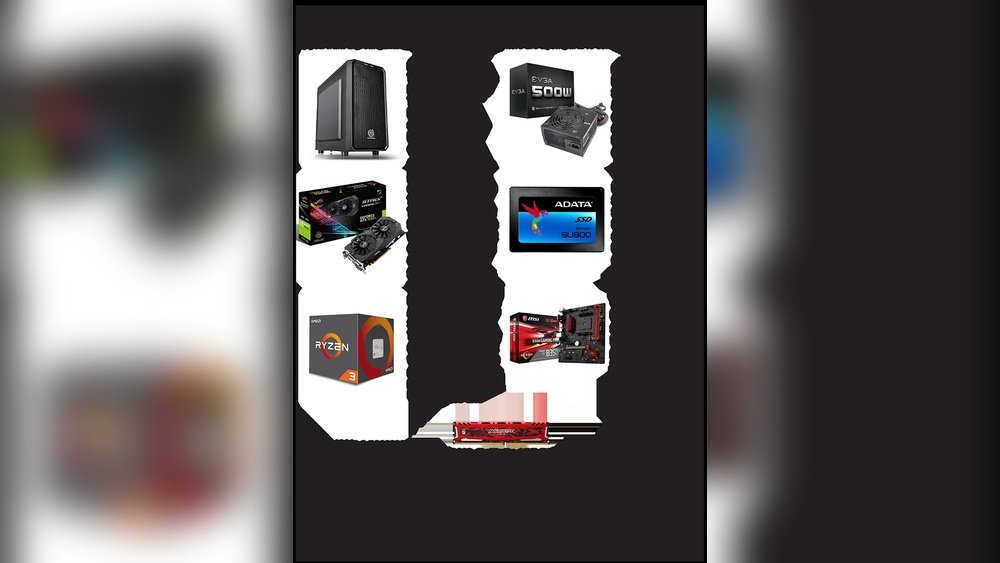
If you want to build a gaming PC that runs your favorite games smoothly, you need to know which parts to choose. Picking the right components can make all the difference between lagging gameplay and a seamless experience.
You might feel overwhelmed by all the options out there, but don’t worry—this guide will break down exactly what PC parts you need. By the end, you’ll have a clear plan to build a gaming rig that fits your style and budget.
Ready to find out what goes inside your dream gaming PC? Keep reading.

Credit: www.youtube.com
Choosing The Right Processor
Choosing the right processor is a key step in building a gaming PC. The processor acts as the brain of your computer. It handles all the tasks and instructions for your games. Picking a good processor means smoother gameplay and better performance. Not all processors are the same. Some work better with certain games or setups. Understanding the differences helps you decide what fits your needs best.
Intel Vs Amd
Two main brands lead the processor market: Intel and AMD. Intel processors often have strong single-core performance. This helps in games that rely on speed per core. AMD processors usually offer more cores for the price. This can help in games that use multiple cores. Both brands make good gaming processors. Your choice depends on budget and game type. Check benchmarks and reviews for the latest models.
Core Count And Clock Speed
Core count means how many processing units a CPU has. More cores help with multitasking and some games. Clock speed measures how fast each core runs. Higher clock speeds often improve game performance. Balance between core count and clock speed matters. Some games prefer fewer cores but higher speed. Others use many cores for better results. Choose a processor that fits your main games’ needs.
Credit: www.businessinsider.com
Picking A Powerful Graphics Card
Picking a powerful graphics card is key for a gaming PC. It controls how your games look and run. A good graphics card can make your gameplay smooth and detailed. Choosing the right one depends on your needs and budget. This section explains the main points to consider.
Dedicated Vs Integrated Gpus
Dedicated GPUs are separate parts made for gaming and heavy tasks. They have their own memory and power. Integrated GPUs share memory with the CPU and are less strong. For gaming, dedicated GPUs deliver better speed and visuals. Integrated GPUs work fine for basic games and everyday use.
Vram And Performance
VRAM is the memory a GPU uses to store images and textures. More VRAM helps run games at higher settings. It improves frame rates and reduces lag. Games with big worlds and detailed graphics need more VRAM. Aim for at least 4GB of VRAM for modern games. This keeps gameplay smooth and clear.
Selecting The Motherboard
Selecting the motherboard is a key step in building a gaming PC. It connects all the parts and lets them work together. Choosing the right motherboard affects the system’s speed, power, and upgrade options. This guide explains the basics to help you pick the best one.
Form Factors
The motherboard size matters. It must fit inside your PC case. Common sizes include ATX, Micro-ATX, and Mini-ITX. ATX boards are large and have many slots. Micro-ATX is smaller with fewer slots. Mini-ITX is the smallest and fits compact builds. Choose a size that suits your space and needs.
Compatibility And Features
Check if the motherboard matches your CPU type. Intel and AMD use different sockets. Look for the right socket number. RAM support is also important. Most boards support DDR4 or DDR5 memory. More RAM slots mean easier upgrades. Features like USB ports, M.2 slots for SSDs, and PCIe slots for graphics cards matter too. Pick a motherboard with the features you need now and later.
Memory Requirements
Memory plays a key role in a gaming PC’s performance. It helps your system run games smoothly and load data quickly. Choosing the right memory type and size is essential for a good gaming experience.
Ram Size And Speed
RAM size affects how many tasks your PC can handle at once. For gaming, 16GB is a common choice. This size supports most modern games well.
RAM speed is the rate at which memory can transfer data. Higher speed means faster game loading and better performance. Look for RAM with at least 3000 MHz speed for gaming PCs.
Dual Channel Vs Single Channel
Dual channel memory uses two sticks of RAM working together. This setup doubles the data paths between RAM and CPU. It improves game performance and system speed.
Single channel uses only one stick of RAM. It limits data transfer speed. Dual channel is better for gaming and multitasking.
Storage Options
Storage is a key part of building a gaming PC. It holds your games, files, and software. Choosing the right storage affects game load times and system speed. Two main types of storage drives are common: SSDs and HDDs. Each has benefits and drawbacks for gamers.
Ssd Vs Hdd
SSDs are faster than HDDs. They use flash memory to store data. This means games load quicker, and the system runs smoothly. SSDs have no moving parts, so they are quieter and more durable.
HDDs use spinning disks to save data. They offer more storage space at a lower price. But HDDs are slower and can cause longer loading times in games. They also make more noise and can wear out faster.
Nvme Drives
NVMe drives are a type of SSD. They connect directly to the motherboard using a special slot. This connection is much faster than regular SSDs.
NVMe drives improve game performance by cutting down load times. They are smaller in size and use less power. These drives are ideal for gamers who want top speed and quick access to files.
Power Supply Unit Essentials
The power supply unit (PSU) is a vital part of any gaming PC. It supplies power to all components. A good PSU keeps your system stable and safe. Choosing the right PSU improves your PC’s performance and lifespan. Understanding PSU essentials helps pick the best one for your build.
Wattage And Efficiency
Wattage is the total power output your PSU can provide. Gaming PCs need enough wattage to run all parts smoothly. Too low wattage causes crashes or damage. Check the power needs of your CPU, GPU, and other parts to find the right wattage.
Efficiency shows how well the PSU converts power from the wall to your PC. Higher efficiency means less wasted electricity and heat. Look for units with 80 Plus certification. These PSUs save power and run cooler, helping your PC stay stable.
Modular Vs Non-modular
Modular PSUs let you connect only the cables you need. This reduces clutter and improves airflow inside the case. It also makes building and upgrading easier. Non-modular PSUs have all cables fixed, which can be messy and block airflow.
Modular PSUs usually cost more but offer better cable management. Non-modular units are cheaper and simpler. Choose based on your budget and how much you value a clean build.
Cooling Solutions
Cooling solutions keep your gaming PC running smoothly. They stop parts from getting too hot. Good cooling helps your PC perform better and last longer. Choosing the right cooling method is important for your build.
Air Cooling
Air cooling uses fans to move air over parts like the CPU and GPU. It is simple and cost-effective. Most gaming PCs use air coolers because they work well. Fans push hot air out and bring cool air in. Air coolers need good case airflow to be effective. They are easy to install and maintain. Quiet fans can keep noise low during gaming sessions.
Liquid Cooling
Liquid cooling uses water or coolant to remove heat faster. It has tubes and a radiator to carry heat away. Liquid coolers can cool parts better than air coolers. They help keep temperatures lower during heavy gaming. Some liquid coolers look stylish with RGB lights. They can be quieter since fans run slower. Installation is more complex and requires careful setup. Liquid cooling suits high-performance or overclocked gaming PCs.
Choosing A Gaming Case
Choosing the right gaming case is an important step in building a gaming PC. The case holds all parts together and helps keep them cool. It also affects how your PC looks on your desk. Picking a case that fits your needs can improve your gaming experience and keep your system safe.
Size And Airflow
Size matters for a gaming case. It must fit your motherboard and other parts. Check if it supports your graphics card and cooling system. Good airflow helps keep parts cool during long gaming sessions. Look for cases with vents and space for fans or liquid cooling. Proper airflow stops your PC from overheating and running slow.
Aesthetic And Build Quality
Appearance is important for many gamers. Choose a case that matches your style. Some cases have clear panels to show off inside parts. Build quality affects how strong and durable the case is. A sturdy case protects parts from damage. Metal cases last longer than plastic ones. Pick a case with easy access for future upgrades and cleaning.
Peripherals And Accessories
Peripherals and accessories complete your gaming PC setup. They improve comfort, control, and immersion. Choosing the right ones helps you enjoy games fully.
Good peripherals also boost your performance in games. They make every move easier and faster. Let’s explore the key peripherals for gaming PCs.
Monitors And Keyboards
A quality monitor shows clear and smooth images. Look for high refresh rates and low response times. These features reduce blur and lag during fast action.
Keyboards for gaming often have mechanical keys. They respond quickly and last longer than regular keyboards. Backlighting is useful for playing in dark rooms.
Gaming Mice And Headsets
Gaming mice offer precise control with adjustable sensitivity. Extra buttons help you perform complex actions easily. Choose a mouse that fits your hand well.
Headsets provide clear sound and good microphone quality. They help you hear game details and communicate with teammates. Comfortable headsets make long gaming sessions easier.
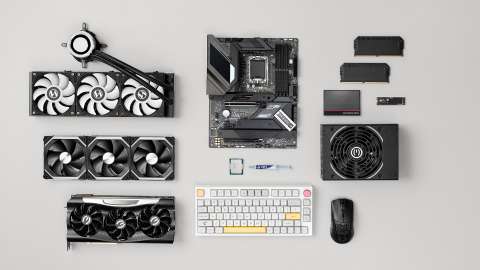
Credit: www.intel.co.uk
Frequently Asked Questions
What Are Essential Pc Parts For A Gaming Setup?
Essential parts include a powerful CPU, a high-end GPU, sufficient RAM (16GB+), a fast SSD, and a reliable motherboard. A quality power supply and cooling system are also crucial for stable performance.
How Important Is The Graphics Card In Gaming Pcs?
The graphics card is vital as it renders game visuals and affects frame rates. A strong GPU ensures smooth gameplay and supports higher resolutions and settings.
How Much Ram Do I Need For Gaming Pc?
At least 16GB of RAM is recommended for modern gaming. It allows smooth multitasking and prevents lag during gameplay.
Why Do I Need An Ssd In My Gaming Pc?
SSDs significantly reduce game loading times and improve overall system responsiveness compared to traditional HDDs. They enhance gaming experience with faster data access.
Conclusion
Building a gaming PC needs the right parts working together. The CPU, GPU, RAM, and storage all play key roles. A strong power supply keeps everything running smoothly. Don’t forget the motherboard, case, and cooling system. Each part affects game performance and experience.
Choose parts that fit your budget and needs. A balanced setup helps games run fast and look good. Now, you know what PC parts make a good gaming machine. Start planning your build with confidence. Enjoy the fun of gaming on your own custom PC!
