
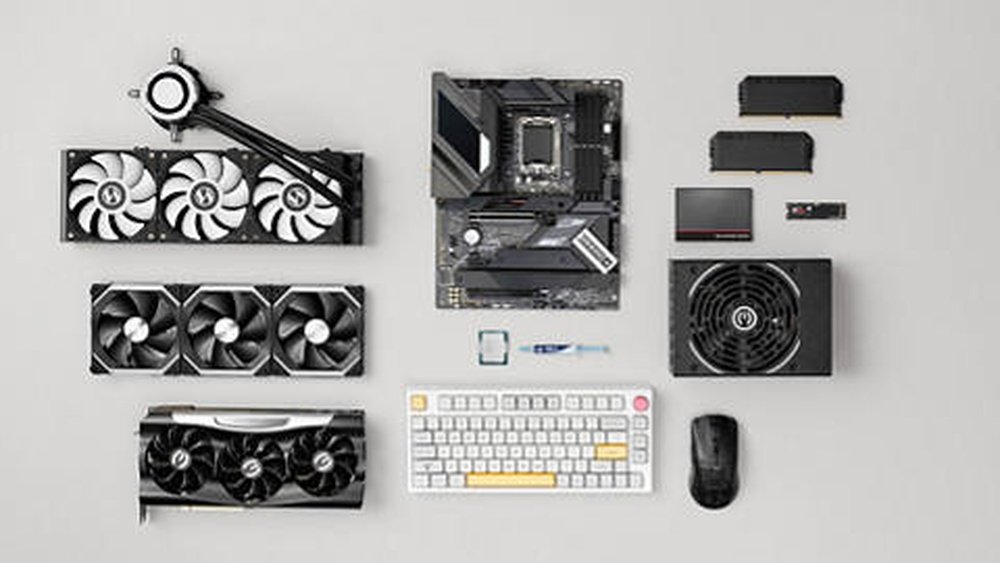
Building your own PC can feel overwhelming with so many parts to choose from. But did you know that not every component is absolutely necessary?
Understanding which PC parts are optional can save you money, reduce complexity, and tailor your build to exactly what you need. If you want to avoid spending on extras that won’t add real value to your setup, keep reading. This guide will help you identify the parts you can skip without sacrificing performance or functionality.
Ready to build smarter and save? Let’s dive in.
Core Components Needed
Building a PC means choosing parts that work well together. Some parts are essential. Without them, the computer will not run. These core components form the base of every PC build. Each part has a specific job that helps the computer function properly.
Processor And Motherboard
The processor, or CPU, is the brain of the computer. It handles all instructions and tasks. The motherboard connects every part inside the PC. It holds the CPU and other important components. Both must be compatible to fit and work well together.
Memory And Storage
Memory, known as RAM, helps the PC run programs smoothly. More RAM means better multitasking. Storage saves your files and software. It can be a hard drive or a fast solid-state drive. Both memory and storage are needed for a usable PC.
Power Supply Unit
The power supply unit (PSU) gives electricity to all parts. It converts power from the wall outlet to usable energy. A good PSU keeps the PC stable and safe. Without power, the PC cannot turn on or work.
Graphics Card Basics
The graphics card creates images you see on the screen. Some CPUs have built-in graphics, which is enough for simple tasks. A separate graphics card is needed for gaming or design work. It helps the PC show clear and fast visuals.

Credit: www.atxcustompc.com
Optional Parts To Consider
Building a PC does not always require every part available. Some components are optional and depend on your needs. These optional parts can improve your experience but are not essential to start. Understanding these can help you decide what fits your budget and use.
Sound Cards
Most motherboards have built-in sound capabilities. These are enough for everyday tasks like watching videos or casual gaming. A sound card can improve audio quality for music or professional audio work. It offers clearer sound and better headphone support. Sound cards are optional unless you need high-quality sound.
Optical Drives
Optical drives read CDs, DVDs, and Blu-ray discs. Many new PCs do not include them as software and media are digital now. If you still use discs for movies, games, or backups, consider adding one. They are not necessary for most users but useful for some specific needs.
Additional Storage Devices
Extra storage helps if you have many files or large games. You can add hard drives or solid-state drives beyond the main storage. This option allows more space for photos, videos, and applications. Additional storage is optional but helpful for heavy data users.
Extra Cooling Solutions
Extra cooling keeps your PC running smoothly under heavy use. Stock coolers work fine for basic tasks and light gaming. Adding fans or liquid cooling helps if you overclock or use demanding software. These solutions extend your PC’s life and reduce noise. Cooling upgrades are optional but good for better performance.
When Extras Make Sense
Extras in a PC build are not always necessary. They become useful when your needs go beyond basic tasks. Choosing the right optional parts depends on how you use your computer. Some extras help improve gaming, work, entertainment, or prepare your setup for future needs.
Gaming Enhancements
Extra parts can boost your gaming experience. A high-quality graphics card improves visuals and frame rates. Better cooling systems keep your PC running smoothly during long sessions. RGB lighting and gaming keyboards add style and comfort. These extras make games look better and feel more fun.
Professional Workloads
For work like video editing or 3D modeling, some extras help a lot. More RAM makes multitasking faster and easier. A powerful CPU speeds up rendering and calculations. Specialized graphics cards handle complex visual tasks well. These parts save time and increase productivity.
Media And Entertainment
Extras enhance watching movies or listening to music. A sound card or better speakers improve audio quality. A 4K monitor displays sharper, clearer images. Storage upgrades help keep large media files. These parts create a richer media experience.
Future-proofing Your Setup
Adding some extras can protect your PC from becoming outdated soon. A modular power supply allows easy upgrades. Extra case fans help with cooling as you add new parts. Choosing a motherboard with more slots lets you expand later. These choices help your PC last longer and adapt to new needs.
Budget And Priorities
Building a PC means making choices about parts. Budget and priorities help decide what is needed and what can wait. Every part adds to the cost. Some parts are essential. Others can be skipped or added later. This section guides you on balancing your budget with your PC needs.
Balancing Cost And Performance
Spending more does not always mean better performance. Focus on parts that improve your main tasks. A fast processor and enough RAM often matter most. Graphics cards can be optional for basic use. Save money by skipping extras that do not boost speed or power.
Upgradability Options
Choose parts that allow easy upgrades later. A simple PC can grow over time. Start with core components and add more as needed. This approach spreads out costs. It also keeps your PC useful longer. Think about future needs before buying everything at once.
Minimalist Builds
Some users want a simple and small setup. Minimalist builds use only the basics. Skip parts like extra fans, fancy cases, or advanced cooling. These builds cost less and use less power. They work well for everyday tasks like browsing or office work.
Value Of Peripherals
Peripherals like keyboards, mice, and monitors add to the experience. They are not part of the core build. Some users can use existing peripherals to save money. Others might want to invest here for comfort and style. Choose peripherals based on your daily use and budget.
Common Misconceptions
Many people have wrong ideas about what parts are needed in a PC build. These misconceptions can lead to spending money on parts that are not really necessary. Knowing which parts are optional helps you save money and build a better PC. Let’s clear up some common myths about PC components.
Necessity Of Rgb Lighting
RGB lighting looks cool, but it does not improve PC performance. It is purely for decoration. Some users think RGB makes their PC faster or better. This is not true. You can build a powerful PC without any lights at all.
High-end Audio Cards
Many believe a high-end audio card is needed for good sound. Most motherboards have good built-in audio. For regular use, the onboard sound is enough. High-end audio cards are only useful for very specific professional needs.
Multiple Gpus
Some think adding more than one graphics card always boosts performance. This is not always the case. Many games and programs do not support multiple GPUs well. A single good graphics card is enough for most users.
Excessive Cooling Systems
Big cooling setups look impressive but may be unnecessary. Standard air coolers or basic liquid coolers work fine for most builds. Overdoing cooling can increase noise and cost without real benefit.

Credit: www.youtube.com

Credit: www.coursera.org
Frequently Asked Questions
What Pc Parts Are Truly Optional In A Build?
Optional PC parts include extra case fans, optical drives, and RGB lighting. These enhance aesthetics or cooling but are not essential for basic operation.
Can I Skip A Dedicated Sound Card In My Pc?
Yes, modern motherboards have built-in audio that suits most users. A dedicated sound card is optional and only needed for advanced audio needs.
Is An Optical Drive Necessary For A Modern Pc?
No, optical drives are mostly obsolete due to digital downloads and USB drives. Most users can skip including one in their build.
Do I Need Extra Case Fans For My Pc?
Extra case fans are optional unless you overclock or have high-performance parts. Stock cooling usually suffices for standard builds.
Conclusion
Choosing which PC parts are optional helps save money and time. Not every build needs extra fans or RGB lights. Some components only improve looks, not performance. Focus on parts that make your computer work well. Skipping optional parts can still give a solid machine.
Think about what you really need before buying. This way, your build stays simple and cost-effective. Enjoy building your PC with just the right parts.
