
Are you curious about what exactly your PC needs to start up? Whether you’re building your first computer or troubleshooting why it won’t turn on, understanding the essential parts that make your PC boot is key.
Knowing which components are absolutely mandatory can save you time, money, and frustration. You’ll discover the core pieces your computer can’t do without to come to life—and why each one matters. Keep reading, and you’ll gain the confidence to get your PC up and running smoothly.
Core Hardware Needed
To start a PC, some core hardware parts must be present. These parts work together to power on and run the system. Without these, the computer will not boot or show any display.
Each component has a specific job. They provide the basic functions needed to turn on and operate the PC. Understanding these parts helps in building or fixing a computer.
Central Processing Unit (cpu)
The CPU is the brain of the computer. It processes instructions and runs programs. Without a CPU, the computer cannot perform any tasks. It connects to the motherboard and executes commands.
Motherboard Role
The motherboard is the main circuit board. It links all hardware parts together. It allows communication between the CPU, memory, and other components. It also holds slots for RAM and expansion cards.
Power Supply Unit (psu)
The PSU provides power to every part of the PC. It converts electricity from the outlet to usable power. Without a PSU, the PC cannot turn on. It connects to the motherboard and other hardware.
Memory Requirements
Memory plays a key role in starting a PC. Without the right memory parts, a computer cannot boot up. Memory stores data that the computer needs right away. This helps the CPU work fast and efficiently. Understanding which memory parts are needed is important for building or fixing a PC.
Ram Importance
RAM, or Random Access Memory, is essential for booting a PC. It holds the system’s active data and instructions. Without RAM, the motherboard cannot load the operating system. The computer will usually show a beep code or error light if RAM is missing or faulty. RAM is different from long-term storage because it only holds data temporarily. The more RAM a PC has, the more tasks it can handle at once. But even a small amount of RAM is mandatory just to start the system.
Storage Devices And Booting
Storage devices keep the operating system and files on the PC. Common types include HDDs, SSDs, and NVMe drives. The PC needs a storage device with an operating system to boot properly. Without storage, the computer cannot find the software to start. The BIOS or UEFI firmware looks for a bootable storage device during startup. If none is found, the PC will show an error message. Storage devices are not memory, but they work closely with RAM to run the system.
Graphics Essentials
Every PC needs graphics to show images on the screen. Graphics parts help your computer display text, pictures, and videos. Without a graphics system, the screen stays blank. Knowing which graphics part is mandatory helps build or fix a PC.
Graphics hardware comes in two main types. One is built into the CPU or motherboard. The other is a separate card plugged into the PC. Both types can make the screen work. Each has pros and cons.
Integrated Vs Dedicated Gpu
An integrated GPU shares power with the CPU. It is part of the processor or motherboard. Integrated GPUs use less energy and cost less. They are good for simple tasks like browsing and office work.
A dedicated GPU is a separate card inside the PC. It has its own memory and processor. Dedicated GPUs handle heavy work like gaming, video editing, and 3D design. They use more power and cost more than integrated GPUs.
When Gpu Is Necessary
A GPU is necessary whenever the PC needs to show images or video. Most CPUs today have integrated graphics. This means a separate GPU is not always needed to start the PC.
For basic use, integrated graphics are enough to boot and operate the system. Dedicated GPUs are required for tasks that need high graphics power. Some PCs without integrated graphics need a dedicated GPU to boot.
Credit: www.itarian.com
Peripheral Connections
Peripheral connections link your PC to external devices. These connections allow you to interact with your computer and see what it does. Some peripherals are needed to start your PC. Others help you use it better after it boots up.
Understanding which peripherals are mandatory helps avoid confusion during setup. Some devices must be connected for your PC to boot properly.
Input Devices For Boot
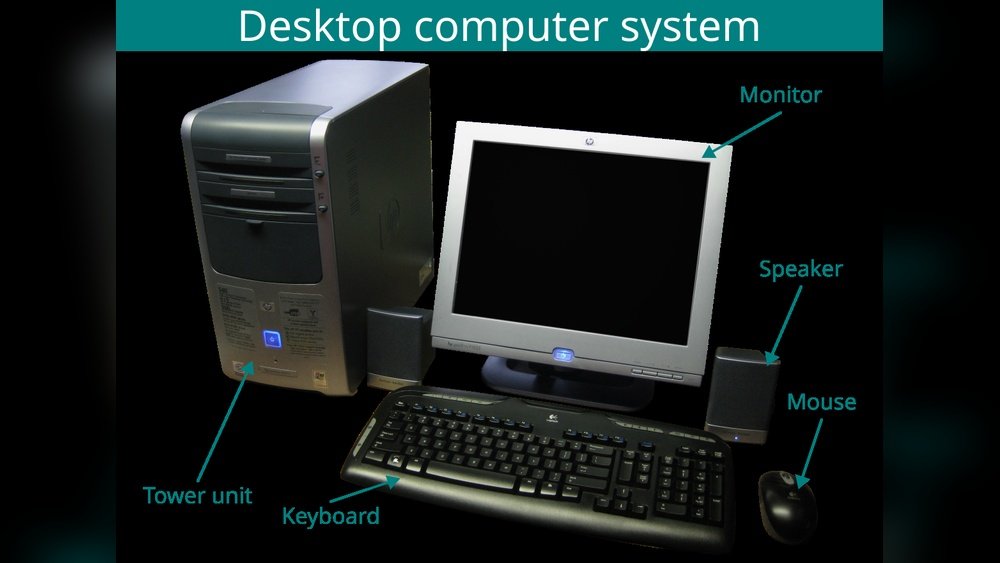
Input devices send commands to your PC. The keyboard is the most important input device at boot. It lets you enter BIOS settings or select boot options.
Without a keyboard, you cannot control the boot process. A mouse is not necessary to start the PC but helps after booting.
USB keyboards are common and usually work without extra drivers. Wireless keyboards may not connect until the operating system loads.
Display Output Needs
Your PC needs a display to show the boot process. A monitor or screen shows important messages and errors during startup.
Without a display, you cannot see what the PC is doing. It is hard to know if the boot is successful or if there are problems.
Most PCs use HDMI, DisplayPort, or VGA cables for video output. Connect the monitor to the correct port on your graphics card or motherboard.
Optional But Useful Parts
Some PC parts are not needed to start your computer but still help it run better. These parts improve performance, protect hardware, and make your PC last longer. They are not mandatory but very useful for a smooth experience.
Cooling Systems
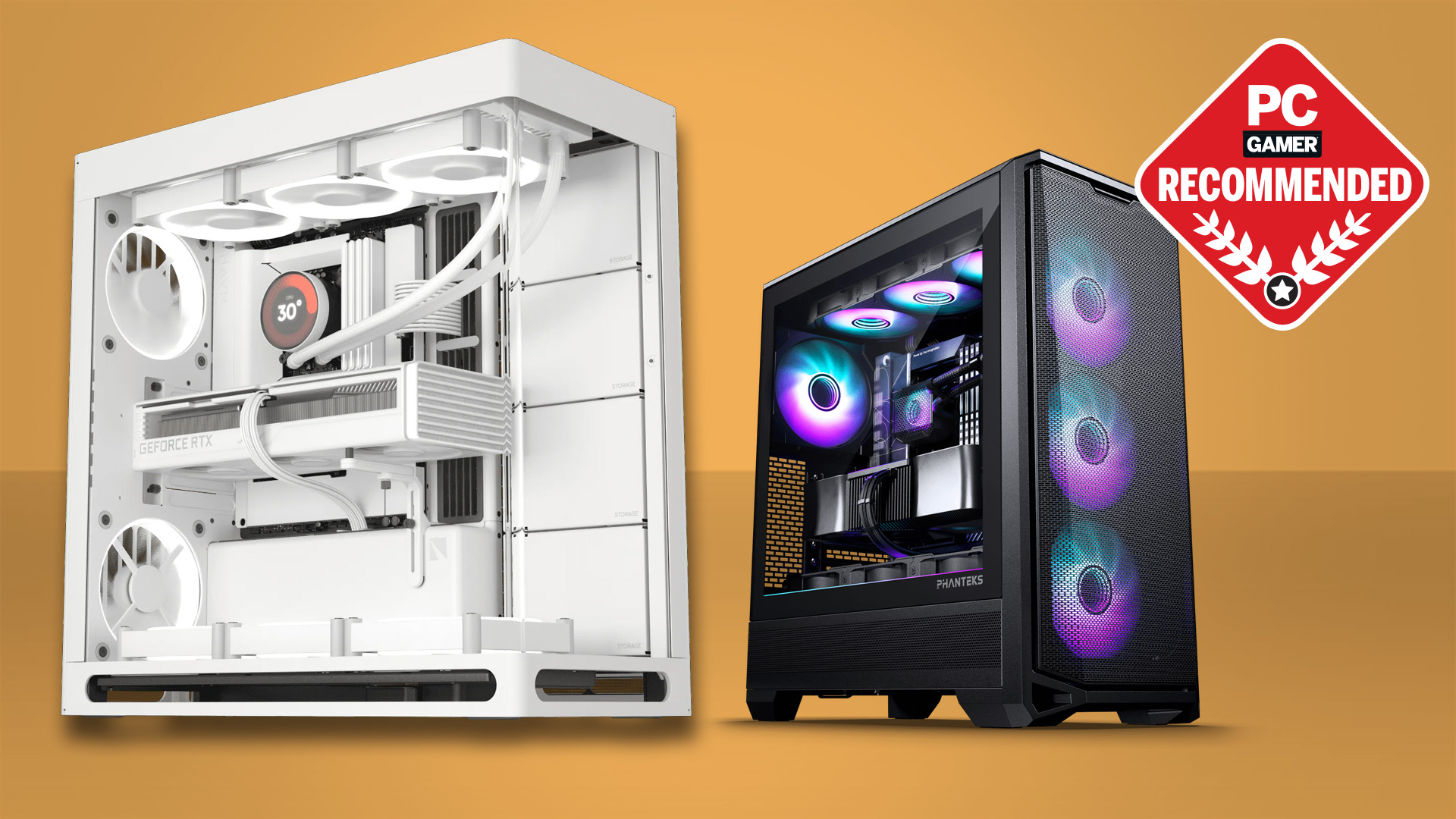
Cooling systems keep your PC parts from getting too hot. Heat can cause damage and slow down your computer. Fans and liquid coolers move heat away from the processor and other parts. Good cooling helps your PC work faster and last longer.
Bios/uefi Firmware
BIOS or UEFI is software stored on a chip inside your PC. It starts the computer and checks hardware before loading the operating system. It also lets you change settings like boot order or hardware options. This firmware is essential for managing your PC’s startup process.
Credit: www.pcgamer.com
Common Boot Issues
Common boot issues can stop your PC from starting properly. These problems often occur due to missing or faulty parts. Understanding these issues helps fix your PC quickly. Knowing what parts are essential can save time and frustration.
Missing Components
Some PC parts are necessary to start the system. The CPU must be in place and correctly seated. Without it, the PC will not boot. The motherboard is the base where all parts connect. RAM is required for the system to load the operating system. A power supply must deliver power to all components. If any of these parts are missing, the PC will fail to start.
Troubleshooting Basics
Start by checking all connections inside the PC case. Make sure the CPU, RAM, and power cables are secure. Remove and reinsert RAM modules to ensure proper contact. Listen for beep codes from the motherboard speaker; they hint at errors. Clear the CMOS to reset BIOS settings if needed. Use a minimal setup with only essential parts to isolate issues. Testing parts one by one can help find the faulty component.

Credit: en.wikipedia.org
Frequently Asked Questions
What Pc Parts Are Essential To Start A Computer?
The essential PC parts to boot a computer include the motherboard, CPU, RAM, power supply, and storage device. Without these, the PC cannot initialize or load the operating system.
Can A Pc Boot Without A Graphics Card?
Yes, a PC can boot without a graphics card if the CPU or motherboard has integrated graphics. Otherwise, a dedicated GPU is necessary to display output.
Is A Hard Drive Mandatory For Booting A Pc?
A hard drive or SSD is needed to load the operating system. Without storage, the PC cannot access system files to boot properly.
Do You Need Ram To Boot A Pc?
Yes, RAM is crucial for booting. It temporarily stores data for the CPU to access during startup and operation.
Conclusion
To start a PC, some parts are always needed. The motherboard, power supply, CPU, and RAM must be present. Without these, the computer cannot turn on or run. Other parts like a hard drive or graphics card help, but are not always required to boot.
Knowing the basics helps you build or fix your PC easier. Keep these key parts in mind for any setup. Simple steps lead to a working computer.
