
Have you ever felt frustrated waiting for your computer to start up? The time it takes for your PC to boot can be surprisingly affected by certain parts inside your machine.
Understanding which components play a key role in boot speed can help you make smarter upgrades and get your system running faster. You’ll discover exactly what parts impact how quickly your PC powers on—and how you can improve them to save time every day.
Keep reading to unlock the secrets to a speedier startup!
Storage Drives
Storage drives play a key role in how fast your PC boots. The type and quality of your drive affect the speed at which your system starts and loads files. A faster drive means a quicker boot time. Let’s explore how different storage drives impact boot speed.
Ssd Vs Hdd Boot Times
Solid State Drives (SSD) boot much faster than Hard Disk Drives (HDD). SSDs have no moving parts, so they read data instantly. HDDs rely on spinning disks and a moving head, which slows them down. A PC with an SSD can start in seconds. HDDs take longer, sometimes up to a minute. Choosing an SSD improves your boot speed significantly.
Nvme Drives And Speed
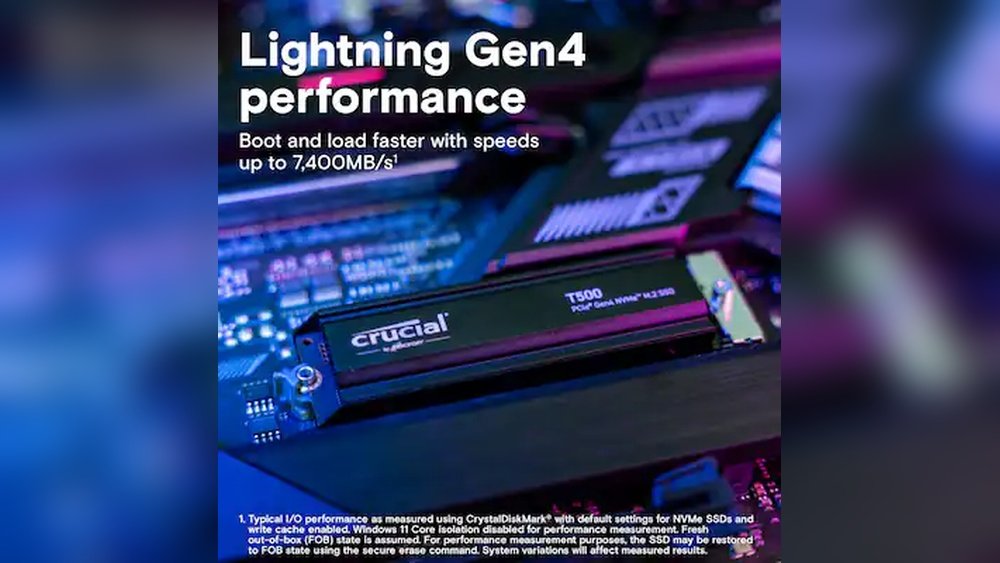
NVMe drives are a type of SSD that connects directly to the motherboard. They use a faster interface than standard SATA SSDs. NVMe drives deliver quicker data transfer rates and lower latency. This means your system boots even faster with an NVMe drive. For the best boot speed, NVMe drives are the top choice.
Impact Of Drive Health
The health of your storage drive also affects boot time. Over time, drives can develop errors or lose speed. A failing or full drive takes longer to read data. Regularly checking drive health helps maintain fast boot speeds. Replacing an old or damaged drive can restore quick startup times.
Credit: www.lenovo.com
Motherboard Influence
The motherboard is a key player in boot speed. It connects all parts inside your PC. This makes it an important factor to consider. A good motherboard helps your system start faster and run smoother.
Different motherboards have different features. These can affect how quickly your PC boots up. Understanding these features helps you choose the right motherboard.
Bios/uefi Role
The BIOS or UEFI is software on the motherboard. It runs the first tasks when you power on your PC. It checks hardware and starts the operating system.
Newer UEFI systems boot faster than old BIOS versions. UEFI supports faster drives and more settings. Updating BIOS/UEFI can improve boot speed too.
Boot Priorities And Settings
The motherboard lets you set boot priorities. This means choosing which device boots first. A wrong order can slow down your startup.
Many motherboards allow you to disable unused devices. This cuts down boot time. Customizing these settings can speed up your PC’s start.
Chipset Impact
The chipset controls data flow between parts. A modern chipset handles tasks faster. It supports newer storage and memory technology.
Better chipsets reduce delays during boot. They ensure quick communication between CPU, RAM, and drives. This helps your PC start without lag.
Processor Speed
Processor speed plays a key role in how fast your PC boots up. It controls how quickly the computer processes instructions. A faster processor can complete tasks faster, reducing boot time. Understanding how processor speed affects boot speed helps you choose the right CPU for your needs.
Cpu Clock And Cores
The CPU clock speed shows how many cycles a processor can complete in one second. A higher clock speed means the CPU can handle more tasks quickly. More cores allow the processor to work on multiple tasks at once. This helps during boot by running many processes in parallel. Both clock speed and core count influence how fast your PC starts.
Effect On Post Process
The POST process checks hardware before loading the operating system. A faster processor speeds up these checks. It completes tests on memory, storage, and devices more quickly. This shortens the time before the system moves on to the next boot steps. A slow CPU can cause delays during POST, making boot time longer.
Memory And Booting
Memory plays an important role in boot speed. It holds data that the system uses during startup. Faster memory helps the computer access this data quickly. This reduces the time taken to load the operating system and programs. Not all memory upgrades affect boot speed equally. Some factors matter more than others.
Ram Size And Frequency
RAM size affects how much data the system can handle at once. More RAM lets the computer manage larger files during boot. This can make startup smoother and faster.
RAM frequency is the speed at which memory operates. Higher frequency means data moves faster between the RAM and CPU. This helps the system process boot instructions quicker. Choosing RAM with a higher frequency improves overall boot time.
Dual Channel Vs Single Channel
Memory channels refer to how RAM modules communicate with the CPU. Single channel uses one pathway, while dual channel uses two.
Dual channel doubles data flow compared to single channel. This faster data transfer speeds up boot processes. Using two identical RAM sticks in dual channel mode enhances boot speed noticeably.
Peripheral Devices
Peripheral devices connect to your PC and can affect boot speed. These devices include USB gadgets, external hard drives, and more. Some peripherals slow down the startup process. Others might cause delays by needing extra time to initialize. Understanding their impact helps improve boot times.
Usb Devices And Delays
USB devices often connect to your PC before it boots fully. The system checks each USB port for attached devices during startup. This process can add seconds to boot time. Older or malfunctioning USB devices may slow this check even more. Disconnecting unused USB gadgets can speed up boot.
External Drives Influence
External drives like hard disks or SSDs also affect boot speed. The PC scans these drives to see if they contain boot files. If an external drive is connected but not bootable, it can cause a delay. Removing unnecessary external drives during startup helps your system boot faster. Proper drive order in BIOS also matters.
Credit: support.lenovo.com
Graphics Card Impact
The graphics card plays a role in how fast your PC boots. It handles images and videos on your screen. The type of graphics card can affect the boot speed. Some cards start up faster than others. Understanding this can help you know what to expect.
Integrated Vs Dedicated Gpus
Integrated GPUs are built into the CPU. They share memory with the processor. This design means less hardware to initialize at boot. This often leads to quicker start times.
Dedicated GPUs have their own memory and processor. They need more time to initialize during boot. This can slow down the overall boot speed. The system must load drivers and test the hardware separately.
Driver Initialization Time
Graphics card drivers load during the boot process. These drivers help the operating system use the GPU. Complex or outdated drivers take longer to load. This delay can slow the boot speed.
Newer drivers are often optimized for faster loading. Keeping drivers updated can reduce boot time. Driver initialization is a small but important factor in boot speed.
Power Supply Considerations
The power supply unit (PSU) plays a critical role in your PC’s boot speed. It provides the necessary power to all components during startup. A weak or unstable power supply can slow down boot times or cause boot failures. Understanding power supply considerations helps ensure a smooth and fast boot process.
Stable Power And Boot Success
Stable power is essential for a successful boot. The PSU must deliver consistent voltage without sudden drops. Voltage fluctuations can cause hardware to reset or fail to start. A reliable PSU supports steady power delivery, reducing boot errors. This stability helps your computer start quickly and without interruptions.
Effect Of Power Delivery
The quality of power delivery affects how fast your PC boots. High-quality PSUs provide clean and efficient power to the motherboard and drives. This efficiency ensures components receive enough power instantly. Poor power delivery can delay component initialization, slowing the entire boot process. Investing in a good PSU helps your system boot faster and more reliably.

Credit: www.ebay.com
Frequently Asked Questions
Which Pc Part Most Affects Boot Speed?
The storage drive impacts boot speed the most. SSDs boot faster than traditional HDDs due to quicker data access. Upgrading to an NVMe SSD further improves startup times significantly.
How Does Ram Influence Boot Time?
RAM affects boot time by allowing faster data loading during startup. More RAM lets the system handle processes efficiently, reducing delays. However, after a certain point, increasing RAM has minimal effect on boot speed.
Does The Motherboard Impact Boot Speed?
Yes, the motherboard influences boot speed through BIOS/UEFI firmware and component compatibility. Modern motherboards with faster interfaces and optimized firmware reduce startup delays. Older boards may slow down boot times due to slower hardware communication.
Can A Cpu Upgrade Improve Boot Speed?
A faster CPU can slightly improve boot speed by processing startup tasks quicker. However, CPU upgrades alone don’t drastically reduce boot times compared to storage or firmware improvements.
Conclusion
Choosing the right PC parts can speed up your boot time. A fast storage drive, like an SSD, helps the system start quickly. A good processor also plays a key role in boot speed. RAM affects how smoothly your computer runs after booting.
Don’t forget the motherboard’s influence on data flow. Each part works together to make your PC start faster. Small changes in parts can make a big difference. Keep these factors in mind to improve your computer’s boot time. Simple upgrades often bring noticeable speed improvements.
