
Have you ever wondered why your PC sometimes feels slow or struggles to keep up with your tasks? The secret often lies in something called RAM.
But what exactly is RAM used for in a PC, and why does it matter so much for your computer’s performance? Understanding this can help you make smarter choices when buying or upgrading your device. Keep reading, and you’ll discover how RAM works behind the scenes to make everything on your PC run smoothly—and how it directly affects your everyday experience.
Credit: www.avast.com
Role Of Ram In A Pc
RAM, or Random Access Memory, plays a crucial role inside a PC. It acts as a workspace for the system to handle tasks quickly. Without enough RAM, a computer feels slow and unresponsive. Understanding RAM’s role helps explain why it affects your PC’s speed and performance.
Temporary Storage Function
RAM stores data that the CPU needs right now. It holds information from open programs and files. This storage is temporary and clears when the PC shuts down. Using RAM is much faster than reading data from a hard drive or SSD. This speed allows your PC to work efficiently.
Facilitating Multitasking
RAM enables running many programs at once. It keeps all active applications ready to use. More RAM means you can switch between tasks smoothly. Less RAM causes delays as the system struggles to manage tasks. This is why multitasking feels easier with more memory.
Supporting Operating System
The operating system relies on RAM for core functions. It loads system files and drivers into memory for quick access. RAM helps manage background processes and system services. Without enough RAM, the OS slows down or crashes. Proper memory support keeps the PC stable and fast.
How Ram Affects Speed
RAM plays a big role in how fast your PC works. It stores data that the CPU needs right away. This quick access helps your computer run smoother and faster. Understanding how RAM affects speed helps you see why more RAM means better performance.
Impact On Data Access Time
RAM holds data your PC uses right now. It is much faster than a hard drive or SSD. The CPU can get data from RAM in nanoseconds. Less waiting means your PC runs tasks quicker. More RAM reduces the need to fetch data from slower storage.
Effect On Application Performance
Apps use RAM to store temporary data. More RAM means apps can work with bigger files easily. This makes apps respond faster and avoid freezing. Programs like browsers and editors perform better with enough RAM. Limited RAM can slow down or crash apps.
Influence On Boot And Load Times
The PC uses RAM during startup to load system files. More RAM helps load these files faster. This shortens the time it takes to boot your PC. Games and software also start quicker with more RAM. Faster load times improve your overall user experience.
Different Types Of Ram
RAM is a vital part of every PC. It stores data temporarily, helping programs run fast. Different types of RAM exist for various needs. Knowing these types helps choose the right one for your PC. Each type has its speed, size, and power use.
Ddr Variants Explained
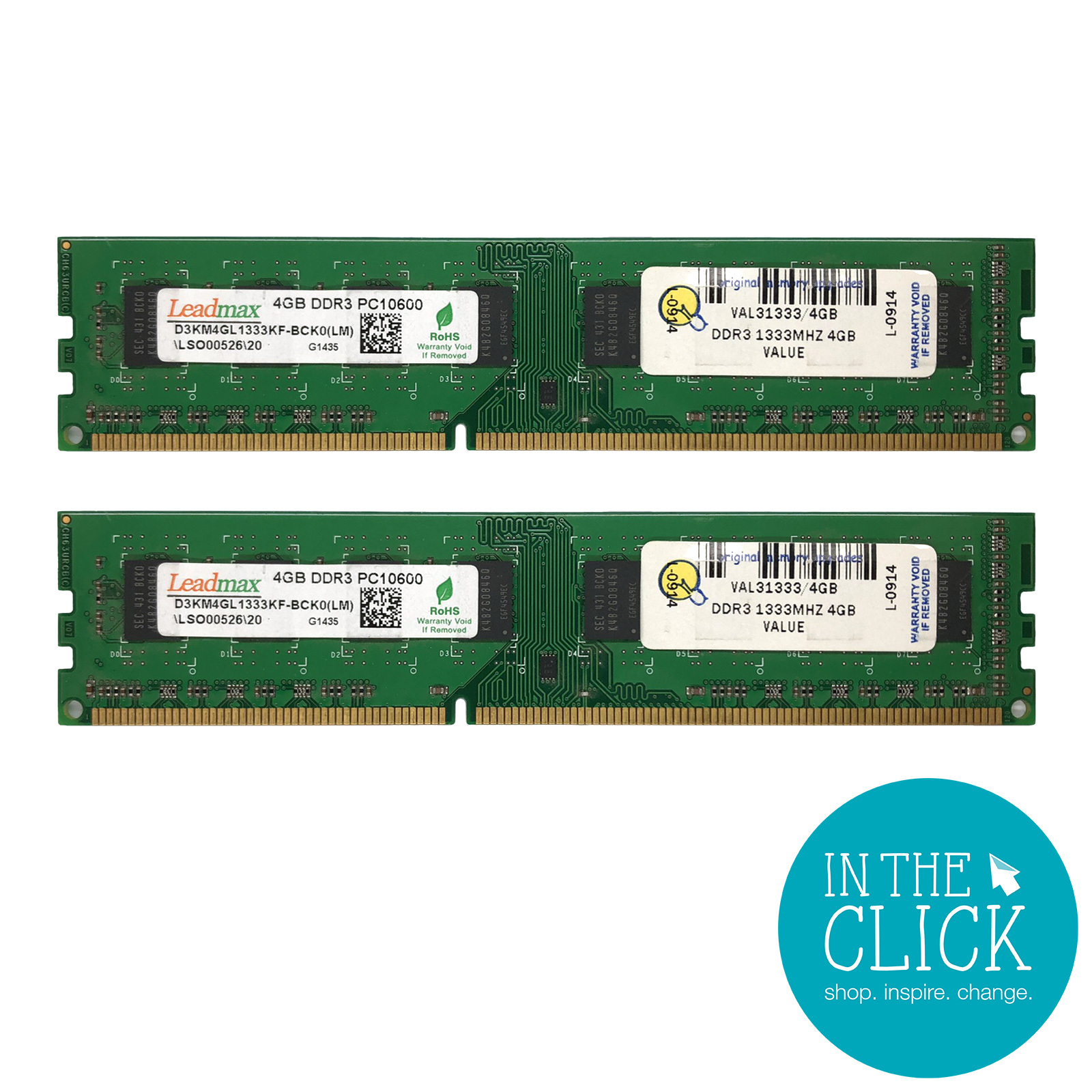
DDR stands for Double Data Rate. It is the most common RAM type in modern PCs. DDR RAM comes in versions like DDR3, DDR4, and DDR5. Each new version is faster and more efficient. DDR3 is older and slower. DDR4 is common in many PCs today. DDR5 is the newest, offering higher speed and better power use. These versions are not interchangeable. Your motherboard must support the DDR type you want.
Choosing The Right Ram Type
Select RAM based on your PC’s motherboard and tasks. Check the motherboard manual for supported RAM types. Match the speed and size with your needs. More RAM helps with multitasking and heavy programs. Faster RAM improves overall performance. Balance capacity and speed for the best results. Avoid mixing different RAM types or speeds. Proper RAM choice ensures smooth and fast PC use.
Ram And Gaming Performance
RAM plays a key role in gaming performance. It stores game data that the processor needs fast. More RAM means the game can run smoother. Less lag and fewer pauses happen during gameplay. Games today need more memory for better performance. RAM helps the game load and run efficiently.
Enhancing Frame Rates
Frame rates show how smooth a game looks. RAM helps keep the frame rate steady. It allows quick access to game data and graphics. This stops the game from freezing or dropping frames. More RAM can improve frame rates in some games. It helps the game run without stutters.
Reducing Load Times
Load times affect how fast a game starts or loads new areas. RAM stores data that the game uses often. This reduces the time needed to load scenes. More RAM means faster access to this data. Gamers spend less time waiting and more time playing. This makes the gaming experience better.
Handling Game Textures
Game textures are images that cover 3D models. They make games look detailed and real. Textures require a lot of memory to load and display. RAM holds these textures so the game can show them fast. More RAM means better texture quality and less delay. This creates a more immersive game world.
Upgrading Ram For Better Performance
Upgrading RAM is one of the simplest ways to boost your PC’s speed and multitasking ability. More RAM means your computer handles more tasks at once without slowing down. This upgrade helps especially with programs that use a lot of memory, like video editors or games.
Adding RAM can also extend your PC’s life. It keeps the system running smoothly as software demands grow over time. You do not need to buy a new computer just to get better performance.
When To Upgrade
Notice your PC is slow when many tabs or programs open? This is a sign you need more RAM. If your system freezes or programs close suddenly, RAM might be the cause. Also, new software often needs more memory than older versions.
How Much Ram Do You Need
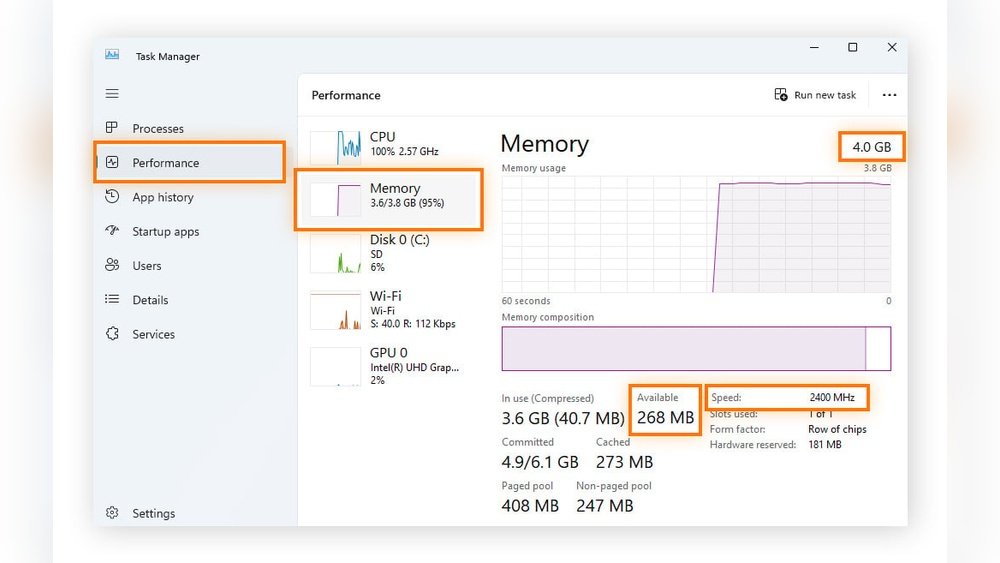
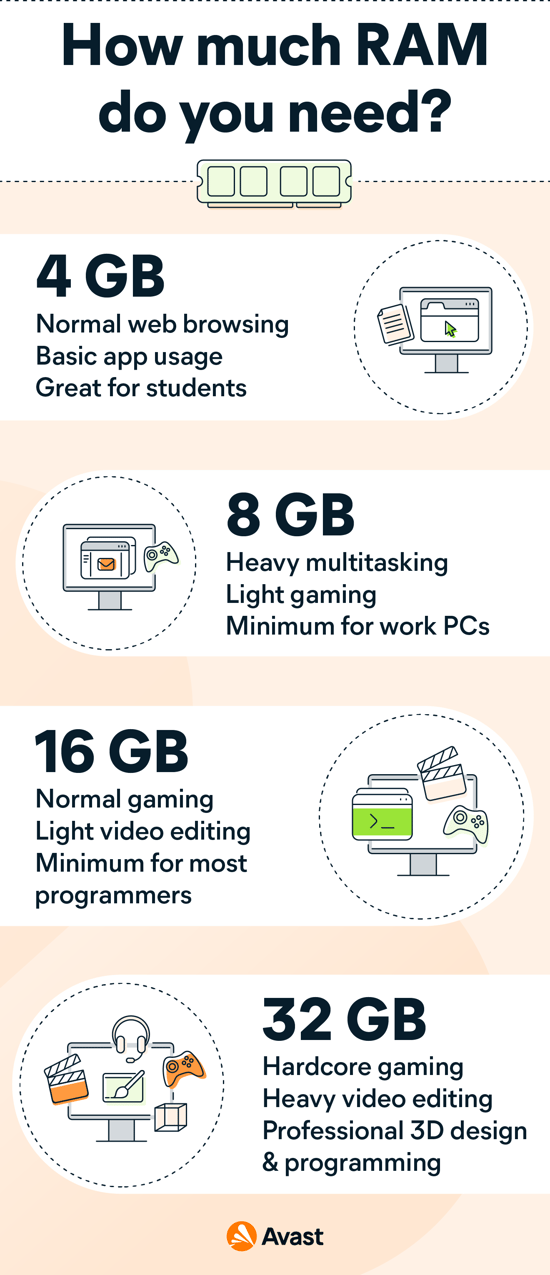
Basic users need at least 8GB of RAM. For gaming or video editing, 16GB or more works better. Check your current RAM amount in system settings. Add more only if your PC supports it and you use heavy apps.
Installation Tips
Turn off and unplug your PC before installing RAM. Open the case carefully and find the RAM slots on the motherboard. Align the new RAM sticks correctly and press them gently into the slots until they click. Close the case and start your PC to check if it recognizes the new memory.
Credit: www.intheclick.org.au
Common Ram Myths
Many people have wrong ideas about RAM and how it affects a PC. These myths often confuse users and lead to wrong decisions. Understanding the truth helps you choose the right RAM for your needs.
More Ram Always Means Faster Pc
More RAM does not always make your PC faster. RAM helps your computer run many programs at once. If your PC already has enough RAM, adding more will not improve speed. The key is having enough RAM, not just more.
Ram Speed Vs. Capacity
RAM speed and capacity are not the same. Capacity means how much data RAM can hold. Speed means how fast RAM can work. Both matter, but capacity often affects performance more than speed. Choose a balance based on your PC use.
Ram And Storage Confusion
RAM is not the same as storage. Storage is where your files and programs live. RAM is temporary memory for active tasks. You need both for a smooth PC experience. More storage does not replace the need for enough RAM.

Credit: www.thorfamilylaw.com
Frequently Asked Questions
What Is The Main Purpose Of Ram In A Pc?
RAM temporarily stores data and programs that the CPU uses actively. It helps the computer run applications smoothly and speeds up processing. More RAM allows better multitasking and faster access to files, improving overall system performance.
How Does Ram Affect Pc Speed And Performance?
RAM affects speed by providing quick data access for running applications. Insufficient RAM causes slowdowns and delays. More RAM means the computer can handle more tasks simultaneously, reducing lag and enhancing user experience.
Can Ram Impact Gaming And Software Usage?
Yes, RAM plays a crucial role in gaming and software performance. It allows games and programs to load quickly and run without interruptions. Having enough RAM ensures smooth gameplay and efficient software operation.
Why Is Ram Important For Multitasking On A Pc?
RAM enables multitasking by holding multiple programs in active memory. It allows switching between tasks without delays or crashes. More RAM means you can run more applications at once efficiently.
Conclusion
RAM helps your PC run programs quickly and smoothly. It stores data your computer uses right now. More RAM means your computer can handle more tasks at once. Without enough RAM, your PC slows down and struggles. Choosing the right amount of RAM depends on what you do.
Simple tasks need less RAM, while games or editing require more. Understanding RAM helps you improve your computer’s performance. It keeps everything working fast and easy. Remember, RAM is a key part of your PC’s speed and power.
