
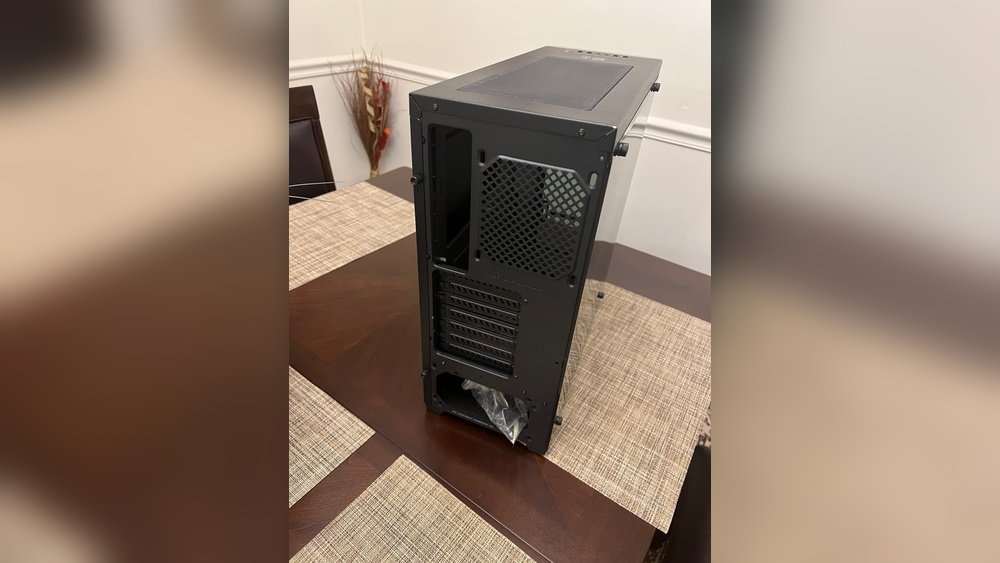
Have you ever wondered what a PC case really does? You might think it’s just a box holding your computer parts, but it’s much more than that.
Your PC case protects delicate components, helps keep everything cool, and even affects how your computer looks. If you want to understand how your computer works better or are thinking about building or upgrading one, knowing what a PC case is used for is key.
Keep reading, and you’ll discover why this simple part plays a huge role in your PC’s performance and longevity.

Credit: www.reddit.com
Purpose Of A Pc Case
A PC case is more than just a box for your computer parts. It serves important roles that keep your computer safe and running well. Understanding these roles helps you choose the right case for your needs.
Protecting Internal Components
The PC case shields delicate parts from dust and damage. It guards against accidental knocks and spills. This protection helps parts last longer and work better.
Organizing Hardware
The case holds all parts in place. It keeps the motherboard, drives, and power supply organized. This order makes building and upgrading easier. It also prevents cables from tangling and blocking airflow.
Facilitating Cooling
Heat can harm computer parts. The case directs airflow to cool these parts. Fans and vents inside the case help move hot air out. Good cooling stops overheating and keeps the PC stable.
Types Of Pc Cases
PC cases come in many shapes and sizes. Each type serves different needs and spaces. Choosing the right case helps protect and cool your computer parts.
Here are the main types of PC cases. They vary by size, capacity, and design. Understanding these types makes picking easier.
Full Tower Cases
Full tower cases are the largest type. They offer plenty of space for many components. These cases fit large motherboards and extra cooling systems. Ideal for high-performance and custom builds. They also provide good airflow and easy upgrades.
Mid Tower Cases
Mid tower cases are the most common size. They balance space and compactness well. Support standard motherboards and multiple drives. Suitable for most users and gaming setups. Easier to move and fit on desks.
Mini Tower Cases
Mini tower cases are smaller and lighter. Designed for basic or office computers. Support fewer components and smaller motherboards. Take less space but limit upgrade options. Perfect for simple tasks and small desks.
Small Form Factor Cases
Small form factor cases are compact and portable. Made for saving space in tight areas. They often need special small parts. Great for minimal setups or travel. Cooling and expansion options are limited here.
Material And Build Quality
The material and build quality of a PC case play a big role in its performance and lifespan. These factors affect how well the case protects your computer parts. They also influence how easy the case is to move and handle. Choosing the right material can make a difference in durability and weight. It shapes your overall experience with the PC case.
Metal Vs Plastic Cases
Metal cases are common in many computer builds. They offer strong protection for internal parts. Steel and aluminum are popular metals used in cases. Steel is tough and heavy. Aluminum is lighter but still durable. Plastic cases are lighter and cheaper. They come in many colors and shapes. Plastic does not protect as well as metal. It can break more easily if dropped.
Impact On Durability And Weight
Metal cases last longer because metal resists damage better. They can handle bumps and scratches without issues. Plastic cases may crack or warp over time. Metal cases are heavier, making them less easy to carry. Plastic cases are light and simple to move. Weight matters if you move your PC often. Durability matters if you want your PC safe for years. Choosing between metal and plastic depends on your needs.
Cooling And Airflow Benefits
A PC case plays a key role in keeping your computer cool. Good cooling helps your parts work better and last longer. It moves hot air out and brings cool air in. This stops your PC from getting too hot. A well-designed case keeps the inside fresh and cool.
Fan Placement And Support
Fans push air through the PC case. The right fan placement moves heat away fast. Cases have spots for fans in front, back, and top. Front fans pull cool air in. Rear and top fans push hot air out. This creates a steady airflow that cools parts well. Some cases support many fans for better airflow. More fans mean cooler temperatures inside the case.
Liquid Cooling Compatibility
Liquid cooling uses water or coolant to take heat away. Some PC cases allow easy installation of liquid coolers. They have space for radiators and tubes. This helps cool powerful CPUs and GPUs better than fans alone. Liquid cooling can be quieter and more efficient. Cases that support liquid cooling offer more cooling options for users.
Aesthetic And Customization Options
The PC case is not just a shell for your computer parts. It plays a big role in how your setup looks. Many users want their PC to stand out. The case allows for many ways to customize and improve its style.
Customization options make the PC case more personal. You can match it to your room or your taste. The case design also affects the overall feel of your workspace. A good-looking case can inspire creativity and pride.
Rgb Lighting
RGB lighting is a popular way to make your PC shine. Many cases come with built-in LED lights. These lights can change colors and create patterns. You control the colors using software or buttons. RGB lights add a cool and modern look to your PC.
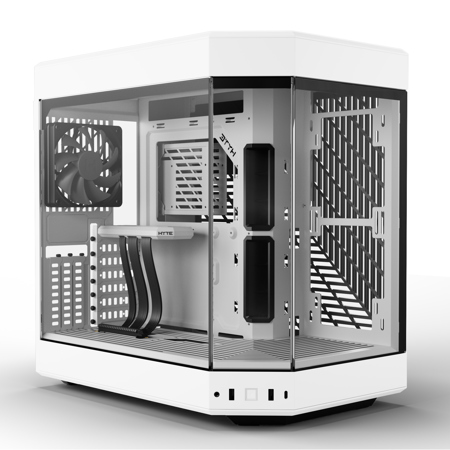
Windowed Panels
Windowed panels let you see inside your PC. These panels are usually made of glass or clear plastic. They show off your hardware and lighting effects. Windowed cases make your setup more interesting. They also make it easy to check your parts without opening the case.
Cable Management Features
Good cable management keeps your PC tidy. Many cases have special spaces and clips for cables. This helps hide messy wires and improve airflow. Clean cables make your PC look neat and professional. It also helps with cooling, keeping your PC running well.
Compatibility And Expansion
Choosing the right PC case depends a lot on compatibility and expansion options. These factors decide what parts fit inside and how much you can grow your system later. A case must support your motherboard size and GPU length. It should also have enough space for drives and ports. This helps keep your PC powerful and flexible over time.
Motherboard And Gpu Sizes
Motherboards come in different sizes like ATX, Micro-ATX, and Mini-ITX. The case must match the motherboard size for a proper fit. Bigger motherboards need larger cases. GPUs also vary in length and height. Some high-performance GPUs are very long. Your case must have enough room for these cards. Without enough space, the GPU won’t fit or may block airflow.
Drive Bays And Ports
Drive bays hold your hard drives and SSDs. More bays mean you can add more storage. Cases offer different numbers and sizes of bays. Some support 3.5-inch hard drives, others 2.5-inch SSDs. Ports on the case front or top give easy access to USB, audio, and other connections. More ports mean more devices can connect quickly. Make sure the case has enough bays and ports for your needs.
Noise Reduction Features
Noise reduction features in a PC case help keep your computer quiet. They reduce the sound made by fans, hard drives, and other parts inside the case. A quieter PC creates a better work or gaming space. It stops noise from disturbing you or others nearby.
Sound Dampening Materials
Many PC cases include sound dampening materials. These materials absorb and block noise inside the case. Foam pads and thick panels are common sound dampeners. They stop sound waves from escaping. This makes the PC run much quieter.
Sound dampening materials also reduce vibrations. Vibrations can cause extra noise when parts move. The materials soften these vibrations. This leads to less noise and a calmer environment.
Fan Noise Control
Fans are one of the loudest parts in a PC. Cases with fan noise control use smart designs to lower this sound. They have special mounts that reduce fan vibrations. Some cases allow bigger, slower fans that make less noise.
Many PC cases use fan filters and speed controls. Filters keep dust out, so fans work better and quieter. Speed controls adjust fan speed based on temperature. This means fans spin slower when the PC is cool. Lower fan speed means less noise.

Credit: asbbs.org
Credit: www.adorama.com
Frequently Asked Questions
What Is The Primary Function Of A Pc Case?
A PC case houses all computer components securely. It protects hardware from dust, damage, and interference. It also enables proper airflow to cool the parts efficiently.
How Does A Pc Case Affect Computer Cooling?
A PC case directs airflow to prevent overheating. Proper ventilation inside the case keeps components cool. Good airflow extends hardware lifespan and improves performance.
Can A Pc Case Impact Gaming Performance?
Yes, a PC case influences gaming performance indirectly. Efficient cooling prevents thermal throttling, keeping the CPU and GPU running smoothly. This ensures stable and higher frame rates during gaming.
What Materials Are Commonly Used For Pc Cases?
PC cases are often made from steel, aluminum, or plastic. Steel offers durability, aluminum provides lightweight strength, and plastic adds affordability. Material choice affects heat dissipation and overall case weight.
Conclusion
A PC case protects all your computer parts safely. It helps keep your system cool by allowing air to flow. Cases also make building or upgrading your PC easier. They come in many sizes and styles to fit your needs.
Choosing the right case improves your computer’s performance and lifespan. A good case keeps your setup neat and organized. Now, you know why a PC case matters a lot.
