
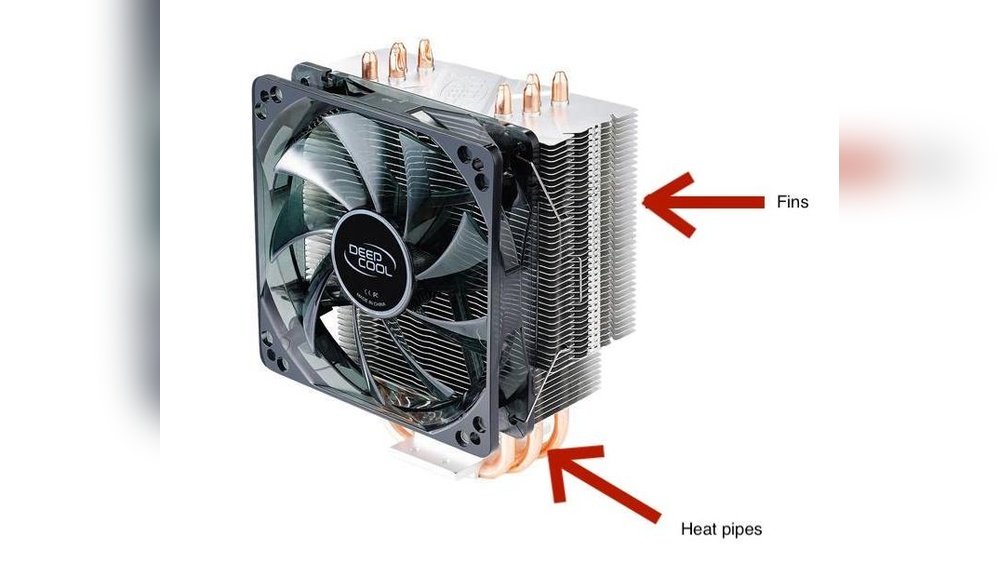
Have you ever wondered why your computer sometimes feels hot or slows down during heavy use? The secret lies in a small but powerful device called a CPU cooler.
If you want your computer to run smoothly and last longer, understanding what a CPU cooler is used for is crucial. You’ll discover how this essential component protects your computer’s brain from overheating and keeps everything running at its best.
Keep reading to learn why your CPU cooler matters more than you think.
Purpose Of A Cpu Cooler
The purpose of a CPU cooler is to manage the heat produced by the processor. A CPU generates heat as it works on tasks. Without proper cooling, the heat can damage the processor or reduce its efficiency. A cooler keeps the CPU at a safe temperature. This helps the computer run smoothly and last longer.
Maintaining Optimal Temperature
A CPU cooler keeps the processor at the right temperature. It stops the CPU from getting too hot. This balance is important for the computer’s health. Cool temperatures help the CPU work well without stress.
Preventing Overheating
Overheating can cause serious problems. It may shut down the computer suddenly. Long-term heat can damage parts inside the CPU. A cooler moves heat away from the processor fast. This stops the CPU from overheating and breaking down.
Enhancing Performance
When a CPU stays cool, it works better. Heat can slow down the processor. A cooler lets the CPU run at full speed. This means faster response and better multitasking. A cool CPU keeps your computer reliable and quick.
Credit: www.coolerguys.com
Types Of Cpu Coolers
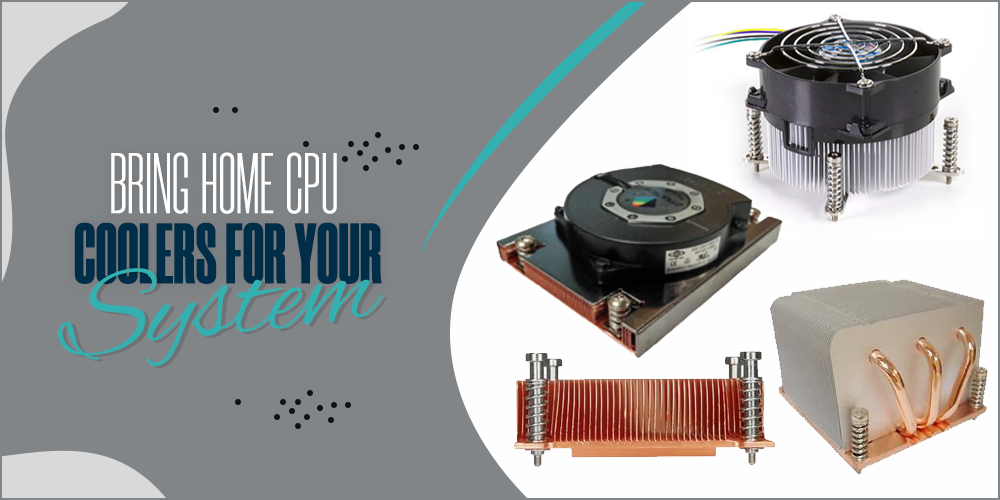
CPU coolers help keep your processor at a safe temperature. Different types of coolers suit different needs. Some are simple and quiet, while others are powerful and fast. Understanding each type helps you pick the right cooler for your PC.
Air Coolers
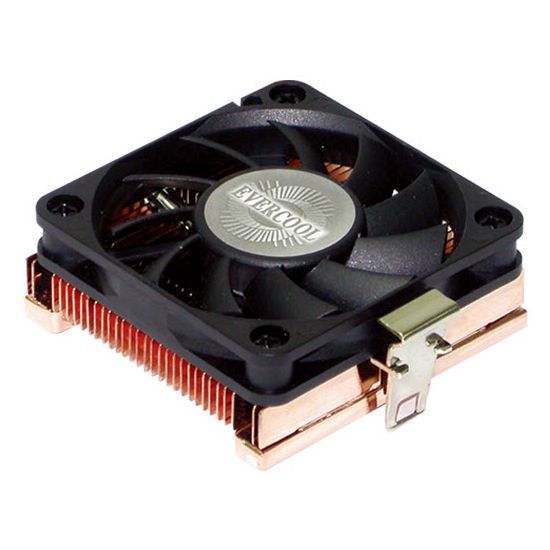
Air coolers are the most common type. They use fans and metal fins to move heat away from the CPU. These coolers are easy to install and affordable. Many come with quiet fans that work well for everyday use. They fit most computer cases and need little maintenance.
Liquid Coolers
Liquid coolers use water or another liquid to cool the CPU. The liquid absorbs heat and carries it to a radiator. Fans then blow air over the radiator to cool the liquid. These coolers offer better cooling for powerful CPUs. They are often quieter but cost more than air coolers. Liquid coolers need careful setup and occasional checks.
Passive Cooling Solutions
Passive coolers do not use fans or liquids. They rely on large metal heatsinks to absorb and spread heat. These coolers are silent and need no power. They work best for low-power CPUs or quiet environments. Passive coolers require good airflow inside the case to work well.
Benefits Of Using A Cpu Cooler
Using a CPU cooler offers many benefits for your computer. It helps keep your system running smoothly and protects your hardware from damage. A good CPU cooler improves performance and reduces problems caused by heat. Let’s explore the key advantages of having a CPU cooler.
Improved System Stability
Heat can cause your computer to crash or freeze. A CPU cooler lowers the temperature inside your PC. This keeps the processor stable during heavy tasks. Stable temperatures prevent sudden shutdowns and errors. Your system works better and stays reliable for longer.
Extended Hardware Lifespan
High heat damages computer parts over time. A CPU cooler protects your processor from overheating. Lower temperatures slow down wear and tear on components. This means your CPU and other parts last much longer. You save money by avoiding early replacements.
Reduced Noise Levels
Without a good cooler, fans run at high speeds to cool the CPU. This makes your computer noisy and distracting. A quality CPU cooler works efficiently and needs less fan speed. Your system stays quiet, even during heavy use. Enjoy a calm environment while working or playing.
Choosing The Right Cpu Cooler
Selecting a CPU cooler is a key step for your computer’s health. It keeps the processor cool and working well. Not all coolers fit every system, so choose carefully. The right cooler prevents overheating and extends your CPU’s life.
Think about your computer’s needs and your personal preferences. A good cooler matches your system and fits your budget. It also controls noise levels to keep your workspace quiet. Let’s explore what to consider when picking a CPU cooler.
Compatibility Considerations
Check if the cooler fits your CPU socket type. Some coolers only work with certain sockets. Measure your case space to ensure the cooler fits inside. Look at the cooler’s height and width. Also, see if it supports your motherboard’s layout.
Cooling Efficiency
Choose a cooler that handles your CPU’s heat output. Bigger processors need stronger cooling. Air coolers use fans and heat sinks. Liquid coolers use water to move heat away fast. Check the cooler’s thermal design power (TDP) rating. Match it with your CPU’s TDP for best results.
Budget And Noise Preferences
Set a budget before searching for a cooler. Basic air coolers are usually cheaper. Liquid coolers cost more but often cool better. Noise matters for many users. Fans with bigger blades run quieter. Look for coolers with low noise ratings. A quiet PC is nice for work and play.
Installation Tips
Installing a CPU cooler correctly helps your computer run cool and safe. A good installation prevents overheating and keeps your PC stable. Follow these simple tips to install your cooler without trouble.
Proper Mounting Techniques
Start by reading the cooler’s instructions carefully. Align the cooler with the CPU socket. Use the mounting brackets or screws provided. Tighten screws evenly to avoid pressure on the CPU. Avoid over-tightening, as it can damage parts. Secure the cooler firmly, but gently.
Thermal Paste Application
Clean the CPU surface before applying thermal paste. Use isopropyl alcohol and a lint-free cloth. Apply a small pea-sized amount of paste in the center. The cooler will spread the paste evenly when mounted. Too much paste can cause poor heat transfer. Too little paste leaves air gaps.
Maintenance And Cleaning
Dust can block airflow and reduce cooling efficiency. Clean the cooler and fans regularly using compressed air. Avoid touching the fan blades to prevent damage. Check the thermal paste every year and replace if dry. Keep your computer in a dust-free area for better cooling.
Credit: www.evercool.com.tw
Credit: www.reddit.com
Frequently Asked Questions
What Is The Main Purpose Of A Cpu Cooler?
A CPU cooler prevents overheating by dissipating heat from the processor. It ensures stable performance and prolongs CPU lifespan.
How Does A Cpu Cooler Improve Computer Performance?
By maintaining optimal CPU temperature, the cooler prevents thermal throttling. This allows the CPU to run efficiently without slowing down.
Are Cpu Coolers Necessary For Gaming Pcs?
Yes, gaming PCs generate more heat due to high performance. A CPU cooler helps manage heat for smooth gameplay.
What Types Of Cpu Coolers Are Commonly Used?
There are air coolers and liquid coolers. Air coolers use fans and heatsinks, while liquid coolers use coolant for better heat transfer.
Conclusion
A CPU cooler helps keep your computer’s processor cool. It stops the CPU from getting too hot. This keeps your computer running fast and smooth. Without a cooler, your PC might slow down or shut off. Choosing the right cooler protects your device and improves its life.
Cooling matters for both work and play. Remember, a cool CPU means a happy computer.
