
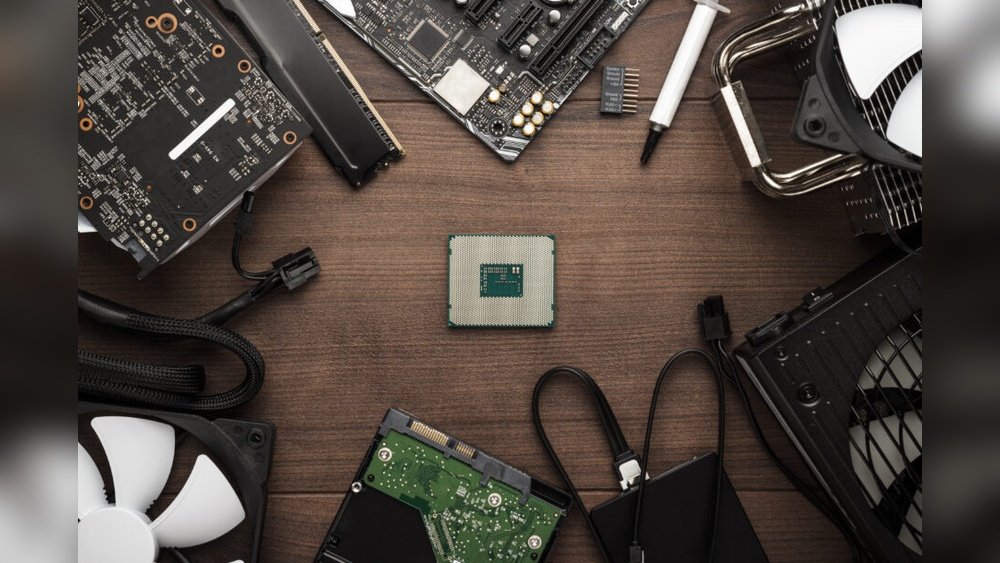
When you look at your PC, do you ever wonder which parts really make it run smoothly? Understanding the most important PC components can save you time, money, and frustration.
Whether you want faster gaming, better work performance, or just a reliable computer, knowing what’s inside your machine is key. You’ll discover the core parts that power your PC and why each one matters to you. Keep reading to unlock the secrets that can help you build, upgrade, or choose the perfect computer for your needs.

Credit: powergpu.com
Core Components
The core components form the foundation of any PC. They work together to run your computer smoothly and efficiently. Each part has a specific role that impacts performance and stability. Understanding these core parts helps you make better choices when building or upgrading a PC.
Central Processing Unit (cpu)
The CPU is the brain of the computer. It processes instructions and performs calculations. A fast CPU improves overall speed and responsiveness. It handles everything from basic tasks to complex programs. Choosing the right CPU depends on your needs and budget.
Motherboard
The motherboard connects all the components inside your PC. It allows communication between the CPU, memory, storage, and other devices. A good motherboard supports future upgrades and ensures stable performance. It also determines the type and number of parts you can use.
Random Access Memory (ram)
RAM stores data temporarily while your PC runs programs. More RAM helps your computer handle multiple tasks at once. It speeds up access to important information and reduces delays. Insufficient RAM can slow down your system and cause crashes.
Power Supply Unit (psu)
The PSU provides power to all PC components. It converts electricity from the outlet into usable energy for your parts. A reliable PSU protects your system from power surges and failures. Choosing the right wattage ensures stable and efficient operation.
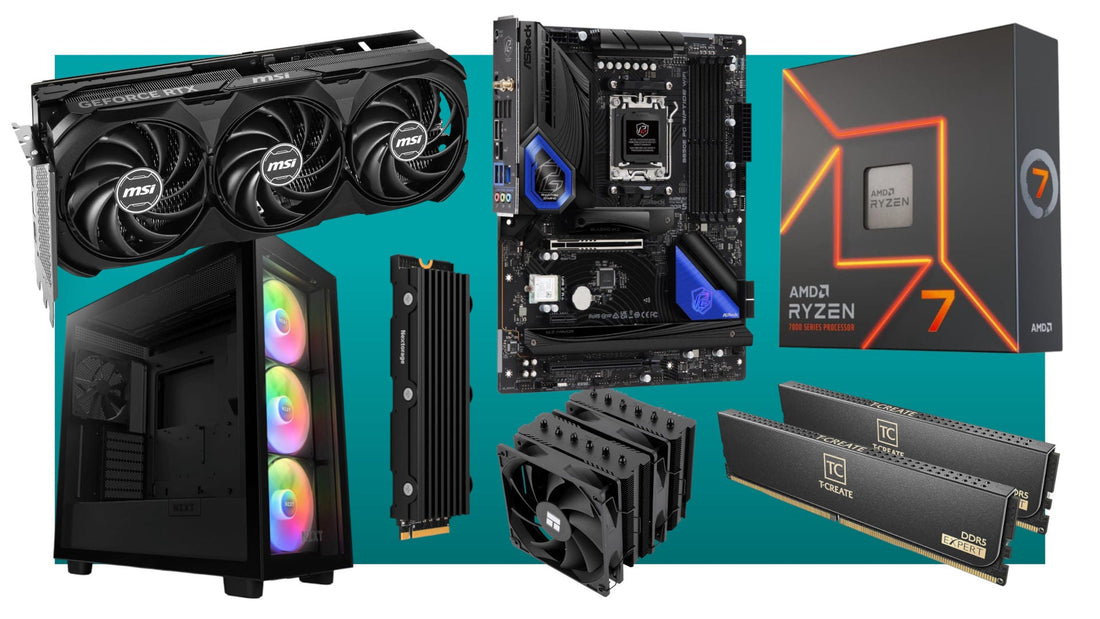
Credit: www.helpcomputercentre.co.uk
Storage Options
Storage is a key part of any PC. It holds your files, apps, and system data. Choosing the right storage affects speed and capacity. Different types serve different needs. Let’s explore the main options you can find for PCs.
Hard Disk Drives (hdd)
Hard Disk Drives are the traditional storage type. They use spinning disks to read and write data. HDDs offer large storage space at a low cost. They are slower compared to newer storage options. HDDs are good for storing many files and backups.
Solid State Drives (ssd)
Solid State Drives use flash memory to store data. SSDs are faster and more reliable than HDDs. They make your PC start up quicker. Programs open faster and files load without delay. SSDs cost more but improve overall performance significantly.
Nvme Drives
NVMe drives are a type of SSD with faster data transfer. They connect directly to the motherboard using the PCIe slot. NVMe drives offer very high speeds for gaming and video editing. They are more expensive but provide top performance. NVMe is the best choice for speed-focused users.
Graphics And Display
The graphics and display components shape what you see on your PC screen. They affect image quality, video playback, and gaming visuals. Good graphics hardware can make videos clearer and games smoother. Poor graphics often lead to lag and low-quality images.
Graphics Processing Unit (gpu)
The GPU is the brain behind all graphics tasks. It processes images and videos fast. This helps with gaming, video editing, and 3D rendering. A strong GPU boosts overall visual performance. It also handles multiple displays and high resolutions well.
Integrated Vs Dedicated Graphics
Integrated graphics come built into the CPU. They use the computer’s main memory. Integrated graphics work well for basic tasks like web browsing and office work. Dedicated graphics are separate cards with their own memory. They offer better performance for games and heavy software. Dedicated GPUs handle complex graphics without slowing the PC down.
Cooling Systems
Cooling systems play a key role in keeping a PC running well. They stop the parts from getting too hot. Without proper cooling, a computer can slow down or even break. Choosing the right cooling system helps protect your investment and keeps your PC stable.
Air Cooling
Air cooling uses fans to move air over heat sinks. Heat sinks are metal pieces that pull heat away from the processor and other parts. This method is simple and cost-effective. Most standard computers use air cooling. It is easy to install and requires little maintenance. Fans come in different sizes and speeds for various cooling needs.
Liquid Cooling
Liquid cooling uses water or special liquid to cool the PC parts. It moves heat away faster than air cooling. This system includes tubes, a pump, and a radiator. Liquid cooling is quieter because it does not rely on many fans. It is common in high-performance or gaming PCs. This cooling method needs careful setup and more care to avoid leaks.
Peripheral Components
Peripheral components are essential parts of a PC that connect externally. They allow users to interact with the computer and expand its functions. These components include devices for input, output, and connectivity. Understanding their roles helps users choose the right gear for their needs.
Input Devices
Input devices let users send commands to the computer. Keyboards and mice are the most common examples. They help type text and control the cursor. Other input devices include scanners, microphones, and webcams. These devices capture data and send it to the PC for processing.
Output Devices
Output devices display or produce information from the computer. Monitors show images, videos, and text. Printers create physical copies of documents or photos. Speakers and headphones provide audio output. These devices help users see, hear, or hold the computer’s results.
Connectivity Ports
Connectivity ports link peripheral devices to the PC. USB ports allow connection of many gadgets like flash drives and cameras. HDMI ports transmit video and audio to monitors or TVs. Audio jacks connect headphones or microphones. These ports ensure smooth communication between the PC and external devices.
Choosing Components
Choosing the right PC components is a key step in building a good computer. Each part must work well with others. The right choices affect speed, power, and how long the PC lasts.
Think about your needs and plans before buying parts. This helps avoid mistakes and extra costs. Focus on important factors to make smart decisions.
Compatibility Factors
Not all parts fit or work together. Check the motherboard’s socket type for the CPU. RAM must match the motherboard’s supported speed and type. The power supply should provide enough power for all components. Case size matters; big parts need larger cases. Look for components that fit and connect properly.
Budget Considerations
Set a clear budget before choosing parts. Some parts cost more but may not give extra benefits. Prioritize parts that improve performance the most. Balance spending between CPU, GPU, RAM, and storage. Avoid overspending on one part and skimping on others.
Future Proofing
Buy parts that last longer and stay useful. Choose a motherboard that supports upgrades. Pick a CPU with good performance for years. Get extra RAM slots for future memory increases. Select a power supply with higher wattage than now needed. Plan for growth to save money later.

Credit: www.hp.com
Frequently Asked Questions
What Are The Core Components Of A Pc?
The core PC components include the CPU, motherboard, RAM, storage drives, power supply, and GPU. These parts work together to ensure your computer runs efficiently and handles tasks smoothly.
Why Is The Cpu Important In A Computer?
The CPU is the brain of the PC. It processes instructions and manages tasks, determining overall speed and performance.
How Does Ram Affect Pc Performance?
RAM temporarily stores data for quick access, improving multitasking and program speed. More RAM means smoother operation and faster response.
What Role Does The Motherboard Play?
The motherboard connects all PC components, allowing communication between the CPU, RAM, storage, and peripherals. It ensures system stability and expandability.
Conclusion
Choosing the right PC parts matters a lot. Each component plays a key role in performance. The processor, memory, and storage affect speed and smoothness. The graphics card handles visuals and games. Power supply and motherboard keep everything running well.
Knowing these parts helps you build or buy better. Your computer works best when all parts fit well. Simple knowledge can save time and money. Keep these points in mind for a good PC experience.
