
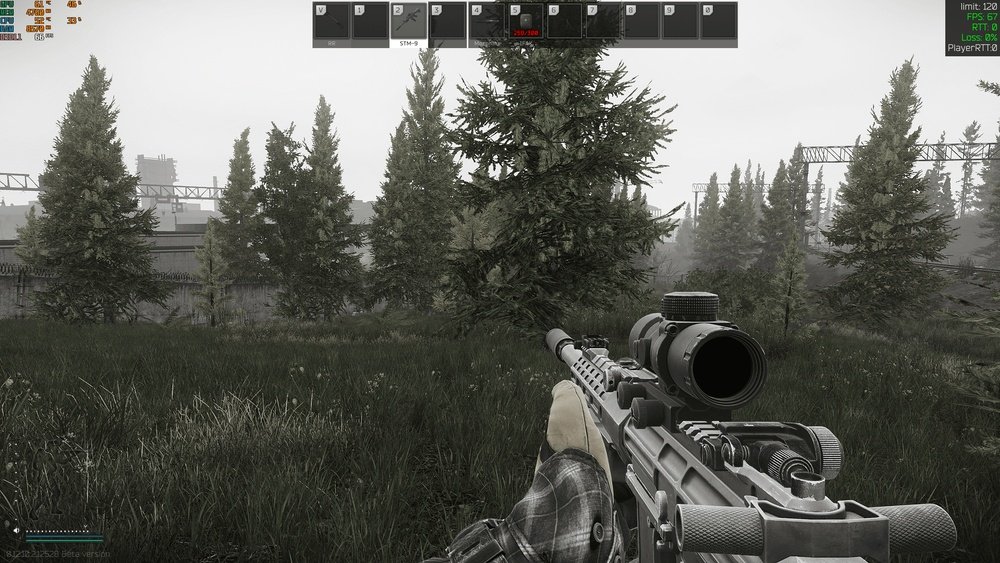
Are you wondering whether Escape from Tarkov puts more strain on your CPU or your GPU? Getting the right answer can save you money and boost your gaming experience.
Imagine having smoother gameplay and faster load times simply by knowing which part of your rig needs an upgrade. You’ll discover exactly where Tarkov demands the most power, helping you make smarter choices for your setup. Keep reading to unlock the secret to mastering Tarkov’s performance!
Tarkov’s Hardware Demands
Escape from Tarkov requires strong hardware to run smoothly. The game has many parts that affect how it works on your computer. Both the CPU and GPU play big roles in the game’s performance. Understanding these parts helps you see what kind of computer you need.
Tarkov’s detailed world and fast gameplay need powerful processors and graphic cards. The balance between CPU and GPU load changes depending on the situation in the game. Let’s explore which game features demand more from your hardware.
Core Game Mechanics Impacting Performance
Tarkov relies heavily on the CPU for many tasks. The game processes many calculations for player movement, AI, and physics. These actions need quick responses to keep gameplay smooth. The CPU handles the logic behind these mechanics, so a strong processor reduces lag.
The game also manages many players and items in real time. This increases CPU load, especially in busy areas. Large maps and complex player interactions push the CPU harder. A faster CPU helps handle these tasks without slowing down the game.
Graphics Complexity And Visual Effects
Tarkov uses advanced graphics to create a realistic world. The GPU handles textures, lighting, and shadows to make the game look good. High-quality visual effects demand more power from the graphics card. A strong GPU ensures smooth frame rates and clear images.
The game’s detailed environments and weapon models also increase GPU load. Effects like smoke, reflections, and particles add extra work for the graphics card. Lower-end GPUs may struggle with these effects, causing drops in performance. Upgrading the GPU improves visual quality and stability.
Cpu Factors In Tarkov
The CPU plays a big role in how Escape from Tarkov runs. It handles many tasks that affect gameplay. The game’s complex systems depend on the processor for smooth performance. Understanding the CPU’s role helps players choose the right hardware. This section explains key CPU factors in Tarkov.
Role Of Cpu In Game Physics And Ai
The CPU processes game physics, such as bullet trajectories and collisions. It also manages AI behavior for enemies and NPCs. These tasks require fast and accurate calculations. The CPU ensures that the game world reacts realistically. A strong CPU improves AI responsiveness and physics accuracy.
Impact Of Core Count And Clock Speed
Tarkov uses multiple CPU cores but favors high clock speeds. More cores help with multitasking and background processes. Faster clock speeds boost performance in single-threaded tasks. This balance affects frame rates and game smoothness. Players benefit from CPUs with good core count and speed.
Common Cpu Bottlenecks
Older or slower CPUs can limit Tarkov’s performance. Bottlenecks occur when the CPU can’t keep up with game demands. This causes lower frame rates and stutters. Insufficient cache or weak single-core speed also slows the game. Upgrading the CPU often resolves these issues for better gameplay.
Gpu Factors In Tarkov
GPU plays a big role in how well Tarkov runs on your PC. It handles the graphics and visuals you see on screen. A strong GPU helps the game look smooth and detailed. It also affects how many frames per second (FPS) you get. Low GPU power can cause lag and stuttering. Understanding GPU factors can help you set the best game settings.
Tarkov uses a lot of GPU power for rendering and textures. The game’s detailed environments and effects demand a lot from your graphics card.
Rendering And Texture Quality
Tarkov renders complex scenes with many objects and details. High texture quality makes surfaces clear and sharp. Textures include walls, weapons, and character models. The GPU processes these textures to display them in the game. Better GPUs handle higher texture quality without slowing down. Lower-end GPUs might need lower texture settings for smooth play.
Effects Of Resolution And Frame Rate
Resolution greatly impacts GPU load. Higher resolution means more pixels to draw. Tarkov at 1080p is easier on the GPU than 1440p or 4K. Frame rate also affects GPU use. Higher FPS requires more GPU power. Competitive players often choose lower resolution for higher FPS. Finding balance between resolution and FPS is key for good gameplay.
Gpu Bottlenecks To Watch For
GPU bottlenecks happen when the graphics card limits performance. This can cause low FPS and stutters. Common causes include outdated GPU models or insufficient VRAM. Tarkov needs enough VRAM for textures and effects. Running out of VRAM forces the game to slow down. Watch for heat as well, since overheating can reduce GPU speed. Proper cooling helps maintain steady performance.

Credit: www.reddit.com
Balancing Cpu And Gpu For Optimal Play
Playing Escape from Tarkov smoothly depends on both the CPU and GPU. These two parts share the work to keep the game running well. The CPU handles the game’s logic, AI, and physics. The GPU renders the graphics you see on screen. Balancing their load means neither part is overworked. This balance helps avoid slowdowns and stutters during intense gameplay.
Choosing the right hardware and adjusting settings can improve game performance. Small changes can shift the workload between the CPU and GPU. This way, your system can run Tarkov more efficiently. Let’s explore the best hardware, settings, and tips to balance your CPU and GPU for optimal play.
Recommended Hardware Specifications
A good CPU for Tarkov should have at least four cores and high clock speed. Popular choices include Intel i5 or AMD Ryzen 5 series. The GPU should support DirectX 11 or higher and have at least 4GB VRAM. Nvidia GTX 1060 or AMD RX 580 are solid options. Having 16GB of RAM helps with smooth gameplay and faster loading.
Settings To Shift Load Between Cpu And Gpu
Lowering shadow and reflection quality reduces CPU load. Reducing view distance and object detail can also ease the CPU’s work. Increasing texture quality shifts more work to the GPU. Turning off unnecessary post-processing effects helps the GPU focus on important tasks. Adjust these settings to find a balance that fits your hardware.
Performance Tuning Tips
Keep your graphics drivers updated for best compatibility. Close background programs to free up CPU power. Use game mode in Windows to prioritize Tarkov’s performance. Monitor temperatures to avoid overheating, which slows down hardware. Test settings in small steps to see what improves your frame rate and smoothness.
Benchmarking Tarkov Performance
Benchmarking Tarkov performance helps understand how the game runs on different computers. It shows if the game uses more CPU or GPU power. Testing with various tools and setups gives clear results. These results guide players on hardware upgrades.
Benchmarking also reveals how smooth the game feels. It measures frame rates, loading times, and stability. This data helps compare the impact of different CPUs and GPUs on gameplay. Knowing this helps choose the best parts for a better Tarkov experience.
Popular Benchmarking Methods
Many use built-in tools or third-party software to test Tarkov. Tools like FRAPS and MSI Afterburner track frame rates and usage. Some testers run fixed scenarios to compare results fairly. Others use live gameplay to see real performance. Each method shows different parts of the game’s demands.
Real-world Performance Results
Tests show Tarkov often stresses the CPU heavily. It uses many cores but favors high clock speeds. The GPU load varies with graphics settings and resolution. Lower settings lessen GPU demand but keep CPU busy. Players report smoother gameplay with strong CPUs and decent GPUs.
Comparing Different Hardware Setups
Comparisons reveal that CPUs with fast single-core speeds perform best. Multi-core CPUs help but less so. High-end GPUs improve visuals and frame rates at higher settings. Mid-range GPUs paired with strong CPUs provide balance. Budget setups may struggle with smooth gameplay in Tarkov.

Credit: softwareg.com.au
Future Updates And Performance Impact
Escape from Tarkov continues to evolve with regular updates. These updates can change how the game uses your computer’s hardware. Understanding future updates helps players prepare for performance changes. It also guides them on whether to invest more in CPU or GPU upgrades.
Developers focus on improving graphics, AI, and gameplay mechanics. Each area affects hardware differently. Knowing what to expect helps optimize your gaming setup for better performance.
Upcoming Features Affecting Hardware Use
New map expansions and detailed environments increase GPU demand. Higher-quality textures and lighting effects make graphics cards work harder. Enhanced AI routines add complexity to game logic. This can increase CPU load during intense firefights. Voice chat improvements and multiplayer features may use more CPU power too. These features aim to make gameplay smoother but need better hardware support.
Expected Changes In Cpu Vs Gpu Load
Future updates might balance CPU and GPU load more evenly. Graphics upgrades push GPUs to render more pixels per second. AI improvements cause the CPU to process more decisions quickly. Some updates may optimize code to reduce CPU bottlenecks. Others will focus on visual fidelity, increasing GPU requirements. Players with older CPUs might see heavier loads soon. Those with weaker GPUs should expect more graphical demands ahead.

Credit: softwareg.com.au
Frequently Asked Questions
Is Escape From Tarkov Cpu Or Gpu Intensive?
Escape from Tarkov is primarily CPU intensive. The game relies heavily on CPU for physics and AI calculations. However, a decent GPU is also needed for smooth graphics and high frame rates, especially at higher settings.
Which Cpu Features Improve Tarkov’s Performance?
High single-core clock speeds and multiple cores boost Tarkov’s performance. The game benefits from modern CPUs with strong per-core performance. Having at least a quad-core processor is recommended for stable gameplay.
How Does The Gpu Affect Tarkov Gameplay?
A good GPU handles detailed textures and complex environments in Tarkov. It improves frame rates and visual quality. While not as critical as the CPU, a mid to high-end GPU is essential for a smooth experience.
Can Upgrading The Cpu Improve Tarkov Fps?
Yes, upgrading the CPU often leads to better FPS in Tarkov. Since the game is CPU intensive, a faster processor reduces frame drops and stutters. This upgrade enhances overall gameplay fluidity significantly.
Conclusion
Tarkov demands both CPU and GPU power for smooth gameplay. The CPU handles game logic and AI, while the GPU renders graphics. A strong CPU helps with frame rates and reduces lag. A good GPU improves visuals and keeps performance steady.
Balancing both parts gives the best experience. Upgrading one without the other may limit your game. Keep your drivers updated for better stability. This way, Tarkov runs well and feels responsive. Choose your hardware wisely to enjoy every match fully.
