
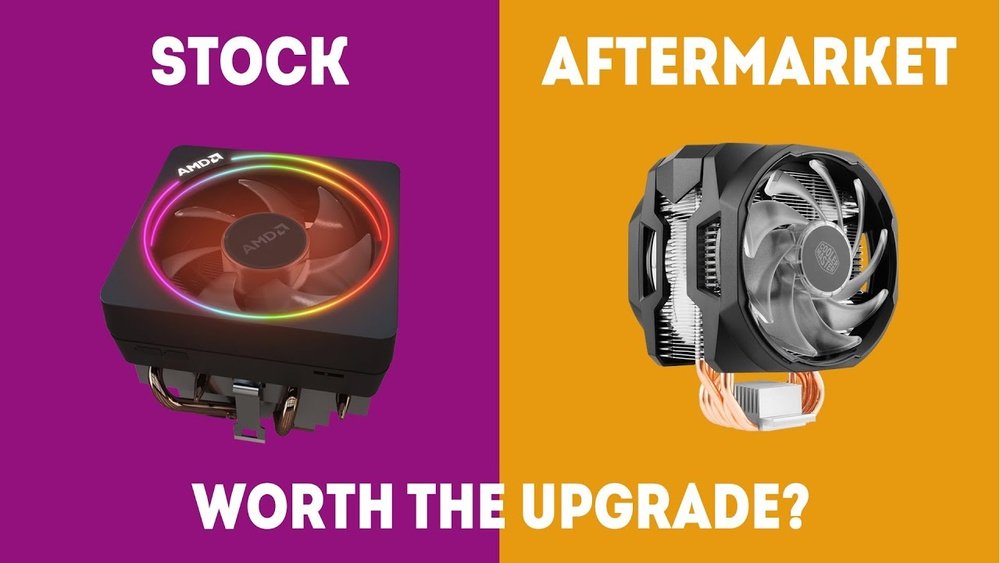
Are you wondering if the stock CPU cooler that came with your processor is enough to keep your system running smoothly? You’re not alone.
Choosing the right cooling solution can feel confusing, especially when you want to avoid overheating but also keep noise and costs low. You’ll discover the truth about stock coolers—when they work, when they don’t, and what signs you should watch for to protect your PC.
Keep reading to find out if your current cooler really has what it takes to handle your CPU’s heat.

Credit: www.youtube.com
Stock Cpu Cooler Basics
The stock CPU cooler is the default cooling solution that comes with most processors. It helps keep the CPU temperature under control during daily use. This basic cooler is designed to fit most systems and provide standard cooling performance. Understanding its design, cooling power, and installation can help decide if it suits your needs.
Design And Features
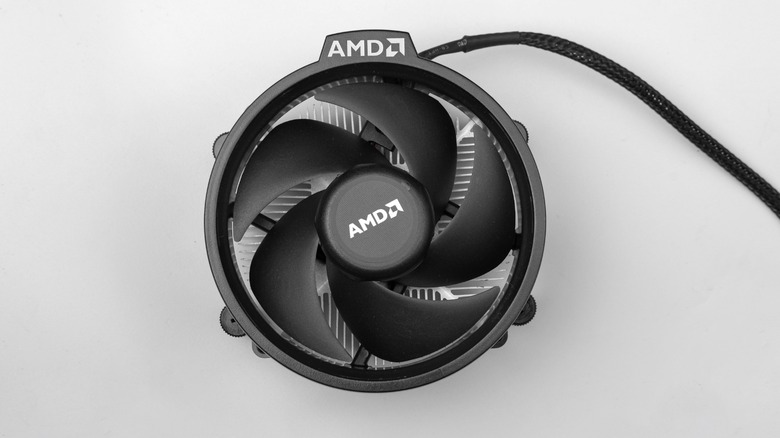
Stock coolers usually have a simple design. They include a small fan mounted on a heat sink. The heat sink is made of metal, often aluminum, to absorb heat from the CPU. The fan helps move air through the fins of the heat sink to cool it down. Some stock coolers have a plastic shroud to direct airflow. They are lightweight and compact to fit inside many computer cases.
Typical Cooling Capacity
Stock coolers are built to handle average CPU heat output. They work well with CPUs running at stock speeds and normal workloads. These coolers can keep temperatures within safe limits for daily tasks like browsing, office work, and light gaming. However, they may struggle with high-performance CPUs or overclocking. In such cases, aftermarket coolers offer better cooling power and lower noise.
Installation Process
Installing a stock CPU cooler is usually simple. It comes with mounting clips or screws that attach directly to the motherboard. Thermal paste is often pre-applied to the base of the cooler to improve heat transfer. The cooler should align with the CPU socket for secure fitting. After mounting, plug the fan cable into the motherboard fan header. This setup allows the fan to adjust speed based on temperature automatically.
Factors Affecting Cooling Needs
Cooling needs depend on many factors. These affect how well a stock CPU cooler can do its job. Understanding these factors helps decide if a better cooler is needed.
Each PC setup is different. The CPU, usage, and environment all change the cooling demand. Let’s explore these key points.
Cpu Model And Tdp
The CPU model defines its power and heat output. TDP means Thermal Design Power. It shows how much heat the CPU makes.
A CPU with a high TDP needs stronger cooling. Stock coolers often fit low to mid-range CPUs. High-end CPUs may overheat with basic coolers.
Usage Scenarios
How you use your PC matters. Simple tasks like browsing need less cooling. Heavy tasks like gaming or video editing produce more heat.
Running many programs or overclocking increases heat too. Stock coolers might struggle with these demands. A better cooler keeps your CPU safe and quiet.
Case Airflow And Ambient Temperature
Good airflow inside the case helps cool the CPU. Fans and vents move hot air out and bring cool air in.
Ambient temperature is the room temperature. A hot room makes cooling harder. Even the best cooler works less well in a warm environment.
Check your case airflow and room temperature to judge cooling needs. Poor airflow can make stock coolers less effective.
Performance Of Stock Coolers
The performance of stock CPU coolers varies depending on the processor and usage. These coolers come bundled with many CPUs and offer basic cooling solutions. They work well for everyday tasks and light computing. But their limits become clear during heavy workloads. Understanding their strengths and weaknesses helps decide if an upgrade is necessary.
Cooling Efficiency Under Load
Stock coolers provide adequate cooling for normal use. They keep the CPU temperature safe during browsing or office work. Under heavy load, like gaming or video editing, the cooler struggles. Temperatures rise faster and stay higher. This can reduce overall system performance and cause instability.
Noise Levels
Stock coolers tend to be louder than aftermarket options. The fan speeds up quickly to handle heat spikes. This creates noticeable noise, especially during intense tasks. For quiet environments, stock coolers may not be the best choice. Users might find the noise distracting or annoying.
Thermal Throttling Risks
Thermal throttling happens when the CPU gets too hot. To protect itself, the CPU reduces speed automatically. Stock coolers sometimes fail to keep temperatures low enough. This causes the CPU to slow down and lose performance. Heavy users or gamers may face this issue often with stock coolers.
Credit: www.slashgear.com
When To Upgrade Your Cooler
Knowing when to upgrade your CPU cooler is important. The stock cooler works for many users. But some situations need better cooling. Upgrading can protect your CPU and improve performance.
Overclocking Considerations
Overclocking makes your CPU run faster than normal. This creates more heat. Stock coolers often cannot handle this extra heat well. A stronger cooler keeps temperatures low and stable. This helps avoid crashes and damage.
High-end Cpu Requirements
High-end CPUs generate more heat during use. Stock coolers are usually basic and may not cool well enough. Upgrading to a better cooler helps keep your system quiet and cool. This is important for smooth and safe operation.
Long-term Reliability
Running your CPU hot for a long time can reduce its life. Stock coolers may work at first but struggle over time. A high-quality cooler protects your CPU from overheating. It also keeps your PC running smoothly for years.
Alternative Cooling Options
Stock CPU coolers often work well for basic tasks. But high performance or gaming needs better cooling. Alternative cooling options help keep your CPU cooler and quieter. These options also improve computer lifespan and performance.
Air Coolers
Air coolers use a fan and metal fins to move heat away. They are easy to install and cost less than liquid coolers. Bigger air coolers with more heat pipes cool better. They fit most computer cases and need little maintenance.
Liquid Cooling Solutions
Liquid coolers use water or coolant to carry heat away from the CPU. They cool faster and quieter than air coolers. These systems have tubes, a pump, and a radiator. Liquid cooling is good for overclocking and heavy workloads.
Hybrid Cooling Systems
Hybrid coolers combine air and liquid cooling methods. They use liquid to cool the CPU and fans to cool other parts. Hybrids offer strong cooling with less noise. They suit gamers and users who want better performance without full liquid setup.
Credit: www.reddit.com
Installation And Maintenance Tips
Installing and maintaining a stock CPU cooler properly is key to keeping your PC cool. Small steps during setup help avoid future problems. Regular care keeps the cooler working well and extends its life.
Proper Mounting Techniques
Place the cooler firmly on the CPU. Align it carefully with the socket. Tighten screws evenly to avoid pressure points. Do not over-tighten; this can damage the motherboard. Make sure the fan cable is connected to the CPU fan header.
Thermal Paste Application
Apply a small amount of thermal paste on the CPU center. Spread it thinly for even coverage. The paste fills gaps between the CPU and cooler. Too much paste can trap heat. Too little paste reduces heat transfer.
Cleaning And Upkeep
Dust buildup blocks airflow and raises CPU temperature. Clean the fan and heatsink regularly with compressed air. Avoid using water or liquids inside the PC. Check fan blades for damage and replace if needed. Keep your PC in a dust-free place for better cooling.
Frequently Asked Questions
Is A Stock Cpu Cooler Enough For Gaming?
A stock CPU cooler can handle light gaming and everyday tasks. However, high-performance gaming often generates more heat. Upgrading to an aftermarket cooler improves cooling efficiency and reduces thermal throttling, enhancing overall system stability and performance.
When Should I Upgrade From A Stock Cpu Cooler?
Upgrade your stock cooler if your CPU temperature regularly exceeds 80°C. Also, consider upgrading if you plan to overclock your processor for better performance. A better cooler ensures lower temperatures and quieter operation under heavy loads.
Can Stock Coolers Handle Overclocking Safely?
Stock coolers are generally not designed for overclocking. Overclocking increases heat output, which stock coolers may struggle to dissipate. Investing in a high-quality aftermarket cooler is recommended to maintain safe temperatures and system stability during overclocking.
Do Stock Cpu Coolers Make A Lot Of Noise?
Stock coolers tend to be noisier under load due to smaller fans and less efficient design. Upgrading to an aftermarket cooler often results in quieter operation, as these coolers use larger, better-quality fans and improved heat dissipation methods.
Conclusion
A stock CPU cooler can work well for basic tasks and light use. It keeps your processor cool enough for everyday jobs. But if you do heavy gaming or video editing, it might struggle. Overheating can slow your computer or cause crashes.
Upgrading to a better cooler helps keep your CPU safe and fast. Think about your needs before deciding. A good cooler means a healthier, longer-lasting computer. Choose what fits your budget and computer use. Simple steps keep your PC running smooth and cool.
