
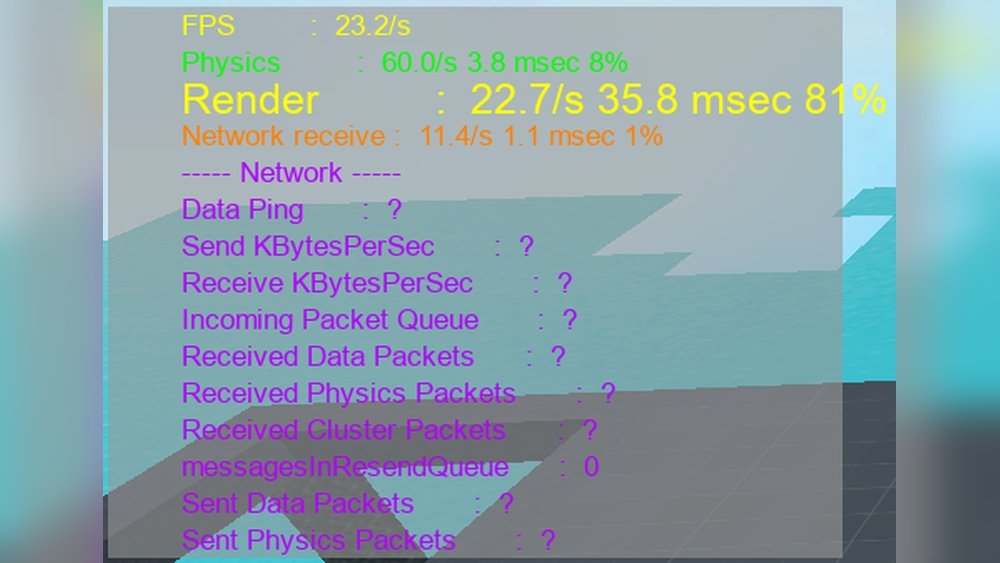
Are you wondering whether Roblox puts more strain on your GPU or CPU? If you want smooth gameplay and the best performance, understanding which part of your computer does the heavy lifting is key.
Knowing this can help you make smart choices when upgrading your system or tweaking settings. Keep reading, and you’ll discover exactly how Roblox uses your hardware—and what you can do to get the most out of your gaming experience.

Credit: devforum.roblox.com
Roblox Performance Basics
Roblox is a popular online platform for games. Its performance depends on your computer’s hardware. Understanding how Roblox uses your hardware helps improve gameplay. This section explains the basics of Roblox performance.
It covers how the game uses your CPU and GPU. Also, it looks at key factors that affect how well the game runs. Knowing these can help you get a smoother experience.
How Roblox Uses Hardware
Roblox uses both the CPU and GPU to run games. The CPU handles game logic, player input, and physics. The GPU draws graphics and effects on the screen. Simple games use less CPU and GPU power. Complex games with many players and effects use more.
The CPU processes commands and game rules quickly. The GPU focuses on rendering images fast. Roblox needs a balance between CPU and GPU for good play. Too much load on one can slow down the game.
Key Factors Affecting Gameplay
Game design affects how much CPU and GPU power Roblox needs. More detailed graphics require a stronger GPU. Many players and objects on screen put pressure on the CPU. Network speed also impacts game smoothness but not hardware use.
Settings like resolution and graphics quality change hardware demands. Lower settings reduce the load and improve performance. Higher settings make the game look better but need better hardware. Your computer’s age and specs matter a lot too.
Cpu Demands In Roblox
The CPU in Roblox plays a key role in running the game smoothly. It handles many tasks that keep the game world alive and interactive. These tasks need steady processing power to avoid lag and delays. Understanding the CPU demands helps players know what kind of computer they need for better gameplay.
Game Logic And Scripting Load
Roblox uses scripts to control game actions and events. The CPU reads and runs these scripts constantly. Each script tells the game what to do, like moving characters or changing scenes. Complex scripts need more CPU power to work fast. Simple games use less CPU, but big games need a strong processor.
Physics And Ai Processing
Physics rules make the game world feel real. The CPU calculates how objects move and react to forces. This includes jumping, falling, and collisions. AI controls non-player characters and enemies. The CPU processes their decisions and actions. More physics and AI means higher CPU use. Good CPUs handle these tasks smoothly for better gameplay.
Gpu Role In Roblox
The GPU, or graphics processing unit, plays a key role in Roblox. It handles all the visual parts of the game. This means the GPU works to make the game look smooth and detailed. It helps create the images and effects you see on the screen. Without a good GPU, Roblox might look blurry or laggy.
The GPU takes the game’s data and turns it into pictures. This process is called rendering. It works fast to keep the game running well. The better the GPU, the better the graphics you get to enjoy.
Rendering Graphics And Effects
Rendering is the main job of the GPU in Roblox. It draws all the 3D models, textures, and lights. These graphics make the game world feel real and alive. Effects like shadows, reflections, and special animations depend on the GPU. A strong GPU can handle complex scenes with many details. This means smoother gameplay and better visuals. A weak GPU may cause slowdowns or low-quality images.
Impact Of Visual Settings
Visual settings in Roblox affect how hard the GPU works. Higher settings use more GPU power. Things like texture quality, shadows, and effects can be changed. Lowering these settings can help the game run better on weaker GPUs. Players can adjust settings to find a good balance. This keeps the game looking nice without slowing down the system. Good GPU management means a better gaming experience for all players.
Comparing Cpu Vs Gpu Usage
Understanding how Roblox uses your computer’s CPU and GPU helps improve gameplay. Both CPU and GPU share the work differently. This affects how smooth and fast the game runs. Comparing CPU vs GPU usage shows which part your computer strains more.
Typical Resource Allocation
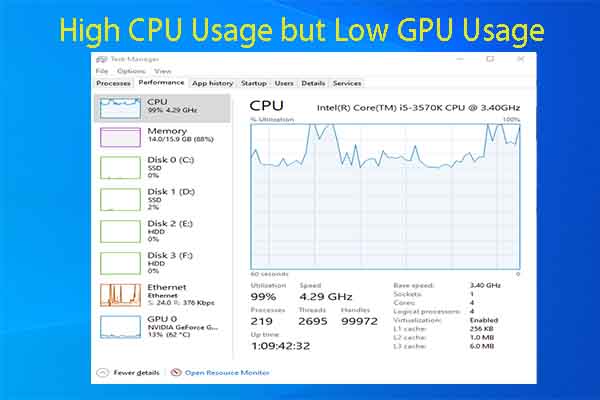
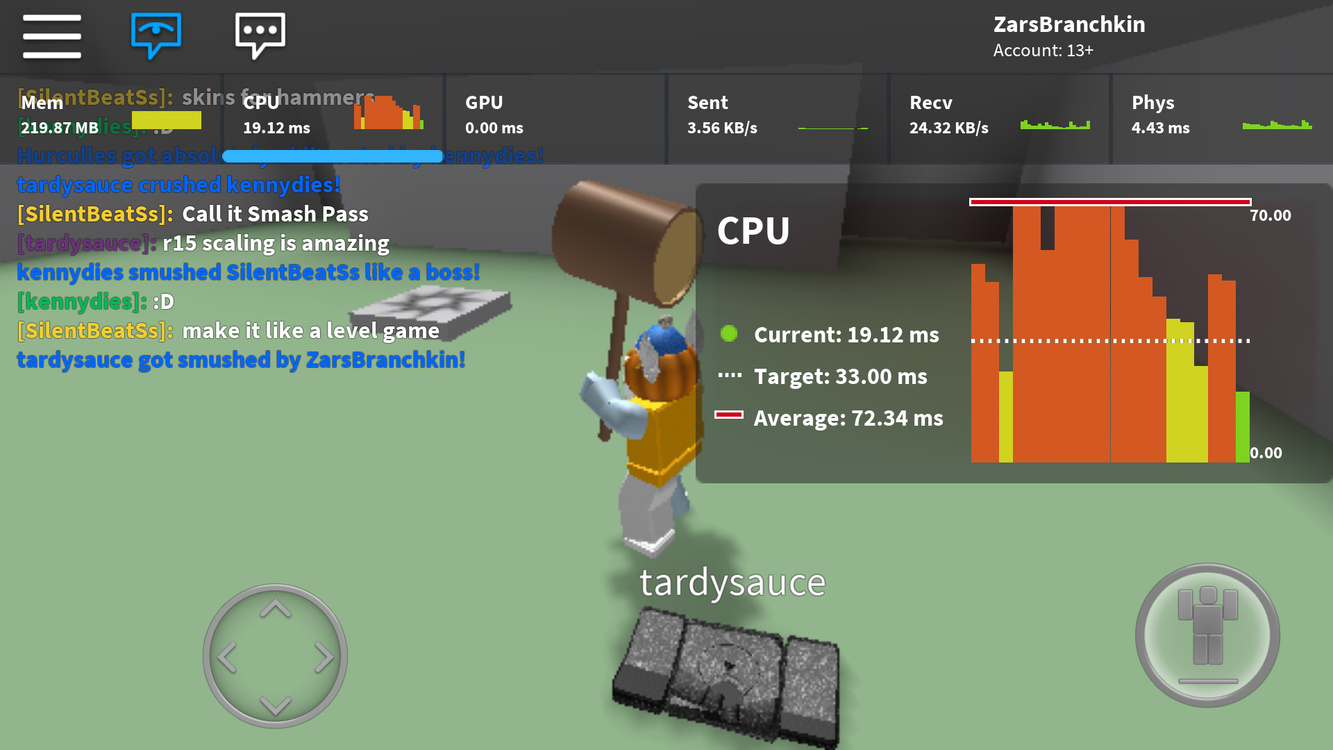
Roblox mainly uses the CPU to handle game logic and player actions. The CPU processes game scripts and controls how the game reacts. The GPU focuses on drawing graphics and rendering the 3D world. It creates all the visual effects and textures you see. Usually, the CPU works harder than the GPU in Roblox.
Bottlenecks During Gameplay
Slow CPU can cause lag in game responses and delays. Complex game scripts or many players increase CPU load. A weak GPU may cause low frame rates and blurry visuals. When either CPU or GPU struggles, the game performance drops. Most Roblox games face CPU bottlenecks more than GPU issues.
Optimizing Roblox Performance
Optimizing Roblox performance helps you enjoy smooth gameplay without lag. Roblox depends on both your CPU and GPU, but balancing hardware and settings is key. Small changes can make a big difference in how the game runs.
Focus on the right hardware and adjust in-game options to get the best results. Simple tweaks improve frame rates and reduce delays.
Hardware Recommendations
Choose a CPU with good single-core speed. Roblox uses CPU power to handle game logic and physics. A modern quad-core processor works well.
For the GPU, select a card that supports DirectX 11 or higher. Roblox uses the GPU for rendering graphics and effects. Mid-range GPUs often provide smooth play.
At least 8GB of RAM helps run Roblox alongside other programs. Faster storage, like an SSD, speeds up game loading times.
In-game Settings For Smooth Play
Lower the graphics quality to reduce strain on your system. Set textures, shadows, and lighting to medium or low.
Turn off unnecessary effects like reflections and particles. These can slow down your frame rate.
Adjust the resolution to match your monitor but consider dropping it if lag appears. A lower resolution demands less from your GPU.
Credit: www.partitionwizard.com
Future Updates And Hardware Impact
Roblox continues to evolve with new updates that affect how it uses computer hardware. These changes will impact both the GPU and CPU demands. Understanding upcoming updates helps players and developers prepare their systems. Hardware performance may shift as Roblox adds features and improves gameplay.
Future updates aim to enhance graphics, physics, and multiplayer experiences. These improvements could increase the strain on your computer’s components. Keeping up with these changes ensures smoother gameplay and better overall performance.
Upcoming Roblox Features
Roblox plans to add better graphics and more detailed environments. Lighting effects and shadows will become more realistic. Developers will get new tools to create complex games. Multiplayer modes will improve, supporting larger groups of players.
Animation and physics updates will make movements more natural. Voice chat and social features will also expand. These updates promise a richer gaming experience for everyone.
Expected Changes In Resource Use
With richer graphics, the GPU will handle more workload. Advanced lighting and textures demand stronger graphics cards. The CPU will also work harder with improved physics and AI. Multiplayer improvements increase the need for faster processing power.
Players might notice higher system requirements in future Roblox versions. Upgrading hardware may become necessary for smooth play. Monitoring these trends helps users avoid lag and crashes during gameplay.
Credit: devforum.roblox.com
Frequently Asked Questions
Is Roblox More Gpu Or Cpu Intensive?
Roblox relies more on the CPU for game logic and physics calculations. The GPU handles graphics rendering but is less stressed than the CPU in most cases.
Which Hardware Upgrade Improves Roblox Performance Most?
Upgrading your CPU usually boosts Roblox performance more than a GPU upgrade. A faster CPU processes game data and scripts efficiently, reducing lag.
Can A Weak Gpu Affect Roblox Gameplay Quality?
A weak GPU can lower visual quality and frame rates. However, Roblox’s minimal graphics demands mean the CPU often limits performance more than the GPU.
Does Roblox Use Multi-core Cpus Effectively?
Roblox benefits from multiple CPU cores, but it mainly uses one or two cores heavily. Having a multi-core CPU still improves overall system responsiveness during gameplay.
Conclusion
Roblox mainly uses the CPU to run games smoothly. The GPU helps with graphics but is less critical. A good CPU gives better performance in Roblox. Lower-end GPUs can still handle Roblox well. Focus on a balanced system for the best experience.
Playing Roblox does not require very powerful hardware. Simple setups work fine for most players. This helps you enjoy Roblox without extra cost. Keep your drivers and software updated for best results. Overall, Roblox relies more on the CPU than the GPU.
