
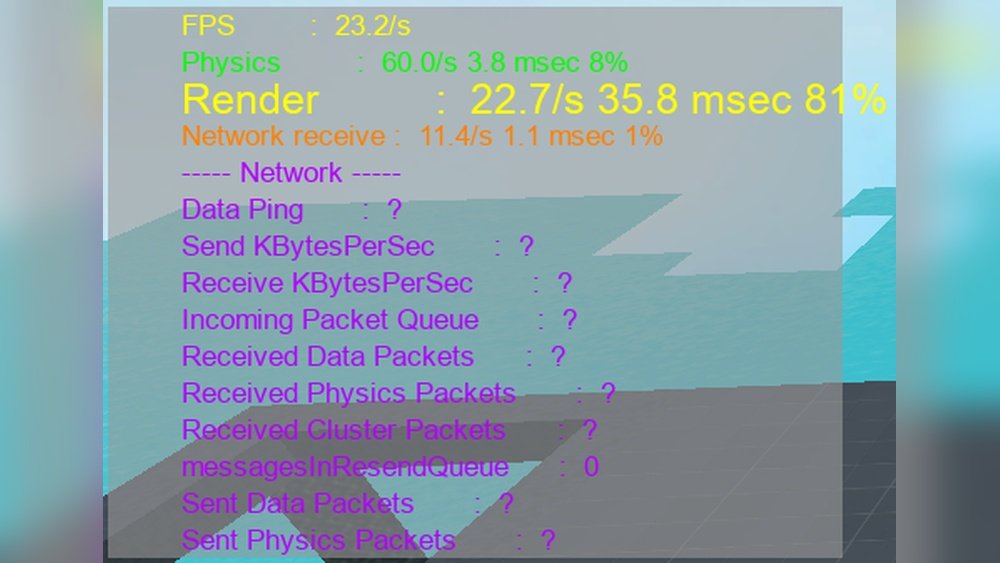
Are you wondering whether Roblox puts more strain on your CPU or your GPU? Knowing this can help you get the best performance and enjoy smoother gameplay.
If you’ve ever faced lag or slow loading times, understanding which part of your computer works hardest during Roblox can make a big difference. You’ll discover exactly how Roblox uses your hardware and what you can do to optimize your gaming experience.
Keep reading to unlock the secrets that will boost your Roblox sessions like never before!
Roblox Performance Basics
Roblox is a popular online platform where users create and play games. Its performance depends on how well your computer runs the game. Knowing if Roblox uses more CPU or GPU helps improve gameplay.
Understanding how Roblox works with your computer parts can make a difference. This knowledge helps you get smoother and faster performance while playing.
How Roblox Uses Cpu
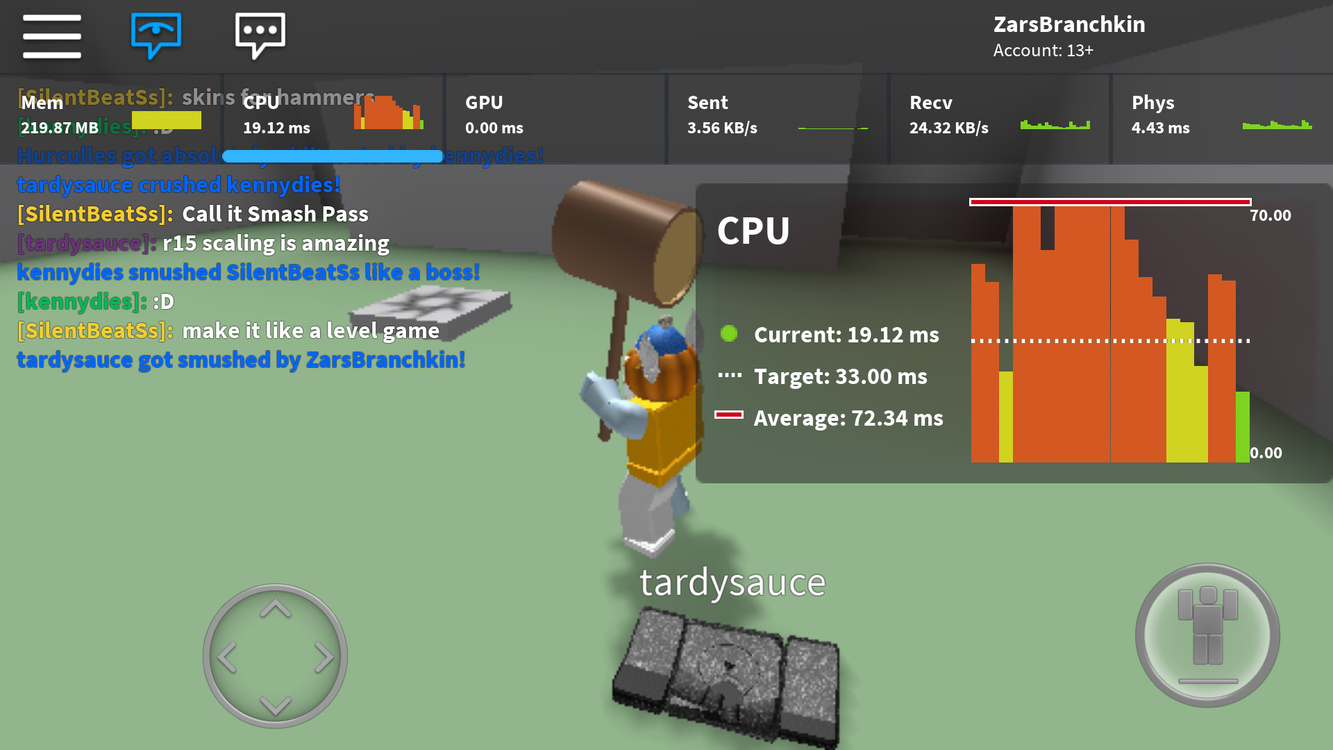
The CPU handles many tasks in Roblox. It processes game logic, user inputs, and physics. The CPU also controls scripts that run inside games.
Roblox relies heavily on the CPU to manage these background tasks. A faster CPU can reduce lag and improve response times. The game does not require many CPU cores but benefits from higher speed.
How Roblox Uses Gpu
The GPU renders graphics and visual effects in Roblox. It draws the game world, characters, and textures on your screen. A stronger GPU creates better images and smoother visuals.
Roblox is less demanding on the GPU than some other games. Still, a good GPU helps keep frame rates high and reduces screen tearing. The GPU mainly handles the game’s display quality and effects.
Credit: devforum.roblox.com
Cpu Demands In Roblox
The CPU plays a key role in running Roblox smoothly. It handles many tasks behind the scenes. These tasks affect how fast and well the game runs on your device.
Roblox relies on the CPU for processing game scripts, managing physics, and handling multiple tasks. Understanding these demands helps explain why a good CPU matters.
Script Execution And Logic Processing
Roblox uses scripts to control game actions and player interactions. The CPU runs these scripts step by step. It decides what happens in the game world.
Scripts include commands for player movement, game rules, and events. The CPU must quickly process these commands to keep the game responsive.
Physics Calculations
Physics in Roblox controls object movement, collisions, and gravity. The CPU calculates how objects interact and respond in real time.
This process requires many small calculations every second. A stronger CPU can handle more complex physics without slowing down the game.
Multithreading Support
Modern CPUs have multiple cores to handle tasks simultaneously. Roblox can use some multithreading to improve performance.
However, not all game processes run in parallel. Script execution mainly happens on a single core. Other tasks like physics may use extra cores.
CPUs with better multithreading support offer smoother gameplay in complex Roblox games.
Gpu Demands In Roblox
The GPU in Roblox handles much of the game’s visual work. It processes images and effects to create the scenes you see. Understanding GPU demands helps players know what hardware fits best.
Roblox’s GPU load depends on how detailed and complex the game world is. Different features put various levels of stress on your graphics card.
Rendering Graphics And Textures
Roblox uses the GPU to draw graphics and apply textures on objects. Higher resolution textures need more GPU power. Simple games use less GPU, while detailed ones require more.
The GPU must quickly paint each frame to keep gameplay smooth. If the GPU struggles, you may see lag or low frame rates.
Lighting And Shadows
Lighting in Roblox adds depth and realism to scenes. Dynamic lights and shadows require extra GPU processing. Shadows must update as objects move, increasing GPU load.
Strong lighting effects can slow down the game on weaker GPUs. Good lighting makes the game look better but demands more from your hardware.
Visual Effects Impact
Effects like smoke, explosions, and particles rely heavily on the GPU. These effects add excitement but increase GPU workload. More effects mean the GPU works harder to keep frame rates high.
Roblox developers use effects to make games fun but must balance GPU use. Too many effects can cause stuttering or lag on low-end GPUs.

Credit: softwareg.com.au
Comparing Cpu And Gpu Loads
Understanding the balance between CPU and GPU loads in Roblox helps players optimize performance. The game uses both the processor and graphics card, but the demand varies by situation. Knowing which component works harder can guide hardware choices.
Typical Game Scenarios
In simple Roblox games, the CPU handles most tasks. These include game logic, player movement, and interactions. The GPU mainly draws basic graphics and textures. Low-detail games keep GPU load light.
High-performance Game Modes
Games with detailed worlds and many effects push the GPU more. Complex lighting, shadows, and 3D models increase graphic demands. The CPU still processes game rules but the GPU works harder to render visuals smoothly.
Factors Affecting Load Balance
Game design impacts CPU and GPU use. Scripts and physics calculations raise CPU load. Advanced graphics settings and resolution increase GPU work. Network activity can also add pressure on the CPU.
Hardware Recommendations For Roblox
Choosing the right hardware makes Roblox more fun and smooth to play. Roblox needs a good balance of CPU and GPU power. This keeps the game running without slowdowns or glitches. Picking the best parts helps enjoy Roblox with better graphics and faster loading times.
Below are key hardware recommendations. They cover CPUs and GPUs that fit different needs and budgets. This guide helps find the best setup for Roblox gaming.
Best Cpus For Smooth Gameplay
Roblox relies mainly on the CPU to run well. A strong processor handles game logic and player actions quickly. Look for CPUs with at least 4 cores and 3.0 GHz or higher clock speed. Intel Core i5 and AMD Ryzen 5 are good choices. They offer enough power for most Roblox games. Avoid very old or low-end processors. They can cause lag and stuttering.
Best Gpus For Visual Quality
The GPU improves Roblox’s graphics and visual effects. A dedicated graphics card gives clearer images and better frame rates. NVIDIA GTX 1050 or AMD Radeon RX 560 work well. These cards support smooth textures and lighting. Integrated graphics can run Roblox but with lower quality. For higher resolution and detail, invest in a mid-range GPU.
Balancing Budget And Performance
Good hardware does not mean spending a lot of money. Find parts that offer the best value for your price. Prioritize the CPU first, then add a GPU if the budget allows. Many mid-range CPUs and GPUs handle Roblox well. Avoid very cheap parts that cause slow gameplay. Focus on reliable brands with good user reviews.
Optimizing Roblox Performance
Optimizing Roblox performance helps players enjoy smoother gameplay. It reduces lag and improves visuals. Small changes can make a big difference. Both in-game and system settings affect how well Roblox runs.
In-game Settings To Adjust
Lower the graphics quality in Roblox settings. Choose medium or low texture details. Disable shadows and reflections to reduce strain. Turn off background effects and particles. Adjust the screen resolution to match your monitor. These steps ease the load on your CPU and GPU. They help boost frame rates and reduce stuttering.
System-level Tweaks
Close unused programs to free up memory and processing power. Update your graphics drivers regularly for better compatibility. Set Roblox to run in high-performance mode via your PC’s settings. Disable unnecessary startup apps to speed up your system. Make sure your computer has enough free disk space. These tweaks improve overall system response during gameplay.
Using Performance Monitoring Tools
Use tools like Task Manager to watch CPU and GPU usage. Identify if Roblox uses more CPU or GPU on your device. Check for overheating by monitoring temperature sensors. Use FPS counters to track game smoothness. These tools help spot bottlenecks and guide adjustments. They ensure your system runs Roblox at its best.
Future Trends In Roblox Performance
The future of Roblox performance is changing fast. The platform is growing with new features and better graphics. These changes will affect how the game uses your computer’s CPU and GPU. Understanding these trends helps players and developers prepare for smoother gameplay and better experiences.
Expect updates that improve speed and visuals. Hardware advances will also play a big role. The way Roblox uses system resources will shift as the platform evolves. Let’s explore what lies ahead.
Upcoming Engine Updates
Roblox developers are working on engine improvements. These updates aim to make the game run faster. They focus on better graphics and smoother animations. Optimizations will reduce the load on both CPU and GPU. This means less lag and better frame rates for players.
New tools will help creators build more detailed worlds. These changes may increase GPU use but lower CPU strain. The engine will balance resource use for better overall performance.
Impact Of New Hardware
New CPUs and GPUs arrive each year. Roblox will benefit from faster processors and advanced graphics cards. These parts handle complex scenes and effects better. Players with modern hardware will see clearer visuals and less delay.
Older computers might struggle with future updates. Roblox may require more powerful machines to run at top settings. The hardware gap could affect who can enjoy the latest features fully.
Expected Changes In Resource Usage
Roblox will likely use more GPU power over time. Graphics improvements demand stronger video processing. At the same time, the CPU workload might balance out or decrease. Efficient coding can reduce unnecessary CPU tasks.
The shift toward GPU-heavy tasks means players should focus on good graphics cards. Developers will also optimize their games to fit this trend. Monitoring resource use will stay important for smooth gameplay.

Credit: devforum.roblox.com
Frequently Asked Questions
Is Roblox More Cpu Or Gpu Intensive?
Roblox relies more on the CPU for game logic and physics. The GPU handles graphics but with less demand than CPU tasks. A balanced CPU and GPU setup ensures smooth gameplay and good visuals.
Which Hardware Upgrade Improves Roblox Performance Most?
Upgrading the CPU typically boosts Roblox performance the most. Roblox’s game mechanics and scripting need strong CPU processing power. A better GPU helps, but CPU upgrades impact gameplay more significantly.
Can A Weak Gpu Cause Roblox Lag?
A weak GPU can cause graphical lag or lower frame rates in Roblox. However, most lag issues come from CPU limitations or internet connectivity. Balanced hardware is essential for optimal Roblox experience.
Does Roblox Use Multi-core Cpus Effectively?
Roblox uses multiple CPU cores but favors higher single-core performance. Games and scripts in Roblox run better with faster cores rather than many cores. A strong single-core CPU improves Roblox gameplay responsiveness.
Conclusion
Roblox mostly uses your CPU to run games smoothly. The GPU helps but plays a smaller role. Good CPU speed improves game performance more than graphics power. For better play, focus on a strong processor first. This way, Roblox will run without lag or slowdowns.
Simple upgrades can make a big difference. Choose your hardware wisely to enjoy Roblox fully.
