
Are you thinking about overclocking your GPU but aren’t sure if it’s really worth the effort? You’ve probably heard that it can boost your gaming performance and speed up your tasks, but is the risk and extra heat really justified?
You’ll discover the real benefits and downsides of overclocking your graphics card. By the end, you’ll know exactly whether pushing your GPU beyond its limits is the smart move for your setup—or just a tempting gamble. Keep reading to find out what overclocking can really do for you.
What Is Gpu Overclocking
GPU overclocking means making your graphics card run faster than its factory settings. This can boost performance in games and software. It involves changing the clock speed and voltage of the GPU. Overclocking pushes the hardware beyond the normal limits set by the manufacturer.
Not all GPUs react the same to overclocking. Some can handle higher speeds well, while others may face issues like crashes or overheating. The goal is to find the best balance between speed and stability.
What Does Gpu Overclocking Involve?
Overclocking adjusts the GPU’s core clock and memory clock speeds. The core clock controls the GPU’s processing speed. The memory clock affects how fast the graphics memory works. Raising these speeds can improve frame rates and reduce lag.
Tools Used For Gpu Overclocking
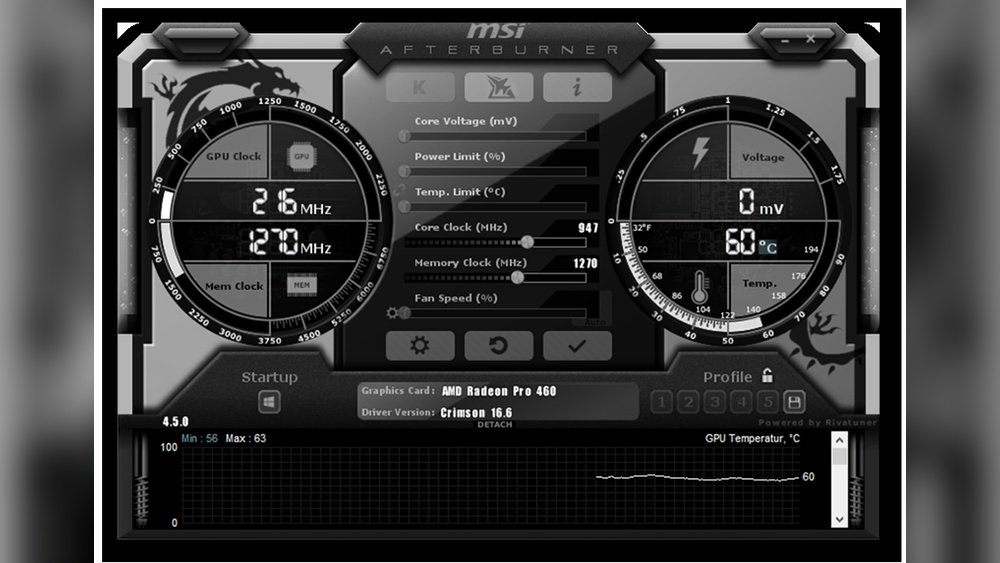
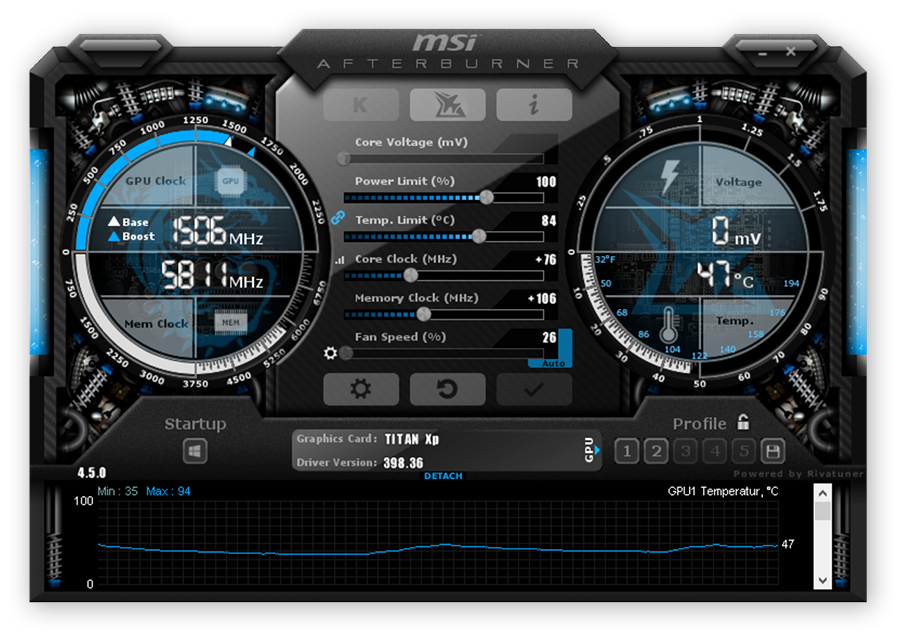
Several software tools help change GPU settings safely. Popular options include MSI Afterburner and EVGA Precision X1. These programs let users increase clock speeds, adjust fan curves, and monitor temperatures.
Risks Of Gpu Overclocking
Overclocking can cause higher heat output. This may shorten the GPU’s lifespan. It can also lead to system crashes if settings are too aggressive. Proper cooling and gradual changes reduce these risks.
Who Should Consider Overclocking?
Users wanting extra performance without buying new hardware may try overclocking. It suits gamers and creators needing smoother graphics. Beginners should research and proceed carefully to avoid damage.

Credit: www.reddit.com
Performance Gains From Overclocking
Overclocking a GPU can boost its speed beyond factory settings. This boost often leads to better performance in many tasks. It helps users get more from their hardware without buying new parts. Let’s explore the real performance gains from overclocking.
Frame Rate Improvements
Overclocking can increase the frame rate in games. Higher frame rates mean smoother motion and less lag. Games feel more responsive and enjoyable. Even small frame rate gains improve visual quality. This is especially true for fast-paced games where every frame counts.
Enhanced Gaming Experience
With overclocking, games load faster and run more smoothly. Visual effects appear sharper and more detailed. Players notice fewer stutters during gameplay. Overclocking helps push games to higher settings. This creates a more immersive and fun gaming session.
Benefits For Creative Workloads
Creative tasks like video editing or 3D rendering also benefit. Overclocking speeds up rendering times and processing. This allows quicker previews and faster final outputs. Professionals save time and work more efficiently. Overclocking helps users get more done with the same GPU.
Potential Risks And Downsides
Overclocking your GPU can boost performance, but it carries some risks. Understanding these risks helps you decide if overclocking is right for you. Some issues may affect your hardware and system stability.
Hardware Damage Possibility
Overclocking increases the stress on your GPU. This extra stress can cause permanent damage. The GPU might fail earlier than normal. Overvolting during overclocking raises this risk. Damaged hardware may need costly repairs or replacement.
Increased Heat And Power Consumption
Overclocking makes your GPU run hotter. High temperatures can harm components over time. Your cooling system might not handle the extra heat well. Power consumption also goes up. This can lead to higher electricity bills and more wear on your power supply.
System Instability And Crashes
Overclocked GPUs may cause your system to crash. You might see random freezes or blue screens. Games and applications can become unstable. This happens because the GPU runs beyond its tested limits. Stability issues can frustrate your daily use.
Credit: www.avg.com
How To Overclock Safely
Overclocking a GPU can boost performance but carries risks. Safe overclocking means increasing speed without damage. It needs care, patience, and the right approach. Follow steps carefully to avoid overheating or crashes. This guide shows how to overclock your GPU safely.
Choosing The Right Tools
Use trusted software to overclock your GPU. Popular tools include MSI Afterburner and EVGA Precision X1. These programs let you adjust clock speeds and fan settings. They also provide real-time monitoring of your GPU’s health. Avoid unknown or untested tools to prevent errors.
Step-by-step Overclocking Process
Start by increasing the GPU clock speed in small steps. Raise it by 10-20 MHz and then test stability. Use benchmarking software like 3DMark to check for crashes or glitches. If stable, increase the clock speed again. Repeat until you reach the highest stable speed. Adjust memory clock the same way if needed.
Monitoring Temperature And Performance
Keep a close eye on GPU temperature during overclocking. Temperatures above 85°C may damage your GPU. Use monitoring tools to track temperature and performance in real time. Stop overclocking if the GPU gets too hot or unstable. Adjust fan speeds to help keep temperatures low.
When Overclocking Is Not Recommended
Overclocking a GPU can boost performance but it is not always a good idea. Certain situations make overclocking risky or useless. Knowing when to avoid it can save your hardware and money.
Older Or Budget Gpus
Older or budget GPUs often have limited overclocking potential. Their hardware may not handle extra heat or power well. Overclocking these cards can cause crashes or damage. They might not show significant performance gains either. Better to keep them at factory settings for stability.
Lack Of Adequate Cooling
Good cooling is essential for safe overclocking. Without it, the GPU temperature will rise quickly. High heat reduces the GPU lifespan and causes errors. Stock coolers often cannot manage extra heat. Avoid overclocking if your cooling system is weak or insufficient.
Limited Power Supply
Overclocking increases the GPU’s power draw. A weak power supply may not provide enough stable power. This causes system crashes or unexpected shutdowns. Check your PSU wattage before overclocking. Do not overclock if your power supply is underpowered or old.
Alternatives To Overclocking
Overclocking a GPU can boost performance but carries risks. Many users seek safer methods to improve graphics speed. Several alternatives offer better stability and ease of use. These options help achieve smoother gameplay without stressing hardware.
Driver And Software Optimization
Keeping GPU drivers up to date improves performance significantly. Manufacturers release updates to fix bugs and enhance speed. Using optimized software settings can also help. Tools like NVIDIA GeForce Experience or AMD Radeon Software adjust settings for better output. Clean installations of drivers prevent conflicts and crashes. Simple tweaks often yield noticeable improvements.
Upgrading Hardware Components
Replacing old parts can boost overall system speed. A faster CPU or more RAM supports the GPU better. Upgrading to a solid-state drive reduces loading times. Better cooling solutions help maintain steady GPU performance. Sometimes, investing in a newer GPU model is the best choice. Hardware upgrades avoid the risks linked to overclocking.
Adjusting In-game Settings
Lowering game resolution or detail levels can increase frame rates. Turning off shadows, reflections, or anti-aliasing eases GPU load. Many games offer presets like “Medium” or “Low” for smoother play. Finding the right balance keeps visuals good and gameplay fluid. Small changes can make a big difference in experience.

Credit: www.youtube.com
Frequently Asked Questions
What Is Gpu Overclocking And How Does It Work?
GPU overclocking increases the graphics card’s clock speed beyond factory settings. This boosts performance but may raise heat and power use. It requires adjusting settings carefully to maintain stability and avoid damage.
Does Gpu Overclocking Improve Gaming Performance?
Yes, overclocking can enhance gaming by increasing frame rates and reducing lag. The extent depends on your GPU model and cooling setup. Properly done, it offers smoother gameplay and better visuals.
What Are The Risks Of Overclocking A Gpu?
Overclocking risks include overheating, system crashes, and potential hardware damage. It may also void warranties. Monitoring temperatures and testing stability are essential to minimize these risks.
How Much Can You Safely Overclock A Gpu?
Safe overclock limits vary by GPU and cooling efficiency. Generally, a 10-15% clock speed increase is safe with good cooling. Always increase gradually and test stability after each change.
Conclusion
Overclocking your GPU can boost performance a bit. It may help run games smoother or faster. But it also risks overheating and can shorten hardware life. Not all GPUs handle overclocking well. Careful testing and good cooling are important. Weigh the benefits against possible damage.
For some, the extra speed is worth it. For others, the risks are too high. Choose what fits your needs and comfort level. Play safe and enjoy your gaming experience.
