
Are you thinking about saving money by buying a cheap power supply for your computer or device? It might seem like a smart choice at first.
But have you ever stopped to wonder if that low-cost power supply could actually put your equipment—and even your safety—at risk? What if a small decision today leads to costly repairs or worse? Keep reading to discover the hidden dangers behind cheap power supplies and learn how to protect your valuable gear and yourself.
Credit: www.sweetwater.com
Risks Of Low-quality Power Supplies
Low-quality power supplies pose serious risks to your devices and safety. They often lack proper safety features and use cheap parts. This can lead to electrical problems, overheating, and unstable voltage. Understanding these risks helps you avoid damage and hazards.
Electrical Hazards
Cheap power supplies may cause electric shocks. They often miss proper insulation and protection. This raises the chance of sparks or short circuits. These issues can harm your devices and even cause fires.
Overheating Issues
Low-quality units struggle to manage heat well. They use low-grade components that fail under stress. Overheating can damage the power supply and connected devices. It may also cause sudden shutdowns or permanent failure.
Voltage Instability
Inexpensive power supplies often deliver unstable voltage. This leads to power surges or drops. Such fluctuations can harm sensitive electronics inside your computer. Voltage instability shortens the lifespan of your devices and causes crashes.
Impact On Computer Components
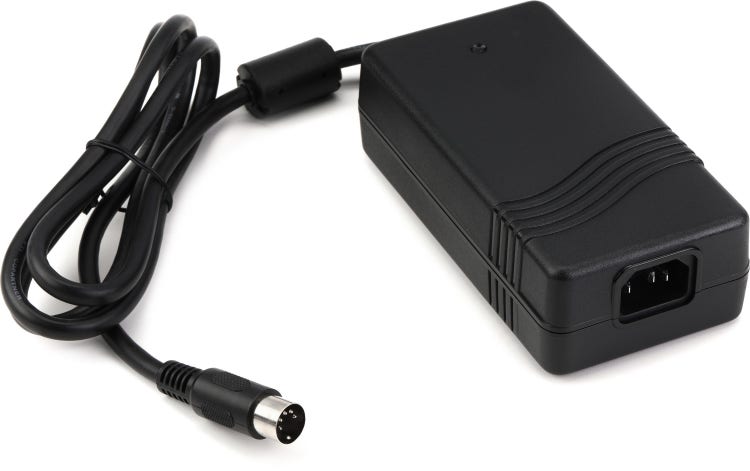
The power supply unit (PSU) is the heart of a computer. It sends electricity to all parts. A cheap power supply can cause harm to these parts. It may not give steady power. This can lead to serious problems inside your computer.
Poor power delivery can cause damage that costs a lot to fix. It can shorten the life of your components. Let’s explore how cheap power supplies affect key parts like the motherboard, CPU, hard drive, and graphics card.
Damage To Motherboard And Cpu
The motherboard and CPU need clean and stable power. Cheap PSUs often produce voltage spikes and drops. These fluctuations stress the circuits and chips. Over time, this stress can cause the motherboard to fail.
The CPU is very sensitive to power changes. Sudden surges can burn its tiny circuits. This damage may stop your computer from turning on or cause random crashes.
Hard Drive Failures
Hard drives rely on steady power to read and write data. A cheap power supply can cause power cuts or surges. These can corrupt files or damage the hard drive’s motor.
Unexpected power loss can also lead to data loss. Your important files might become unreadable. This risk is higher with mechanical hard drives compared to SSDs.
Graphics Card Problems
Graphics cards need a lot of power, especially for gaming or design work. Cheap PSUs may not supply enough current or may deliver unstable power. This can cause the graphics card to crash or fail.
Over time, power issues can reduce the card’s performance or cause permanent damage. This leads to poor visuals and system instability.
Signs Of A Faulty Power Supply
A faulty power supply can cause many problems for your computer. It may damage important parts or make your system unstable. Recognizing the signs early can save you from bigger issues. Here are some common signs that your power supply might be failing.
Unusual Noise And Smells
Strange noises like buzzing or clicking can indicate trouble. A failing power supply often makes these sounds. Burning smells or melted plastic odors are serious warning signs. They mean the power supply is overheating or short-circuiting. Stop using the device if you notice these smells.
Random Shutdowns And Reboots
The computer turns off or restarts without warning. This can happen during simple tasks or heavy use. Faulty power supplies may fail to deliver steady power. The system loses power briefly, causing shutdowns or reboots. This interrupts work and risks data loss.
Inconsistent Power Delivery
Fluctuating voltages can harm your computer’s components. A bad power supply struggles to provide constant power. You may see flickering lights or unstable performance. Components might overheat or fail over time. Consistent power delivery is crucial for system health.
How To Identify Reliable Power Supplies
Choosing a reliable power supply is key for safe and steady computer performance. Cheap power supplies often lack quality and safety features. Knowing how to spot a reliable unit helps protect your PC and data. Here are some simple ways to identify trustworthy power supplies.
Certifications And Standards
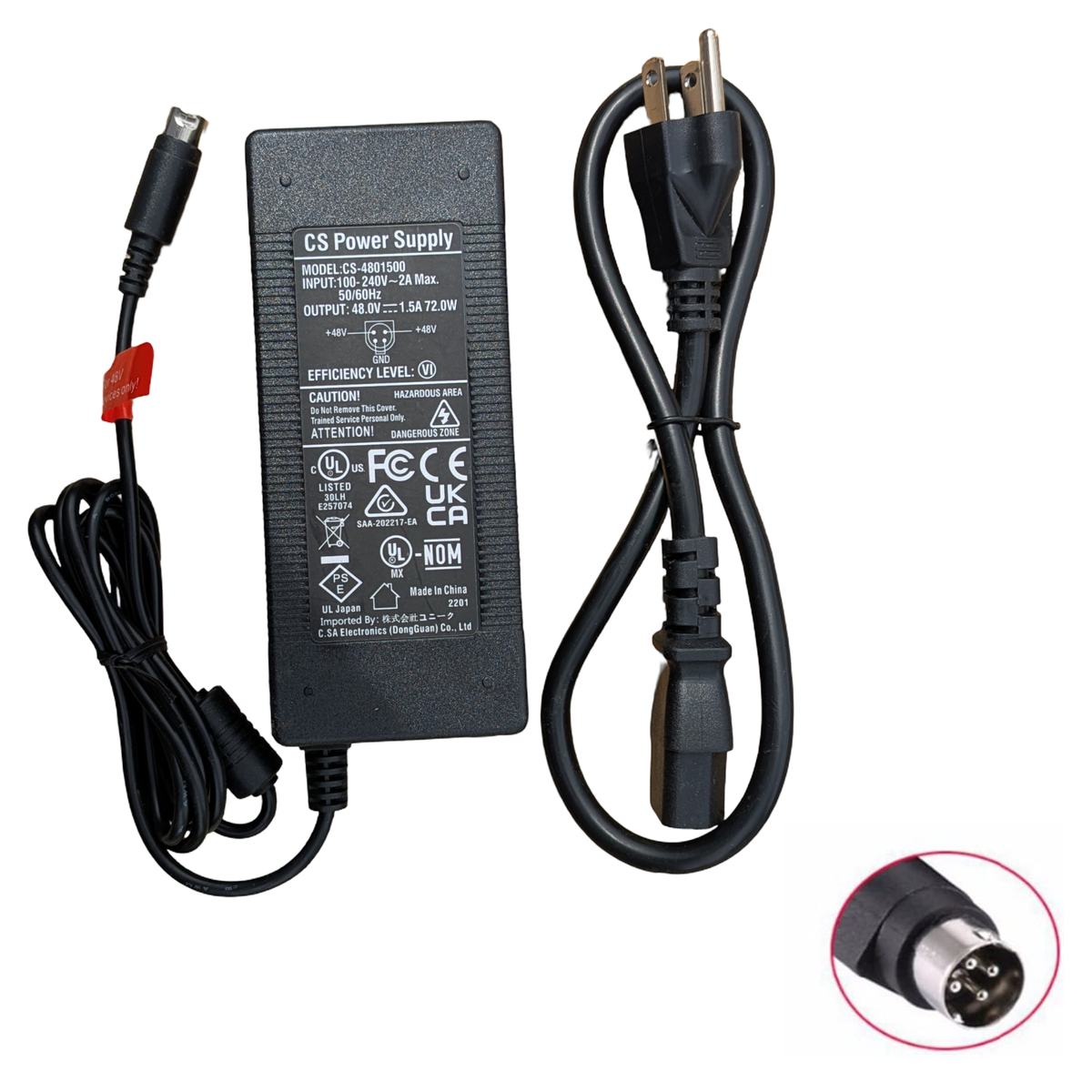
Check for safety and efficiency certifications on the power supply label. Look for 80 Plus certification, which shows energy efficiency. Other important marks include UL, CE, and FCC. These certifications mean the product meets basic safety rules. Avoid units without any certifications.
Brand Reputation
Choose power supplies from well-known brands. Established brands invest in quality and testing. Read reviews and feedback from other users. Reliable brands often offer consistent performance and fewer failures. Unknown brands may cut corners to save costs.
Warranty And Support
Good power supplies come with a warranty. A longer warranty shows confidence in the product’s durability. Check if the brand offers customer support and easy return options. Warranty and support protect you from faulty or damaged units.
Safe Alternatives To Cheap Units
Choosing a safe power supply does not mean spending a fortune. There are good options that protect your computer without breaking the bank. These alternatives help you avoid the risks linked to cheap, low-quality units. You get reliability and peace of mind at a reasonable price.
Budget-friendly Quality Brands
Some brands offer quality power supplies at low prices. They use better materials and have safety features. These brands test their products to meet industry standards. You can find reliable units that fit your budget. Check reviews and ratings before buying to ensure good performance.
Refurbished And Certified Options
Refurbished power supplies often come with warranties. They are tested and repaired by experts. Certified units meet safety and efficiency rules. These options cost less than new, top-tier models. Buying certified refurbished units reduces risks and saves money.
Power Supply Calculators
Power supply calculators help find the right wattage for your PC. Using one prevents buying too weak or too strong units. This tool considers your hardware’s needs and power draw. Accurate sizing improves efficiency and protects components. Many websites offer free, easy-to-use calculators online.
Credit: www.pvlabels.com
Preventive Measures For Power Supply Safety
Power supply safety matters a lot. Cheap power supplies can pose risks. Taking preventive steps helps avoid accidents and damage. Simple actions keep your devices and home safe.
Proper Installation Tips
Install power supplies in dry, cool places. Avoid tight spaces to allow air flow. Use the right cables and connectors. Follow manufacturer instructions carefully. Never force parts or ignore warning labels.
Regular Maintenance
Check power supplies often for dust and dirt. Clean vents to improve cooling. Look for loose wires or signs of wear. Replace old or damaged units quickly. Regular checks prevent failures and hazards.
Using Surge Protectors
Surge protectors guard against sudden voltage spikes. Plug power supplies into quality surge protectors. They reduce the risk of electrical damage. Choose protectors with good reviews and ratings. This simple step saves devices from power surges.
Credit: www.ebay.com
Frequently Asked Questions
Is Cheap Power Supply Harmful To My Computer?
Cheap power supplies often lack quality components. They can cause unstable power delivery, risking hardware damage and system crashes. Investing in a reliable power supply ensures better performance and protects your computer from potential harm.
Can Cheap Power Supplies Cause Electrical Hazards?
Yes, cheap power supplies may lack essential safety features. This increases the risk of short circuits, overheating, or even fires. Always choose power supplies with proper certifications to minimize electrical hazards.
How Does A Cheap Power Supply Affect Pc Performance?
A low-quality power supply can cause voltage fluctuations. This results in system instability, random shutdowns, and poor performance. High-quality power supplies provide steady power, improving overall PC reliability.
Are Cheap Power Supplies Energy Inefficient?
Most cheap power supplies have lower efficiency ratings. They waste more electricity and generate excess heat. Efficient power supplies save energy, reduce costs, and extend component lifespan.
Conclusion
Cheap power supplies can cause serious problems for your devices. They may fail quickly or damage important parts. Safety risks like sparks or fires are real. Choosing a reliable power supply protects your computer and data. Spending a little more saves money and stress later.
Always check reviews and certifications before buying. Your device deserves quality power to work well and last long. Don’t risk it with cheap options. Stay safe and keep your tech running smoothly.
