
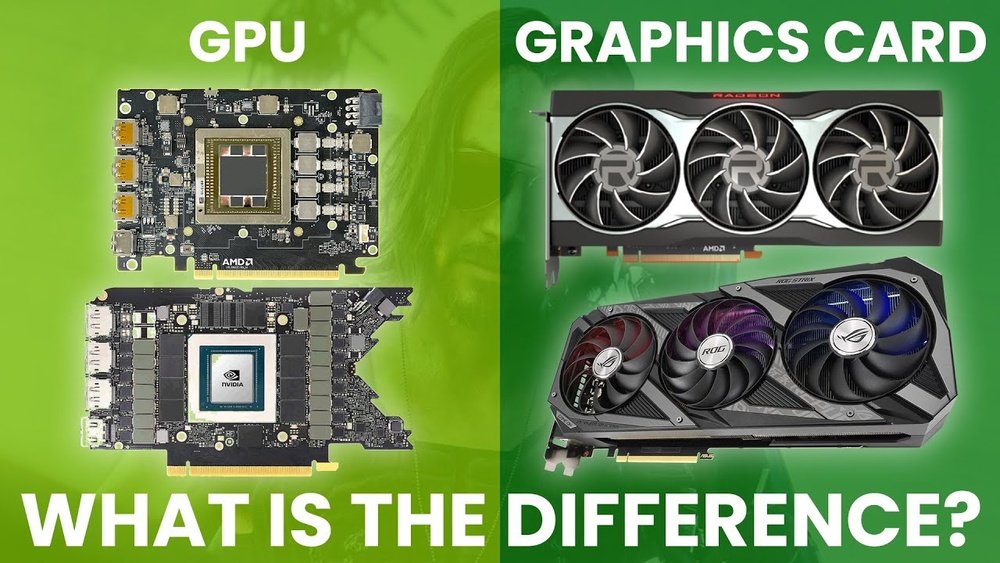
Are you confused about whether a video card and a GPU are the same thing? You’re not alone.
Many people use these terms interchangeably, but there’s more to the story. Understanding the difference can help you make smarter choices when buying or upgrading your computer. Keep reading, and by the end, you’ll see exactly how these two parts work together—and why knowing the difference matters for your gaming, design, or everyday use.
Video Card Vs Gpu
Understanding the difference between a video card and a GPU can be confusing. Many people use these terms as if they mean the same thing. Yet, they are not exactly alike. Knowing the difference helps you make better choices for your computer needs.
Defining The Gpu
The GPU stands for Graphics Processing Unit. It is a small chip inside your computer. The GPU handles all the tasks related to graphics and images. It processes data to create pictures you see on the screen. The GPU is like the brain of your graphics system.
What Is A Video Card
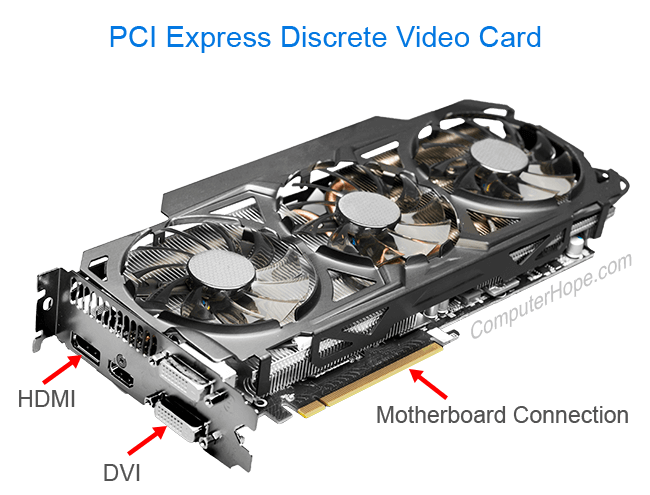
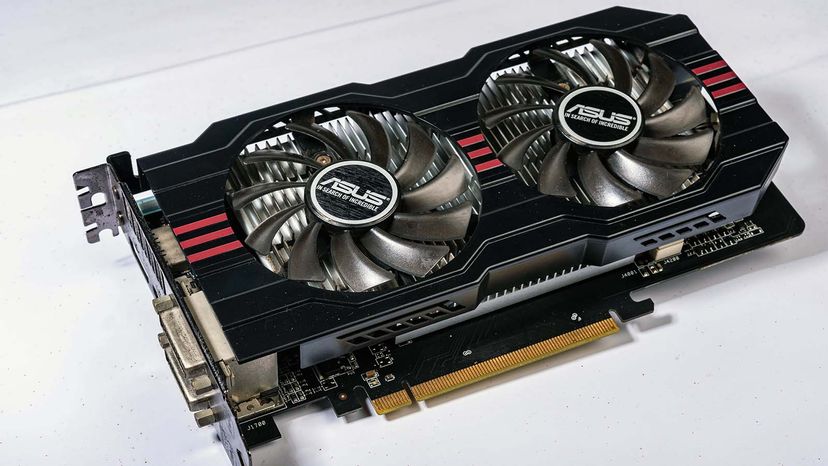
A video card is a full piece of hardware. It includes the GPU chip and other parts. These parts help the GPU work well. Video cards have memory, cooling systems, and connectors. They plug into the computer to display images on the monitor.
Key Differences
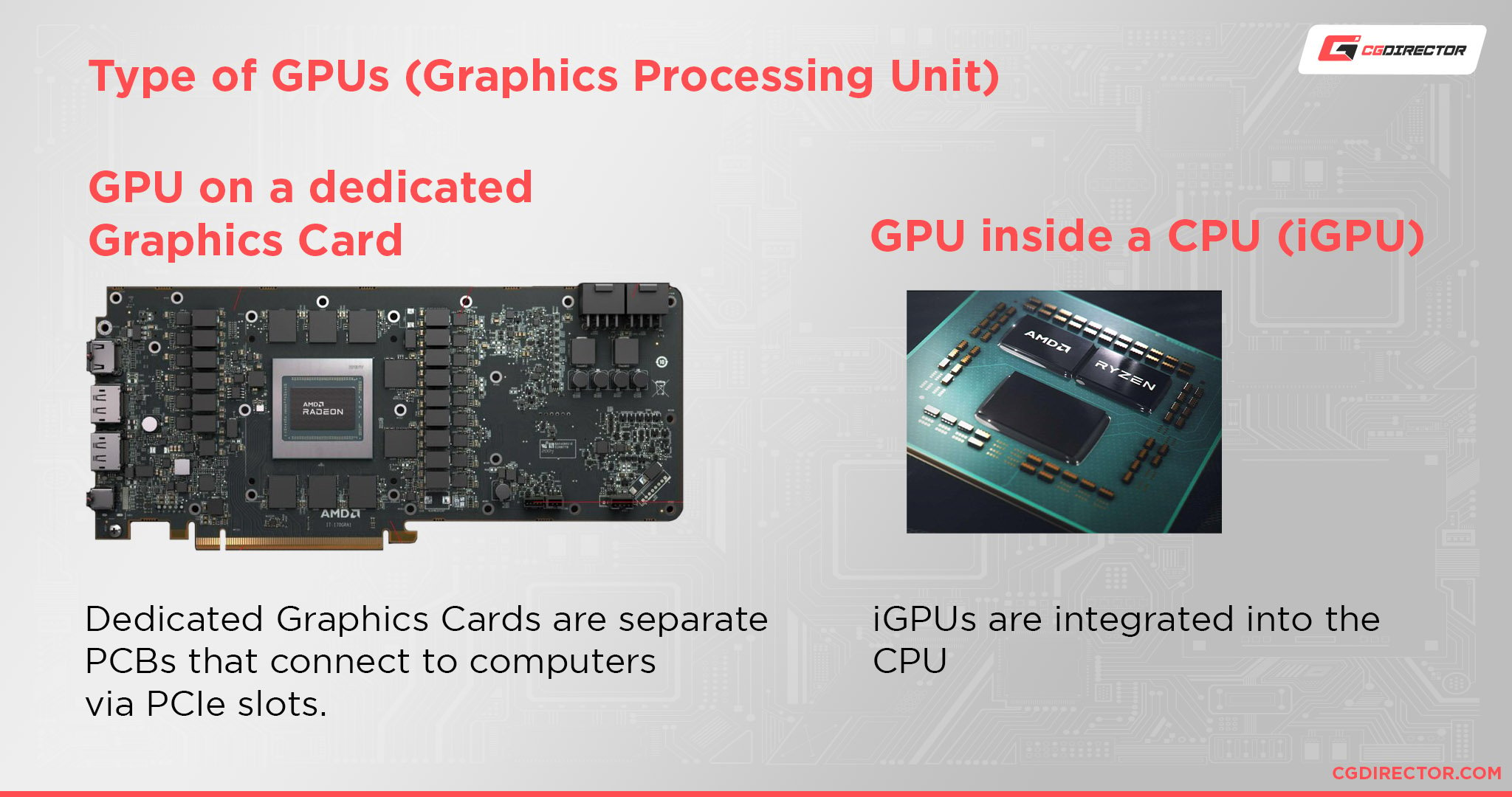
The GPU is only one part of the video card. The video card is the complete unit installed in a PC. The GPU does the processing work. The video card provides power, cooling, and connections. Without a video card, the GPU cannot function alone in most computers.
Credit: www.cgdirector.com
Components Inside A Video Card
A video card is more than just a GPU. It holds several parts that work together to show images on your screen. These parts make the video card powerful and efficient. Understanding these components helps you see how video cards function.
Gpu Chip
The GPU chip is the heart of the video card. It processes all the graphics data. It handles complex calculations needed for images and videos. The GPU decides how fast and clear graphics appear on your display.
Memory Modules
Memory modules store data the GPU needs quickly. They hold textures, colors, and other image details. Fast memory helps the video card run smoothly. More memory means better performance for games and apps.
Cooling Systems
Video cards generate heat during use. Cooling systems keep the card from overheating. Fans and heat sinks move heat away from the GPU. Proper cooling ensures the card works well for longer.
Power Delivery
Power delivery parts supply electricity to the video card. They regulate voltage to keep it stable. Good power delivery prevents crashes and improves performance. It ensures the GPU and memory get the energy they need.
How Gpus And Video Cards Work Together
The GPU and video card work closely to display images on your screen. The GPU is the chip that handles graphics calculations. The video card holds the GPU and other parts needed to show images clearly. Together, they create smooth visuals for games, videos, and apps.
Rendering Graphics
The GPU processes data to create images. It turns code into pixels on the screen. The video card sends power and memory to the GPU. This allows the GPU to render complex images fast. The result is sharp and clear visuals for users.
Processing Tasks
The GPU handles many tasks beyond just graphics. It can perform calculations for video editing and 3D design. The video card supports this by managing heat and power. This keeps the GPU running smoothly during heavy work. It allows your computer to multitask better.
Communication With Cpu
The GPU and CPU share data to work well together. The CPU sends instructions to the GPU for graphics tasks. The video card acts as a bridge between them. It manages data flow to keep images updated quickly. This teamwork makes your computer responsive and fast.
Credit: www.computerhope.com
Types Of Gpus And Video Cards
GPUs and video cards come in different types. Each serves a unique role in computing. Understanding these types helps you choose the right option for your needs. Some are built into the computer, while others are separate devices. Let’s explore the main types of GPUs and video cards.
Integrated Gpus
Integrated GPUs are built into the computer’s processor. They share memory with the CPU. This makes them less powerful but more energy-efficient. Most laptops and basic desktops use integrated GPUs. They handle everyday tasks like browsing and video playback well. They are not ideal for heavy gaming or 3D rendering.
Dedicated Video Cards
Dedicated video cards are separate hardware components. They have their own memory and processor. This allows them to deliver higher performance. Gamers and professionals often use these cards. They are perfect for graphic-intensive tasks like gaming and video editing. Installation requires a slot inside the desktop computer.
External Gpus
External GPUs connect to a computer via USB or Thunderbolt. They provide extra graphics power without opening the case. External GPUs benefit laptop users needing more graphics strength. They are portable and easy to add or remove. Performance depends on the connection speed and GPU model.
Choosing The Right Video Card
Choosing the right video card is important for your computer’s performance. It affects how well your system handles graphics and visual tasks. Picking the right card depends on what you need it for. Different uses require different features and power levels. This guide helps you find the best fit for your needs.
Gaming Needs
Games demand strong video cards to run smoothly. High frame rates and good image quality are key. Choose a card with enough memory and speed for modern games. Older or simple games can work with basic cards. Make sure the card supports the latest graphics technologies.
Professional Use
Professionals need video cards for tasks like video editing and 3D design. These cards must handle large files and complex visuals. Look for cards with high computing power and stability. Some cards are made specifically for professional software. Check if the card is compatible with your tools.
Budget Considerations
Video cards come in many price ranges. Set a budget before choosing. More expensive cards offer better performance but cost more. Balance your needs with your budget. Sometimes, mid-range cards provide good value. Avoid overspending on features you do not need.
Future Trends In Gpu And Video Card Technology
The world of GPUs and video cards is changing fast. New technology shapes how these parts work and what they can do. This change affects gaming, video editing, and artificial intelligence. Understanding future trends helps you see what to expect soon.
These advances make GPUs faster, smarter, and more energy-friendly. They also improve the visuals on your screen and reduce the power these devices need. Let’s explore some key trends in GPU and video card technology.
Advances In Gpu Architecture
GPU designs are becoming more complex but efficient. Engineers focus on adding more cores while shrinking chip size. This means GPUs can process more tasks at once. Smaller chips also reduce heat and increase speed. New materials help improve performance and durability.
Ray Tracing And Ai Integration
Ray tracing creates more realistic lighting and shadows in games. This technology is now common in high-end video cards. AI helps GPUs learn and improve tasks like image upscaling. Combining ray tracing with AI makes visuals sharper and smoother. This blend changes how graphics look in real time.
Energy Efficiency Improvements
Power use is a big concern in new GPU designs. Manufacturers aim to cut energy needs without losing speed. Better cooling systems help GPUs run cooler and last longer. Energy-efficient GPUs lower electricity costs and reduce heat. This is good for both users and the environment.
Credit: computer.howstuffworks.com
Frequently Asked Questions
What Is The Difference Between A Video Card And A Gpu?
A GPU is the processor that handles graphics tasks. A video card includes the GPU plus memory, cooling, and connectors. The video card is the complete hardware installed in your computer.
Can A Gpu Work Without A Video Card?
A GPU alone cannot function without a video card. The video card houses the GPU and necessary components for operation. Without the card, the GPU has no power or interface to the system.
Does Every Video Card Contain A Gpu?
Yes, every video card contains at least one GPU. The GPU is essential for rendering graphics and video processing. Video cards cannot operate without a GPU inside them.
Are Video Cards And Gpus Interchangeable Terms?
No, they are not interchangeable. The GPU is a chip, while the video card is the full assembly. People often use them loosely, but technically they differ.
Conclusion
A video card and a GPU are closely connected but not the same. The GPU is the chip that processes graphics. The video card includes the GPU and other parts like memory and cooling. Together, they help your computer show images on the screen.
Knowing the difference helps when buying or upgrading. This simple understanding makes tech choices easier and clearer.
