
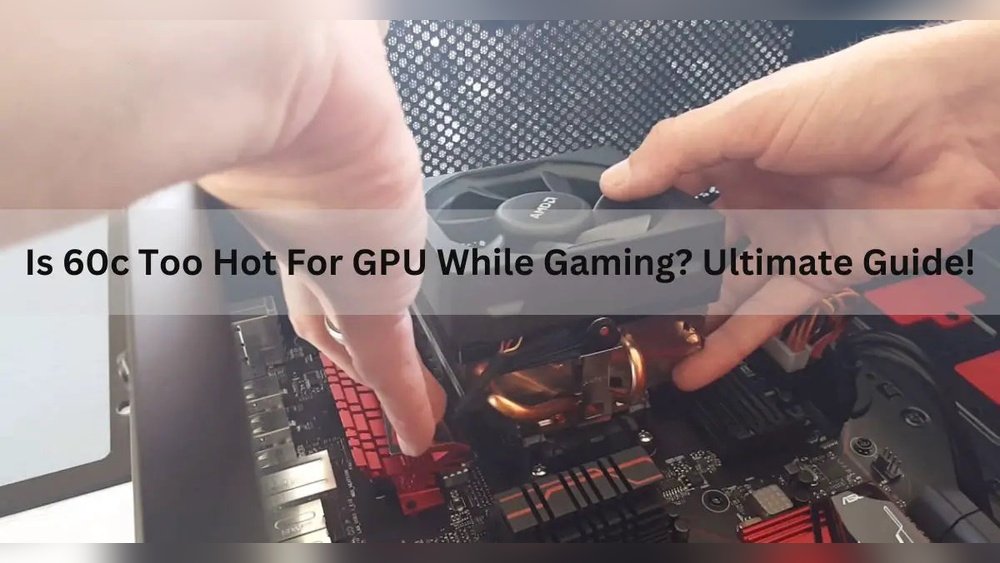
Is 60°C hot for your GPU? You might be wondering if that temperature means your graphics card is working too hard or if it’s perfectly safe.
Knowing the right temperature range is key to keeping your GPU healthy and your games running smoothly. If you want to protect your investment and avoid unexpected crashes or damage, understanding what 60°C really means is a must. Keep reading, and you’ll discover clear answers and simple tips to keep your GPU cool and powerful.

Credit: thrivecounselingdenver.com
Gpu Temperature Basics
Understanding GPU temperature is important to keep your graphics card safe. The GPU works hard to show images and videos on your screen. This work produces heat. Managing this heat helps your GPU last longer and perform better.
Knowing the basics of GPU temperature helps you spot problems early. It also tells you if your cooling system works well. Here are some key points about GPU heat and what to expect.
Normal Operating Range
A typical GPU runs between 30°C and 85°C during use. Idle temperatures usually stay around 30°C to 45°C. Under heavy load, like gaming, temperatures can rise to 70°C or higher. Most GPUs are designed to handle up to 90°C safely. Reaching 60°C is quite normal and not too hot for a GPU.
Factors Affecting Gpu Heat
Several things influence GPU temperature. The type of cooling system matters a lot. Fans and heat sinks help lower heat. The case airflow also impacts temperature. More airflow means better cooling. Room temperature plays a role too. A warm room will make the GPU hotter. Running heavy applications puts more stress on the GPU, raising heat. Dust buildup can block air and increase temperatures. Keeping your PC clean helps reduce GPU heat.
Why 60c Matters
Understanding why 60C matters for a GPU is important for many users. This temperature shows how hard the GPU is working. It also tells if the cooling system is doing its job well. Watching the GPU temperature can help avoid damage and keep it running smoothly.
Knowing the meaning of 60C helps decide if the GPU is safe or too hot. This information is useful for gamers, designers, and anyone using a PC. It helps keep the GPU in good condition for a longer time.
Comparing 60c To Other Temps
60C is not the hottest temperature for a GPU. Many GPUs can go up to 80C or 90C safely. But 60C is cooler and shows the GPU is not under heavy stress. It is a good temperature for normal use or light gaming.
Lower temperatures, like 30C or 40C, usually happen when the GPU is idle or doing simple tasks. Higher than 70C might need better cooling or less workload. So, 60C is a middle ground that many users find safe and normal.
How Gpus Handle 60c
GPUs are designed to work well at 60C. At this temperature, they run efficiently without risk. The fans and cooling systems keep the GPU stable. They make sure the temperature does not rise too fast.
When the GPU reaches 60C, it adjusts its speed and power to stay safe. This helps avoid overheating and damage. The GPU can keep performing well at 60C for a long time.
Signs Of Overheating
Overheating can harm your GPU and affect your computer’s performance. Knowing the signs helps you act early. Watch for changes in how your system behaves. These signs warn you that your GPU may be too hot.
Performance Drops
Your games or programs may run slower than usual. Frame rates can fall, and delays may occur. This slowdown happens because the GPU reduces power to cool down. It protects itself but makes your system less responsive.
Visual Artifacts
Strange lines, shapes, or colors may appear on your screen. These visual glitches mean the GPU is struggling with heat. Artifacts can ruin your viewing experience and show hardware stress. They often worsen as the GPU gets hotter.
System Shutdowns
The computer may turn off suddenly without warning. This shutdown is a safety measure to stop damage. Overheating forces the system to protect the GPU and other parts. Frequent shutdowns are a clear sign to check your cooling system.
Safe Temperature Thresholds
Safe temperature thresholds help keep your GPU working well. Knowing these limits protects your hardware. Overheating can cause damage or reduce performance. Every GPU has a range of safe temperatures. Staying within this range is important for lasting use.
Manufacturer Recommendations
GPU makers set temperature limits for their products. Most GPUs run safely up to 80°C or 85°C. Some models can handle even higher temperatures. Checking the official specs gives you the best guide. Following these rules avoids voiding the warranty.
Long-term Effects Of Heat
Consistently high heat can shorten GPU life. It may cause parts to wear out faster. Performance might drop as the GPU ages. Cooling your GPU well helps prevent these issues. Running at 60°C is generally safe for most GPUs. It is below critical temperature levels, which is good.
Cooling Solutions
Keeping your GPU cool is important for its performance and life. Many GPUs work fine at 60°C, but better cooling can help the card run quieter and last longer. Several ways exist to improve GPU cooling. These methods reduce heat and keep your system stable during heavy use.
Improving Airflow
Good airflow inside the computer case moves hot air out and brings cool air in. Use more or better fans to push air through the case. Keep cables tidy to avoid blocking airflow. Place the PC in a space where air can move freely around it.
Using Aftermarket Coolers
Aftermarket coolers often cool better than stock GPU fans. They come with bigger fans or liquid cooling options. These coolers reduce temperature by moving heat away faster. Installing one can lower GPU temperature by several degrees.
Thermal Paste Replacement
Thermal paste helps move heat from the GPU chip to the cooler. Over time, this paste can dry out and lose effectiveness. Replacing old thermal paste with a fresh, high-quality one can lower temperatures. This is a simple and cheap way to improve cooling.
Monitoring Your Gpu
Monitoring your GPU is important to keep it safe and working well. Your GPU can get hot during use, and watching its temperature helps stop damage. Knowing how hot your GPU runs lets you take action early. This keeps your computer fast and avoids crashes or slowdowns.
Checking your GPU temperature is easy with the right tools. These tools show real-time data and help you understand if your GPU runs too hot. Setting alerts for high temperatures warns you before things get bad. This way, you can cool down your system quickly.
Popular Software Tools
Many software tools show GPU temperature clearly. MSI Afterburner is popular and free. It shows temperature, usage, and fan speed. HWMonitor is another tool that tracks many parts of your PC. GPU-Z focuses only on the GPU and gives detailed info. These tools work on most Windows PCs. They are simple to use and good for beginners.
Setting Alerts For High Temps
Alerts stop your GPU from overheating. Many tools let you set temperature limits. When the GPU hits the limit, the software sends a warning. You can change fan speed or close heavy programs fast. Alerts help protect your GPU from damage. They give you peace of mind during gaming or heavy work.
When To Worry
Knowing when to worry about your GPU temperature helps protect your computer. A GPU at 60°C is usually safe. But some signs mean you should check your hardware. Watch your GPU closely to avoid damage.
Temps Above 80c
Temperatures over 80°C can harm your GPU. The card may slow down to cool itself. This reduces performance in games or apps. Long exposure to high heat can shorten GPU life. Check cooling systems and clean dust often.
Unusual Fan Noise
Fans make noise, but loud or strange sounds are a problem. This may mean the fan is struggling to cool the GPU. It can also signal dust or broken parts inside the fan. Fixing fan issues can prevent GPU overheating and failure.
Frequent Crashes
Crashes or freezes can happen if the GPU is too hot. The system may shut down to protect itself. This interrupts your work or play. Monitor GPU temperature and stop using it if crashes happen often. Cooling or hardware checks are needed.
Credit: www.reddit.com

Credit: softwareg.com.au
Frequently Asked Questions
Is 60c Considered Hot For A Gpu?
No, 60C is generally safe for a GPU. Most GPUs operate comfortably between 60-85C during load. It indicates normal performance without overheating risks.
Can 60c Harm My Gpu’s Lifespan?
No, 60C won’t harm your GPU’s lifespan. GPUs are designed to handle temperatures up to 90-100C. Keeping it around 60C ensures long-term durability.
Should I Worry If My Gpu Hits 60c?
No need to worry at 60C. It’s a normal temperature under moderate gaming or workload. Proper cooling usually maintains this safe range.
How To Lower Gpu Temperature From 60c?
Improve airflow, clean dust, and use quality thermal paste. Adjust fan curves or lower graphics settings. These steps reduce GPU temps efficiently.
Conclusion
A GPU temperature of 60°C is generally safe and normal. Many graphics cards work well under this heat. It means your GPU is not too hot or too cold. Keeping the temperature under control helps your computer run smoothly. Regular cleaning and good airflow keep your GPU cool.
Watch your GPU temperature during heavy use. If it goes above 85°C often, it may need attention. For most users, 60°C is comfortable for gaming and work. Remember, a steady temperature keeps your GPU healthy and fast.
