
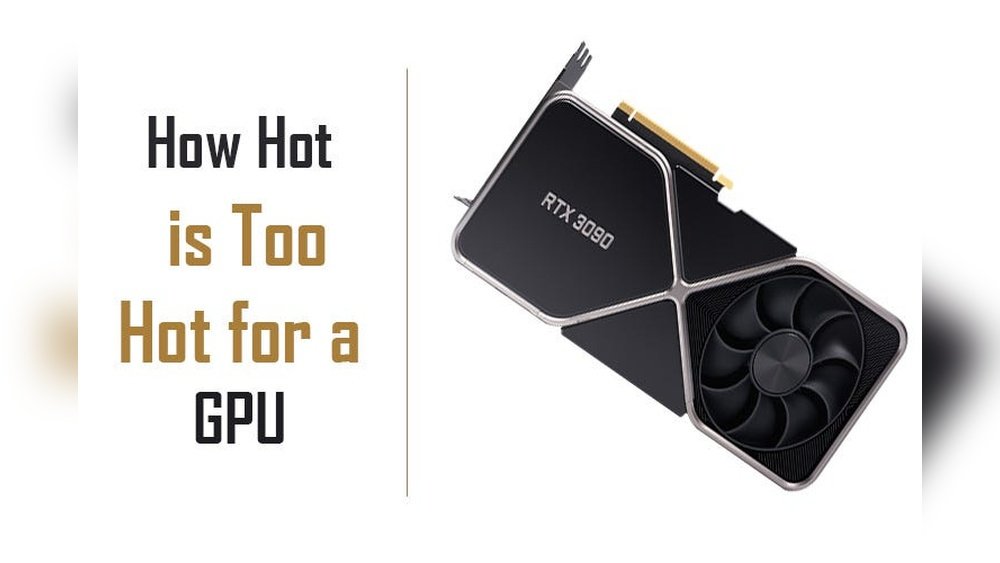
Is 60 Celsius hot for your GPU? If you’ve been keeping an eye on your graphics card temperature, this question probably popped into your mind.
You want to make sure your GPU is running safely without risking damage or performance drops. Understanding what temperature is normal—and when it becomes dangerous—can save you from costly repairs or frustrating slowdowns. Keep reading, and you’ll learn exactly what 60°C means for your GPU, how to monitor it, and simple tips to keep your system cool and running smoothly.
Don’t let heat hold your gaming or work back. Let’s dive in!
Gpu Temperature Basics
The temperature of a GPU matters a lot for its performance and life. A GPU runs many tasks and can get hot fast. Keeping it cool helps it work well and last longer.
Knowing the right temperature range helps you avoid damage. It also stops your computer from slowing down due to heat.
Ideal Operating Range
Most GPUs work best between 30°C and 85°C. A temperature around 60°C is common during normal use. It is not too hot or too cold. This range keeps the GPU safe and efficient.
Temperatures above 85°C may cause the GPU to slow down to cool itself. Very high heat can damage the hardware over time.
Factors Affecting Temperature
Many things change the GPU temperature. The type of work it does is one factor. Heavy gaming or video editing raises the heat more than simple browsing.
Good airflow inside the computer case helps cool the GPU. Dust or blocked fans make the GPU hotter. Room temperature also plays a role; warmer rooms can raise GPU heat.
Is 60 Celsius Hot For A Gpu?
Many people worry about GPU temperatures. Is 60 Celsius hot for a GPU? This is a common question for gamers and PC builders. Understanding if 60°C is safe helps you protect your hardware. Let’s explore what this temperature means for your GPU’s health and performance.
Comparison With Common Thresholds
Most GPUs run safely between 30°C and 85°C. Idle temperatures usually range from 30°C to 45°C. Under load, GPUs can reach 70°C to 85°C without issues. At 60°C, the GPU is warm but not too hot. This temperature is normal during gaming or heavy tasks. It is well below the critical limit where damage might occur.
Gpu Model Differences
Different GPU models handle heat differently. Some older models get hotter at lower loads. Newer GPUs often have better cooling systems. High-end GPUs can run safely at higher temperatures. Budget GPUs might start throttling or slowing down at 70°C. Always check your GPU’s official temperature range. This helps you know if 60°C is good or a warning sign.
Safety Concerns At 60 Celsius
Safety is important when your GPU runs at 60 Celsius. This temperature is warm but not extreme. Still, it can affect your GPU’s health over time. Knowing the risks helps you keep your computer safe and working well.
Let’s explore what happens at 60 Celsius and how to protect your GPU.
Potential Risks
Running a GPU at 60 Celsius often causes less damage than higher temps. Yet, long hours at this heat can wear down parts. Over time, it may reduce the GPU’s lifespan. The heat can also slow down performance to cool the chip. Dust and poor airflow can make the heat worse. Watch the temperature closely to avoid future problems.
Manufacturer Guidelines
Most GPU makers say 60 Celsius is safe during normal use. Official manuals show max temps usually over 80 Celsius. Staying near 60 Celsius means your GPU is running well. Still, following the recommended guidelines is smart. Clean fans and good case ventilation help keep temps low. Check your GPU’s specific advice to stay within safe limits.

Credit: medium.com
Signs Of Overheating
GPUs running hot can cause serious issues. Knowing the signs of overheating helps protect your hardware. Watch for changes in performance and unexpected behavior. Catching problems early saves your GPU from damage.
Performance Drops
Overheating GPUs often slow down. The system lowers speed to cool the chip. Games and applications may lag or stutter. Frame rates fall, and graphics quality drops. This slowdown keeps the GPU safe but hurts your experience.
Unexpected Shutdowns
Severe heat can cause your computer to shut off suddenly. This stops damage but interrupts your work or play. You might see black screens or forced restarts. These shutdowns are clear signs your GPU needs better cooling.
How To Monitor Gpu Temperature
Monitoring your GPU temperature is essential for keeping your computer safe and running well. High temperatures can cause damage or reduce performance. Checking your GPU temperature helps you know if it is working too hard or needs better cooling. You can watch the temperature easily with the right tools and settings.
Popular Tools
Several programs show GPU temperature clearly. MSI Afterburner is a favorite. It gives real-time data and is free. HWMonitor shows detailed hardware info, including temperature. GPU-Z is simple and designed just for graphics cards. These tools work on most Windows PCs. They help you see the current temperature and track it over time.
Setting Alerts
Setting alerts helps you avoid overheating. You can set a temperature limit. The tool will warn you if your GPU gets too hot. MSI Afterburner allows easy alert setup. You can choose sound or pop-up notifications. Alerts let you take action fast. This keeps your GPU safe and your computer stable.
Tips To Lower Gpu Temperature
Keeping your GPU temperature low helps your computer run better. High temperatures can slow down your graphics card or cause damage. Here are some easy ways to cool down your GPU and keep it safe.
Improving Airflow
Good airflow moves hot air out and brings cool air in. Make sure your computer case has enough fans. Place intake fans at the front and exhaust fans at the back or top. Avoid blocking vents with cables or dust. Open space around your PC helps air flow freely.
Cleaning And Maintenance
Dust can block air and cause heat build-up. Clean your GPU and case regularly using a soft brush or compressed air. Remove dust from fans, heatsinks, and vents. Check for worn-out thermal paste and replace it if needed. Clean parts keep your GPU cooler and working well.
Adjusting Fan Speeds
Fans cool your GPU by spinning faster when it gets hot. Use software tools to control fan speed manually. Set fans to run faster during heavy use. Faster fans lower temperature but may increase noise. Find a balance between cooling and sound that suits you.
When To Be Concerned
Knowing when to worry about your GPU temperature is key to keeping it safe. Sixty Celsius is warm but not always a problem. Watch how long the temperature stays high and how often it jumps up. These signs show if your GPU needs attention.
Sustained High Temperatures
Long periods above 80°C can hurt your GPU. At 60°C, the GPU is usually safe. But if it stays above 70°C for hours, it may cause slow damage. Constant heat can reduce the GPU’s life and performance. Check your cooling system if temperatures stay high.
Temperature Spikes
Sudden jumps from 40°C to 70°C or more can stress the GPU. These spikes happen during heavy gaming or tasks. Frequent spikes may cause crashes or slowdowns. Watch for quick changes in temperature. They may mean your cooling is not working well or dust blocks airflow.

Credit: www.reddit.com

Credit: www.totalplumbingfl.com
Frequently Asked Questions
Is 60 Celsius Hot For A Gpu During Gaming?
No, 60°C is a normal and safe temperature for a GPU while gaming. Most GPUs operate safely up to 85°C or higher, so 60°C indicates efficient cooling and stable performance.
Can 60 Celsius Damage My Gpu Over Time?
No, 60°C will not damage your GPU over time. It is well within the safe operating range, ensuring longevity and consistent performance without thermal stress.
How To Keep Gpu Temperature Below 60 Celsius?
Maintain good airflow, clean dust regularly, and use quality thermal paste. Also, avoid overclocking and ensure your PC case has proper ventilation.
What Is The Ideal Gpu Temperature Range?
The ideal GPU temperature range is between 30°C and 70°C under load. Staying within this range ensures optimal performance and prevents overheating.
Conclusion
A GPU temperature of 60 Celsius is generally safe and normal. Most graphics cards work well below 85 degrees Celsius. Keeping your GPU cool helps it last longer and run smoothly. If your GPU stays around 60 degrees, you can focus on your tasks without worry.
Just clean your computer often and ensure good airflow inside. Watching temperature helps prevent damage and slows down wear. So, 60 Celsius is not too hot for your GPU at all. Stay aware, keep it cool, and enjoy steady performance.
