
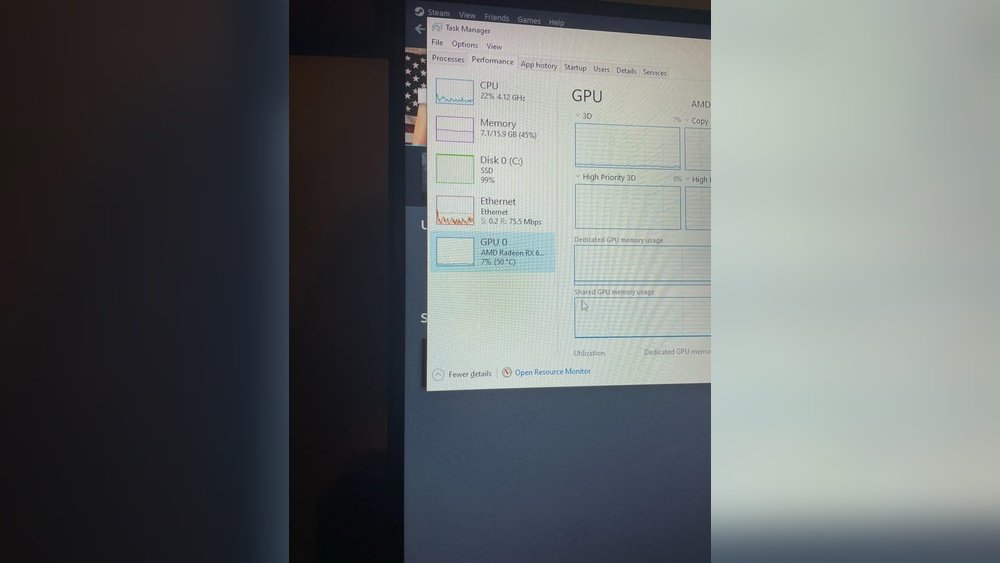
Is 50°C good for your GPU? If you’ve ever wondered whether your graphics card is running too hot or just right, you’re not alone.
Keeping your GPU at the right temperature is key to smooth gaming, fast rendering, and long-lasting performance. But what does 50°C really mean for your hardware? Is it safe, or should you be worried? You’ll discover why temperature matters, what 50°C says about your GPU’s health, and simple tips to keep it cool.
Keep reading to protect your investment and get the most out of your system.
Gpu Temperature Basics
Understanding GPU temperature is important for your computer’s health. The GPU handles many tasks that can create heat. This heat needs control to keep your system safe. Too much heat can reduce performance or damage parts.
Knowing what counts as a good temperature helps you check your GPU’s status. It also guides you on when to cool your system better. Let’s explore the normal temperature range and what affects GPU heat.
Normal Operating Range
A normal GPU temperature usually stays between 30°C and 70°C. At rest, the GPU might be around 30°C to 40°C. When active, such as during games or editing, it can rise to 60°C or 70°C. Temperatures near 50°C are safe and common during light use.
Temperatures above 80°C might cause issues if they last long. Most GPUs can handle short bursts of heat above 80°C but should cool down soon. Keeping your GPU below 70°C is best for long-term health.
Factors Influencing Gpu Heat
Many things affect GPU temperature. The first is workload. The harder the GPU works, the hotter it gets. Running games, videos, or heavy software increases heat.
Next is cooling. Good fans or liquid cooling systems keep the GPU cooler. Poor cooling can make the GPU hotter than normal. The case airflow also matters. A well-ventilated case helps remove heat quickly.
Room temperature affects GPU heat too. Hot environments make it harder for the GPU to cool down. Dust buildup inside the computer blocks airflow. This causes the GPU to run hotter than usual.

Credit: www.reddit.com
Is 50c Safe For Your Gpu?
Is 50C safe for your GPU? This question is common among PC users. GPU temperature affects its performance and lifespan. Knowing if 50 degrees Celsius is good or harmful helps you maintain your device well.
Many factors influence GPU temperature, like workload and cooling. A steady temperature of 50C usually means your GPU runs cool. Let’s explore what manufacturers say and how 50C compares to other temperatures.
Manufacturer Temperature Guidelines
Most GPU makers set safe temperature limits between 80C and 90C. For example, NVIDIA and AMD advise not to exceed 90C. Running at 50C is far below these limits. This means your GPU stays in a safe zone. It shows the cooling system works well and your GPU is healthy.
Comparison With Other Temperatures
Idle GPU temperatures often range from 30C to 45C. Under load, GPUs can reach 70C to 85C. At 50C, your GPU is cooler than many running tasks. Cooler GPUs last longer and avoid thermal throttling. High temperatures above 90C can cause damage and reduce performance.
Efficiency At 50c
Efficiency at 50C is an important topic for GPU users. A GPU running at 50 degrees Celsius is generally considered to be in a safe and optimal temperature range. This temperature helps maintain good balance between performance and hardware health. It means the GPU can work well without overheating or slowing down.
Keeping the GPU at 50C supports stable operation. It prevents damage from heat stress and keeps the system reliable over time. Let’s explore how this temperature affects performance and power consumption.
Performance Impact
At 50C, the GPU performs smoothly without throttling. Throttling happens when the GPU reduces speed to cool down. Since 50C is not too hot, the GPU can run at full speed. This means games and applications run without lag or slowdowns.
Stable temperature helps maintain consistent frame rates. It also avoids sudden drops in graphics quality. Overall, 50C supports good performance during normal tasks and gaming.
Power Consumption
Power use at 50C stays efficient. The GPU does not need extra power to cool down. Fans run at moderate speeds, saving electricity. This balance helps keep your energy bills lower.
When the GPU gets hotter, it uses more power to stay cool. At 50C, the system works smoothly without wasting energy. This efficient power use also helps extend the GPU’s life.

Credit: www.aaawave.com
Optimal Temperature For Gpus
Keeping your GPU at the right temperature is important for its performance and life. GPUs work best within a certain temperature range. Too hot or too cold can cause problems. Understanding the optimal temperature helps you protect your hardware and get the best results.
Ideal Cooling Solutions
Good cooling keeps your GPU safe and fast. Most GPUs have built-in fans. These fans start when the card gets warm. Using extra cooling like case fans or liquid cooling helps. Clean your fans often to stop dust build-up. Better airflow inside the case lowers the GPU temperature. Thermal paste between the GPU and cooler also matters. It helps heat move away quickly.
Temperature Thresholds To Avoid
GPU temperatures below 50°C are usually safe and normal. Temperatures above 85°C can cause damage over time. Running your GPU at 90°C or more risks overheating. High heat can reduce performance and shorten lifespan. Watch for sudden jumps in temperature. Avoid pushing your GPU too hard without proper cooling. Keeping your GPU below 80°C is a good rule.
Monitoring And Managing Gpu Heat
Monitoring and managing GPU heat is important for keeping your graphics card safe. GPUs work hard and can get very hot. High temperatures can cause damage or reduce performance. Watching the temperature helps you keep the GPU in a safe range. Managing heat also improves the life of your hardware. Let’s look at tools and tips to track and control GPU temperature.
Tools For Temperature Tracking
Many programs show GPU temperature in real time. Popular tools include MSI Afterburner and HWMonitor. They display the current temperature and other details. Some software allows setting alerts for high heat. GPU manufacturers also offer their own monitoring apps. Use these tools to check temperature while gaming or working.
Tips For Maintaining Safe Temps
Keep your PC clean from dust to improve airflow. Use good quality fans to cool the GPU. Avoid blocking air vents on your computer case. Apply fresh thermal paste if your GPU is old. Lowering game settings can reduce GPU load and heat. Turning off the PC after heavy use helps cool it down. These small steps keep your GPU running smoothly and cool.

Credit: www.aaawave.com
Frequently Asked Questions
Is 50c A Safe Temperature For A Gpu?
Yes, 50°C is generally safe for a GPU during normal use. It indicates efficient cooling and no overheating risk. Most GPUs can operate safely up to 80°C or higher under load.
Does 50c Affect Gpu Performance?
No, 50°C does not negatively affect GPU performance. It is within the optimal temperature range, ensuring stable and efficient operation without throttling.
How To Maintain Gpu Temperature Around 50c?
Maintain 50°C by ensuring good airflow, cleaning dust regularly, and using quality thermal paste. Proper case ventilation and fan speed management are also essential.
Is 50c Considered Cool For A Gpu?
Yes, 50°C is considered a cool and optimal temperature for a GPU. It means your cooling system works well and the GPU is not under heavy stress.
Conclusion
A GPU temperature of 50C is generally safe and normal. It means your graphics card runs cool and works well. Keeping your GPU near this temperature helps avoid damage. Watch for higher temps during heavy use or gaming. Good airflow and clean fans keep temperatures steady.
Regular checks ensure your GPU stays healthy. So, 50C shows your GPU is in good shape. Stay aware and maintain your computer to keep it that way.
