
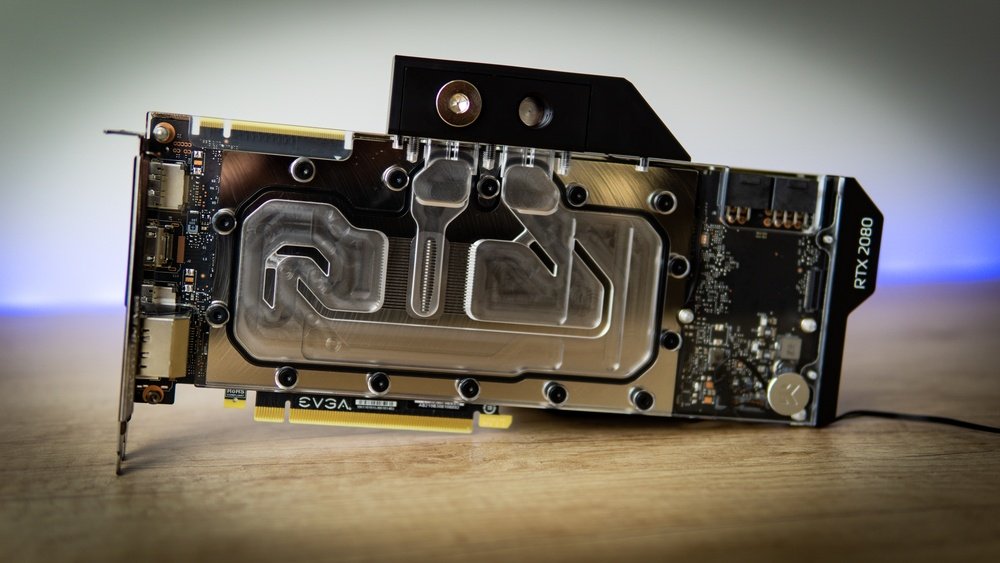
If you want your GPU to run cooler and quieter, water cooling is the solution you’ve been looking for. But how exactly do you water cool your GPU?
It might sound complicated, but with the right steps, you can do it yourself and unlock better performance and longer lifespan for your graphics card. You’ll discover simple, clear instructions that will make the process easy to follow—even if you’re new to water cooling.
Keep reading, and you’ll soon know how to keep your GPU cool like a pro.
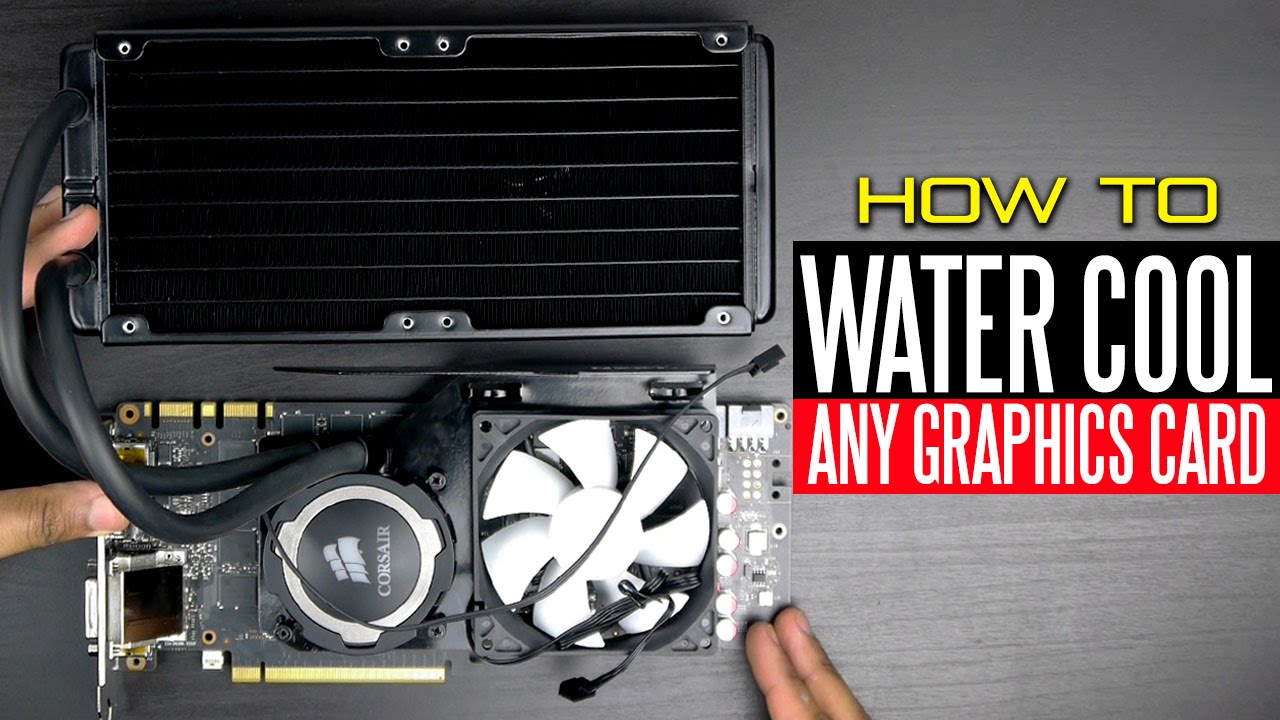
Credit: www.youtube.com
Benefits Of Water Cooling
Water cooling your GPU offers many benefits over traditional air cooling. It keeps your graphics card cooler and quieter. This helps your computer run better and last longer. Below are some key advantages of using water cooling for your GPU.
Improved Temperature Control
Water cooling removes heat more efficiently than air cooling. It keeps the GPU temperature lower even during heavy use. Lower temperatures help the GPU perform better and avoid overheating. This steady cooling prevents sudden spikes in heat that can damage the card.
Reduced Noise Levels
Water cooling systems use fewer or quieter fans. This means less noise from your computer. Air cooling fans often run loudly at high speeds. Water cooling keeps the GPU cool without loud fan noise. It creates a quieter environment for work or play.
Extended Gpu Lifespan
Keeping the GPU cool reduces wear and tear on its parts. High heat can shorten the life of a graphics card. Water cooling lowers the risk of overheating and damage. This helps your GPU last longer and stay reliable over time.
Choosing The Right Water Cooling Kit
Choosing the right water cooling kit is key to keeping your GPU cool and efficient. A good kit fits your GPU perfectly and works well with your setup. It also lasts long and is easy to install. Understanding the types and parts of kits helps you pick the best one.
Compatibility With Your Gpu
Check if the cooling kit matches your GPU model. Different GPUs need different sizes and designs. Look for kits that list your GPU model in their compatibility. This prevents problems during installation and ensures effective cooling.
Types Of Cooling Systems
There are two main types: all-in-one (AIO) and custom loop kits. AIO kits come pre-assembled and are simple to install. Custom loops let you build a system with parts you choose. Custom loops offer better cooling but need more work and knowledge.
Essential Components To Look For
A good kit should include a water block, radiator, pump, and tubes. The water block cools the GPU chip directly. The radiator removes heat from the liquid. The pump moves the liquid through the system. Tubes connect all parts and must be leak-proof and flexible.
Preparing Your Gpu For Water Cooling
Preparing your GPU for water cooling is a key step in the process. This step ensures your GPU is ready for the new cooling system. Careful preparation helps avoid damage and improves cooling efficiency.
Start by removing the stock cooler. Then clean off the old thermal paste. Finally, inspect the GPU for any damage before installing the water block.
Removing The Stock Cooler
Begin by unplugging your GPU from the computer. Find and remove all screws holding the stock cooler. Carefully lift the cooler off the GPU. Avoid using too much force to prevent damage. Set the cooler aside in a safe place.
Cleaning Thermal Paste
Old thermal paste must be cleaned off completely. Use a soft cloth or paper towel. Apply isopropyl alcohol to remove paste residue. Gently wipe the GPU chip until clean. Let the surface dry before continuing.
Inspecting For Damage
Look closely at the GPU for any damage. Check for bent pins, scratches, or cracks. Make sure the GPU chip is intact. Do not proceed if you find serious damage. A healthy GPU ensures better water cooling results.
Installing The Water Cooling System
Installing a water cooling system for your GPU improves its performance and keeps it cool. The process involves careful steps to ensure everything fits and works well. Follow the instructions closely for the best results.
Mounting The Water Block
Start by removing the GPU’s original cooler. Clean the GPU chip with isopropyl alcohol. Align the water block with the GPU chip and screw it in place. Use the right screws and tighten them evenly. This prevents damage and ensures good contact.
Connecting Tubes And Radiator
Attach the tubes to the water block’s inlet and outlet ports. Secure the tubes with clamps or fittings to avoid leaks. Connect the other ends of the tubes to the radiator. Make sure the radiator sits where it can get good airflow. Tight connections keep the liquid flowing smoothly.
Filling And Sealing The Loop
Fill the loop with the cooling liquid slowly. Use a funnel or a filling port to avoid spills. Check for leaks by running the pump without powering the GPU. Tighten any loose fittings before sealing the system. A sealed loop keeps the cooling liquid contained and effective.
Testing And Monitoring Performance
Testing and monitoring your water-cooled GPU is very important. It helps ensure the cooling system works well and keeps your GPU safe. Regular checks can prevent damage and keep your computer running smoothly.
Checking For Leaks
Leaks can damage your computer parts and cause failures. Check all connections and tubes carefully. Look for wet spots or drops of liquid around fittings. Use paper towels to spot small leaks. Tighten any loose fittings gently. Repeat the check after a few hours of use.
Temperature Monitoring Tools
Use software to track GPU temperature during use. Tools like HWMonitor or MSI Afterburner show real-time data. Watch the temperature under different workloads. Keep the temperature below the GPU’s maximum safe level. This helps avoid overheating and extends GPU life.
Adjusting Fan And Pump Speeds
Fan and pump speeds affect cooling performance. Increase speed to lower temperatures during heavy use. Lower speeds can reduce noise when the GPU is idle. Use software settings or BIOS controls to adjust speeds. Find a balance between cooling and noise that suits you.

Credit: www.przewozcm.eu
Maintenance Tips For Water Cooling
Water cooling a GPU keeps it cool and quiet. But it needs care to work well for a long time. Regular maintenance stops problems and keeps your PC running smooth. Follow these tips to keep your water cooling system healthy.
Regular Fluid Replacement
Change the cooling fluid every 6 to 12 months. Old fluid can get dirty or lose its cooling power. Use the right type of coolant made for PC water cooling. Avoid tap water because it can cause corrosion and damage parts.
Cleaning Radiators And Fans
Dust and dirt reduce cooling efficiency. Clean radiators and fans every few months. Use a soft brush or compressed air to remove debris. Keep the airflow clear to help your system stay cool. Avoid wet cleaning to prevent damage.
Troubleshooting Common Issues
Check for leaks regularly. Look for wet spots or drops near fittings and tubes. Listen for unusual noises from the pump or fans. Monitor your GPU temperature for spikes. Tighten loose fittings and replace damaged parts quickly.
Credit: www.reddit.com
Frequently Asked Questions
What Is Gpu Water Cooling And How Does It Work?
GPU water cooling uses liquid to transfer heat away from the graphics card. It circulates coolant through a water block on the GPU, dissipating heat efficiently. This method keeps the GPU cooler and quieter compared to traditional air cooling.
Why Choose Water Cooling Over Air Cooling For Gpus?
Water cooling offers better heat dissipation and quieter operation. It keeps GPU temperatures lower under heavy loads. This improves performance and extends the lifespan of your graphics card compared to air cooling solutions.
How Do I Install A Water Cooling System On My Gpu?
First, power off your PC and remove the GPU. Attach the water block to the GPU chip with thermal paste. Connect tubes and a pump to circulate coolant. Finally, secure the radiator and fill the system with coolant.
Can Water Cooling Improve Gpu Performance Significantly?
Yes, by reducing GPU temperatures, water cooling allows higher clock speeds. This prevents thermal throttling and boosts overall performance. It is especially beneficial for overclocked GPUs and intensive gaming or rendering tasks.
Conclusion
Water cooling your GPU helps keep it running cool and fast. It reduces noise and improves performance during heavy use. Setting up a water cooling system takes care and patience. Regular checks keep your system safe and working well. Try to learn step-by-step and follow safety tips closely.
Your GPU will thank you with better temperature control. Enjoy smoother gaming and longer hardware life with water cooling.
