
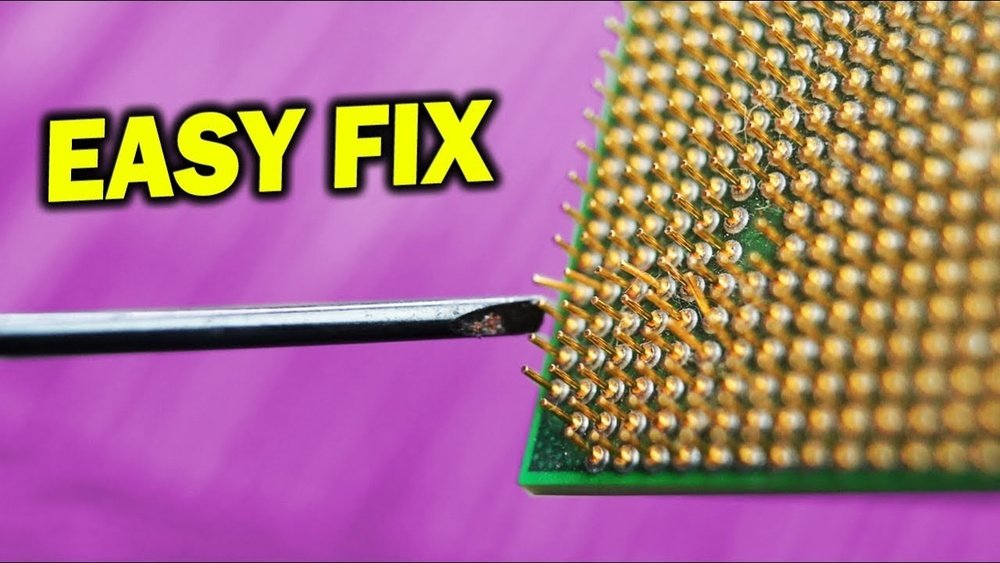
Have you ever opened your computer’s CPU only to find one or more bent pins? It’s a frustrating moment, and you might worry that your entire processor is ruined.
But don’t panic—straightening those tiny pins is easier than you think. If you handle them carefully, you can save your CPU and get your system back up and running. In this guide, you’ll discover simple, effective steps to fix bent pins without causing further damage.
Keep reading, and learn how to bring your CPU back to perfect condition.
Tools Needed
Straightening pins on a CPU requires care and the right tools. Using proper tools helps avoid damage and makes the process easier. Some tools are common household items. Others are made just for this task. Choose tools that fit your skill and budget.
Common Household Items
Many people use simple tools found at home. A small needle or sewing pin can gently move bent pins. A credit card or a flat plastic piece helps align pins in a row. A magnifying glass lets you see pins clearly. A soft cloth protects the CPU from scratches. These items are easy to find and work well for minor fixes.
Specialized Equipment
Specialized tools offer more precision and control. A CPU pin straightening tool is designed for this job. It holds the CPU steady and guides the pins back in place. Tweezers with fine tips help adjust single pins carefully. A jeweler’s loupe gives strong magnification to see tiny details. These tools cost more but improve accuracy and reduce risk.
Safety Precautions
Safety is the first rule when straightening CPU pins. Bent pins are fragile. A small mistake can ruin the CPU or the motherboard. Following safety steps protects your parts and yourself.
Handling Static Electricity
Static electricity can damage CPU circuits. Always ground yourself before touching the CPU. Use an anti-static wrist strap or touch a metal object. Avoid working on carpet or dry surfaces. Keep your workspace clean and free from static build-up.
Avoiding Damage
Use gentle tools like a mechanical pencil or a credit card edge. Never use sharp or heavy tools. Straighten pins slowly and carefully. Avoid bending pins back and forth many times. Check your progress often to prevent over-bending. Handle the CPU by its edges, not the pins.
Preparing The Workspace
Preparing your workspace is the first step to straighten CPU pins safely. A well-organized area reduces mistakes and protects your CPU from damage. It also helps you focus on the task without distractions. Simple preparations make a big difference in the quality of your work.
Clean Surface Setup
Use a flat, clean surface to work on. Dust and dirt can stick to the pins and cause problems. Clear the table or desk of all unnecessary items. Place a soft cloth or anti-static mat on the surface. This prevents scratches and keeps the CPU stable. Keep tools and materials within easy reach to avoid unnecessary movement.
Good Lighting
Bright light is crucial for seeing tiny CPU pins clearly. Use a desk lamp or natural light near a window. Avoid harsh shadows or glare on the CPU. Direct light helps spot bent pins and assess your progress. Proper lighting reduces eye strain and improves accuracy.

Credit: www.ifixit.com
Inspecting Bent Pins
Inspecting bent pins on a CPU is an important step before trying to fix them. Bent pins can cause the computer to not work or stop working suddenly. Careful inspection helps you see which pins need straightening. It also helps you decide if the CPU can be saved or not.
Taking your time during inspection prevents further damage. Use good light and a gentle hand. Small mistakes can cause big problems.
Identifying Bent Pins
Look closely at each pin on the CPU. Bent pins often lean to one side or are out of line. Some pins may look shorter if they are pushed down. Use a magnifying glass for a better view. Compare the pins to a known good CPU if possible. Bent pins are easy to spot with practice.
Assessing Damage Severity
Not all bent pins are the same. Some bend slightly and can be fixed easily. Others may be broken or snapped off. Pins that are badly bent or broken might need professional help. Check if the pins are touching each other. Bent pins that touch can cause short circuits. Assess the damage before you start fixing to avoid making things worse.
Straightening Techniques
Straightening bent pins on a CPU is a delicate task. It requires patience and a steady hand. Using the right tools makes this job easier and reduces the risk of damage. Below are some simple and effective techniques to help you fix those pins.
Using A Mechanical Pencil
Choose a mechanical pencil with no lead inside. The hollow tip fits over the bent pin. Gently slide the tip onto the pin’s end. Slowly move the pin back to its original position. Do this carefully to avoid breaking the pin. This method works best for small bends.
Tweezers Method
Use fine-tipped tweezers for better control. Hold the pin near its base, not the tip. Slowly bend the pin straight, applying gentle pressure. Move the pin little by little to avoid snapping it. This method is good for pins bent at a sharp angle.
Using A Credit Card Or Razor Blade
Place the CPU on a flat surface. Slide a thin credit card or razor blade between the bent pins. Use the edge to nudge the pins back in line. Push gently and evenly across multiple pins. This technique helps straighten several pins at once.

Credit: www.youtube.com
Testing Pin Alignment
Testing pin alignment is key after straightening bent CPU pins. It ensures the pins fit correctly and avoid damage. Careful checking prevents connection issues and hardware failure. Follow simple steps to check pins before installation.
Visual Inspection Tips
Start with a close look at the pins under good light. Use a magnifying glass for better view. Check if all pins line up evenly and point straight up. Look for any pins still bent or touching each other. Straight pins should be parallel and spaced apart. Clean any dust or debris that may hide problems. Take your time and be patient during this step.
Trial Fit On Motherboard
Gently place the CPU onto the motherboard socket without pressing hard. The pins should slide in smoothly without force. If you feel resistance, remove the CPU and recheck pins. Never push the CPU if pins do not fit easily. Slight misalignment can cause pins to bend again. Repeat adjusting and testing until the CPU fits perfectly. This step confirms the pins are straight and ready for use.
Preventing Future Bends
Preventing future bends on CPU pins is key to keeping your computer running smoothly. Bent pins can cause connection problems and damage your hardware. Taking steps to avoid bending pins saves time and money on repairs or replacements. Simple habits help protect these delicate parts from harm.
Proper Handling Tips
Always hold the CPU by its edges. Avoid touching the pins directly. Use clean, dry hands or wear gloves to prevent oils from damaging pins. Place the CPU on a soft, flat surface when working on it. Move gently and avoid applying pressure to the pins. Take your time during installation or removal to prevent mistakes.
Safe Storage Practices
Store the CPU in its original protective case if possible. Use anti-static foam or padding to cushion the pins. Keep the CPU in a dry, cool place away from heavy objects. Avoid stacking items on top of the CPU. Label storage boxes clearly to avoid unnecessary handling. Proper storage keeps pins aligned and damage-free.

Credit: www.ifixit.com
Frequently Asked Questions
How Can I Safely Straighten Bent Cpu Pins?
Use a mechanical pencil or credit card edge to gently align pins. Work slowly under good lighting to avoid breakage.
What Tools Help Straighten Cpu Pins Effectively?
Fine tweezers, mechanical pencils, and magnifying glasses are best. These tools provide control and precision when realigning pins.
Can Bent Cpu Pins Cause Computer Problems?
Yes, bent pins can prevent CPU installation or cause boot failures. Straightening pins restores proper contact for system functionality.
Is It Risky To Straighten Pins On My Cpu?
Yes, pins are delicate and can break easily. Proceed carefully to avoid permanent damage to your CPU.
Conclusion
Straightening CPU pins takes patience and a steady hand. Use simple tools like a credit card or needle carefully. Avoid rushing to prevent breaking the pins. Check your work often to ensure all pins align well. A well-straightened CPU fits better and helps your computer run smoothly.
Keep calm and work slowly for the best results. With care, you can fix bent pins without extra help. This small fix can save time and money. Remember, gentle pressure works better than force. Practice makes perfect.
