
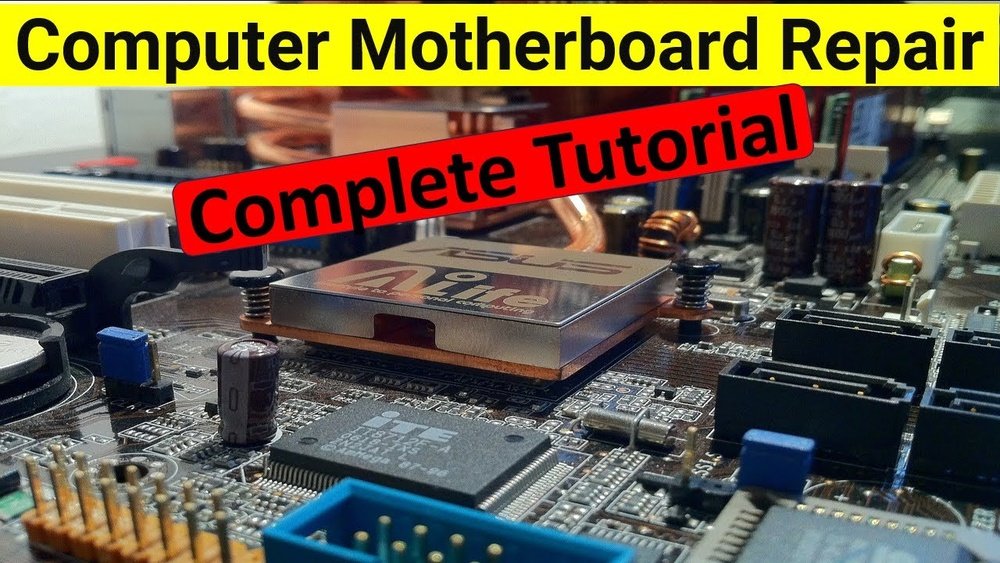
Is your computer acting up, or won’t it turn on at all? The problem might be your CPU motherboard, a key part that connects everything inside your PC.
Fixing it may sound tricky, but with the right steps, you can repair your motherboard yourself and save money. In this guide, you’ll learn simple, clear methods to diagnose and fix common motherboard issues. Keep reading—by the end, you’ll feel confident tackling this important repair and getting your computer back to work.
Signs Of A Faulty Cpu Motherboard
Knowing the signs of a faulty CPU motherboard helps avoid bigger problems. The motherboard connects all parts of your computer. If it fails, your system may stop working correctly. Early detection saves time and money. Watch for specific signs to catch issues fast.
Common Symptoms
One sign is the computer not turning on. It may show no lights or sounds. Another symptom is random shutdowns or restarts. The screen might stay black or show errors. USB ports and other connectors may stop working. Sometimes, the system freezes or crashes often. Strange noises or burning smells can also appear. These signs mean the motherboard might be damaged.
Diagnostic Tools
Use tools to check motherboard health. A multimeter helps test electrical parts. Software like CPU-Z or HWMonitor shows system status. POST (Power-On Self-Test) codes give error messages. Motherboard manuals explain these codes. Diagnostic cards plug into slots and display errors. These tools help find the exact problem fast. They guide repairs and save guesswork.
Essential Tools For Repair
Repairing a CPU motherboard requires the right tools. These tools help find problems and fix them safely. Using proper equipment makes the process easier and safer. Both hardware and software tools are important. Each has its own role in repairing the motherboard.
Hardware Tools
Screwdrivers with different heads are essential for opening the computer. A multimeter helps check electrical connections and voltages. Thermal paste is needed when replacing or reseating the CPU. Anti-static wrist straps protect the motherboard from electric shocks. A magnifying glass or microscope helps see small parts and solder joints clearly. Soldering irons fix broken connections on the motherboard. Heat guns can remove or reattach chips carefully.
Software Utilities
Diagnostic software scans the motherboard for hardware errors. BIOS update tools help fix firmware problems. Stress test programs check CPU and memory stability. Temperature monitoring software tracks heat levels to avoid overheating. Benchmarking tools assess the motherboard’s performance after repairs. Some utilities allow resetting BIOS settings to default for troubleshooting. Software tools work alongside hardware to ensure the motherboard runs well.
Safety Precautions
Repairing a CPU motherboard is delicate work. Safety is key to prevent damage to parts and yourself. Taking precautions protects the sensitive components from harm. Follow these safety steps carefully before starting your repair.
Static Electricity Protection
Static electricity can destroy motherboard parts. Always ground yourself before touching the board. Use an anti-static wrist strap connected to a metal surface. This stops static charge from harming the components. Avoid working on carpet or in dry areas to reduce static. Touch a metal object often to discharge static from your body.
Proper Workspace Setup
Use a clean, flat surface to work on. Avoid clutter that can cause accidents or lose small parts. Work in a well-lit area to see clearly. Keep tools organized and within reach. Use a non-conductive mat to place the motherboard on. This protects the board from short circuits and scratches. Always disconnect power before starting any repair work.

Credit: www.vecteezy.com
Initial Inspection Steps
Before fixing a CPU motherboard, start with a clear inspection. This step helps find obvious problems fast. It saves time and effort during repair. A careful look can reveal many issues that stop the motherboard from working.
Begin by checking for visible signs of damage. Then, test key parts to see if they work well. These steps give a good idea of the motherboard’s condition. They help decide what to fix or replace.
Visual Damage Check
Look closely at the motherboard surface. Search for cracks, burns, or broken pieces. Check for swollen or leaking capacitors. These often cause motherboard failure. Look for dirt or dust that can block connections. Also, inspect pins and sockets for bends or corrosion. Take your time to spot small problems. Use a bright light and magnifier if needed.
Component Testing
Test important parts like capacitors, resistors, and chips. Use a multimeter to check for short circuits or open circuits. Check power supply lines for correct voltage. Test the CPU socket pins for continuity. Make sure memory slots are clean and undamaged. Replace any faulty component you find. This step ensures the motherboard can work properly after repair.
Basic Repair Techniques
Basic repair techniques can help fix many common motherboard issues. These methods do not require advanced tools or skills. They save time and money by resolving simple problems quickly. Start with easy steps to check the motherboard condition. This approach often restores proper function without complex repairs.
Reseating Components
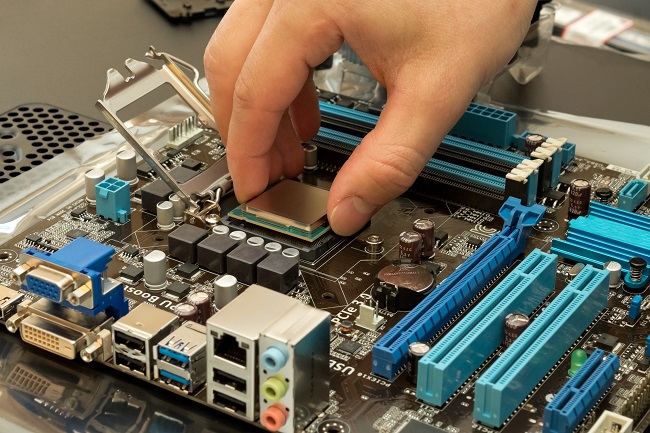
Reseating means removing and placing parts back into their slots. Loose connections cause many motherboard problems. Gently pull out RAM, CPU, and expansion cards. Clean their contacts with a soft cloth. Insert them firmly into the correct slots. This ensures good contact and stable performance. Check all cables and connectors for tight fits. Reseating often solves booting or freezing issues.
Cleaning And Dust Removal
Dust buildup blocks airflow and causes overheating. Overheating reduces motherboard life and causes errors. Use a soft brush or compressed air to clean dust. Blow dust out of slots, fans, and vents. Avoid using a vacuum as it may damage parts. Clean the motherboard regularly to keep it cool. A clean motherboard runs better and lasts longer.

Credit: www.shutterstock.com
Advanced Repair Methods
Advanced repair methods help fix serious motherboard issues. These methods require special tools and skills. They can bring a damaged CPU motherboard back to life. Understanding these techniques improves repair success. Let’s explore two key advanced methods below.
Soldering And Replacing Components
Soldering repairs broken or damaged parts on the motherboard. It needs a soldering iron, flux, and steady hands. Small components like capacitors and resistors can be replaced. Remove the faulty part by heating the solder joints. Clean the area before attaching a new component. Careful work prevents damage to nearby parts. This method restores circuit connections and fixes hardware faults.
Bios Reset And Firmware Updates
Resetting the BIOS clears errors and restores default settings. It can solve boot or hardware detection problems. Remove the CMOS battery or use a jumper to reset. Firmware updates improve motherboard stability and add features. Download the latest BIOS version from the official website. Follow step-by-step instructions to flash the new firmware. This process enhances performance and fixes bugs.
Testing After Repair
After repairing a CPU motherboard, testing is crucial. It confirms the repair success and prevents future problems. Careful testing saves time and protects your hardware. Follow clear steps to check every function thoroughly.
Booting The System
First, power on the computer to check if it boots correctly. Listen for any unusual beeps or sounds. Watch for error messages on the screen. Ensure the BIOS loads without issues. If the system fails to start, recheck your repair work.
Stress Testing And Monitoring
Run stress tests to check motherboard stability under load. Use software tools to monitor temperature and voltage levels. Watch for any crashes or freezes during testing. Keep the system cool and observe fan speeds. Stress testing helps catch hidden problems early.
Credit: www.pcgeeksusa.com
When To Seek Professional Help
Repairing a CPU motherboard can be tricky. Some problems are easy to fix at home. Others need expert care. Knowing when to call a professional saves time and money. It also protects your computer from further damage.
Complex Damage Indicators
Some signs show serious motherboard issues. Burn marks or a strong smell mean parts may be fried. Broken or missing components are hard to fix. If the motherboard won’t power on after simple checks, the damage might be deep. Strange noises or repeated crashes can also signal complex faults. These problems need skilled tools and knowledge to repair safely.
Cost Vs. Replacement Considerations
Fixing a motherboard sometimes costs more than buying a new one. Parts for old or rare models can be expensive or unavailable. Labor costs add up if the repair takes long. Compare repair quotes with new motherboard prices. A new motherboard often comes with a warranty. This can give better value than risky repairs. Professionals can help decide the best choice based on your situation.
Frequently Asked Questions
How Can I Identify Motherboard Damage Symptoms?
Look for boot failures, random shutdowns, or hardware detection issues. Visual signs include burnt components or swollen capacitors. These symptoms often indicate motherboard problems needing repair or replacement.
What Tools Are Needed To Repair A Cpu Motherboard?
You need a screwdriver set, multimeter, soldering iron, thermal paste, and anti-static wrist strap. These tools help diagnose and fix hardware faults safely and effectively.
Can I Repair Motherboard Damage Caused By Overheating?
Yes, clean dust, improve cooling, and replace damaged capacitors. Overheating often causes component failure, which can be repaired if caught early.
Is It Safe To Repair A Motherboard Myself?
With proper tools and precautions, yes. Follow anti-static measures and repair guides carefully. If unsure, seek professional help to avoid further damage.
Conclusion
Repairing a CPU motherboard takes patience and careful work. Follow each step slowly and check your progress. Use the right tools and avoid rushing. Small mistakes can cause bigger problems. Keep your workspace clean and organized. Testing after repair helps confirm success.
With practice, you will grow more confident. Remember, safety comes first to protect yourself and the parts. Stay calm and focused throughout the process. This guide can help you fix many common issues. Keep learning and improving your skills over time.
