
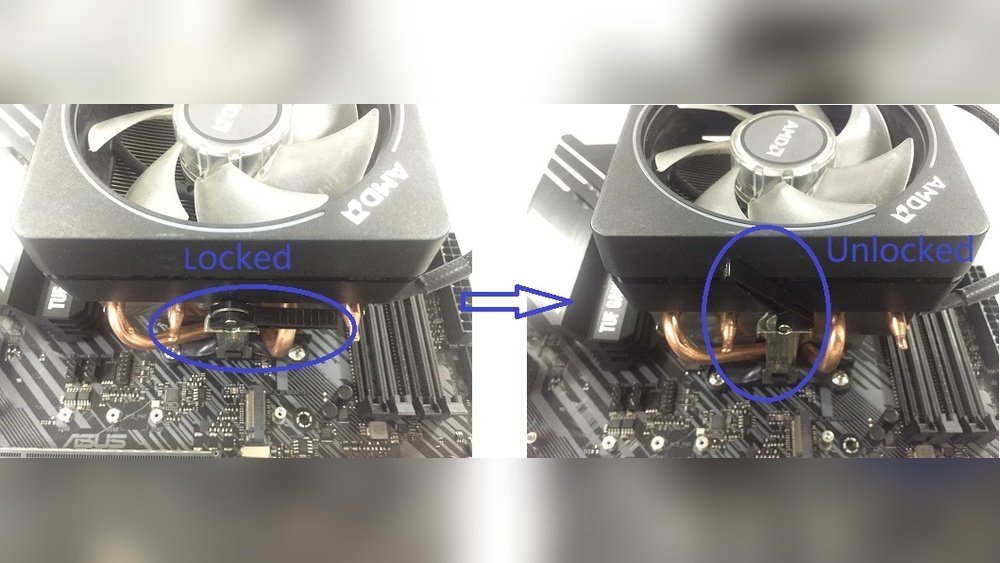
Removing an AMD CPU from your motherboard can be tricky, especially when the lever is broken. You might feel stuck, worried about damaging your valuable components.
But don’t worry—this guide will show you exactly how to safely remove your CPU without the lever. By following simple, clear steps, you’ll save time, avoid frustration, and protect your hardware. Keep reading to learn the easy method that anyone can follow, even if you’ve never done it before.
Signs Of A Broken Cpu Lever
Removing an AMD CPU from a motherboard is usually simple. The lever on the CPU socket helps lock and unlock the processor. Sometimes, this lever can break. Knowing the signs of a broken CPU lever can save time and prevent damage.
One clear sign is the lever not moving or feeling loose. It might not stay in place or snap back unexpectedly. You may also notice the lever is bent or visibly damaged. Another sign is difficulty in locking the CPU properly after installation.
Common Causes Of Lever Damage
Applying too much force when removing or installing the CPU often breaks the lever. Using the wrong tools or trying to pry the lever open can cause damage. Dust and dirt buildup inside the socket can also make the lever hard to move. Over time, repeated use may weaken the lever’s metal.
Impact On Cpu Removal
A broken lever can make CPU removal tricky or impossible. The CPU may feel stuck or won’t release from the socket. This can lead to damage to the CPU pins or motherboard. You might need extra tools or professional help to safely remove the CPU. Acting carefully prevents further damage to your hardware.
Tools Needed For Safe Removal
Removing an AMD CPU from a motherboard with a broken lever needs care and the right tools. Using proper tools helps avoid damage to the CPU or motherboard. It also makes the process smoother and safer.
Gathering the right equipment before starting saves time and stress. You need tools that fit the task without causing harm.
Essential Hand Tools
- Small flathead screwdriver: To gently pry the CPU if needed.
- Plastic spudger: Helps lift the CPU safely without scratching.
- Anti-static wrist strap: Prevents static electricity from damaging parts.
- Needle-nose pliers: Useful for gripping small parts carefully.
- Clean, lint-free cloth: For cleaning the CPU socket area.
Optional Accessories
- Magnifying glass: To see small details clearly.
- Thermal paste remover: Helps clean old thermal paste from the CPU.
- Compressed air can: Removes dust from the motherboard and CPU area.
- Small flashlight: Provides extra light in tight spaces.
Step-by-step Removal Process
Removing an AMD CPU from a motherboard without a working lever needs care and patience. This step-by-step guide helps you do it safely. Follow each step closely to avoid damage to your CPU or motherboard.
Preparing The Workspace
Clear your desk and find a flat surface. Use a soft, static-free mat to protect parts. Gather tools: small screwdriver, plastic card, and tweezers. Turn off the PC and unplug all cables. Ground yourself by touching a metal object. This prevents static electricity damage.
Releasing The Cpu Without A Lever
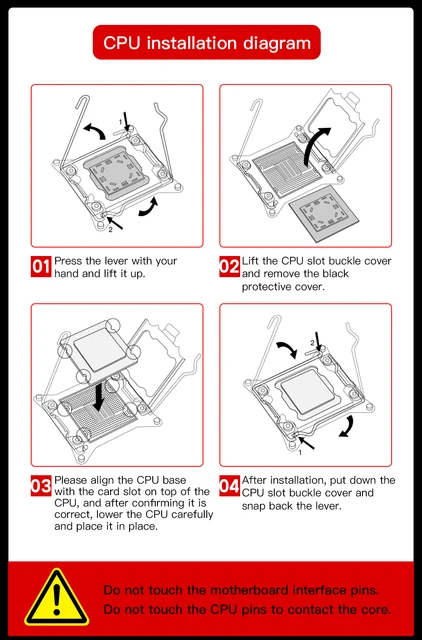
Look closely at the CPU socket. The lever is broken, so do not force it. Use a small flat tool or plastic card. Gently lift the CPU by sliding the tool under its edge. Work slowly and evenly around the CPU. Avoid bending or twisting the chip.
Handling The Cpu Carefully
Hold the CPU by its edges only. Avoid touching the pins or contacts underneath. Place the CPU on an anti-static surface or in a safe container. Do not leave it on metal or rough surfaces. Clean your hands before handling to reduce dirt or oil.

Credit: www.reddit.com
Alternative Fixes For Broken Lever
Removing an AMD CPU from a motherboard with a broken lever can be tricky. The lever helps lock the CPU in place. When it breaks, the CPU might get stuck. Alternative fixes can help you remove the CPU safely. These methods prevent damage to the CPU and motherboard. They offer temporary or more permanent solutions depending on the damage.
Temporary Lever Repair Methods
Temporary repairs can hold the lever in place. Use small clamps or tweezers to secure the lever. Be gentle to avoid extra damage. You can also try bending the lever slightly back into shape. This may allow the CPU to be released. These fixes are quick but not permanent. Handle the parts carefully during the process.
Using Adhesive Or Tape
Strong tape or adhesive can help hold the lever. Use a thin strip of tape to keep the lever down. Avoid sticky substances that leave residue on the motherboard. Electrical tape works well because it is safe and removable. This method is only a short-term fix. It gives you time to remove the CPU without more damage.
Lever Replacement Options
Replacing the broken lever is a better long-term solution. Some online stores sell replacement levers for AMD sockets. This requires careful removal of the broken lever first. Use small tools to avoid hurting the socket pins. If you cannot find a replacement, consult a professional. They can replace or repair the lever safely.
Preventing Future Damage
Preventing future damage to your AMD CPU and motherboard is key. Careful handling and regular maintenance protect your hardware. This section guides you on how to keep your CPU safe and secure.
Proper Handling Techniques
Always ground yourself before touching the CPU or motherboard. Static electricity can harm sensitive parts. Hold the CPU by its edges. Avoid touching the pins or the lever area. Use a clean, flat surface for installation or removal. Apply gentle pressure when seating the CPU. Do not force the lever if it feels stuck. Slow and steady movements reduce the risk of breaking parts.
Maintenance Tips
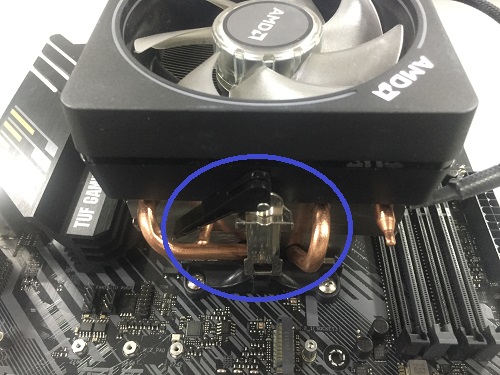
Keep your computer clean inside. Dust can cause overheating and damage. Use compressed air to blow out dust regularly. Check the CPU cooler and fan for proper function. Replace thermal paste every few years. Inspect the motherboard for signs of wear or damage. Store your CPU and motherboard in anti-static bags when not in use. Regular checks help catch problems early.
Credit: www.asus.com
When To Seek Professional Help
Removing an AMD CPU from a motherboard with a broken lever can be tricky. It is not always safe to try it yourself. Knowing when to get professional help can save your computer parts from damage.
Signs You Should Not Attempt Removal
If the CPU is stuck and the lever is broken, do not force it. Excessive force can break the CPU or motherboard pins. If you are unsure about the removal process, stop and seek help. Damage to the motherboard or CPU can be very costly. Also, avoid trying removal if you lack proper tools or experience. Small parts inside the socket are delicate and can easily break.
Choosing A Repair Service
Pick a repair service with experience in AMD CPUs. Check reviews and ratings to find trusted technicians. Make sure they have proper tools for CPU removal. Ask if they offer warranty on their work. A good service will handle your parts carefully and safely. Avoid cheap or unverified services to reduce the risk of damage.
Credit: vixencomposites.com
Frequently Asked Questions
How To Safely Remove Amd Cpu With Broken Lever?
Carefully lift the CPU straight up without force. Use a plastic tool or tweezers to gently ease it out. Avoid bending any pins or damaging the socket for safety.
Can I Reuse Amd Cpu After Lever Breaks?
Yes, you can reuse it if no pins are bent or damaged. Handle the CPU carefully and reinstall it properly. Damaged pins may affect performance or cause failure.
What Tools Help Remove Amd Cpu Without Lever?
Plastic pry tools, tweezers, or a small flathead screwdriver can help. Use them gently to avoid bending pins or damaging the socket. Avoid metal tools that may cause shorts.
Will Removing Cpu With Broken Lever Damage Motherboard?
If done carefully, no damage should occur. Avoid using excessive force and ensure pins stay aligned. Damaging pins or socket can cause motherboard failure.
Conclusion
Removing an AMD CPU with a broken lever can be tricky but doable. Take your time and stay calm throughout the process. Use gentle tools to avoid damaging the motherboard or CPU. Check each step carefully before moving on. With patience and care, you can safely remove the CPU.
This guide helps you handle the task without stress. Keep your workspace clean and organized for better results. Remember, careful handling protects your computer parts. Now you know how to remove the CPU even with a broken lever.
