
If you want your computer to run smoothly and avoid overheating, applying thermal compound on your CPU is a crucial step. But if you’ve never done it before, the process might seem tricky or confusing.
Don’t worry—this guide will show you exactly how to put thermal compound on your CPU in a simple and effective way. By the end, you’ll know how to keep your processor cool and boost your computer’s performance. Ready to learn the easy trick that many overlook?
Let’s dive in!

Credit: www.youtube.com
Choosing The Right Thermal Compound
Choosing the right thermal compound is important for your CPU’s health. The thermal compound helps transfer heat from the CPU to the cooler. Using the correct type can improve cooling and keep your CPU safe. Many types exist, and each has different features. Understanding what fits best helps you make the right choice.
Types Of Thermal Compounds
Thermal compounds come in three main types: silicone-based, metal-based, and ceramic-based. Silicone-based compounds are common and easy to apply. Metal-based compounds offer high heat transfer but need careful handling. Ceramic-based compounds are safe and provide good performance. Each type works differently with your CPU and cooler.
Factors To Consider
Check thermal conductivity when choosing a compound. Higher values mean better heat transfer. Also, consider ease of application. Some compounds are thicker and harder to spread. Longevity matters too. Some compounds dry out faster and need replacing. Safety is key; avoid compounds that can damage your CPU or cooler.
Recommended Brands
Several brands produce reliable thermal compounds. Arctic Silver 5 is popular for metal-based compounds. Noctua NT-H1 offers excellent ceramic compound quality. Cooler Master MasterGel is known for easy application. These brands balance performance and safety well. Choose one that fits your needs and budget.
Preparing Your Cpu And Cooler
Preparing your CPU and cooler is an important step before applying thermal compound. Proper preparation helps your computer run cooler and last longer. It also ensures the thermal paste spreads evenly. This process starts with cleaning old paste and setting up your workspace. Having the right tools makes the job easier and safer.
Cleaning Old Thermal Paste
Remove the cooler carefully from the CPU. Use a soft cloth or paper towel to wipe off old thermal paste. Apply isopropyl alcohol on the cloth for better cleaning. Avoid using water or harsh chemicals. Make sure the CPU surface is completely clean and dry before moving on.
Gathering Necessary Tools
Gather tools like isopropyl alcohol, lint-free cloths, and thermal paste. You may also need a small screwdriver to remove the cooler. Have everything ready before starting. This saves time and prevents mistakes.
Ensuring A Dust-free Workspace
Work in a clean area with little dust. Dust can stick to the CPU and reduce cooling efficiency. Use a clean desk or table. Avoid carpeted rooms or places with pets. Wash your hands to keep oils and dirt away.
Applying Thermal Compound Techniques
Applying thermal compound correctly helps your CPU run cooler and last longer. The paste fills tiny gaps between the CPU and cooler. Proper spreading ensures better heat transfer. Different methods work for different users and CPUs. Choose the one you find easiest and most effective.
Pea Method
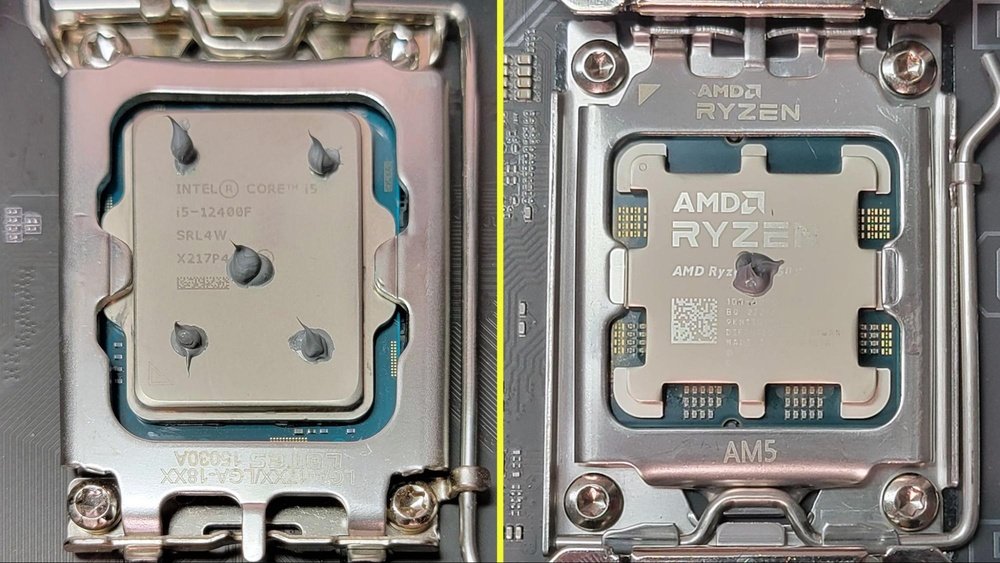
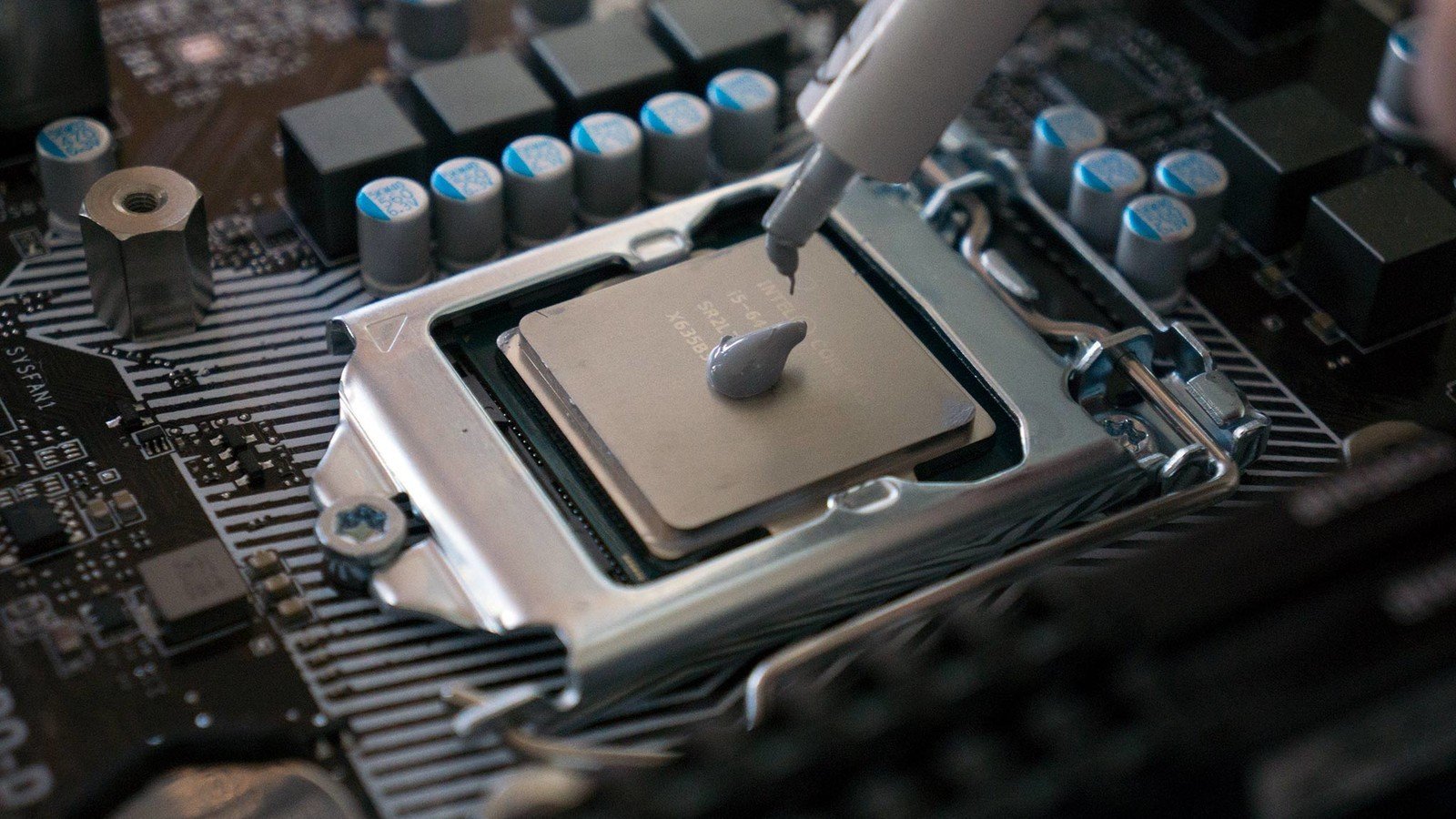
Place a small pea-sized dot of thermal paste in the center of the CPU. When the cooler is installed, it spreads the paste evenly. This method is simple and works for most CPUs. It avoids air bubbles and too much paste.
Line Method
Draw a thin line of thermal paste across the middle of the CPU. This works well for CPUs with rectangular heat spreaders. When the cooler presses down, the paste spreads out smoothly. It covers the surface without excess paste spilling out.
Spread Method
Use a plastic card or spatula to spread thermal paste evenly over the CPU surface. This method gives full control over coverage. It prevents clumps and gaps. Take care not to apply too thick a layer.
X Pattern Method
Apply thermal paste in an X shape across the CPU surface. This covers more area than the pea or line methods. When the cooler presses down, the paste spreads to fill all gaps. This method helps with larger CPUs.
Mounting The Cooler Properly
Mounting the cooler properly is key to good CPU cooling. It ensures the thermal compound spreads well and the CPU stays cool. A wrong mount can cause overheating and damage. Follow simple steps to mount the cooler right and keep your PC safe.
Aligning The Cooler
Place the cooler gently over the CPU. Check that the cooler’s base matches the CPU surface. Align the holes or clips with the motherboard’s mounting points. This step helps the cooler fit perfectly and avoid pressure on the CPU.
Securing The Cooler Evenly
Fasten the cooler screws or clips slowly. Tighten each side a little at a time. Use a cross pattern if there are multiple screws. This method keeps pressure balanced and stops damage to the CPU or motherboard.
Avoiding Air Bubbles
Air bubbles reduce heat transfer. Press the cooler down firmly but gently. Do not twist the cooler after placing it. Twisting can create gaps and trap air. Proper mounting pushes out air and spreads the thermal compound evenly.
Testing And Monitoring Temperatures
After applying thermal compound on your CPU, checking the temperature is very important. Proper testing ensures the CPU stays cool and works well. Watching the temperature helps find problems early. It also shows if the thermal compound was spread correctly.
Booting Up Safely
Turn on your computer carefully after applying the compound. Listen for unusual sounds or fan noises. Watch the screen for errors or warnings. Keep the case open at first to see inside. Stop immediately if you smell burning or see smoke.
Using Temperature Monitoring Tools
Use software like HWMonitor or Core Temp to check CPU heat. These tools show real-time temperatures and fan speeds. Run the computer for a few minutes to get stable readings. Keep CPU temperature under 80°C for best results. Check values regularly to track any changes.
Troubleshooting Overheating
If the CPU gets too hot, turn off the PC right away. Reapply the thermal compound carefully to avoid air bubbles. Clean the old paste completely before applying new. Check that the cooler is mounted tightly and fans spin well. Replace the thermal paste if overheating continues.
Credit: www.cyberpowerpc.com
Maintaining Optimal Cooling
Maintaining optimal cooling is key to keeping your CPU safe and running well. Proper heat management stops your computer from getting too hot. It also helps the CPU last longer and work faster. Thermal compound plays a big role in this process. Applying it correctly keeps the heat moving away from the CPU. This section covers when to reapply thermal paste, how to clean your setup, and when to upgrade cooling solutions.
When To Reapply Thermal Paste
Thermal paste dries out over time. This reduces its ability to transfer heat. Reapply paste every 1 to 3 years. If you notice higher CPU temperatures, it might be time to reapply. Also, reapply when you remove or replace the CPU cooler. Fresh paste ensures good contact between the CPU and cooler. This keeps the CPU cooler and prevents damage.
Cleaning And Upkeep Tips
Dust and dirt block airflow and trap heat. Clean your CPU cooler and case regularly. Use compressed air to blow out dust from fans and heatsinks. Avoid touching the CPU surface with bare hands. Dirt and oils can reduce thermal paste effectiveness. Check fan speeds and listen for noise. Slow or loud fans may need cleaning or replacement. Keeping the cooler clean helps maintain strong cooling performance.
Upgrading Cooling Solutions
Stock coolers may not be enough for heavy use. Consider upgrading to a better air or liquid cooler. Better coolers remove heat more efficiently. This lowers CPU temperatures and noise. Choose a cooler compatible with your CPU socket. Larger fans or radiators can improve airflow. Upgrades help keep your CPU cool under stress. Cooler temperatures improve system stability and speed.

Credit: www.tglobaltechnology.com
Frequently Asked Questions
How Much Thermal Compound Should I Apply On Cpu?
Apply a pea-sized amount of thermal compound at the CPU center. This ensures even spreading and optimal heat transfer without excess spillage.
Can I Reuse Thermal Compound On My Cpu?
Reusing thermal compound is not recommended. Always clean off old compound and apply a fresh layer for better cooling and performance.
What Is The Best Method To Spread Thermal Compound?
The pea-sized dot method is best. When the heatsink is installed, it spreads evenly without air bubbles, improving heat conduction.
How Often Should I Replace Thermal Compound On Cpu?
Replace thermal compound every 2 to 3 years or if you remove the heatsink. Fresh compound maintains efficient heat transfer and CPU cooling.
Conclusion
Applying thermal compound on your CPU is simple and important. It helps keep your processor cool and working well. Use a small amount and spread it evenly. Too much or too little can cause problems. Clean the old paste before adding new.
Take your time and be gentle. Doing this right can improve your computer’s performance. Always check the temperature after applying the paste. A cool CPU lasts longer and runs smoother. Now you know how to apply thermal compound correctly. Ready to keep your PC cool?
