

If you want to get more power from your Ryzen CPU without spending extra on new hardware, overclocking is the key. Imagine squeezing every bit of speed and performance from your processor, making games smoother and tasks faster.
But how do you do it safely and effectively? This guide will walk you through simple, clear steps to boost your Ryzen CPU’s speed. By the end, you’ll know exactly how to push your system further while keeping it stable and cool.
Ready to unlock your CPU’s full potential? Let’s dive in.
Ryzen Overclocking Basics
Overclocking a Ryzen CPU means pushing it to run faster than its base speed. This can improve your computer’s performance. Before starting, it is important to know the basics. Understanding how overclocking works and the features of Ryzen CPUs helps you do it safely. Being aware of the benefits and risks protects your hardware.
Let’s explore the key points about Ryzen overclocking. This knowledge sets a strong foundation for your overclocking journey.
How Overclocking Works
Overclocking increases the CPU’s clock speed. This makes the processor complete tasks faster. CPUs have a default speed set by the manufacturer. Overclocking changes this speed to a higher value. The CPU runs more instructions per second. This improves overall system speed.
Overclocking also raises power use and heat output. Your cooling system must handle this extra heat. Proper cooling keeps the CPU stable and safe.
Key Ryzen Features For Overclocking
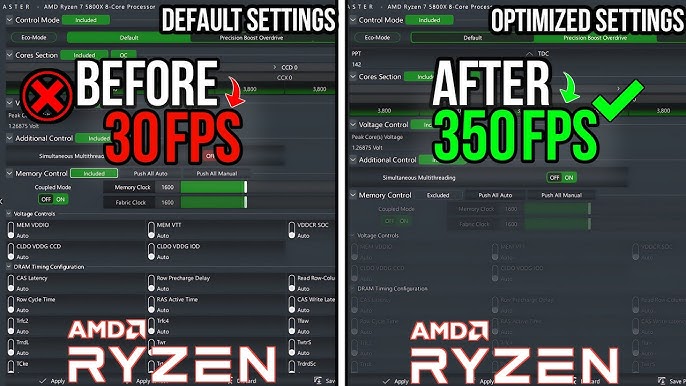
Ryzen CPUs have special features for overclocking. Precision Boost allows the CPU to increase speed automatically. You can also manually adjust clock speeds and voltages. Ryzen supports increasing the CPU multiplier to raise speed. The motherboard BIOS provides controls for these settings.
Ryzen CPUs have multiple cores and threads. Overclocking can improve performance on all cores. Ryzen also includes thermal sensors to monitor temperature. These features help keep the CPU safe during overclocking.
Benefits And Risks
Overclocking can boost gaming and application performance. It helps run demanding software faster. This can improve productivity and user experience. You can get more value from your CPU without buying a new one.
Risks include overheating and system instability. Too much heat can damage the CPU. Incorrect settings might cause crashes or data loss. Overclocking can also reduce CPU lifespan. Careful steps and good cooling reduce these risks.
Credit: www.youtube.com
Preparing Your System
Preparing your system is the first step to safely overclock your Ryzen CPU. It helps avoid damage and improves stability. You need to check your hardware, update software, and ensure cooling is good. This process takes time but is very important.
Without proper preparation, overclocking can cause crashes or overheating. Follow these steps carefully to get the best results.
Selecting Compatible Hardware
Choose a motherboard that supports Ryzen overclocking. Look for models with good VRM (Voltage Regulator Module) designs. They deliver stable power to your CPU during overclocking.
Pick RAM that matches your motherboard and supports higher speeds. Quality power supplies are also necessary to handle increased power draw.
Updating Bios And Drivers
Update your motherboard BIOS to the latest version. Manufacturers release updates that improve CPU compatibility and stability. Check your motherboard website for instructions.
Keep your chipset and CPU drivers up to date. This ensures your system runs smoothly and recognizes new settings during overclocking.
Ensuring Adequate Cooling
Overclocking increases CPU heat output. Stock coolers may not be enough. Invest in a strong air cooler or liquid cooling system.
Also, check your PC case airflow. Good ventilation helps keep temperatures low. Monitor CPU temperature during tests to avoid damage.
Tools For Overclocking
Overclocking a Ryzen CPU requires the right tools to ensure safe and effective performance boosts. These tools help adjust settings, track temperatures, and keep the system stable. Choosing the correct software and hardware settings makes the process smoother and safer. Let’s explore the key tools you need for overclocking your Ryzen processor.
Amd Ryzen Master Utility
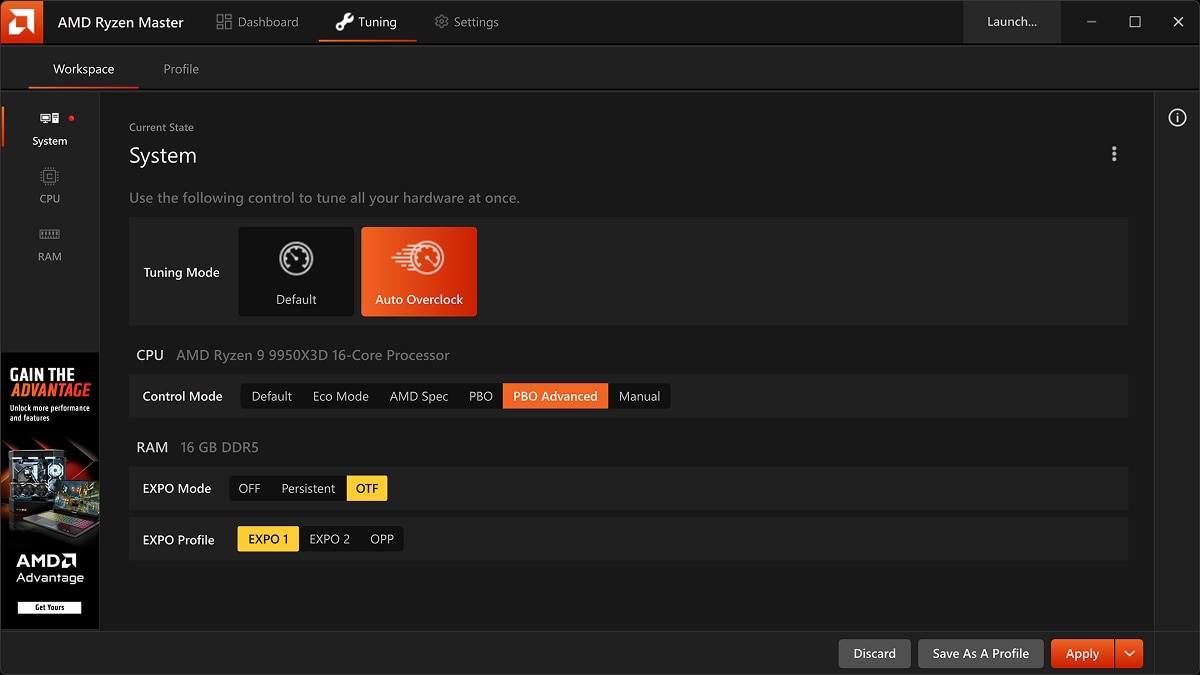
The AMD Ryzen Master Utility is a user-friendly tool for overclocking. It allows real-time adjustments without restarting your PC. You can change CPU clock speeds, voltages, and monitor temperatures. The software offers preset profiles for easy tuning. Beginners find it helpful for testing different settings safely.
Bios Overclocking Settings
BIOS settings provide the most control over CPU overclocking. You access BIOS by pressing a key during startup. Inside BIOS, you can change CPU multiplier, voltage, and memory timings. This method is more advanced but offers precise adjustments. It requires patience and careful changes to avoid system crashes.
Monitoring Software
Monitoring software tracks CPU temperature, voltage, and clock speed. Tools like HWMonitor and CPU-Z show real-time data. These apps help prevent overheating and instability. Keeping an eye on your CPU’s health is crucial during overclocking. They provide alerts if temperatures get too high.

Credit: www.pcmag.com
Step-by-step Overclocking Guide
Overclocking a Ryzen CPU can boost your system’s speed. Follow these clear steps to improve performance safely. This guide breaks down each part to keep it simple and effective.
Adjusting Cpu Multiplier
Start by entering your motherboard’s BIOS. Find the CPU multiplier setting. Increase it step-by-step to raise your CPU speed. Do small jumps to avoid errors. Save changes and restart your PC.
Tweaking Voltage Settings
Next, adjust the CPU voltage to keep it stable. Increase the voltage slightly to support higher speeds. Watch the temperature carefully to avoid overheating. Use small increments for safety.
Testing Stability
Run stress tests after every change. Use tools like Prime95 or Cinebench. Check for crashes or freezes. If your system is unstable, reduce speed or increase voltage carefully.
Fine-tuning For Performance
Balance speed and heat for the best results. Lower voltage if temperatures stay low. Try different multipliers to find the best option. Keep testing until your system runs smoothly.
Troubleshooting Common Issues
Overclocking a Ryzen CPU can boost your system’s speed and performance. Still, it may cause some issues that need fixing. Troubleshooting these common problems helps keep your PC stable and safe.
Understanding how to handle crashes, control heat, and reset settings is key. These steps make overclocking smoother and prevent damage to your hardware.
Handling System Crashes
System crashes often happen due to unstable overclock settings. Lower the clock speed or increase the CPU voltage slightly. Test your system after each change to find stability.
Use reliable stress-test tools to check stability. Avoid pushing your CPU beyond its limits. Save your work frequently to avoid data loss.
Managing Temperature Spikes
Overclocking raises CPU temperature quickly. Ensure your cooling system works well. Clean dust from fans and heatsinks regularly.
Apply good quality thermal paste between the CPU and cooler. Use software to monitor temperatures during heavy tasks. Stop overclocking if temperatures go too high.
Resetting To Default Settings
If problems persist, reset your BIOS to default. This removes all overclock changes and restores normal function.
To reset, enter BIOS during startup and select “Load Default Settings.” Save and exit to reboot your PC. This step fixes crashes and overheating caused by bad settings.
Maximizing Overclocking Results
Maximizing overclocking results means getting the best performance from your Ryzen CPU. It requires more than just raising clock speeds. You must tune other parts of your system to support higher speeds. This ensures stability and better overall performance.
Balancing components and settings helps your CPU run faster without crashing. Small adjustments can make a big difference. Focus on memory speed, cooling, and software updates for steady improvements.
Optimizing Memory Speed
Memory speed affects CPU performance. Faster RAM helps your Ryzen processor handle tasks quicker. Adjust your BIOS settings to match the rated speed of your RAM. Enabling XMP or DOCP profiles is an easy way to do this.
Test different memory speeds to find the most stable and fast setting. Avoid pushing RAM too far to prevent system crashes. Balanced memory speed and CPU frequency improve overall results.
Improving Cooling Solutions
Overclocking increases heat. Good cooling keeps your CPU safe and stable. Use high-quality air coolers or liquid cooling systems. Make sure your case has enough airflow with extra fans if needed.
Monitor CPU temperatures during stress tests. Keep temperatures below 85°C to avoid damage. Proper cooling allows higher overclocking without throttling or shutdowns.
Keeping Software Updated
BIOS and driver updates improve system stability and performance. Manufacturers often release updates that fix bugs and enhance overclocking features. Check your motherboard’s website regularly for new BIOS versions.
Keep chipset and CPU drivers current too. Updated software helps your Ryzen CPU run smoother at higher speeds. It also reduces the risk of crashes during overclocking.
Credit: www.amd.com
Frequently Asked Questions
What Is The Safest Way To Overclock A Ryzen Cpu?
Start by increasing clock speeds gradually in BIOS. Monitor temperatures closely and keep them below 85°C. Use quality cooling solutions. Test stability with stress tools after each change. Avoid pushing voltages too high to prevent damage.
How Much Performance Gain Can Ryzen Overclocking Provide?
Overclocking Ryzen CPUs typically boosts performance by 10-20%. Gains depend on the CPU model, cooling, and silicon quality. Higher clocks improve gaming and multitasking speeds. However, results vary and must balance with temperature and system stability.
Does Overclocking Ryzen Cpus Void The Warranty?
AMD does not void warranties for mild overclocking with Ryzen CPUs. Extreme overclocking or damage caused by unsafe settings may void warranty. Always check AMD’s warranty policy before overclocking to avoid any issues.
What Tools Help Monitor Ryzen Cpu Overclocking?
Use Ryzen Master software for real-time overclocking and monitoring. HWMonitor and CPU-Z track temperatures and clock speeds. Stress test with Prime95 or Cinebench to ensure system stability after changes.
Conclusion
Overclocking your Ryzen CPU can boost performance noticeably. Start slow and check temperatures carefully. Adjust settings step-by-step for safety. Good cooling helps keep your CPU stable. Remember, not all CPUs overclock the same. Watch your system’s behavior during tests. Patience and caution bring the best results.
Enjoy faster speeds without risking damage. Keep learning to improve your skills. Overclocking is a useful tool when done right.
