
Have you ever opened your computer only to find your CPU pins bent? It’s a frustrating problem that can stop your whole system from working.
But don’t worry—you don’t have to throw away your expensive processor just yet. Fixing bent CPU pins is easier than you think, and with the right steps, you can save your CPU and get your computer running smoothly again. Keep reading, and you’ll learn simple, effective ways to straighten those pins safely and avoid costly mistakes.
Your computer deserves a second chance, and you’re just a few steps away from making that happen.
Identifying Bent Cpu Pins
Identifying bent CPU pins is the first step to fixing them. Bent pins can cause your computer to fail to start or work poorly. Careful inspection helps you find these tiny problems before they cause big issues.
CPU pins are very small and easy to miss. You need to know what to look for. This section explains how to spot bent pins and what tools help with the inspection.
Signs Of Bent Pins
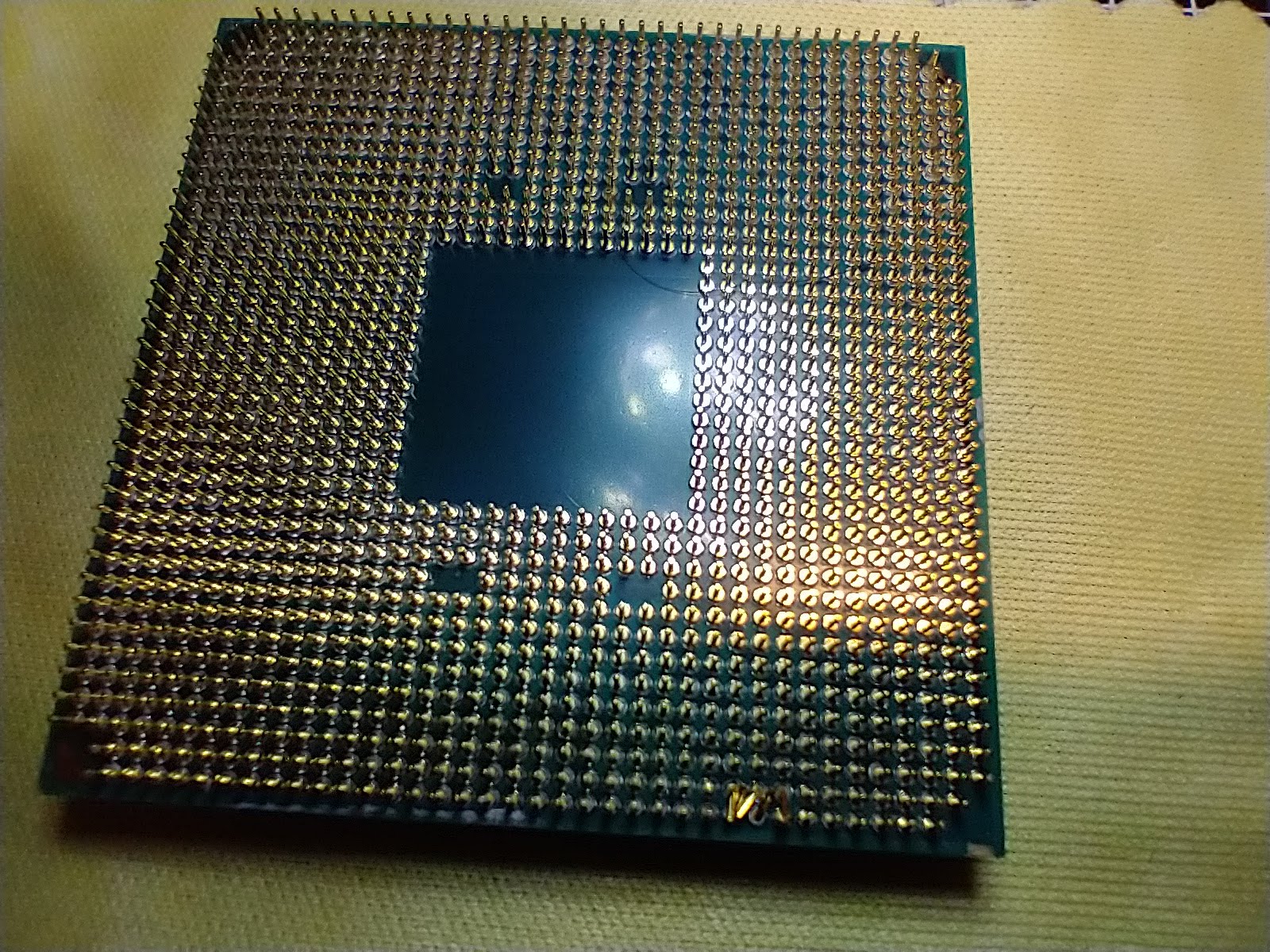
Bent pins do not always look obvious. Pins that are crooked or out of line stand out. Some pins may touch others, causing a short circuit. Look for pins that are angled differently or appear damaged. Even one bent pin can stop your CPU from working.
Tools Needed For Inspection
A magnifying glass or jeweler’s loupe helps you see the pins clearly. Bright light is important to spot small bends or breaks. Use a soft brush or compressed air to clean dust from the pins before checking. Avoid using bare fingers to prevent damage or oils on the pins.
Preparing For Repair
Preparing for repair is a key step to fix bent CPU pins safely and effectively. Proper preparation helps avoid further damage and ensures a smooth process.
Taking time to organize tools and space makes the repair easier. Following safety tips protects both you and the CPU.
Gathering Required Tools
Collect all tools before starting the repair. You will need a magnifying glass to see tiny pins clearly.
Use a small flathead screwdriver or a mechanical pencil without lead to straighten pins. Tweezers help to adjust pins carefully.
Have a soft cloth ready to place the CPU on. Avoid hard surfaces that can cause damage.
Creating A Clean Workspace
Choose a flat, well-lit surface to work on. Good lighting helps you see the pins clearly.
Remove dust and clutter from the area. Keep pets and children away to avoid interruptions.
Place a soft mat or cloth on the table. This prevents scratches and protects the CPU.
Safety Precautions
Ground yourself to avoid static electricity. Use an anti-static wrist strap if available.
Handle the CPU by its edges only. Touching pins can cause damage or contamination.
Work slowly and gently. Rushing can bend pins further or break them.
Step-by-step Pin Straightening
Bent CPU pins can stop your computer from working. Fixing them needs care and the right tools. Follow these simple steps to straighten pins without damage. Work slowly and gently to avoid breaking the pins. Use tools you have at home or buy small tools for better control.
Using A Mechanical Pencil
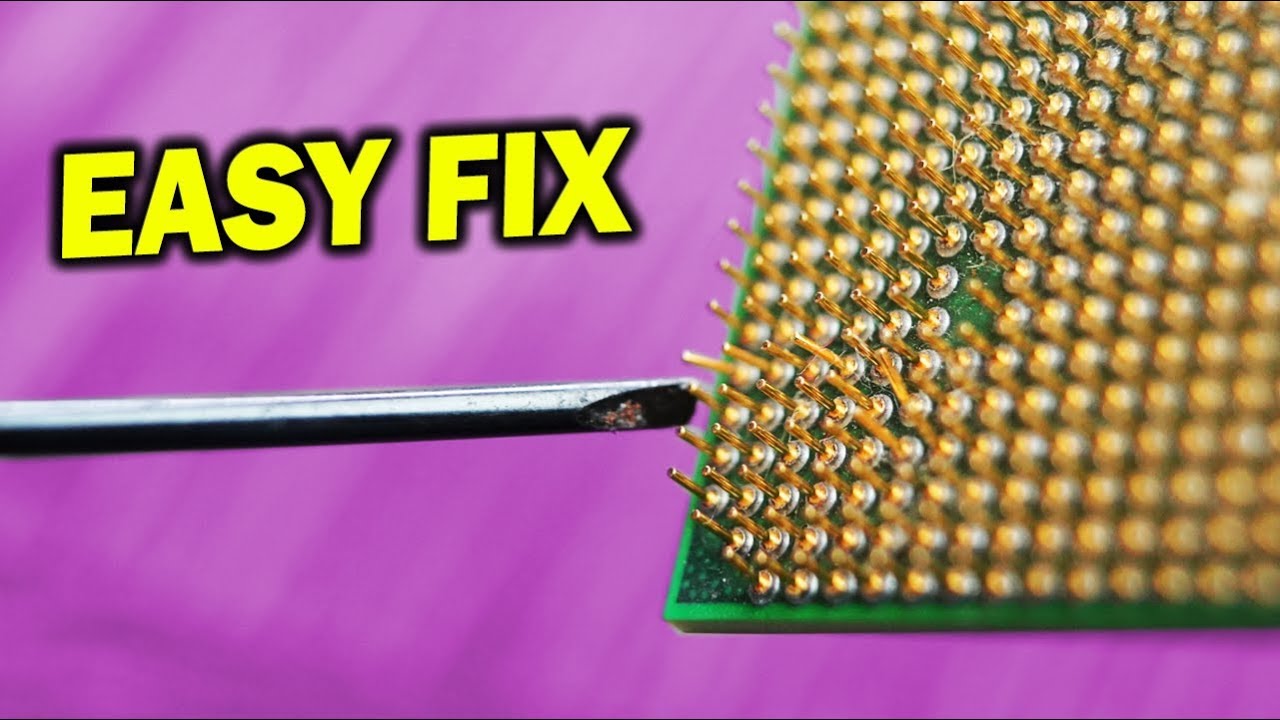
Choose a mechanical pencil with a hollow tip. Remove the lead from the pencil before use. Gently slide the bent pin into the pencil tip. Slowly push or pull the pin to straighten it. This method helps control the pin and reduces risk. Repeat for each bent pin carefully.
Applying A Credit Card Or Similar Tool
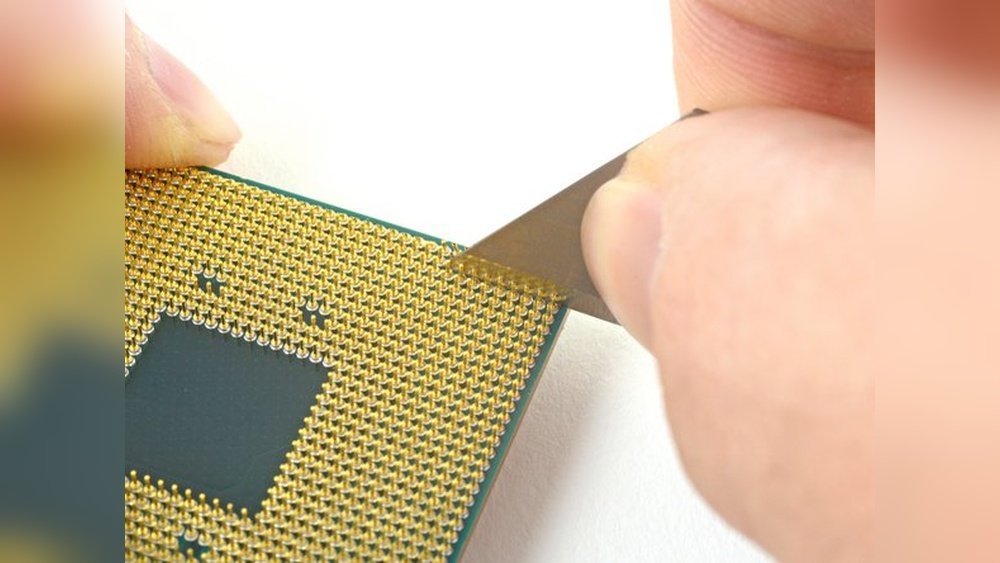
Find a thin credit card or plastic card. Place the card flat on the bent pins. Press the card gently to push pins back into place. Move the card slowly to avoid breaking pins. This method works well for small groups of bent pins. Check each pin after pressing for straightness.
Using Tweezers Carefully
Use fine, pointed tweezers for better grip. Hold the pin near its base, not the tip. Slowly bend the pin back to its original position. Apply very light pressure to avoid snapping the pin. Work on one pin at a time for best results. Stop if you feel resistance and try another method.
Credit: moorecomputer.com
Testing The Cpu After Repair
Testing the CPU after repairing bent pins is very important. It shows if the repair worked well. You must be careful and patient during this step. Small mistakes can cause big problems later. Follow these steps to check your CPU’s health and function.
Reinstalling The Processor
Start by placing the CPU back into the socket. Make sure the pins line up correctly. Do not force the CPU into place. Gently secure the processor with the locking mechanism. Check that the CPU sits flat and stable in the socket.
Booting The System
Power on your computer after reinstalling the CPU. Listen for any strange sounds or beeps. Watch the screen for error messages or a black screen. If the system starts normally, the CPU is likely okay. If not, power off and check the installation again.
Checking For Stability
Run a stress test or CPU benchmark tool. These tests push the CPU to work hard for a short time. Monitor the temperature and performance during the test. If the CPU stays stable and cool, the repair was successful. Crashes or errors mean further inspection is needed.
Preventing Future Pin Damage
Preventing damage to CPU pins saves time and money. Bent pins can stop your computer from working. Taking care of the CPU during handling, storage, and installation helps avoid problems. Follow these simple tips to keep the pins safe and secure.
Proper Handling Techniques
Hold the CPU by the edges only. Avoid touching the pins at all times. Use clean, dry hands or wear gloves. Keep the workspace clear of clutter. Handle the CPU gently to prevent bending any pins.
Storage Tips
Store the CPU in its original protective case. Avoid placing heavy items on top of it. Keep the storage area dry and dust-free. Store the CPU in a stable place where it won’t fall or get knocked over.
Installing With Care
Align the CPU carefully with the socket. Check the pins and socket for any dirt or damage. Do not force the CPU into place. Press down evenly and gently until it fits securely. Double-check the installation before closing the case.

Credit: www.ifixit.com
When To Seek Professional Help
Knowing when to seek professional help is key to fixing bent CPU pins safely. Some problems need expert tools and skills. Trying a repair without enough experience can cause more damage. It is important to identify signs that show you need a technician’s help. This keeps your CPU and computer safe.
Severe Pin Damage
Severe pin damage means many pins are bent or broken. Pins that are twisted beyond simple straightening need special care. Missing or snapped pins can stop the CPU from working. Professionals have the right tools to handle this damage. They can avoid hurting the CPU further during repairs.
Avoiding Further Risks
Fixing pins without the right skills can cause short circuits. This risk might damage the motherboard or other parts. Professionals know how to avoid these problems safely. They use clean environments and delicate tools. Seeking help reduces the chance of permanent CPU failure. It is a safer choice for costly hardware.
Credit: www.youtube.com
Frequently Asked Questions
How Can I Safely Fix Bent Cpu Pins?
Use a mechanical pencil or small tweezers to gently straighten pins. Work slowly to avoid breaking them. Ensure proper lighting and steady hands for best results.
What Tools Are Needed To Repair Bent Cpu Pins?
You need a mechanical pencil, fine tweezers, magnifying glass, and steady hands. These tools help carefully realign the pins without causing damage.
Will Bent Cpu Pins Cause Performance Issues?
Yes, bent pins can prevent the CPU from seating properly. This causes boot failures or hardware malfunctions. Fixing pins restores proper connection and performance.
Can I Fix Bent Cpu Pins Without Professional Help?
Yes, many minor bends can be fixed at home with care. Use proper tools and patience to avoid permanent damage.
Conclusion
Bent CPU pins can cause many computer problems. Fixing them carefully saves your CPU. Use gentle tools and steady hands. Take your time and be patient. Avoid rushing to prevent more damage. A small bend can often be corrected. Keep your workspace clean and bright.
Check your work before installing the CPU. This simple repair helps your computer run better. Stay calm and follow the steps closely. You can handle this with care and focus.
