
When it comes to building or upgrading your PC, one factor you can’t afford to overlook is airflow. Choosing the right PC case for airflow can make a huge difference in keeping your components cool and running smoothly.
If your PC overheats, it can slow down, crash, or even get damaged over time. But how do you pick a case that lets air flow freely and protects your investment? You’ll discover simple, effective tips to help you choose the perfect PC case that keeps your system cool and performing at its best.
Keep reading, because making the right choice here will save you headaches and improve your gaming or work experience.
Factors Affecting Airflow
Choosing a PC case with good airflow helps keep your computer cool. Good airflow means air moves well through the case. This stops parts from getting too hot. Several factors affect airflow. Knowing these helps you pick the right case for your needs.
Case Size And Layout
Case size affects airflow a lot. Larger cases usually have more space for air to move. They allow better air circulation around parts. Small cases can feel cramped. This can block air and cause heat buildup. The layout inside the case also matters. Open designs with fewer obstructions let air flow better. Cases with tight compartments can trap heat.
Ventilation Options
Good ventilation means the case has many air openings. These include front, top, and rear vents. Mesh panels allow more air to enter and exit. Solid panels block airflow and can raise temperatures. Some cases come with dust filters on vents. Filters keep dust out without blocking air too much. Look for cases with plenty of vents and filters.
Fan Support And Placement
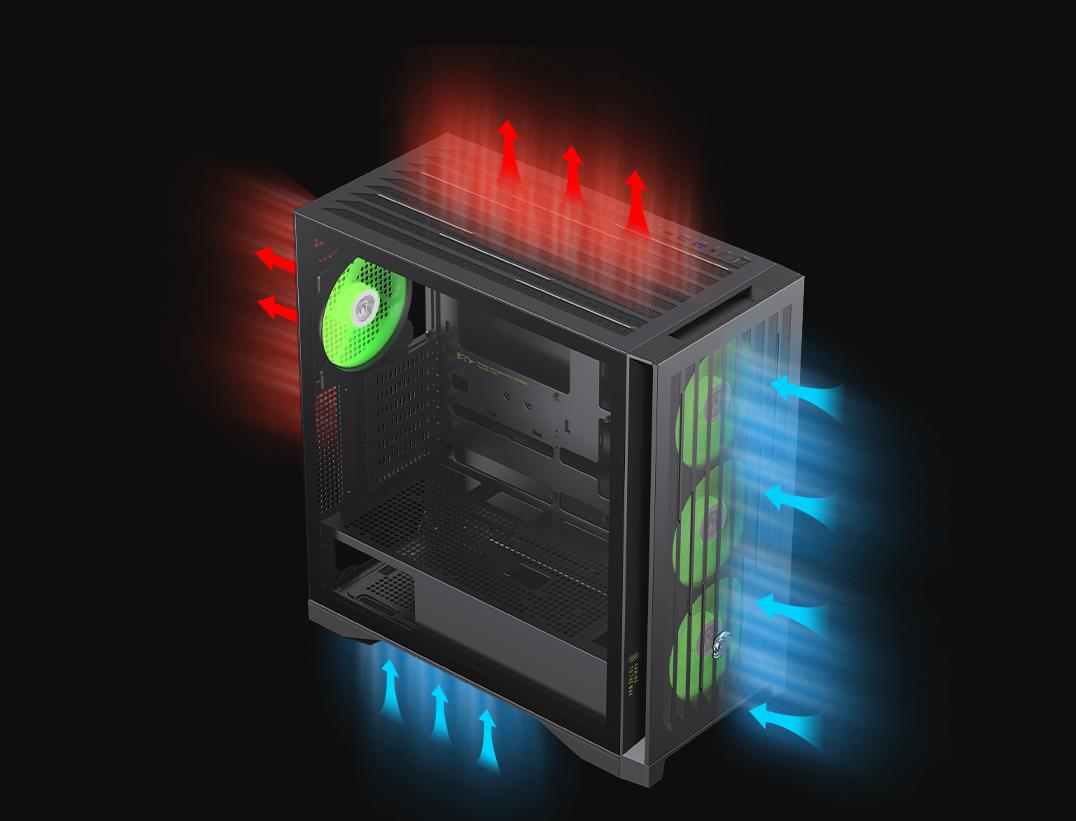
Fans push air into and out of the case. More fan slots mean better cooling options. Front fans usually pull cool air inside. Top and rear fans push hot air out. Proper fan placement creates a smooth airflow path. This removes heat efficiently. Check how many fans the case supports and where you can place them.
Types Of Pc Cases
Choosing the right PC case is important for good airflow. Different types of cases offer different sizes and features. Understanding these types helps pick a case that fits your needs and keeps your PC cool.
Each case type supports different hardware and cooling options. Knowing the differences helps find the best balance of space and airflow.
Mid-tower Cases
Mid-tower cases are the most common choice for many users. They offer a good balance between size and airflow. These cases fit most standard components and provide space for several fans.
They usually support multiple cooling options, like air or liquid cooling. The airflow design helps keep your CPU and GPU cool during use. Mid-tower cases fit well on desks and in rooms with limited space.
Full-tower Cases
Full-tower cases are larger and offer more space inside. They are ideal for high-performance builds with many parts. These cases support more fans and larger cooling systems.
Better airflow is possible because of the extra room for air to move. Full-tower cases also allow easier cable management, improving airflow further. They work best for users who want maximum cooling and expandability.
Mini-itx Cases
Mini-ITX cases are small and compact. They suit users who want a portable or minimalist PC. These cases have limited space for fans and cooling parts.
Airflow can be a challenge but choosing a case with good ventilation helps. Mini-ITX cases work well for basic builds or small setups. They require careful planning to keep components cool.
Materials And Build Quality
Choosing the right materials and build quality for a PC case affects airflow and cooling. The case’s structure impacts how air moves inside. Strong materials last longer and support heavy parts well. Breathable designs help keep parts cool by allowing fresh air in and hot air out.
Metal Vs Plastic Panels
Metal panels are sturdy and good at holding shape. They allow better airflow because they can have more holes or vents. Metal also helps spread heat away from hot parts. Plastic panels look nice but can block airflow more. They do not cool as well and can trap heat inside. Metal cases usually feel heavier and more solid. Plastic cases may feel light but less durable.
Mesh Panels And Filters
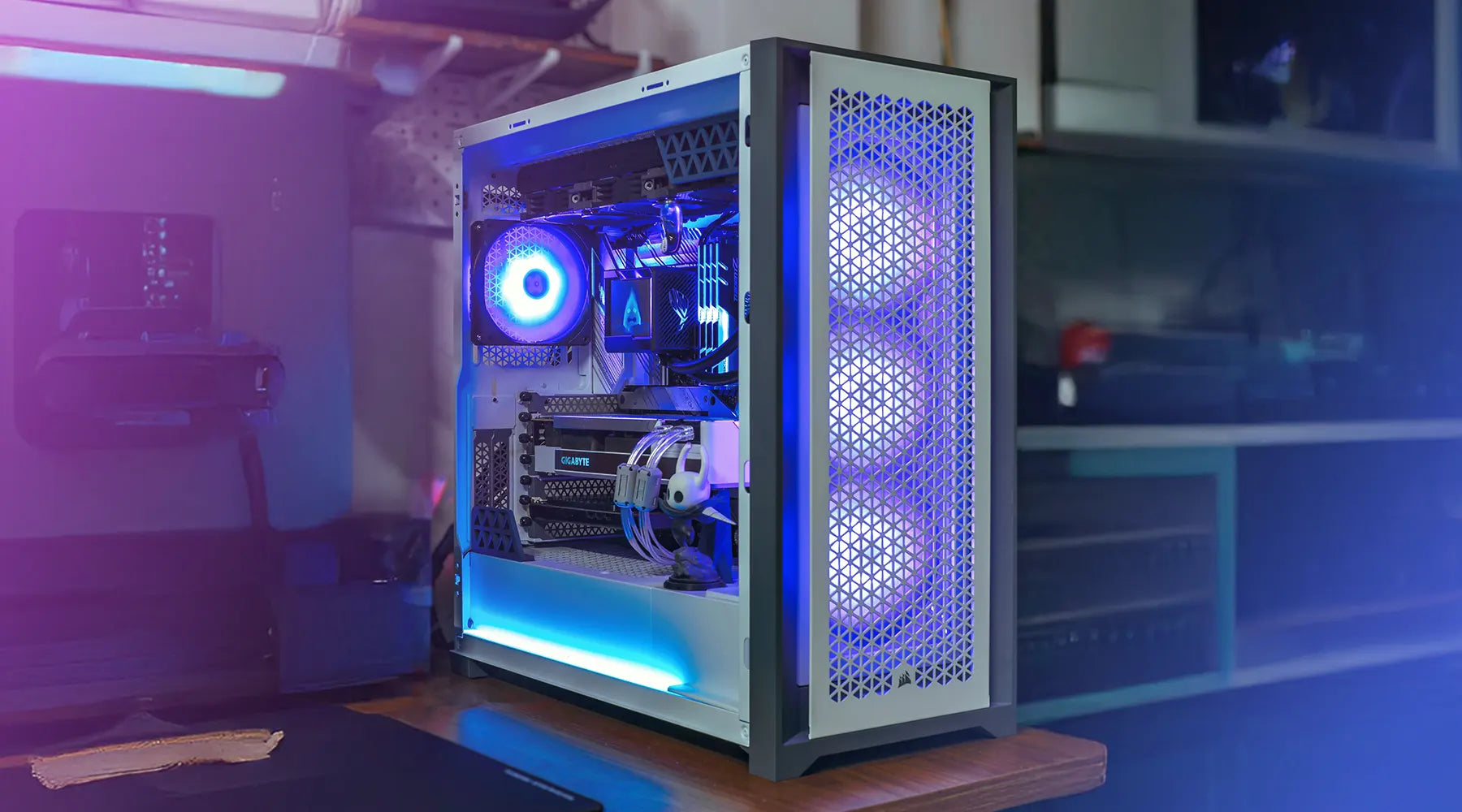
Mesh panels let air flow freely through the case. They help bring cool air in and push warm air out fast. Mesh filters stop dust from entering the case. Dust can block airflow and cause heat to build up. Filters need regular cleaning to work well. Without mesh and filters, cases may get dirty and hot inside. A case with good mesh panels and filters keeps parts cooler and cleaner.
Credit: technoidinc.com
Fan Configuration Tips
Setting up fans inside your PC case is key to good airflow. Proper fan configuration helps cool your components and keeps your system stable. Understanding the role of intake and exhaust fans, air pressure types, and fan speeds can improve your PC’s cooling.
Intake Vs Exhaust Fans
Intake fans pull fresh air into the case. They usually sit at the front or bottom of the case. Exhaust fans push hot air out. They are often placed at the back or top of the case. Balancing intake and exhaust fans creates smooth airflow. Too many intake fans can cause dust buildup. Too many exhaust fans can lower cooling efficiency.
Positive Vs Negative Air Pressure
Positive air pressure means more air enters than leaves the case. It helps reduce dust by pushing air out through small gaps. Negative air pressure means more air leaves than enters. It can improve cooling but might draw dust inside. A balanced or slightly positive pressure often works best. Clean your PC regularly to avoid dust issues.
Optimal Fan Speeds
Fan speed affects cooling and noise levels. Higher speeds cool better but create more noise. Lower speeds are quieter but may reduce cooling. Set fan speeds using your motherboard or fan controller. Adjust speeds based on temperature to keep a good balance. Monitor your PC’s temperature and tweak speeds as needed.
Additional Cooling Features
Choosing a PC case with good airflow is important for keeping your computer cool. Some cases offer extra features to help with cooling. These features improve air movement and reduce heat. They can also keep dust out. Understanding these features helps you pick the right case for your needs.
Liquid Cooling Compatibility
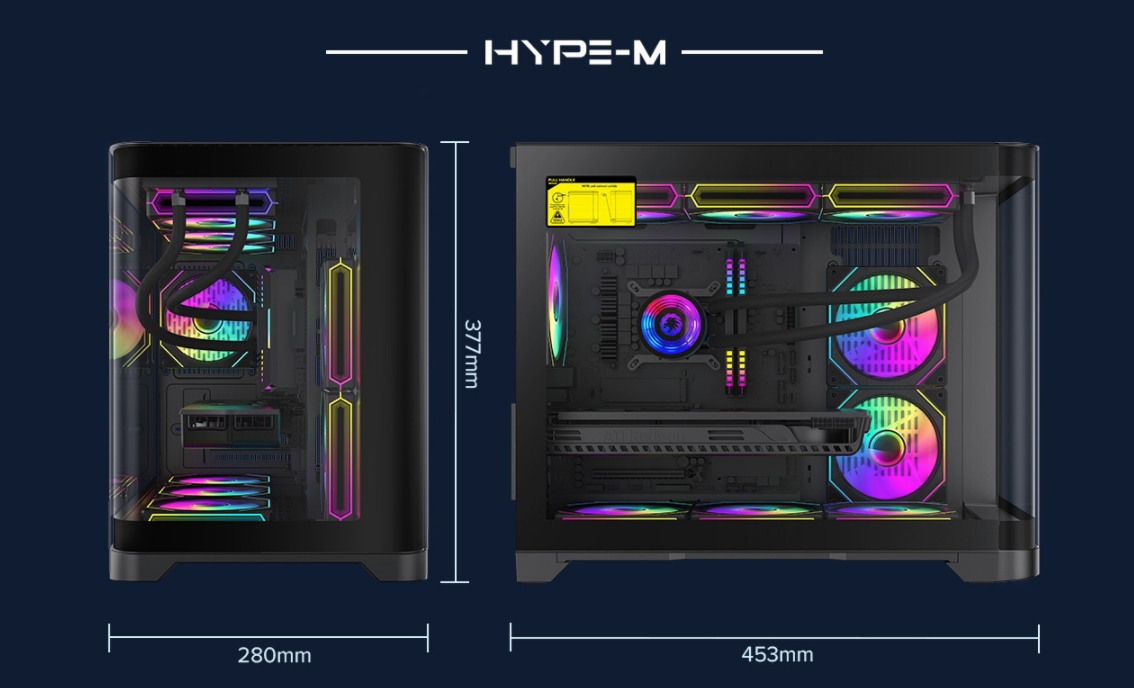
Many PC cases support liquid cooling systems. These systems use water to move heat away from parts. A case that fits liquid cooling parts helps keep your PC cooler. Check if the case has space for pumps and tubes. This space allows easy installation and better airflow.
Radiator Support
Radiators help cool the liquid in liquid cooling systems. Look for cases with radiator mounts. These mounts hold the radiator securely in place. Some cases fit large radiators for better cooling. Proper radiator support improves heat removal and keeps parts cool.
Dust Management
Dust can block airflow and cause overheating. Cases with dust filters stop dust from entering. Filters are easy to remove and clean. Good dust management keeps your PC clean and running well. It also helps extend the life of your components.
Credit: gamemaxpc.com
Budget Considerations
Choosing a PC case with good airflow depends a lot on your budget. You want a case that keeps your components cool without costing too much. Knowing what to expect in different price ranges helps you make a smart choice.
Affordable Cases With Good Airflow
Many budget-friendly cases offer decent airflow. Look for cases with mesh front panels. These allow air to flow freely inside the case. Some affordable models include pre-installed fans. This saves money on extra cooling parts.
Check for cases with space for extra fans. Good cable management also helps airflow. These features are common in cases under $70. You don’t need to spend a lot for solid cooling.
Premium Features Worth Investing In
Higher-priced cases offer better airflow and extra features. They often have more fan mounts and better dust filters. Some come with liquid cooling support for advanced setups. Premium cases use materials that improve airflow and reduce noise.
Spending more can mean easier installation and better airflow design. These cases help keep your PC cooler during heavy use. If your budget allows, investing in these features can improve your PC’s lifespan and performance.
Common Mistakes To Avoid
Choosing the right PC case for airflow is important. Many people make simple mistakes that block airflow. These mistakes can cause your computer to overheat and slow down. Avoid these common errors to keep your PC cool and running well.
Blocking Air Vents
Air vents let fresh air enter and hot air exit the case. Blocking these vents stops air from moving. This causes heat to build up inside the case. Do not place your PC too close to walls or objects. Make sure vents are clear and open for air to flow freely.
Overcrowding Components
Putting too many parts in a small case limits airflow. Crowded parts block air movement and trap heat. Use a case that fits all your components with space around them. Avoid stacking cables and parts in a way that blocks fans or vents.
Ignoring Dust Filters
Dust filters stop dust from entering the case. Dust blocks fans and vents, reducing airflow. Many people skip cleaning or using dust filters. Use dust filters on intake fans and clean them regularly. This keeps your PC clean and airflow steady.
Case Recommendations
Choosing the right PC case is key for good airflow. A case with strong airflow helps keep your parts cool. This improves performance and lengthens the life of your hardware.
Some cases stand out because of their design and features. They allow air to move freely inside the case. This section lists some of the best cases for airflow in 2024.
Best Cases For Airflow In 2024
Cooler Master MasterBox NR600 offers excellent airflow with a mesh front panel. It supports multiple fans and radiators for liquid cooling.
Fractal Design Meshify C has a unique mesh design. It provides strong air intake and exhaust options.
Lian Li PC-O11 Dynamic is popular for its dual-chamber layout. It separates hot components to improve airflow.
Phanteks Eclipse P400A features a high-airflow front panel. It comes with three pre-installed fans for great cooling out of the box.
Top Picks For Different Build Types
For compact builds, the NZXT H210 offers good airflow in a small size. It fits Mini-ITX motherboards and cools efficiently.
For high-performance gaming, the Corsair 4000D Airflow supports large GPUs and many fans. It balances airflow and space well.
For quiet builds, the be quiet! Pure Base 500DX provides airflow without loud noise. It uses sound-dampening materials and good ventilation.
For budget builds, the Thermaltake Versa H18 offers decent airflow at a low price. It is easy to set up and supports multiple fans.
Credit: gamemaxpc.com
Frequently Asked Questions
What Factors Affect Pc Case Airflow Efficiency?
Airflow depends on fan placement, case design, and ventilation. Good airflow means cooler components and better performance. Choose cases with mesh panels and multiple fan mounting options for optimal air circulation.
How Many Fans Should A Pc Case Have?
A minimum of two fans is recommended: one intake and one exhaust. More fans improve airflow but consider noise and power consumption. Balance fan quantity with case size and component heat output.
Why Is Mesh Front Panel Better For Airflow?
Mesh panels allow more air to enter the case freely. They reduce dust buildup and increase cooling efficiency. Solid panels restrict airflow and can cause higher internal temperatures.
Does Case Size Impact Airflow?
Larger cases generally offer better airflow due to more space for fans. Compact cases may restrict airflow but can still cool well with good design. Always check fan compatibility and ventilation options before buying.
Conclusion
Choosing the right PC case improves airflow and keeps your system cool. Good airflow helps your computer run faster and last longer. Focus on cases with good fan placement and ventilation. Think about size, dust filters, and cable management too.
A well-ventilated case prevents overheating and noise. Take your time to compare options before buying. A simple choice can make a big difference in performance. Keep these tips in mind for a smooth, cool PC experience.
