
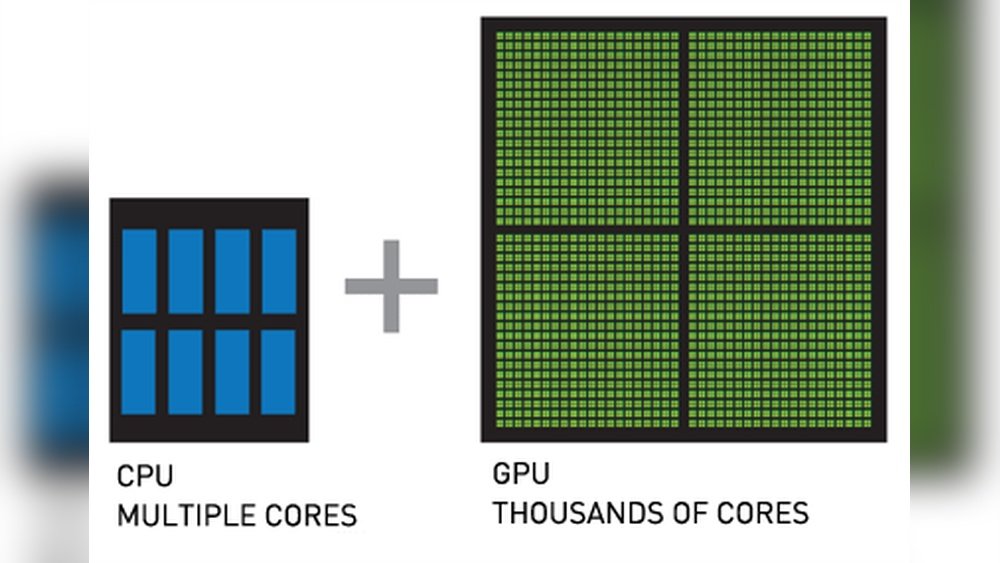
Have you ever wondered how many cores your GPU actually has? Understanding this can change the way you see your computer’s power.
Whether you’re gaming, designing, or just curious, knowing about GPU cores helps you make smarter choices. You’ll discover what GPU cores are, why they matter, and how to find out the number in your own device. Keep reading to unlock the secrets behind your GPU’s performance and get the most out of your hardware.
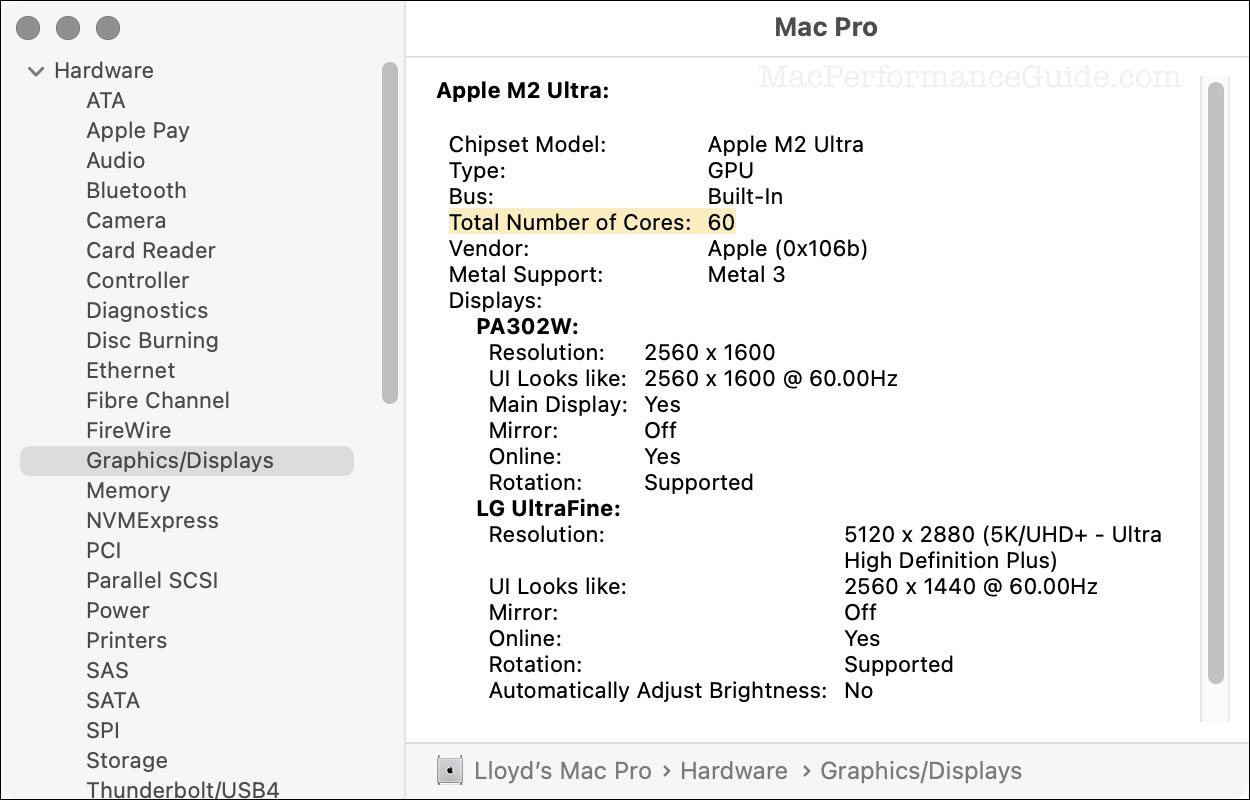
Credit: eshop.macsales.com
Gpu Core Basics
A GPU has many small parts called cores. These cores help the GPU work on many tasks at once. This makes the GPU very fast for certain jobs. Knowing about GPU cores helps understand how a GPU performs.
Not all cores are the same in every GPU. Different GPUs have different core counts. This affects how well the GPU can handle graphics and computing tasks.
What Gpu Cores Are
GPU cores are tiny processors inside the graphics card. They handle tasks related to graphics and calculations. These cores work together to process images and videos quickly.
Each core does a small part of the job. Many cores working together make the GPU powerful. Cores are different from CPU cores because they focus on parallel tasks.
Core Count Vs Performance
More GPU cores usually mean better performance. More cores let the GPU do many things at once. But core count is not the only factor for speed.
Other parts like clock speed and memory also matter. A GPU with fewer cores but faster speed can be better. Balance between core count and other features is key.
Core count gives a basic idea of power. It helps compare GPUs but does not tell the full story.
Types Of Gpu Cores
GPU cores are the heart of graphics cards. They do the work that makes images and videos appear on screens. Different GPUs use different types of cores. Each core type has a unique role. Understanding these helps you know how GPUs perform tasks.
Here are the main types of GPU cores you will find in most graphics cards.
Cuda Cores
CUDA cores are found in NVIDIA GPUs. They handle many calculations at once. This helps with rendering images and running games smoothly. CUDA cores also help with tasks like video editing and 3D modeling. More CUDA cores usually mean better performance.
Stream Processors
Stream processors are used in AMD GPUs. They work similarly to CUDA cores but have a different design. These cores process data in parallel to speed up graphics tasks. Stream processors are great for gaming and multimedia work. Having many stream processors boosts overall GPU power.
Tensor Cores
Tensor cores are special cores in newer NVIDIA GPUs. They focus on AI and machine learning tasks. These cores speed up deep learning and neural network calculations. Tensor cores also improve image quality and enable advanced features. They make AI tasks faster and more efficient.
Core Counts Across Brands
Core counts in GPUs vary widely across brands and models. Each brand uses a different way to count and name their cores. This affects how you compare GPUs from different makers. Understanding these differences helps you pick the right GPU for your needs.
Nvidia Gpu Core Numbers
NVIDIA calls its cores “CUDA cores.” These cores handle the GPU’s processing tasks. Entry-level NVIDIA GPUs have a few hundred CUDA cores. High-end models can have thousands of CUDA cores. For example, the RTX 3060 has around 3,500 cores. The RTX 4090 pushes that number above 16,000. More cores usually mean better performance in tasks like gaming and rendering.
Amd Gpu Core Numbers
AMD uses a different term called “Stream Processors” or “Shader Units.” These are similar to NVIDIA’s CUDA cores. AMD GPUs also range from a few hundred to several thousand cores. The RX 6600 has about 1,900 cores. The RX 7900 XTX offers more than 6,000 cores. AMD’s core counts reflect their design and architecture, which differ from NVIDIA’s. Comparing raw core numbers across brands can be tricky.

Credit: community.adobe.com
Impact Of Core Count On Graphics
The number of cores in a GPU plays a key role in how it performs. Cores handle many tasks at once. More cores can mean faster and smoother graphics. This affects gaming, video rendering, and other graphic tasks. Understanding the impact of core count helps in choosing the right GPU.
Gaming Performance
Games use many cores to process images and effects. A higher core count can improve frame rates. It allows games to run smoothly without lag. Complex scenes and details look better with more cores. Core count alone does not guarantee better gaming. Other factors like clock speed also matter.
Rendering And Compute Tasks
Rendering videos and 3D models needs many cores. More cores speed up these tasks by working in parallel. This reduces the time needed to finish projects. Compute tasks like AI and simulations also benefit. A higher core count handles larger data sets faster.
Balancing Cores With Other Specs
Balancing the number of cores in a GPU with other specifications is important. Cores alone do not decide the GPU’s power. Other features like clock speed, memory, and architecture also play key roles. These specs work together to shape the GPU’s real performance. Understanding each helps pick the best GPU for your needs.
Clock Speed
Clock speed measures how fast a GPU’s cores run. It shows the number of cycles per second. Higher clock speed means the GPU can process tasks faster. A GPU with many cores but low clock speed may perform slower. The right mix of cores and clock speed gives better results.
Memory Bandwidth
Memory bandwidth is how quickly data moves between GPU and memory. Higher bandwidth allows faster data transfer. This helps the GPU handle large files and complex tasks easily. Even with many cores, low memory bandwidth can slow down performance. Good bandwidth supports smooth and fast operations.
Architecture Differences
GPU architecture affects how cores and other parts work. Newer designs improve efficiency and speed. Two GPUs with the same core count may perform differently due to architecture. Some architectures use power smarter, boosting overall output. Knowing architecture helps understand real GPU strength beyond core numbers.

Credit: www.researchgate.net
Future Trends In Gpu Cores
The future of GPU cores is bright and full of change. GPUs are vital for gaming, AI, and many other tasks. As technology grows, GPU cores must evolve to meet new demands. Understanding these trends helps us see what is next in graphics and computing power.
Increasing Core Counts
GPU makers aim to add more cores in each chip. More cores mean better multitasking and faster processing. This helps in rendering complex images and running AI programs. The trend shows steady growth in core numbers every year. This increase allows GPUs to handle bigger workloads efficiently.
New Core Technologies
New types of cores are appearing in GPUs. These cores are designed for specific jobs like ray tracing and AI. They work alongside traditional cores to improve performance. Innovations in core design also focus on using less power. This makes GPUs faster and cooler, even under heavy use.
Frequently Asked Questions
How Many Cores Does A Typical Gpu Have?
A typical GPU has hundreds to thousands of cores. These cores handle parallel processing tasks, boosting graphics and compute performance efficiently.
What Is The Difference Between Gpu And Cpu Cores?
GPU cores are smaller and designed for parallel tasks. CPU cores are fewer but optimized for sequential, complex instructions and multitasking.
How Do Gpu Cores Affect Gaming Performance?
More GPU cores improve rendering speed and visual quality. This results in smoother gameplay and higher frame rates in modern games.
Can Gpu Cores Be Compared Across Different Brands?
No, GPU cores differ in architecture and efficiency. Comparing core counts alone doesn’t reflect true performance between brands.
Conclusion
A GPU’s core count affects its speed and power. More cores usually mean better performance. But other parts also matter, like clock speed and memory. Different tasks need different core numbers. Games, videos, and work apps all use GPUs differently.
Knowing core count helps choose the right GPU. It makes your device run smoother and faster. Keep this in mind when buying or upgrading. Understanding cores helps you get the best value and experience. Simple but important.
