
Have you ever wondered how hot your GPU should get before you need to worry? Your graphics card works hard to deliver smooth gameplay and fast graphics, but too much heat can cause problems.
If your GPU gets too hot, it can slow down, crash, or even get damaged. Knowing the right temperature range is key to keeping your system running smoothly and protecting your investment. You’ll discover exactly how hot your GPU should get, what signs to watch for, and simple tips to keep it cool and performing at its best.
Keep reading to make sure your GPU stays safe and powerful.
Credit: www.cgdirector.com
Gpu Temperature Basics
Understanding GPU temperature is key to keeping your computer safe and fast. GPUs create heat as they work. Too much heat can cause problems. Knowing what temperature is normal helps you spot trouble early.
Let’s explore the basics of GPU temperature. You will learn what numbers are okay and what can make your GPU hotter. This knowledge helps you protect your computer and enjoy smooth performance.
Normal Operating Range
Most GPUs run safely between 30°C and 85°C. Idle temperatures often stay around 30°C to 45°C. When you play games or use heavy software, temperatures rise. It is normal for GPUs to reach 70°C to 85°C under load. Some high-end GPUs may go up to 90°C briefly.
Going above 90°C can be risky. It can shorten the life of your GPU. Many GPUs will slow down or shut off to avoid damage at very high temperatures. Monitoring your GPU temperature helps keep it in a safe range.
Factors Affecting Gpu Heat
Several things change how hot your GPU gets. The main factor is how hard the GPU is working. More work means more heat. Games, video editing, and mining cause high GPU usage.
Cooling systems matter too. Good fans and heatsinks lower temperatures. Poor airflow inside the computer case raises heat. Dust buildup blocks air and makes the GPU hotter.
Room temperature also affects GPU heat. Hot rooms make it harder for the GPU to cool down. Overclocking pushes your GPU beyond normal limits, raising temperature. Choosing the right settings helps control heat levels.

Credit: www.reddit.com
Safe Temperature Limits
Knowing the safe temperature limits of your GPU helps keep it working well. GPUs can get hot during use, but too much heat can cause damage. Staying within safe limits protects your hardware and keeps your computer stable.
Different GPUs have different safe temperature ranges. These depend on the brand and model. Understanding these limits helps you avoid problems like crashes or slowdowns.
Manufacturer Recommendations
GPU makers set temperature guidelines for their products. Most modern GPUs run safely up to 80 to 85 degrees Celsius. Some high-end models can handle up to 90 degrees Celsius.
Always check your GPU’s manual or official website. Following these recommendations extends your GPU’s life. Avoid temperatures above the stated safe limit to prevent damage.
Thermal Throttling Thresholds
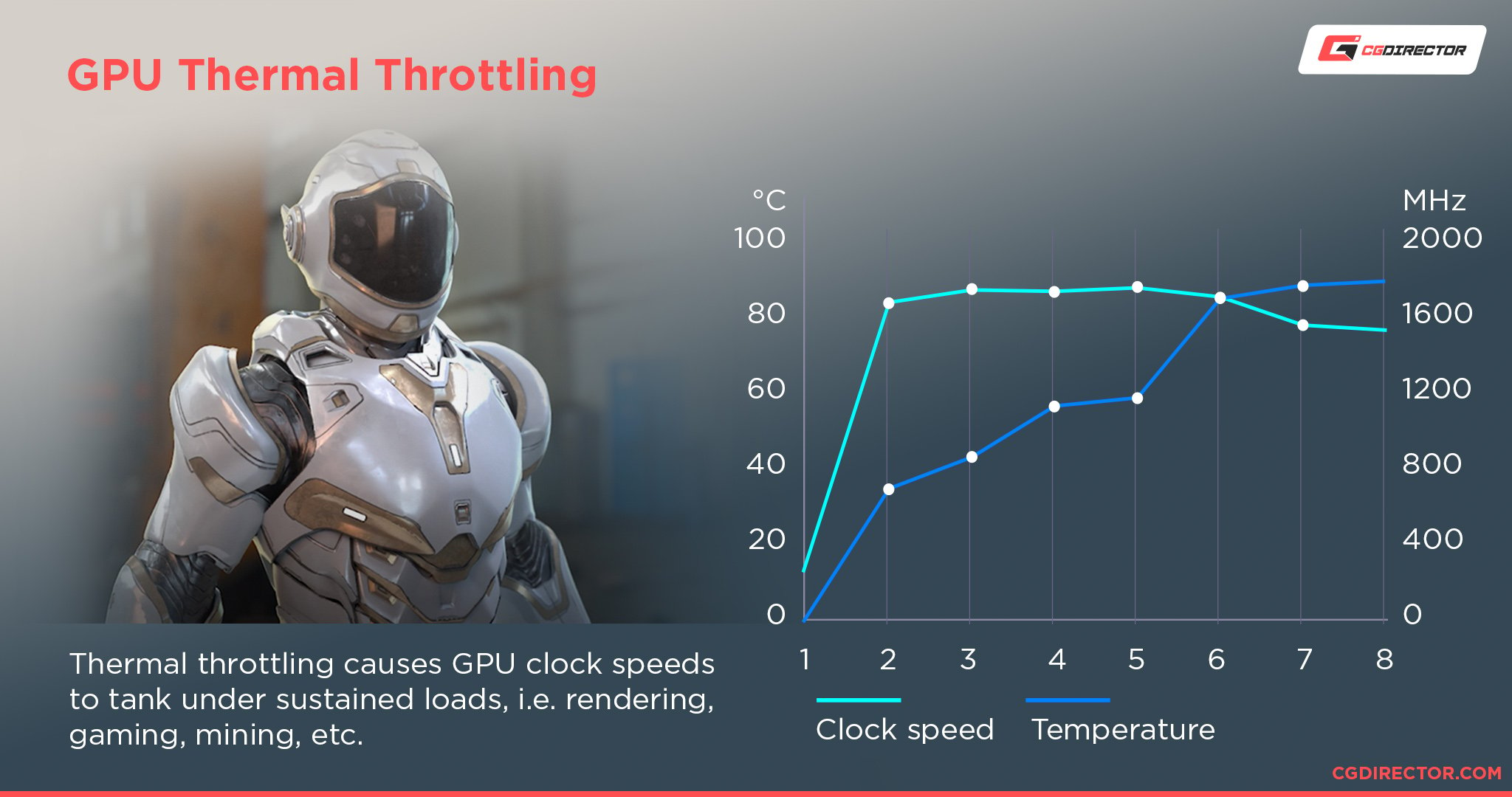
Thermal throttling happens when the GPU gets too hot. It lowers its speed to cool down and avoid damage. This can cause slower performance during games or tasks.
Most GPUs start throttling around 90 to 95 degrees Celsius. Keeping your GPU below this temperature helps maintain good performance. Using good cooling can prevent throttling and improve your experience.
Temperature Impact On Performance
GPU temperature plays a big role in how well your graphics card works. When the GPU gets too hot, it can slow down. This drop in speed affects gaming, video editing, and other tasks that need strong graphics power.
Keeping your GPU cool helps it run at its best. You want to know what temperature is safe and what can cause problems. This knowledge helps you protect your hardware and enjoy better performance.
Heat And Clock Speeds
GPU clock speed is the speed at which it processes data. Higher clock speeds mean faster performance. Heat affects these speeds directly.
When the GPU temperature rises, it may lower its clock speed. This process is called thermal throttling. It stops the GPU from overheating but reduces performance.
Good cooling keeps clock speeds steady. This means smoother gameplay and faster rendering.
Risks Of Overheating
Overheating can damage the GPU permanently. High temperatures wear down the hardware parts. This shortens the life of your GPU.
Too much heat can cause crashes and system instability. Your computer might freeze or restart unexpectedly. Data loss is also a risk.
Proper cooling and regular maintenance lower these risks. Watch your GPU temperature to keep it safe.
Monitoring Gpu Temps
Keeping an eye on your GPU temperature is important for its health and performance. High temperatures can cause your GPU to slow down or even break. Watching the temperature helps you avoid these problems. It also lets you see if your cooling system works well.
Many tools exist to track GPU temperatures easily. These tools show real-time data and help you understand your GPU’s condition. Knowing how to read these numbers is key to keeping your GPU safe.
Best Software Tools
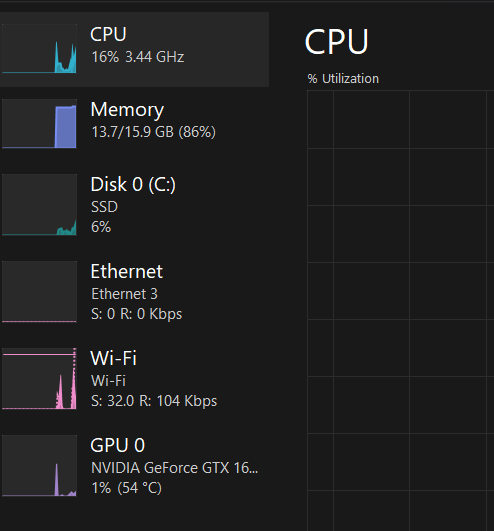
Several programs offer reliable temperature monitoring. MSI Afterburner is popular and free. It shows temperature, fan speed, and usage. HWMonitor is another tool that gives detailed hardware data. GPU-Z focuses only on your graphics card. These tools run in the background and update temps live. Choose one that fits your needs and is easy to use.
Interpreting Temperature Readings
GPU temperatures usually range from 30°C to 90°C. Idle temps often sit between 30°C and 50°C. Under load, temps from 65°C to 85°C are normal. If your GPU hits 90°C or more, it may be too hot. This can reduce speed or cause crashes. Cooling issues or dust buildup often cause high temps. Watching trends is better than single readings. Sudden spikes might mean a problem. Keep your GPU clean and cool to avoid damage.
Cooling Solutions
Keeping your GPU cool is key for good performance and long life. High temperatures can slow down your graphics card and cause damage over time. Cooling solutions help keep the GPU temperature in a safe range. Different methods work for different setups and budgets.
Air Cooling Methods
Air cooling is the most common way to cool a GPU. It uses fans to push hot air away from the graphics card. Most GPUs come with built-in fans. You can add extra case fans to improve airflow. Air coolers are easy to install and cost less than liquid options. They work well for everyday use and moderate gaming.
Liquid Cooling Benefits
Liquid cooling moves heat away faster than air. It uses water or coolant to absorb heat from the GPU. The heated liquid flows to a radiator, where fans cool it down. Liquid cooling keeps the GPU cooler and quieter. It suits high-performance PCs and overclocked GPUs. It can be more expensive and needs regular maintenance.
Improving Case Airflow
Good case airflow lowers the overall temperature inside your PC. Place intake fans at the front to bring in cool air. Use exhaust fans at the back or top to push out hot air. Keep cables tidy to avoid blocking air paths. Clean dust filters and fans often. Better airflow supports all cooling methods and helps your GPU run cooler.
Tips To Maintain Optimal Temps
Keeping your GPU temperature in check helps your computer run better and last longer. High temperatures can slow down your system or cause damage. Simple steps keep your GPU cool and safe. Here are easy tips for optimal GPU temperatures.
Regular Cleaning
Dust blocks airflow and traps heat inside your GPU. Clean your computer case and fans often. Use compressed air to remove dust from fans and heatsinks. Avoid using a vacuum, which can cause static damage. Clean parts help cool air move freely.
Thermal Paste Replacement
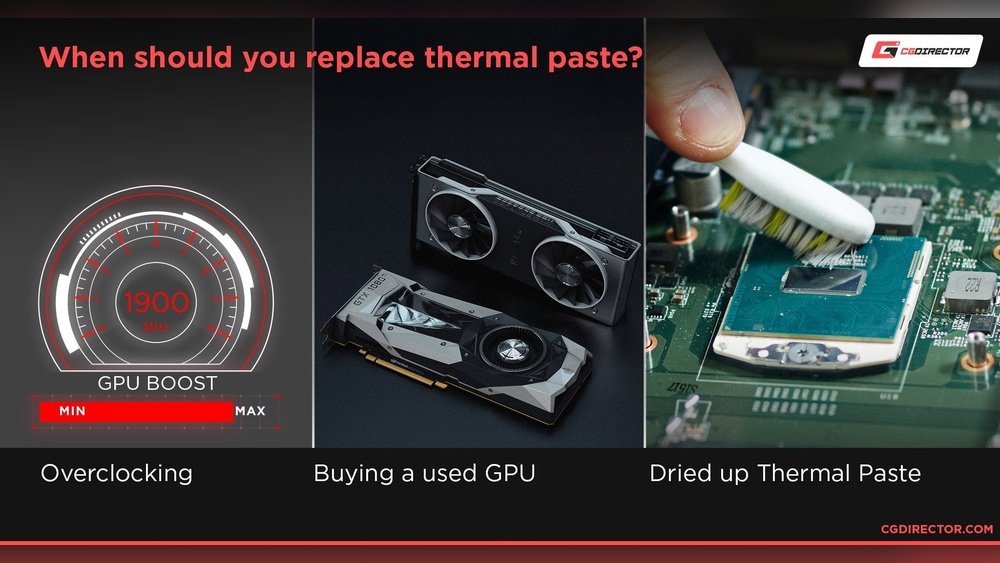
Thermal paste helps transfer heat from the GPU chip to its cooler. Over time, thermal paste dries out and loses effectiveness. Replace the thermal paste every 1-2 years for better heat transfer. Use a good quality paste and apply it evenly.
Optimizing Fan Curves
Fan curves control how fast your GPU fans spin at different temperatures. Set fan speed to increase as temperature rises. This keeps your GPU cool during heavy use. Many software tools allow easy fan curve adjustments. Balanced fan curves reduce noise and maintain cool temps.
When To Be Concerned
Knowing when your GPU temperature is too high is important. Overheating can cause problems fast. It affects your computer’s performance and lifespan. Watch for signs that your GPU is too hot. Acting early can save you time and money.
Signs Of Overheating
One sign is your computer crashing or freezing. Another is the fan running very loudly. You might see glitches or strange colors on your screen. The system may slow down during games or heavy tasks. These signs show your GPU might be too hot.
Long-term Damage Risks
High heat can damage your GPU parts over time. It can shorten the life of the card. Solder and circuits may weaken, causing failures. Constant overheating can lead to permanent hardware issues. Keeping your GPU cool helps avoid these risks.
Credit: www.cherryservers.com
Frequently Asked Questions
What Is The Ideal Gpu Temperature For Gaming?
The ideal GPU temperature during gaming is between 65°C and 85°C. Temperatures above 85°C may cause overheating and performance drops. Keeping your GPU cool ensures better performance and longer hardware life.
How Hot Can A Gpu Safely Get?
GPUs can safely reach up to 90°C under heavy load. Going beyond 90°C risks thermal throttling and potential hardware damage. Maintaining temperatures below this limit is crucial for stability.
Why Does My Gpu Temperature Spike Suddenly?
Sudden GPU temperature spikes can result from poor airflow, dust buildup, or intense workloads. Monitoring fan speed and cleaning your system helps maintain stable temperatures and avoid overheating.
How To Lower Gpu Temperature Effectively?
To lower GPU temperature, improve case airflow, clean dust filters, and adjust fan curves. Using high-quality thermal paste and ensuring proper ventilation also helps reduce heat buildup.
Conclusion
Keeping your GPU at a safe temperature helps it last longer. Most GPUs work well between 65 to 85 degrees Celsius. Avoid letting it go above 90 degrees to prevent damage. Clean your computer fans and check airflow often. Good cooling keeps performance steady and stops crashes.
Watch your GPU temperature during heavy use or gaming. Simple care can save you from costly repairs later. Stay mindful of heat, and your GPU will run smoothly.
