
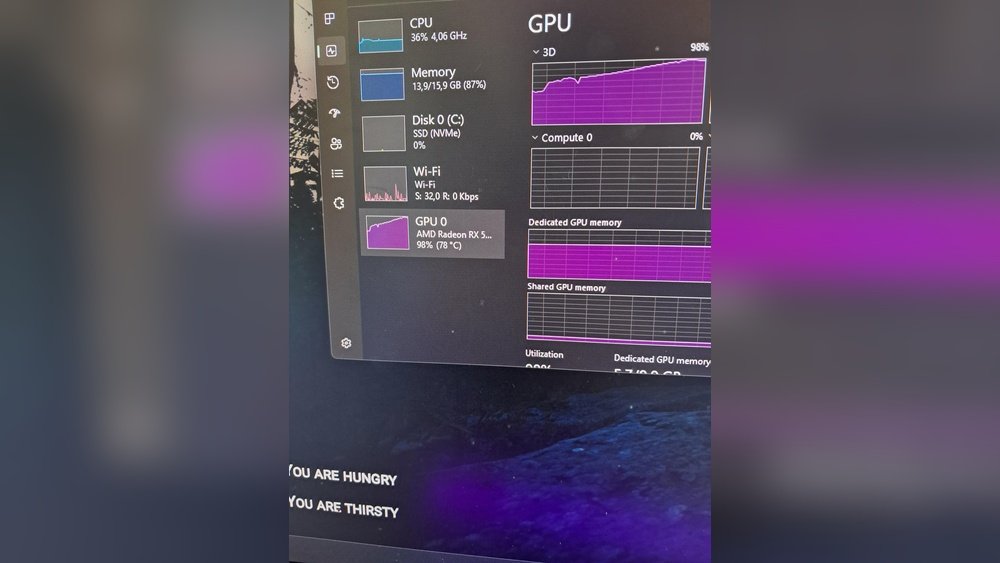
Have you ever wondered how hot your GPU can get before it becomes a problem? Your graphics card works hard to deliver smooth gaming and fast graphics, but too much heat can slow it down or even cause damage.
Understanding the safe temperature range for your GPU is key to keeping your computer running smoothly and avoiding costly repairs. You’ll discover what temperatures are normal, what’s too hot, and how you can keep your GPU cool and performing at its best.
Keep reading to protect your investment and get the most out of your system.
Ideal Gpu Temperature Range
Keeping your GPU at the right temperature is important. It helps the graphics card work well and last longer. The ideal temperature range depends on what the GPU is doing. It changes between resting and working hard. Knowing these ranges helps you avoid overheating and damage.
Idle Temperatures
Idle means when the GPU is not working hard. This happens when you use your computer for simple tasks. The ideal idle temperature is usually between 30°C and 45°C. Some GPUs run cooler, others a bit warmer. If your GPU is hotter at idle, it might need better cooling.
Load Temperatures
Load means when the GPU works hard, like gaming or editing videos. The safe range during load is between 65°C and 85°C. Some GPUs can handle up to 90°C but should not stay there long. High temperatures for a long time can reduce the GPU’s life.
Temperature Differences By Gpu Models
Different GPU models have different temperature limits. Older models may run hotter than newer ones. High-end GPUs often have better cooling systems. Some GPUs use more power and get hotter. Always check the manufacturer’s recommended temperatures for your model.
Factors Affecting Gpu Temperature
Many things affect how hot your GPU gets during use. Knowing these factors helps you keep your graphics card cool and safe. The temperature depends on the environment and how you use your computer. Some parts inside the computer case also play a big role in cooling. Understanding these points can help you avoid overheating and improve your PC’s lifespan.
Ambient Room Temperature
The room temperature greatly impacts your GPU’s heat levels. Warm rooms make it harder for the GPU to cool down. Cooler rooms help the GPU run at lower temperatures. Keeping the room ventilated can improve airflow around your PC.
Case Airflow And Cooling
Good airflow inside the computer case helps lower GPU temperature. Fans push hot air out and bring cool air in. Poor airflow traps heat, causing the GPU to run hotter. Using extra fans or liquid cooling can keep your GPU cooler.
Overclocking Effects
Overclocking makes your GPU run faster than normal. This creates more heat inside the graphics card. Higher clock speeds need better cooling to avoid damage. Without proper cooling, overclocking can shorten your GPU’s life.
Dust And Maintenance
Dust blocks fans and air vents, reducing cooling efficiency. A dusty GPU runs hotter and can slow down. Regular cleaning removes dust and keeps airflow smooth. Simple maintenance helps your GPU stay cool and work well.
Safe Maximum Temperature Limits
Knowing the safe maximum temperature for your GPU helps protect your hardware. Every graphics card has a limit to how hot it can get before damage occurs. Staying within this limit keeps your system stable and extends GPU life. Let’s explore these temperature limits and how to spot problems early.
Manufacturer Guidelines
GPU makers set maximum temperature limits for their products. These limits vary by brand and model. Most modern GPUs can handle temperatures between 80°C and 90°C. Check your GPU’s manual or official website to find the exact safe temperature. Following these guidelines helps avoid hardware failure and performance drops.
Thermal Throttling Thresholds
Thermal throttling happens when a GPU gets too hot. It reduces its speed to cool down. This protects the card but lowers performance. Many GPUs start throttling around 85°C to 95°C. Throttling signals your GPU is too hot and needs better cooling or less workload.
Signs Of Overheating
Overheating GPUs show clear signs. Your computer may crash or freeze during use. Graphics glitches or artifacts can appear on screen. Fans may run loudly and constantly. High temperatures over time can shorten your GPU’s life. Watch for these signs to keep your system safe.
Monitoring Gpu Temperatures
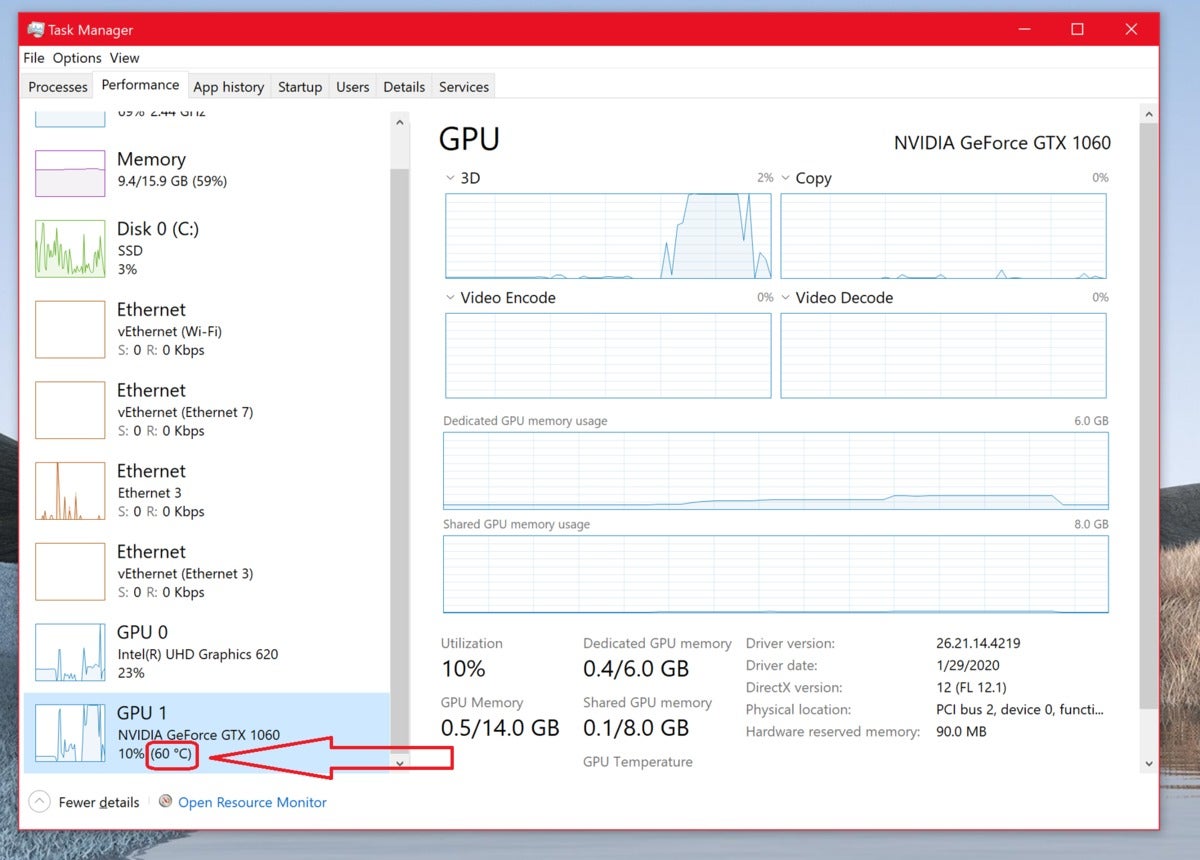
Keeping an eye on your GPU temperature is important. It helps protect your hardware and improve performance. High temperatures can cause crashes or reduce your GPU’s lifespan. Monitoring tools make this task simple and clear. They give real-time data and alerts to keep your GPU safe.
Understanding these temperature readings helps you act quickly. You can adjust your cooling or reduce load to avoid damage. Let’s explore some popular tools and how to use them effectively.
Popular Monitoring Tools
Many tools track GPU temperature easily. MSI Afterburner is a favorite for gamers. It shows temperature, clock speeds, and fan speeds in real time. HWMonitor offers detailed stats for many hardware parts. GPU-Z focuses only on your graphics card info. These tools are free and user-friendly. They run quietly in the background while you work or play.
Setting Temperature Alerts
Temperature alerts warn you when your GPU gets too hot. You can set these alerts in most monitoring software. Choose a safe temperature limit, usually around 85°C. When the GPU hits this limit, the tool notifies you immediately. This helps you cool down the system fast. Alerts reduce the risk of overheating and damage.
Interpreting Temperature Readings
Normal GPU temperature varies by model and workload. Idle temps usually stay between 30°C and 45°C. Under heavy use, temps can rise to 70°C or 80°C. Temperatures above 90°C are risky and need attention. Check if fans spin properly and vents are clear. Lower temps mean better performance and longer GPU life.
Cooling Solutions For Gpus
Keeping your GPU cool is very important. High temperatures can reduce its performance and lifespan. Many ways exist to cool your GPU. Each method suits different needs and budgets. Understanding these options helps you pick the best one.
Air Cooling Options
Air cooling is the most common method. It uses fans to blow air over the GPU heatsink. This moves heat away from the graphics card. Most GPUs come with built-in fans. You can add extra case fans to improve airflow. Good airflow lowers GPU temperature effectively.
Liquid Cooling Systems
Liquid cooling uses water or coolant to cool the GPU. It moves heat away faster than air cooling. These systems include water blocks, pumps, and radiators. They are quieter and keep temperatures lower. Liquid cooling needs more care and cost but is great for high-performance GPUs.
Thermal Paste Replacement
Thermal paste helps transfer heat from the GPU chip to the cooler. Over time, it can dry out and lose efficiency. Replacing old thermal paste can improve cooling. It is a cheap and easy way to lower GPU temperatures. Make sure to clean the old paste before applying new.
Custom Cooling Modifications
Custom cooling includes unique setups made by users. This can be adding extra fans or building custom water loops. Some use cooling pads or fan controllers. These mods can improve cooling beyond standard options. They require some knowledge but help keep GPUs very cool.

Credit: www.reddit.com
Preventing Gpu Overheating
Preventing GPU overheating is important to keep your computer running well. High temperatures can damage the GPU and reduce its performance. Taking steps to control heat helps your GPU last longer and work better. Simple habits and adjustments can stop overheating before it starts.
Optimizing Case Airflow
Good airflow inside the computer case moves hot air away from the GPU. Arrange fans to pull cool air in and push hot air out. Avoid blocking vents and keep cables tidy. Better airflow lowers GPU temperature and improves overall system health.
Regular Cleaning And Maintenance
Dust builds up on fans and heatsinks, trapping heat near the GPU. Clean your computer case and GPU fans every few months. Use compressed air or a soft brush to remove dust. Regular cleaning keeps the cooling system working well and prevents overheating.
Adjusting Fan Curves
Fan curves control how fast GPU fans spin based on temperature. Setting a more aggressive fan curve helps cool the GPU sooner. Use software tools to adjust fan speed for better cooling. Faster fans reduce heat but may create more noise.
Avoiding Extreme Overclocking
Overclocking makes the GPU run faster but increases heat output. Extreme overclocking can push temperatures too high. Stick to moderate overclocking or default settings for safer operation. Lower heat means less stress on the GPU and longer life.
When To Be Concerned
Knowing when your GPU temperature is too high helps protect your computer. Some heat is normal during heavy use. But high temperatures over time can cause serious problems.
Watch your GPU closely. Early signs of trouble can save you from costly repairs. Check the temperature and performance often. Act fast if you see warning signs.
Consistent High Temperatures
GPU temperatures above 85°C for long periods are risky. Constant high heat wears down components. It lowers your GPU’s lifespan. Cooling systems may fail or become less effective. Keep an eye on temperatures during gaming or editing.
Performance Drops And Crashes
High GPU heat can cause slowdowns or crashes. Your system might freeze or restart suddenly. Games and apps may lag or close without warning. These issues often point to overheating. Stop heavy use and cool your GPU immediately.
Physical Signs Of Damage
Look for visible damage on your GPU or case. Warped or melted parts show extreme heat. Strange smells or burning odors are serious warnings. Dust buildup can block airflow and raise temperatures. Clean your system and check fans regularly.
Credit: vixencomposites.com

Credit: softwareg.com.au
Frequently Asked Questions
What Is The Safe Maximum Temperature For A Gpu?
Most GPUs operate safely up to 85°C. Temperatures above this may cause thermal throttling or damage. Keeping your GPU below 80°C ensures optimal performance and longevity.
How Does Gpu Temperature Affect Performance?
High GPU temperatures can cause thermal throttling. This reduces clock speeds and lowers gaming or rendering performance. Maintaining cooler temperatures helps your GPU run faster and more efficiently.
Can Overheating Damage My Gpu Permanently?
Yes, consistent overheating can shorten GPU lifespan. Excessive heat may damage internal components and cause system instability. Proper cooling and ventilation prevent permanent damage and maintain reliability.
What Causes A Gpu To Get Too Hot?
Poor airflow, dust buildup, and overclocking increase GPU heat. Inadequate cooling solutions also contribute. Regular cleaning and proper case ventilation help control GPU temperatures effectively.
Conclusion
Your GPU can get quite hot during heavy use. Keeping it cool helps it last longer and work better. Watch the temperature often to avoid damage. Good airflow and clean fans make a big difference. Don’t ignore unusual heat or loud fan noise.
A cooler GPU means smoother games and faster work. Small steps in cooling protect your computer. Stay aware and keep your GPU safe.
