
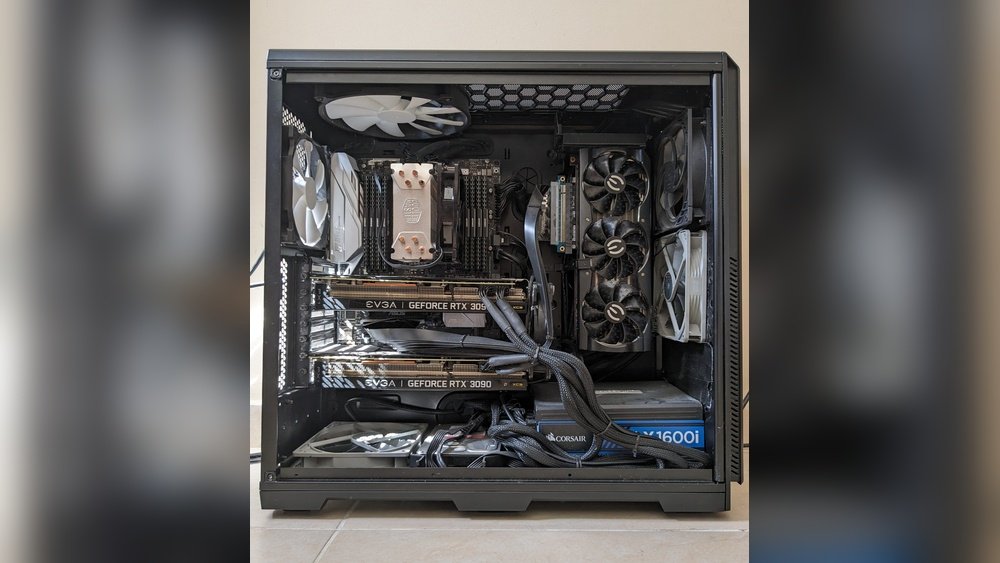
Are you wondering if your computer is running with a dual-GPU system? Knowing this can make a big difference in how your machine performs, especially for gaming, video editing, or heavy multitasking.
But how can you be sure? You’ll discover simple ways to check if your setup has two graphics cards working together. By the end, you’ll understand exactly what to look for and how it impacts your experience. Keep reading, because this knowledge could change the way you use your computer.

Credit: premioinc.com
Dual-gpu Basics
Understanding Dual-GPU basics helps you recognize if your system uses two graphics cards. This setup can boost your computer’s graphics power. It is common in gaming and professional workstations. Knowing the types and functions of Dual-GPU systems is important for performance and compatibility.
What Is A Dual-gpu Setup?
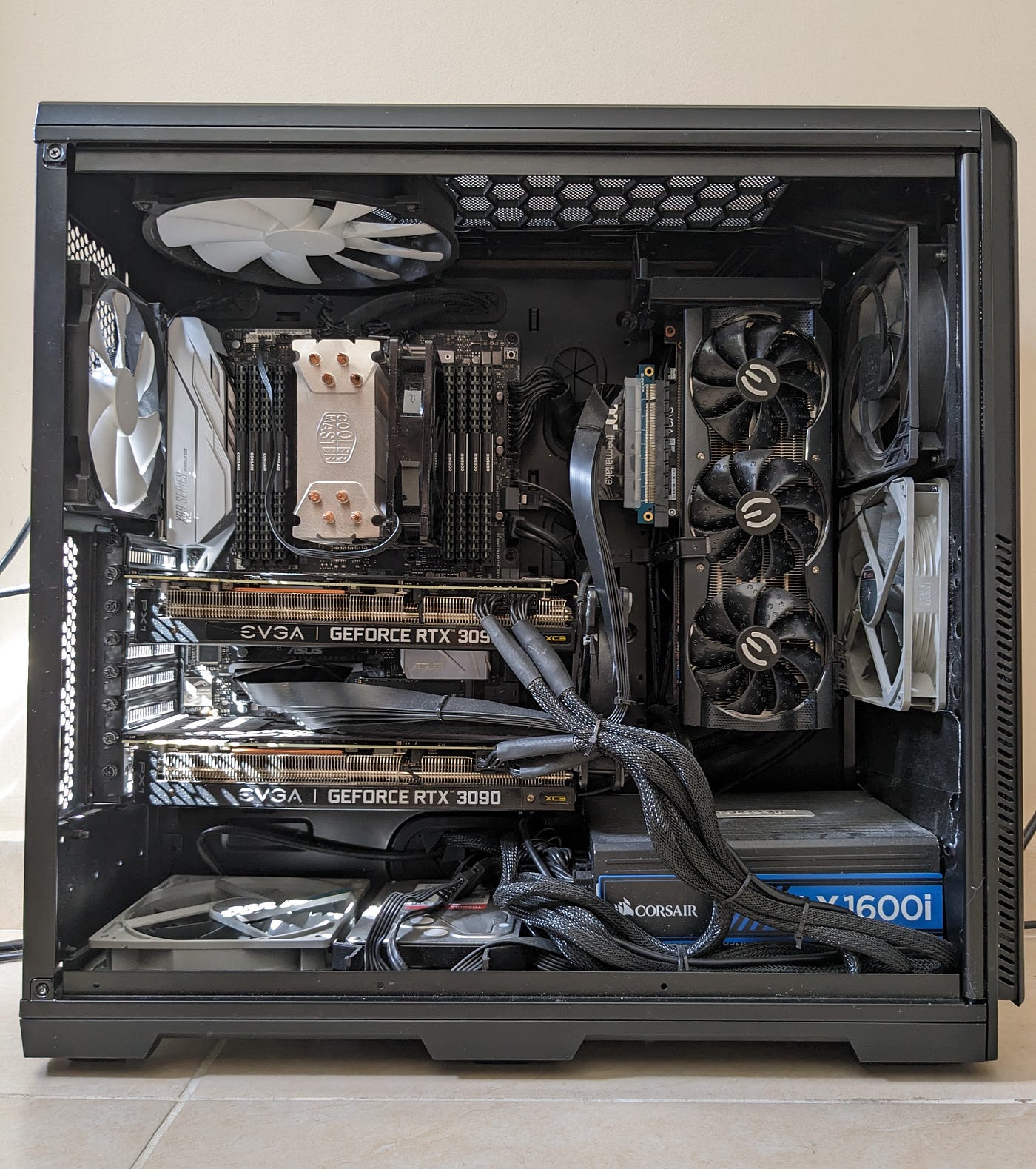
A Dual-GPU setup means your computer has two graphics cards installed. Both cards work together to improve graphics performance. This setup shares the workload between the GPUs. It can increase frame rates and handle more complex visuals. Not all software supports Dual-GPU systems. This setup is usually found in high-end gaming PCs or workstations.
Types Of Dual-gpu Configurations
There are two main types of Dual-GPU setups: SLI and CrossFire. SLI is used for NVIDIA graphics cards. CrossFire is for AMD graphics cards. Both connect two GPUs for better performance. Another type is Dual-GPU cards, which have two GPUs on one board. Each type has different compatibility and power needs. Understanding these types helps identify your system’s setup.
Credit: medium.com
Performance Benefits
Dual-GPU systems can offer better performance than single GPUs in certain cases. They split the workload between two graphics cards. This can lead to faster processing and smoother visuals. But not all tasks benefit equally from dual GPUs. Understanding when and how performance improves helps decide if a dual-GPU setup is worth it.
When Dual-gpu Improves Speed
Dual GPUs share the graphics tasks to increase speed. This works best with software that supports multi-GPU setups. The system sends parts of the graphics data to each card. Both cards work at the same time, reducing the time to complete tasks. This often results in higher frame rates and better image quality.
Speed gains are noticeable in high-resolution gaming and complex 3D rendering. The extra GPU power handles more data quickly. But some programs do not support dual GPUs well. In these cases, the second GPU may not add any speed benefit.
Games And Applications That Gain Most
Many popular games support dual-GPU configurations. These include titles with demanding graphics and fast action. Games like racing, shooters, and open-world adventures benefit the most. They use the extra GPU to increase frame rates and reduce lag.
Professional applications also gain from dual GPUs. 3D modeling, video editing, and scientific simulations run faster. These programs process large amounts of data. Dual GPUs help by splitting the load efficiently.
Simple or older software often does not improve with dual GPUs. Check whether your games or apps support multi-GPU setups before investing.
Potential Drawbacks
Using a dual-GPU system has its advantages, but there are some drawbacks. Understanding these can help you decide if this setup suits your needs. Below are key potential issues to consider.
Compatibility Issues
Not all software supports dual-GPU setups well. Some programs may not use both GPUs effectively. This can lead to poor performance or glitches. Drivers and operating system support also vary. Certain motherboards may not work properly with two GPUs. These compatibility problems can cause frustration and limit your system’s potential.
Power And Heat Concerns
Running two GPUs requires more power. Your power supply must handle the increased load safely. If it falls short, your system could become unstable. Dual GPUs generate more heat than one. This extra heat needs good cooling solutions. Without proper cooling, components may overheat and fail. Managing power and heat is crucial for a dual-GPU system’s reliability.
Testing Your System
Testing your dual-GPU system helps confirm both GPUs work correctly together. It shows if your setup delivers better performance than a single GPU. Testing also reveals any issues like poor driver support or hardware conflicts. Regular tests keep your system running smoothly and efficiently.
Benchmarking Tools To Use
Several benchmarking tools test dual-GPU systems effectively. 3DMark is popular for measuring gaming and graphics performance. Heaven Benchmark focuses on stress testing GPUs with detailed visuals. FurMark tests GPU stability and heat under heavy load. These tools run tests and give scores to compare results.
Interpreting Benchmark Results
Look for higher scores compared to single GPU setups. Scores should show improvement close to double, but not always exact. Check if both GPUs are active during the test. Low scores may indicate driver issues or poor GPU syncing. Consistent results mean your dual-GPU system works well together.
Real-world Usage
Understanding how a dual-GPU system performs in real life helps you decide if it fits your needs. Real-world usage shows the practical benefits and limits of having two graphics cards. This section explores how dual GPUs impact gaming and creative tasks.
Gaming Experience
Dual GPUs can boost frame rates in some games. This means smoother gameplay and better visuals. Not all games support dual GPUs well. Some games show little to no improvement. Others may even have bugs or crashes. It depends on the game’s design and drivers. Also, dual GPUs may use more power and create more heat. Check if your system can handle this extra demand. For casual gaming, one good GPU might be enough.
Productivity And Creative Work
Creative software like video editors and 3D modeling tools can benefit from dual GPUs. Tasks like rendering and encoding can speed up. Some programs are optimized to use multiple GPUs effectively. This reduces wait times and boosts productivity. However, not all software supports dual GPUs. Using two GPUs may require technical setup and driver updates. For simple editing, a single GPU is often sufficient.

Credit: timdettmers.com
Alternatives To Dual-gpu
Dual-GPU setups are not the only way to boost your computer’s graphics power. Many users find alternatives that suit their needs better. These options can improve performance without the complexity of managing two graphics cards. Here are some practical alternatives to consider.
Upgrading A Single Gpu
Replacing your current graphics card with a newer, stronger one can offer big gains. Modern GPUs deliver excellent speed and support the latest features. This upgrade is simpler than running two GPUs together. It also avoids compatibility issues and extra power use. A single, powerful GPU often handles games and software well.
Cpu And Ram Improvements
Faster processors and more memory also help overall system speed. A strong CPU prevents bottlenecks that slow down your GPU. Increasing RAM allows programs to run smoothly and load faster. These upgrades improve your computer’s balance and responsiveness. Better CPU and RAM can enhance gaming and creative work.
Frequently Asked Questions
How To Check If My Pc Has Dual Gpus?
Open Device Manager and expand Display adapters. If two GPUs are listed, your PC has dual GPUs. You can also use system info tools like GPU-Z for detailed detection.
What Are The Benefits Of A Dual-gpu System?
Dual-GPU setups improve gaming performance, support higher resolutions, and enhance rendering speeds. They allow parallel processing, boosting graphics tasks efficiently for demanding applications.
Can Dual Gpus Cause Compatibility Issues?
Yes, dual GPUs may cause driver conflicts or software incompatibility. Ensure both GPUs are compatible and update drivers regularly for smooth operation and optimal performance.
How To Enable Dual Gpus On My Computer?
Enable dual GPUs via BIOS or GPU control panel settings. Also, confirm your motherboard supports multi-GPU configurations and install the latest drivers for both cards.
Conclusion
Knowing if a dual-GPU system suits your needs takes some checks. Check your system’s hardware and software support first. Watch for performance gains in games or tasks you do. Notice if both GPUs work together or cause issues. Keep power and cooling needs in mind.
This helps avoid problems and keeps your PC stable. Dual GPUs can help with heavy work but are not always best. Take time to understand your system before deciding. This way, you get the right setup for your needs.
