
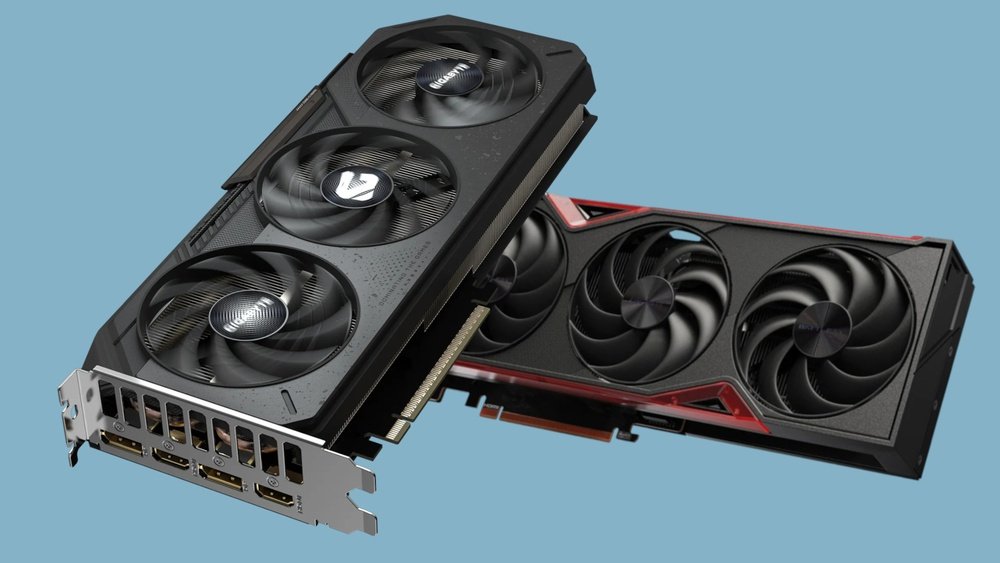
Are you curious if No Man’s Sky really pushes your GPU to its limits? You might be wondering whether this vast, colorful universe is just a pretty game or a true test for your graphics card.
Understanding how No Man’s Sky uses your GPU can help you get the best performance and decide if your setup is ready for its stunning visuals. Keep reading to discover how this game challenges your hardware and what that means for your gaming experience.
Credit: www.startech.com
No Man’s Sky Graphics Evolution
No Man’s Sky has grown a lot since its first release. The game’s visuals have improved step by step. Each update brought better details, colors, and effects. This growth shows how the developers care about the player’s experience. The game now looks much richer and more immersive than before.
This evolution also affects how your GPU performs. As graphics get better, your computer needs more power. This makes No Man’s Sky a good test for your graphics card. Let’s explore how the graphics have changed over time.
From Launch To Now
At launch, No Man’s Sky had simple graphics. Planets looked flat, and textures were basic. Many players felt the visuals did not match the game’s promise. Since then, the developers released many updates. Each brought visual fixes and new effects.
Now, the game features more detailed planets and creatures. Lighting and weather effects improved a lot. Shadows and reflections create a more real world feel. The game also runs smoother on powerful GPUs. This shows a clear path of progress from the start.
Key Visual Updates
Several updates focused on graphics. The “Next” update added large-scale improvements. It introduced better draw distances and sharper textures. The lighting system was also enhanced for realism.
The “Beyond” update improved color depth and particle effects. It made space and planetary environments more vibrant. The newest updates include ray tracing support on some GPUs. This adds realistic light and shadow play.
These changes push the graphics card harder. They help No Man’s Sky show off your GPU’s power. The game now offers a visually rich experience that feels fresh and alive.
Gpu Demands Of No Man’s Sky
No Man’s Sky is a vast, colorful universe that pushes your GPU hard. The game shows off your graphics card by rendering huge planets, detailed textures, and complex lighting effects. It needs a good GPU to run smoothly and display all the beauty of its world. Understanding the GPU demands can help you get the best experience from the game.
Minimum Vs Recommended Specs
The minimum GPU specs for No Man’s Sky are quite modest. A card like the NVIDIA GTX 480 or AMD Radeon 7870 can run the game at low settings. These GPUs handle basic graphics but may struggle with smooth frame rates.
The recommended specs ask for more power. NVIDIA GTX 1060 or AMD RX 580 are common choices. These cards deliver better visuals and more stable performance at medium to high settings. They show more detail and reduce lag.
How Different Gpus Perform
Entry-level GPUs can run No Man’s Sky but with lower quality and frequent drops in frames. Mid-range GPUs offer a balance between visuals and performance. They handle the game’s large environments well.
High-end GPUs like the NVIDIA RTX 3070 or AMD RX 6800 provide the best experience. They enable ultra settings, smooth gameplay, and fast loading times. These GPUs reveal the game’s full graphical potential.
Visual Features That Push Hardware
No Man’s Sky offers stunning visuals that test your GPU’s power. The game’s design pushes hardware to deliver vast, detailed worlds. Visual features like procedural generation and lighting add extra load. These features create a rich and immersive experience. Understanding them explains why your GPU works hard.
Procedural Generation And Detail
No Man’s Sky builds entire planets using procedural generation. This means your GPU must process many unique objects and landscapes. Each planet is different, full of plants, animals, and terrain details. The game does not reuse simple assets often. Your GPU renders all these details on the fly, increasing its workload.
Lighting And Atmospheric Effects
Dynamic lighting plays a major role in the game’s look. Sunlight changes with time and weather, affecting shadows and reflections. Fog, haze, and other atmospheric effects add depth and mood. These effects require complex calculations from the GPU. They improve realism but also demand more processing power.
Texture Quality And Resolution
The game uses high-resolution textures for plants, rocks, and buildings. Sharp textures make the world feel alive and real. Your GPU must load and display these textures smoothly. Higher texture quality means more memory and faster processing are needed. This directly impacts your graphics card’s performance.
Credit: www.tweaktown.com
Benchmarking No Man’s Sky
No Man’s Sky is a visually rich game that tests your GPU’s power. Players want to know how well their graphics card performs with it. Benchmarking helps to measure frame rates and see how settings affect gameplay.
This process reveals how smooth the game runs on different hardware. It also shows if your GPU handles the game’s demanding visuals well. Understanding this helps you adjust settings for the best experience.
Frame Rates Across Gpus
Frame rates vary widely among different GPUs. High-end cards deliver smooth gameplay above 60 frames per second. Mid-range GPUs often hit 30 to 60 frames per second. Lower-end or older GPUs may struggle below 30 frames per second.
The game uses complex textures and effects that challenge many graphics cards. Some GPUs keep stable frame rates in space but drop during planetary exploration. Frame rate consistency is key for good gameplay.
Settings Impact On Performance
Graphics settings play a big role in performance. Higher settings increase visual quality but lower frame rates. Reducing shadows, textures, and draw distance can improve smoothness. Turning off extras like motion blur also helps.
Balancing quality and performance is important. Adjust settings until gameplay feels fluid on your GPU. This ensures a better gaming experience without sacrificing too much visual detail.
Optimizing Your Gpu For The Game
Optimizing your GPU for No Man’s Sky can improve your gaming experience. This game has vast worlds and detailed graphics that challenge your hardware. Making simple adjustments helps your GPU run smoother and keeps the game stable. Proper optimization balances quality and performance without stressing your system.
In-game Settings Tips
Start by adjusting the game’s graphics settings. Lower shadow quality and turn off motion blur to boost frame rates. Set texture quality to medium for good visuals without lag. Use a resolution that matches your monitor for sharp images. Disable unnecessary effects like lens flare or depth of field. These small changes ease the load on your GPU.
Driver Updates And Tweaks
Keep your GPU drivers updated for the best performance. Manufacturers release updates that fix bugs and improve compatibility. Visit the official website of your GPU brand for the latest version. Use software tools to tweak settings like power management and cooling. These tweaks can prevent overheating and maintain steady performance during long sessions.
Future Gpu Tech And No Man’s Sky
No Man’s Sky has always pushed graphics limits. The game’s vast universe challenges GPUs to deliver smooth performance. Future GPU technology will play a big role in enhancing the game’s visuals. Developers and players both watch how new tech can improve this space exploration experience.
New graphics cards promise better power and efficiency. This means No Man’s Sky can run with higher detail and effects. The evolving GPU landscape could transform the game’s look and feel. It could also make gameplay smoother on a wider range of PCs.
Ray Tracing Potential
Ray tracing adds realistic light and shadows to games. No Man’s Sky could benefit from this tech. It would make planets and atmospheres look more natural. Reflections on water and surfaces would gain lifelike detail. Current GPUs handle ray tracing but need more power for smooth play. Future GPUs will improve this balance, allowing better ray tracing in the game.
Vr And Gpu Requirements
Virtual reality demands high GPU power for clear images. No Man’s Sky supports VR, which needs strong hardware. Future GPUs will help reduce lag and improve frame rates. This leads to a more immersive and enjoyable VR experience. As VR tech advances, GPUs will keep up with the game’s needs. Players can expect better visuals and smoother gameplay in VR mode.
Credit: www.tweaktown.com
Frequently Asked Questions
Does No Man’s Sky Heavily Use Your Gpu?
Yes, No Man’s Sky relies on your GPU for rendering vast, detailed worlds. It pushes your graphics card to deliver smooth visuals and performance, especially at higher settings.
How Does No Man’s Sky Impact Gpu Performance?
No Man’s Sky can strain your GPU due to its procedural generation and large environments. It demands good graphics power to maintain stable frame rates and high-quality visuals.
Can No Man’s Sky Show Off High-end Gpus?
Absolutely, No Man’s Sky showcases high-end GPUs by utilizing advanced graphics features. It highlights detailed textures, lighting, and expansive draw distances, making powerful GPUs shine.
Is Gpu Crucial For No Man’s Sky Gameplay?
Yes, a capable GPU is essential for an immersive No Man’s Sky experience. It ensures smooth gameplay, reduced lag, and better visual fidelity in the game’s expansive universe.
Conclusion
No Man’s Sky can show off your GPU well. The game uses graphics that demand good hardware. It offers beautiful visuals with detailed planets and space scenes. This makes your GPU work hard to keep up. So, a strong GPU will help you enjoy smooth gameplay.
Yet, the game also adjusts to lower-end systems. This way, many players can explore without issues. Overall, No Man’s Sky tests your GPU but stays playable for most. It’s a good way to see what your hardware can do.
