
Are you curious if MSI Afterburner works with your GPU? Whether you want to boost your gaming performance or keep your system running smoothly, knowing if this popular tool supports your graphics card is key.
You might have heard it’s great for overclocking and monitoring, but does it really fit every GPU out there? Keep reading to find out how MSI Afterburner can help you get the most from your hardware—and if it’s the right choice for your setup.

Credit: www.reddit.com
Msi Afterburner Basics
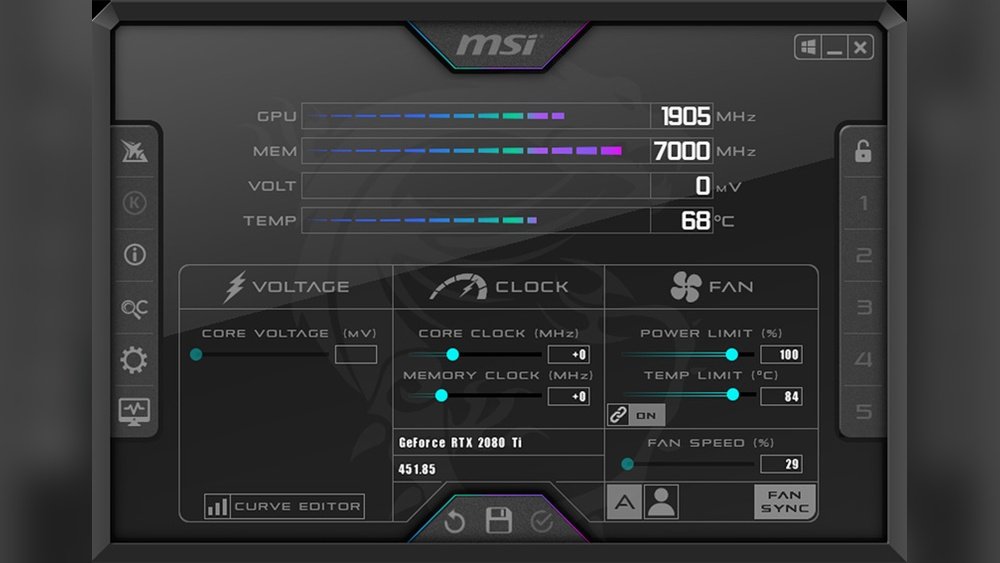
MSI Afterburner is a popular tool for managing and monitoring your graphics card. It offers simple controls to adjust GPU settings like clock speed and fan speed. Many users trust it to improve their PC’s performance safely. Understanding the basics helps you use it well.
Key Features
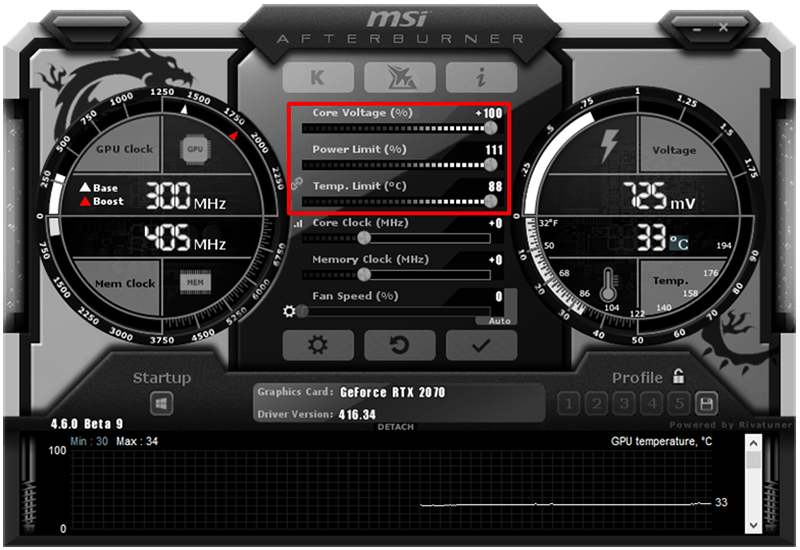
MSI Afterburner lets you change GPU clock speed and voltage. You can also control fan speed for better cooling. It shows real-time info like temperature, usage, and frame rate. The software supports custom profiles for different settings. On-screen display helps track performance during games.
Supported Operating Systems
The software works mainly on Windows PCs. It supports Windows 7, 8, and 10 versions. MSI Afterburner does not have an official version for Mac or Linux. Make sure your system meets the requirements before installing. This ensures smooth and stable operation on your device.
Credit: www.acquetech.com
Gpu Compatibility Overview
MSI Afterburner is a popular tool for adjusting GPU settings and monitoring performance. Understanding which GPUs work with it helps users avoid compatibility issues. This section explains compatibility with major GPU brands.
Nvidia Gpus
MSI Afterburner supports most NVIDIA graphics cards. It works well with GeForce GTX and RTX series. You can adjust clock speeds, fan speeds, and voltages easily. Older NVIDIA models may have limited support or features.
Amd Gpus
AMD graphics cards also work with MSI Afterburner. The tool supports many Radeon series GPUs. It allows users to tweak performance settings and monitor temperatures. Some newer AMD GPUs might need updated drivers for full compatibility.
Intel Gpus
Intel integrated GPUs have limited support in MSI Afterburner. The software mainly focuses on dedicated graphics cards. Intel’s newer Iris Xe GPUs may show basic monitoring but lack advanced tuning options. Users with Intel GPUs should consider other tools for full control.
How Msi Afterburner Interacts With Different Gpus
MSI Afterburner works with many different GPUs, but how it interacts depends on the GPU brand and model. It supports both NVIDIA and AMD graphics cards, giving users control over key settings. The software communicates directly with the GPU drivers to adjust performance features safely.
Some features may vary depending on the GPU’s architecture and driver support. Below are the main ways MSI Afterburner controls GPU functions.
Core Clock Adjustments
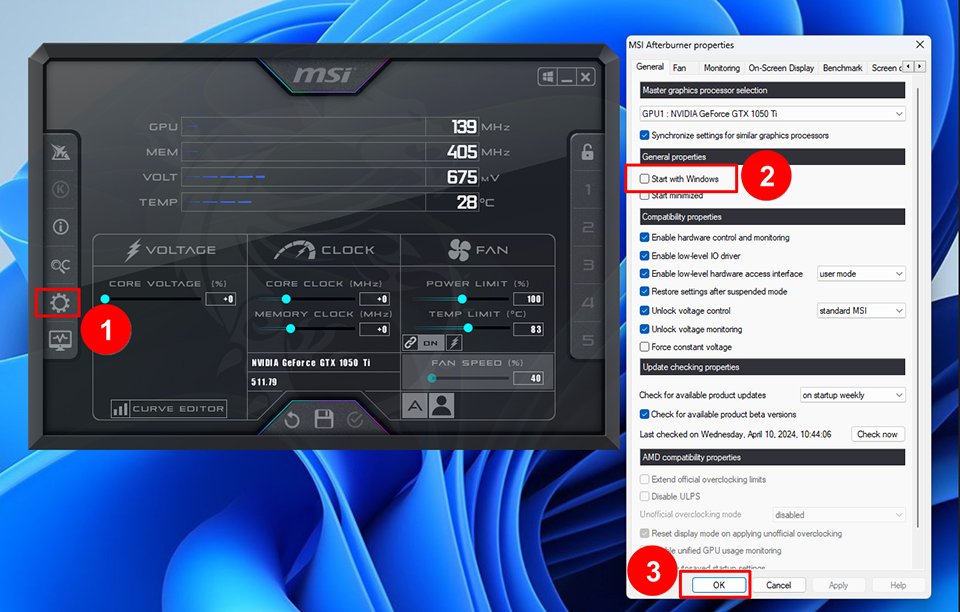
Core clock speed controls how fast the GPU’s main processor runs. MSI Afterburner lets users increase or decrease this speed to improve performance or reduce power use. Most modern NVIDIA and AMD GPUs allow core clock changes, but limits depend on the specific card. Small adjustments help balance performance and temperature.
Memory Clock Controls
The memory clock affects the speed of the GPU’s VRAM. Increasing memory clock can improve game loading and texture performance. MSI Afterburner provides sliders to raise or lower memory clock speeds. Some GPUs have locked memory clocks, so this feature may not work on all cards. Always monitor stability when adjusting memory clocks.
Fan Speed Management
Fan speeds control how much cooling the GPU receives. MSI Afterburner offers manual and automatic fan speed options. Users can set custom fan curves to keep temperatures low during heavy use. Most GPUs support fan speed control, but the range and number of fans vary by model. Proper fan management helps prevent overheating and noise.
Credit: www.msi.com
Limitations And Exceptions
MSI Afterburner is a popular tool for GPU overclocking and monitoring. It supports many graphics cards but not all. Some GPUs face limits or exceptions that affect how well Afterburner works. Understanding these helps set the right expectations.
Unsupported Gpu Models
MSI Afterburner mainly supports Nvidia and AMD GPUs. Older models may not work with the latest versions. Some integrated graphics chips lack full support. For example, Intel integrated GPUs have limited compatibility. Unsupported GPUs cannot use all features. This includes overclocking and fan control. Basic monitoring might still work but with fewer details.
Driver Compatibility Issues
Drivers play a big role in Afterburner’s performance. New GPU drivers may cause issues with the software. Sometimes Afterburner stops detecting the GPU correctly. Outdated drivers can also create problems. Users must match Afterburner updates with their driver versions. Conflicts between drivers and Afterburner reduce stability. This can lead to crashes or inaccurate readings.
Alternatives For Non-compatible Gpus
MSI Afterburner does not support every GPU model. Some graphics cards may not work well with this tool. Users with non-compatible GPUs need other options to adjust settings and improve performance. Several alternatives offer good features for overclocking and monitoring. These tools help customize your GPU without MSI Afterburner.
Popular Overclocking Tools
Many overclocking programs support a wide range of GPUs. Tools like EVGA Precision X1 and ASUS GPU Tweak II work with different brands. They offer easy-to-use interfaces for changing clock speeds and fan controls. RivaTuner Statistics Server often pairs with other software to show real-time stats. These options provide good control for many graphics cards.
Vendor-specific Software
GPU makers often create their own software for tuning their products. NVIDIA offers GeForce Experience and NVIDIA Inspector for its cards. AMD users can try Radeon Software Adrenalin Edition for detailed customization. Intel provides Intel Extreme Tuning Utility for its GPUs. These programs are optimized for specific hardware and ensure better compatibility.
Tips For Safe Overclocking
Overclocking your GPU can boost its performance and make games run smoother. Doing it safely protects your hardware from damage. Follow simple tips to keep your GPU cool and stable while increasing speed.
Monitoring Temperatures
Always watch your GPU temperature during overclocking. High heat can cause crashes or damage. Use MSI Afterburner’s built-in temperature monitor to check real-time heat levels. Stay below 85°C for safe operation. Pause or lower settings if temperatures rise too much.
Gradual Performance Tweaks
Make small changes to clock speeds and voltage step-by-step. Avoid big jumps that can cause instability. Test each change by running benchmarks or games. If your system crashes or shows glitches, reduce the changes. Patience helps find the best balance between speed and safety.
Frequently Asked Questions
Does Msi Afterburner Support All Gpu Brands?
MSI Afterburner mainly supports NVIDIA and AMD GPUs. It works best with popular models but may have limited features on less common GPUs. Compatibility depends on the GPU driver and manufacturer support.
Can Msi Afterburner Overclock Any Graphics Card?
Yes, MSI Afterburner can overclock most GPUs, but success varies. Some GPUs have locked settings, limiting overclocking options. Always check your GPU’s compatibility before attempting any tweaks.
Is Msi Afterburner Safe For Any Gpu?
MSI Afterburner is generally safe when used correctly. Overclocking risks include overheating and hardware damage if not monitored. Always use default settings first and increase performance gradually.
Will Msi Afterburner Show Temperature On All Gpus?
Yes, MSI Afterburner can display temperature for most GPUs. Accurate readings depend on sensor support within the GPU. It helps users monitor thermal performance during gaming or heavy tasks.
Conclusion
MSI Afterburner works with many GPUs but not all. It supports most Nvidia and AMD cards. Older or very new models might have limits. This tool helps control fan speed and monitor temperature. Always check your GPU model before using MSI Afterburner.
It offers simple ways to improve your PC’s cooling. Remember, safe use is key to avoid damage. Try it carefully and see how it fits your needs.
