
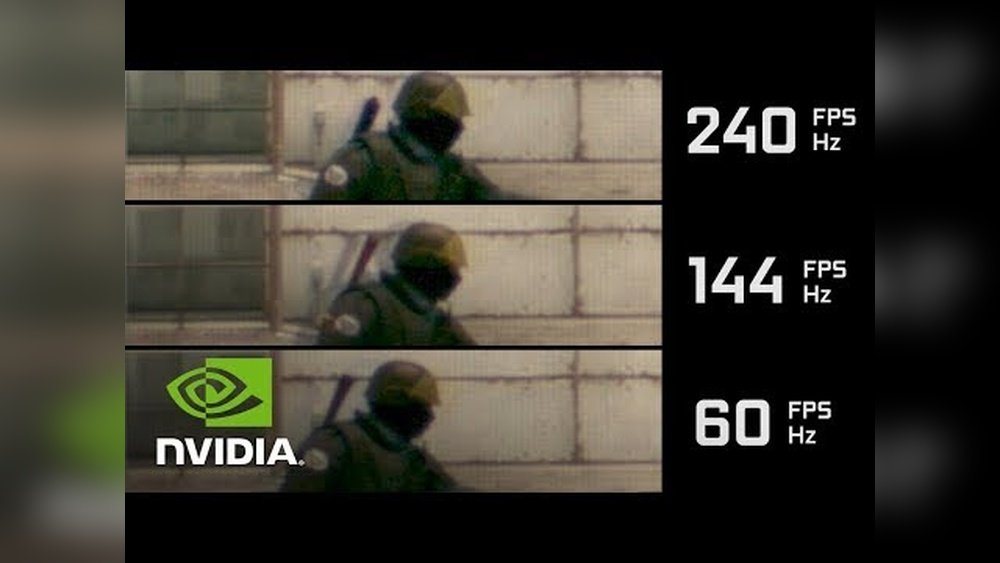
Are you struggling to get smooth gameplay and wondering if your GPU is the real reason behind low FPS? You’re not alone.
Many gamers and PC users ask themselves, “Does my graphics card actually affect my frame rate? ” The truth might surprise you—and understanding this can unlock a whole new level of performance for your games. You’ll discover how your GPU impacts FPS and what you can do to boost your gaming experience right now.
Keep reading, because the answer could change the way you play forever.

Credit: www.reddit.com
Role Of Gpu In Gaming
The GPU plays a key role in gaming performance. It handles the graphics and visuals you see on the screen. This part of your computer processes images, colors, and effects. It works to show smooth and clear gameplay. A strong GPU helps games run faster and look better.
Without a good GPU, games may lag or appear blurry. It affects how many frames per second (FPS) your game can display. Higher FPS means smoother movement and better gameplay. The GPU works closely with the CPU but focuses mainly on graphics tasks.
Gpu Basics
The GPU stands for Graphics Processing Unit. It is a special chip designed for handling graphics and images. Unlike the CPU, it can process many tasks at once. This makes it perfect for rendering game graphics quickly. GPUs come in different models and power levels. More powerful GPUs can handle higher resolutions and more detailed images. They also support advanced effects like shadows and lighting.
How Gpu Impacts Frame Rates
The GPU controls how many frames your game shows each second. Frames are like pictures shown one after another to create motion. A slow GPU can cause low FPS, making games look choppy. A fast GPU can produce high FPS, resulting in smooth gameplay. Games with complex graphics need stronger GPUs to maintain good FPS. If the GPU is weak, the game may drop frames or lag. This can hurt the gaming experience and make controls feel slow.

Credit: www.avg.com
Factors Influencing Fps
Frames per second (FPS) depend on many parts of your computer. The graphics processing unit (GPU) plays a big role. Still, other components also affect how smooth your game runs. Understanding these factors helps improve your gaming experience.
Cpu Vs Gpu Contributions
The CPU and GPU work together to create images on screen. The CPU handles game logic, physics, and AI. The GPU renders graphics and textures. A weak CPU can slow down the game, even with a strong GPU. Both need to be balanced for good FPS.
Ram And Storage Effects
RAM stores temporary game data for quick access. Low RAM can cause stutters and slow loading. Fast storage, like SSDs, reduces game load times. Slow hard drives can delay game asset loading and lower FPS. Enough RAM and fast storage help keep gameplay smooth.
Game Optimization
How a game is made affects FPS too. Some games use hardware better than others. Poorly optimized games may run badly on good PCs. Developers update games to improve performance. Settings like resolution and detail level also impact FPS.
Upgrading Your Gpu
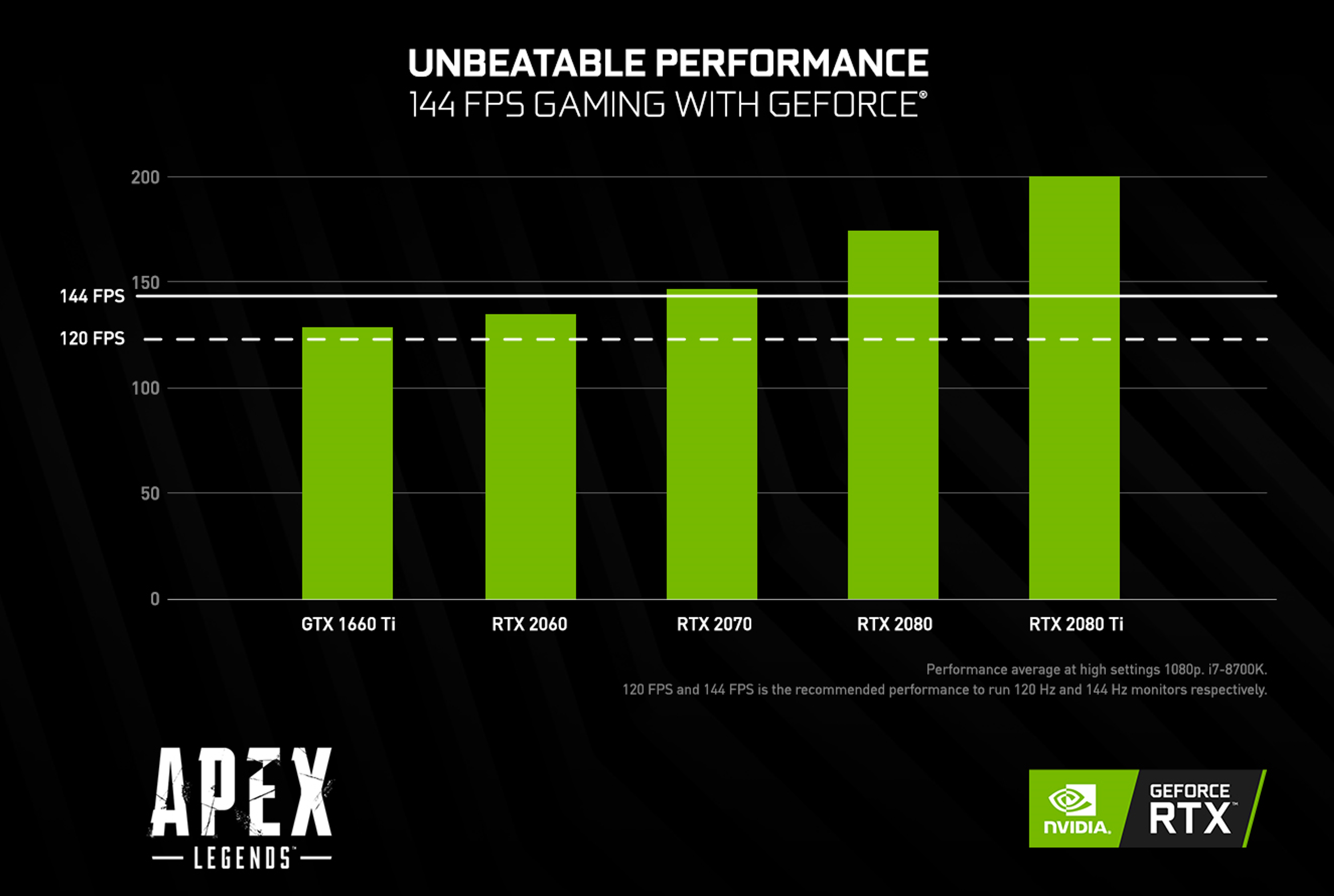
Upgrading your GPU can improve your gaming experience a lot. It affects how many frames per second (FPS) your system can show. A better GPU means smoother gameplay and clearer graphics. But, upgrading is a choice that needs some thought. Understanding when and how to upgrade helps you make the best decision for your setup.
When To Upgrade
Notice your games lag or drop FPS often? That is a sign. New games may not run well on old GPUs. If your GPU cannot meet game requirements, it is time to upgrade. Also, if you want to play games at higher settings, upgrading helps. Check your current FPS and game performance regularly.
Choosing The Right Gpu
Pick a GPU that matches your needs. Focus on the games you play most. Some GPUs work better with certain game types. Look for good reviews and benchmarks. Check the GPU’s VRAM and clock speed. These affect game performance and FPS. Make sure your PC can support the new GPU physically and technically.
Budget Considerations
Set a clear budget before buying a new GPU. Prices vary widely between models and brands. Higher price often means better performance but not always the best fit. Balance cost and performance to get value. Consider buying slightly older models to save money. Watch for sales and discounts to get a good deal.
Credit: www.nvidia.com
Optimizing Gpu Performance
Optimizing your GPU performance is key to getting better FPS in games. A well-tuned GPU runs smoother and handles more tasks. This means your games will look better and play faster. Simple steps can improve your graphics card without buying new hardware.
Focus on updates, tweaking settings, and keeping your GPU cool. These actions help your card work at its best. Let’s explore how to do this effectively.
Driver Updates
Keep your GPU drivers updated. New drivers fix bugs and improve speed. They also add support for new games and features. Check the manufacturer’s website or use software to update. Regular updates can boost FPS and stability.
Overclocking Tips
Overclocking means running your GPU faster than default. It can increase FPS but needs care. Start with small boosts and test performance. Use reliable software designed for your GPU brand. Watch temperature and stability to avoid damage.
Cooling Solutions
Heat reduces GPU performance and shortens lifespan. Use good cooling to keep temperatures low. Clean fans and heatsinks regularly to remove dust. Consider adding extra fans or a liquid cooling system. Cooler GPUs maintain higher FPS for longer.
Common Gpu Myths
Many gamers believe certain things about GPUs that are not always true. These common myths can confuse those trying to improve their FPS. Understanding what really matters helps you make better choices for your gaming setup.
Some ideas about GPU power and performance come from outdated or incorrect information. Separating fact from fiction saves time and money. Let’s explore a few common myths about GPUs and FPS.
Does Higher Vram Always Mean Better Fps?
More VRAM does not always increase FPS. VRAM stores textures and graphical data for games. If a game uses less VRAM than your card has, extra VRAM will not help.
Games with high-resolution textures need more VRAM. But many popular games run fine with 4-6 GB VRAM. Faster GPU cores and clock speeds often impact FPS more than VRAM size.
Is More Gpu Power Always Necessary?
Not all games need the highest GPU power. Some games are CPU-heavy or depend on game optimization. A powerful GPU may not improve FPS much in these cases.
Choosing a balanced system with a good CPU and GPU is smarter. Overbuying GPU power might not increase performance in all games.
The Role Of Resolution And Settings
Higher resolution demands more GPU power. Playing at 4K requires stronger GPUs than 1080p. Lowering resolution can boost FPS without changing hardware.
Graphics settings like shadows, textures, and effects impact FPS too. Reducing settings can improve FPS more than upgrading your GPU in some situations.
Future Of Gpus In Gaming
The future of GPUs in gaming looks promising. Graphics cards continue to evolve, bringing new features and better performance. These advances affect how games look and how smoothly they run.
Game developers and hardware makers focus on improving visual quality and frame rates. This makes gameplay more immersive and enjoyable. Understanding upcoming GPU technologies helps gamers choose the right hardware.
Ray Tracing And Fps Impact
Ray tracing creates realistic lighting and shadows in games. It adds depth and detail to scenes. This technology requires strong GPUs to keep frame rates high.
New GPUs use optimized ray tracing cores. They balance visual quality and FPS better than before. Gamers can enjoy beautiful graphics without much lag.
Ai And Machine Learning Enhancements
AI helps GPUs render images faster and smarter. Machine learning techniques improve upscaling and image smoothing. These features boost FPS while keeping graphics sharp.
AI-driven tools also reduce GPU load during complex tasks. This allows games to run smoothly on mid-range hardware. AI innovations will keep growing in future GPUs.
Next-gen Gpu Technologies
Next-gen GPUs use smaller chips and faster memory. This improves speed and power efficiency. They support higher resolutions and refresh rates.
New interfaces and architectures reduce latency and increase bandwidth. These changes help deliver steady FPS in demanding games. The future holds many exciting GPU improvements for gamers.
Frequently Asked Questions
Does Gpu Impact Fps In Gaming?
Yes, GPU significantly affects FPS by rendering graphics quickly. A powerful GPU improves frame rates and gaming smoothness.
Can A Better Gpu Increase Fps Performance?
Upgrading to a better GPU boosts FPS by handling complex graphics efficiently. It reduces lag and enhances gameplay.
How Does Gpu Compare To Cpu In Fps?
GPU mainly processes graphics for FPS, while CPU handles game logic. Both affect FPS, but GPU has greater impact.
Will An Old Gpu Limit My Fps?
An outdated GPU can bottleneck FPS, causing lower frame rates. Upgrading helps achieve higher, stable FPS in modern games.
Conclusion
A good GPU plays a big role in boosting FPS. It helps games run smoother and faster. But other parts, like CPU and RAM, also matter. Upgrading the GPU alone may not fix low FPS. Balance your whole system for the best results.
Knowing how your GPU affects FPS can guide smart choices. This helps you enjoy games without lag or stutter. Simple upgrades can bring better game performance and fun.
