
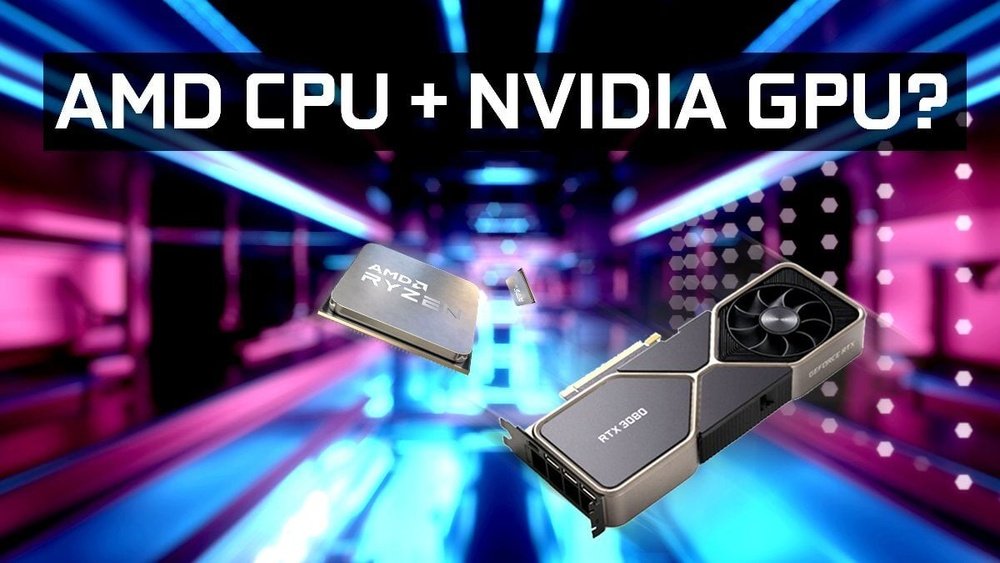
Are you wondering if you can pair an Nvidia GPU with an AMD CPU for your next build? It’s a common question that many tech enthusiasts and gamers ask before investing in new hardware.
The good news is, yes—you can use an Nvidia graphics card with an AMD processor. But is it the right choice for your setup? You’ll discover how these two powerful components work together, what benefits you can expect, and what potential challenges to watch out for.
Keep reading to make sure your next PC build runs smoothly and delivers the performance you want.
Credit: skygpu.medium.com
Nvidia Gpus And Amd Cpus Compatibility
Nvidia GPUs and AMD CPUs can work together in many computer systems. These components come from different makers but still fit well in most setups. Knowing how they connect helps you build a balanced PC without wasting money.
This section explains the main points about their compatibility. It covers basic factors, hardware communication, and driver support. Each part helps understand how these parts work as a team inside your computer.
Basic Compatibility Factors
Nvidia GPUs fit into PCI Express slots on motherboards. AMD CPUs also use motherboards with these slots. This shared technology allows the GPU and CPU to connect physically.
Power supply matters. Nvidia GPUs need enough power from the PSU. AMD CPUs also draw power. Make sure your power supply can handle both parts safely.
Cooling is important. Both components generate heat. Good airflow in the case keeps them cool and stable during work.
Hardware Communication
The CPU sends instructions to the GPU for rendering graphics. The GPU processes these instructions and sends images to the display. This flow happens through the motherboard’s bus system.
Latency and bandwidth affect performance. PCIe lanes determine how much data moves between CPU and GPU. Modern AMD CPUs support enough lanes for Nvidia GPUs to work fast.
Motherboard chipset plays a role. It manages communication between CPU, GPU, and other parts. AMD chipsets usually support Nvidia cards without issues.
Driver Support
Nvidia offers drivers that support many AMD CPU systems. These drivers ensure the GPU works correctly with different hardware setups.
Operating system compatibility matters. Nvidia drivers support Windows and Linux on AMD CPUs well. Keep drivers updated for best results.
Some features depend on software support, not hardware brand. Nvidia’s control panel works with AMD CPUs just like with Intel.
Performance Considerations
Choosing an Nvidia GPU with an AMD CPU can affect your computer’s performance. Each part plays a role in how fast and smooth your system runs. Understanding performance considerations helps you build a balanced PC. Let’s explore key factors that affect this combination.
Bottleneck Potential
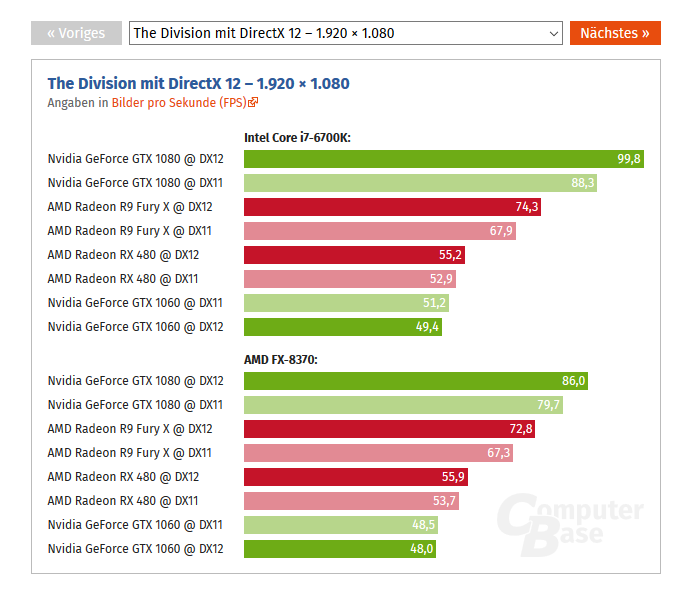
A bottleneck happens when one part slows down another. An AMD CPU might limit an Nvidia GPU’s power if it is weak. Older or low-end CPUs can cause bottlenecks in demanding tasks. A strong CPU helps the GPU perform at its best. Check CPU and GPU speed to avoid bottlenecks.
Gaming Performance
Nvidia GPUs usually work well with AMD CPUs in games. Many games rely more on the GPU than the CPU. A good Nvidia card can run games smoothly even with a mid-range AMD processor. Some games need a fast CPU to avoid lag or frame drops. Balance your parts for steady gaming performance.
Productivity And Rendering
Tasks like video editing and 3D rendering use both CPU and GPU. Nvidia GPUs boost rendering speed with CUDA cores. AMD CPUs offer strong multi-core performance for productivity apps. Combining both can speed up workflows if they match well. Avoid pairing a slow CPU with a powerful GPU in heavy tasks.
Choosing The Right Components
Choosing the right components matters a lot when pairing an Nvidia GPU with an AMD CPU. The parts must work well together. This ensures your computer runs smoothly and avoids hardware conflicts. Understanding key areas like motherboard compatibility, power supply needs, and cooling helps build a balanced system.
Motherboard Compatibility
The motherboard is the base that holds your CPU and GPU. It must support both parts. Most modern motherboards work with AMD CPUs and Nvidia GPUs. Check the motherboard’s PCIe slots for the GPU. Ensure the CPU socket matches your AMD processor model. BIOS updates may be needed to support newer CPUs.
Power Supply Requirements
Power supply units (PSUs) provide electricity to all components. Nvidia GPUs can use a lot of power. Choose a PSU with enough wattage to cover your CPU and GPU. Look for units with good efficiency ratings. Use cables that fit your GPU’s power connectors. A weak power supply can cause crashes or damage.
Cooling Solutions
Both AMD CPUs and Nvidia GPUs generate heat. Effective cooling keeps temperatures safe and stable. Use a quality CPU cooler, either air or liquid. Make sure your case has good airflow. Add case fans to move hot air out. Overheating can reduce performance or harm parts.
Common Issues And Fixes
Using an Nvidia GPU with an AMD CPU can bring great performance. Yet, some common issues may arise. These problems often relate to drivers, BIOS settings, or software. Knowing how to fix them helps your system run smooth and stable.
Driver Conflicts
Driver conflicts happen when Nvidia and AMD drivers interfere. This may cause crashes or poor performance. To fix, uninstall old GPU drivers completely. Use tools like Display Driver Uninstaller (DDU) for clean removal. Then, install the latest Nvidia drivers fresh. Avoid installing AMD GPU drivers if you only use Nvidia GPU.
Bios Settings
BIOS settings can block full GPU performance. Check that PCIe slot is set to the correct mode. Enable “Above 4G Decoding” if available for better GPU support. Disable any onboard graphics if your CPU or motherboard has them. Update your BIOS to the latest version to fix bugs and improve compatibility.
Software Optimization
Software settings impact how well your GPU and CPU work together. Adjust power management to high performance in Windows settings. Use Nvidia Control Panel to set the preferred GPU for games or apps. Keep your operating system updated to avoid compatibility issues. Close background programs that use CPU or GPU power to improve speed.
Building A Balanced System
Building a balanced system is key for smooth performance. Combining an Nvidia GPU with an AMD CPU works well, but balance matters. A strong CPU and GPU pair avoids slowdowns. It helps games and apps run without lag. Thoughtful planning saves money and improves your experience.
Choosing parts that work well together keeps your system stable. Avoid bottlenecks where one part limits the other. Balance also helps with future upgrades. Here are important points to consider while building.
Matching Cpu And Gpu Tiers
Match the power level of your CPU and GPU. A high-end GPU pairs best with a strong CPU. Mid-range parts work well together too. Avoid pairing a top GPU with a weak CPU. This causes bottlenecks, lowering performance. Balanced tiers give you steady frame rates and better use of hardware.
Future Upgrade Paths
Plan upgrades ahead to save money later. Choose a motherboard that supports newer CPUs. Pick a GPU that fits common sizes and power limits. This way, you can swap parts without changing everything. Future upgrades keep your system fresh and fast. Think about what you might need in the next 2-3 years.
Budget Considerations
Set a clear budget before buying parts. Balance your spending between CPU and GPU. Don’t spend all on one and ignore the other. A mid-range CPU with a good GPU often works best. Look for deals and reviews to find value parts. Good balance gives better performance per dollar.
Credit: www.cgdirector.com
Credit: www.shoshitamam.com
Frequently Asked Questions
Can Nvidia Gpu Work With Amd Cpu Systems?
Yes, Nvidia GPUs are fully compatible with AMD CPUs. They work together seamlessly in most PCs. This combination is common and offers great performance for gaming and productivity.
Do Amd Cpus Limit Nvidia Gpu Performance?
No, AMD CPUs do not limit Nvidia GPU performance. Both components operate independently but complement each other well. Proper system balance is key to maximizing performance.
How To Install Nvidia Gpu On Amd-based Pc?
Installing an Nvidia GPU on an AMD PC is straightforward. Insert the GPU into the PCIe slot and connect power cables. Then, install the latest Nvidia drivers for optimal functionality.
Is Nvidia Gpu Better Than Amd Gpu For Amd Cpus?
Nvidia GPUs often outperform AMD GPUs, even on AMD CPUs. The choice depends on your needs and budget. Nvidia excels in ray tracing and driver support.
Conclusion
Nvidia GPUs work well with AMD CPUs. Both parts fit easily on most motherboards. This combo gives good performance for many tasks. You can build a balanced PC without brand limits. Just check compatibility before buying parts. This way, you avoid any issues or delays.
Choosing Nvidia and AMD together is a smart choice. It offers flexibility and strong results for your setup.
