
Thinking about building your own PC but worried about not having a GPU? You’re not alone.
Many people wonder if a computer can run smoothly without this powerful piece of hardware. The good news is, you might be able to build a working PC without a dedicated GPU, but there are some important things you need to know first.
Keep reading to discover how you can get your system up and running, what limitations to expect, and whether skipping the GPU is really a smart move for your build. This could change the way you think about assembling your next computer.

Credit: www.youtube.com
Why Build Without A Gpu
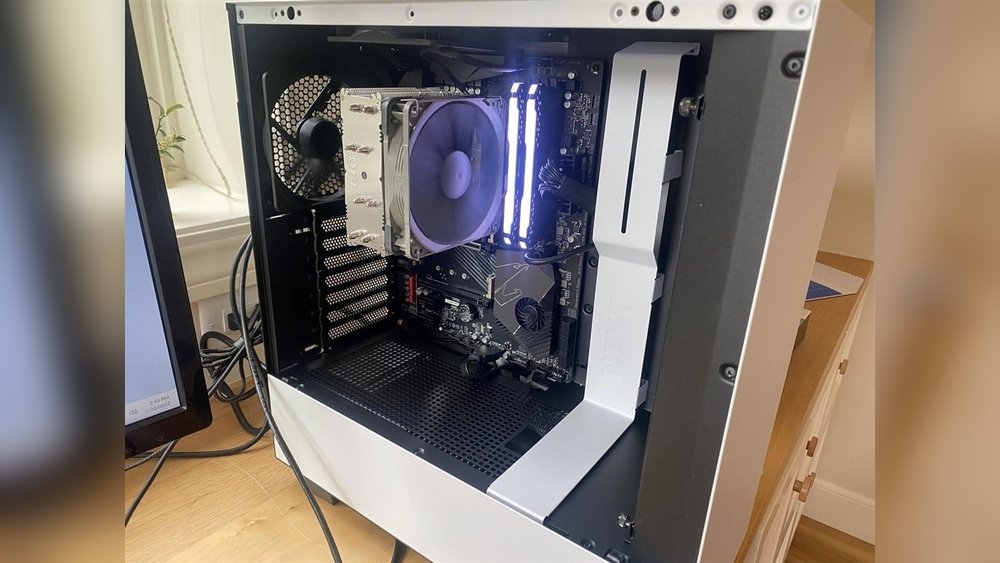
Building a PC without a GPU is possible and has certain benefits. Not every computer needs a dedicated graphics card. Many CPUs come with integrated graphics that handle basic tasks well. This approach suits specific needs and budgets.
Cost Savings
Skipping a GPU cuts the total build cost significantly. Graphics cards often cost hundreds of dollars. Without a GPU, you save money on one of the most expensive parts. This is ideal for budget builds or simple computers.
Availability Issues
GPU shortages affect many buyers worldwide. High demand and supply problems raise prices and limit stock. Building without a GPU avoids waiting for restocks. You can complete your PC build faster with available parts.
Use Cases For Gpu-less Pcs
Not all tasks need a powerful GPU. Office work, web browsing, and watching videos run fine on integrated graphics. Developers and programmers often prefer GPU-less PCs for coding. Basic home or school computers benefit from this setup too.
Choosing The Right Cpu
Choosing the right CPU matters a lot when building a PC without a GPU. The CPU handles all main tasks and can include built-in graphics. Picking a CPU with good graphics means you do not need a separate GPU. This saves money and space in your computer.
Integrated Graphics Options
Some CPUs come with integrated graphics. These are small graphics chips inside the CPU. They let you run basic games, watch videos, and do everyday work. Intel’s CPUs with “Intel UHD Graphics” and AMD’s “APU” series are popular choices. Check the CPU specs to see if integrated graphics are included.
Not all CPUs have integrated graphics. Desktop CPUs often need a separate GPU unless they have “G” in their model name. Laptop CPUs usually have integrated graphics built-in. Choose a CPU with integrated graphics for a PC without a GPU.
Performance Considerations
CPUs with integrated graphics offer moderate performance. They work well for office work, internet browsing, and video playback. They struggle with heavy gaming or graphic design. Performance depends on CPU speed, cores, and graphics power.
Choose a CPU with enough speed and cores for your tasks. More cores help with multitasking and demanding programs. Higher clock speeds improve general speed. Integrated graphics vary in power, so pick one that fits your needs.
Motherboard Selection
Selecting the right motherboard is key to building a PC without a GPU. The motherboard must support integrated graphics and meet your needs. A good choice ensures smooth performance and saves money.
Choosing a motherboard that works well with your processor is important. It affects how your PC runs and what parts you can use. Look for features that suit your tasks and future upgrades.
Compatibility With Integrated Graphics
Not all motherboards support integrated graphics. Check if the motherboard has video output ports like HDMI or DisplayPort. These allow you to use the CPU’s built-in graphics without a separate GPU.
The CPU must also have integrated graphics. Popular CPUs with this feature include Intel’s Core i-series with “G” models and AMD’s APUs. Confirm the motherboard supports these CPUs for compatibility.
Some motherboards disable video outputs if no dedicated GPU is present. Read the motherboard’s manual or product details carefully. This avoids buying a board that won’t display anything without a GPU.
Essential Features
Look for enough RAM slots for your needs. Integrated graphics use system memory, so more RAM improves performance. Also, check for fast RAM support to boost graphics speed.
Consider motherboard size and case compatibility. Smaller boards fit compact cases but may have fewer ports. Larger boards offer more slots and connectors for devices.
USB ports and networking options matter too. A good motherboard has multiple USB ports and built-in Wi-Fi or Ethernet. These features help you connect peripherals and stay online easily.
Credit: www.mak.kg
Memory And Storage
Memory and storage play a key role in building a PC without a GPU. These components affect how fast your system runs and how much data it can hold. Choosing the right memory and storage helps your PC work smoothly for daily tasks.
Ram Requirements
RAM is the short-term memory of your PC. It stores data that the CPU uses right now. Without a GPU, your system relies more on RAM for some tasks.
For basic use, 8GB of RAM is enough. For multitasking or heavier apps, 16GB works better. Fast RAM speeds improve performance by reducing wait times.
More RAM helps when you run many programs at once. It also supports better graphics processing with integrated graphics.
Storage Types And Speeds
Storage holds your files and programs long-term. SSDs are faster than traditional hard drives. They cut down loading times and make your PC feel quick.
NVMe SSDs offer the best speed for storage. They connect directly to the motherboard and transfer data very fast. SATA SSDs are slower but still much faster than HDDs.
Choose storage size based on your needs. 256GB is minimal for most users, while 512GB or more is better for more files and apps.
Power Supply And Cooling
Power supply and cooling are key parts of building a PC without a GPU. The power supply gives energy to all parts. Cooling keeps the PC from getting too hot. Both affect how well the PC runs and lasts.
Without a GPU, power needs change. Cooling needs also shift. Understanding these helps build a stable PC.
Power Needs Without A Gpu
A PC without a GPU uses less power. The CPU and other parts draw energy, but not as much as a GPU. This means you can choose a smaller power supply. A power supply rated around 300 to 400 watts usually works well.
Choosing a power supply with good efficiency saves electricity. Look for 80 Plus certification. This means the power supply wastes less energy and runs cooler.
Cooling Solutions
Without a GPU, the PC generates less heat. This makes cooling easier. Standard air coolers for the CPU are often enough. Case fans help move air and keep parts cool.
Good airflow inside the case is important. Place fans so air flows from front to back. Clean dust filters regularly to keep airflow steady.
Liquid cooling is not necessary for most builds without a GPU. Air cooling is simpler and cheaper. It also uses less power.
Operating System And Drivers
The operating system and drivers play a key role in building a PC without a GPU. They manage how your computer runs and how it shows images on the screen. Without a dedicated GPU, the system relies on integrated graphics inside the CPU. This changes how you install the OS and set up drivers.
Choosing the right OS version matters. It must support integrated graphics well. Also, the installation process might differ slightly from GPU-based systems. Proper driver setup ensures smooth performance and good display quality.
Installing Os On Gpu-less Systems
Installing the operating system without a GPU is simple. Use a USB drive or DVD with the OS files. Boot your PC from this device. The installation will use the integrated graphics by default. No extra steps are needed for display output.
Make sure the BIOS settings allow using integrated graphics. Sometimes, the system may try to find a GPU first. Disabling any dedicated GPU option in BIOS helps. The OS will then load using the CPU’s graphics.
Driver Setup For Integrated Graphics
After installation, driver setup is crucial. Integrated graphics need specific drivers from the CPU or motherboard maker. These drivers improve speed and fix display issues. Without them, the screen may flicker or show low resolution.
Download the latest drivers from official websites. Install them carefully following the instructions. Restart your PC to apply changes. This ensures your system runs smoothly without a GPU.
Performance Expectations
Building a PC without a dedicated GPU changes how the system performs. The CPU and integrated graphics handle all tasks. Performance depends on the processor’s power and the workload type. Expect limits in certain areas but decent results in others.
Gaming Without A Gpu
Gaming without a GPU means relying on integrated graphics. These are part of many modern CPUs but are less powerful. Casual games run fine, like indie titles or older games. Newer games or those with high graphics needs will struggle. Frame rates will be low and visuals less detailed. Not the best choice for serious gamers.
Productivity And Multimedia
For work tasks, a PC without a GPU works well. Browsing, office apps, and video calls run smoothly. Video playback and streaming are supported by integrated graphics. Basic photo or video editing is possible but slow on big files. Heavy multimedia tasks need more power for better speed.
Upgrading Later
Building a PC without a GPU can be a smart choice for now. It saves money and lets you use the computer for basic tasks. Later, you can add a dedicated GPU to boost performance. Planning for future upgrades helps you avoid extra costs and work.
Adding A Dedicated Gpu
Adding a dedicated GPU is easy if your motherboard supports it. Most modern motherboards have PCIe slots made for GPUs. Choose a GPU that fits your budget and needs. Make sure your power supply can handle the new GPU’s power. Installing the GPU is usually a simple process.
Future-proofing Tips
Choose a case with enough space for bigger GPUs. Pick a power supply with extra wattage for upgrades. Use a motherboard with at least one PCIe x16 slot. Keep your CPU strong enough to avoid bottlenecks. These steps make future upgrades smoother and cheaper.
Troubleshooting Common Issues
Building a PC without a GPU can lead to some common problems. This guide helps you fix these issues quickly. Understanding the causes makes troubleshooting easier. Let’s explore the key problems you might face and how to solve them.
Display Problems
No GPU means your PC uses integrated graphics. Sometimes, the screen stays black or flickers. Check if the monitor is correctly connected to the motherboard. Use the right cable and port for your display. Update your motherboard’s BIOS and integrated graphics drivers. Wrong or outdated drivers can stop the display from working.
Another issue is low resolution or poor image quality. Change the display settings in your operating system. Choose a resolution your monitor supports. Restart the PC after making changes to apply them fully.
System Stability
Without a GPU, the CPU handles all graphics tasks. This extra work can cause the system to slow down or freeze. Watch your PC’s temperature during heavy use. Overheating can make the system unstable. Improve airflow and clean dust inside the case regularly.
Check for software conflicts or outdated drivers causing crashes. Run system updates and scan for malware. Use task manager to close apps using too much memory or CPU. Stable performance depends on balanced hardware and software settings.

Credit: www.youtube.com
Frequently Asked Questions
Can You Build A Pc Without A Dedicated Gpu?
Yes, you can build a PC without a dedicated GPU by using a CPU with integrated graphics. This works well for basic tasks like web browsing, office work, and media playback.
Will A Pc Without A Gpu Run Games?
A PC without a GPU can run games, but only less demanding ones. Integrated graphics struggle with modern, high-performance games, so gaming experience will be limited.
What Are The Benefits Of Building A Pc Without A Gpu?
Building a PC without a GPU lowers cost, reduces power consumption, and simplifies cooling. It suits users who need basic computing without heavy graphic tasks.
Can Video Editing Be Done Without A Gpu?
Basic video editing is possible without a GPU using integrated graphics. However, rendering times may be slower, and performance will lag on complex projects.
Conclusion
Building a PC without a GPU is possible for basic tasks. Many CPUs come with built-in graphics that handle everyday use. This setup works well for browsing, office work, and streaming videos. But, it may struggle with gaming or heavy graphic work.
Choosing parts carefully ensures your PC runs smoothly without a GPU. Think about what you need before starting your build. This way, you save money and avoid unnecessary parts. A GPU is not always required, but it depends on your needs.
