
Have you ever wondered if you can boost your GPU’s memory to get better performance? If you’re struggling with slow graphics or games that lag, you might be asking yourself: can you add more VRAM to your GPU?
Understanding this could save you money and help your system run smoother. You’ll discover the truth about upgrading your GPU’s VRAM and what options you really have. Keep reading to find out how to get the most from your graphics card without unnecessary upgrades.
Credit: www.youtube.com
What Is Vram?
VRAM is a special type of memory used in graphics cards. It stores image data that the GPU needs quickly. This memory helps the GPU display graphics smoothly and clearly. Understanding VRAM is important for knowing how your computer handles visuals.
What Does Vram Do?
VRAM holds textures, colors, and frame buffers. It works as a fast storage area for the GPU. This allows quick access to graphic data. Without enough VRAM, games and apps can lag or show lower quality images.
How Is Vram Different From Ram?
RAM is general memory for all computer tasks. VRAM is only for graphics data. VRAM is faster and designed to handle visuals. This specialization helps improve graphic performance.
Why Does Vram Matter?
More VRAM means the GPU can handle bigger images and details. It improves gaming, video editing, and 3D rendering. Low VRAM can cause slow performance and poor image quality.
Vram’s Role In Gpu Performance
VRAM, or Video Random Access Memory, plays a key role in GPU performance. It stores the images and data the GPU needs quickly. This memory helps your graphics card handle complex visuals smoothly. Without enough VRAM, the GPU struggles to keep up with demanding tasks.
Understanding VRAM’s role can help you see why some games or programs run better than others. More VRAM allows the GPU to manage larger textures and higher resolutions. This leads to clearer images and smoother gameplay.
What Vram Does In A Gpu
VRAM holds the data the GPU uses for images and videos. It keeps textures, shaders, and frame buffers ready for quick access. This reduces the time the GPU spends fetching data from slower system memory.
More VRAM means the GPU can store bigger and more detailed graphics. This is important for modern games and high-resolution displays. It helps prevent lag and stuttering during gameplay or video editing.
How Vram Affects Gaming And Graphics
Games with high detail need more VRAM. When VRAM runs low, games may lower texture quality or resolution. This causes blurry images or choppy performance.
Graphics programs also demand VRAM for smooth operation. 3D rendering and video editing benefit from larger VRAM pools. It allows the GPU to handle complex scenes without delays.
Limits Of Increasing Vram
VRAM is fixed on most GPUs and cannot be increased. The amount of VRAM is set by the graphics card design. You cannot add extra VRAM like system RAM.
Choosing a GPU with enough VRAM for your needs is crucial. More VRAM does not always mean better performance. The GPU’s processor speed and architecture also matter.
Can Vram Be Upgraded?
Can VRAM be upgraded? This question comes up often for gamers and creators. VRAM, or video RAM, stores image data for your GPU. It affects graphics performance and quality. Many wonder if they can increase VRAM to boost their system.
VRAM is built into the graphics card. Unlike regular RAM, it is not designed to be replaced or expanded. The amount of VRAM is fixed by the GPU manufacturer. This means adding more VRAM to an existing card is not possible.
Understanding this helps avoid wasted effort or money. Instead, upgrading means changing the entire graphics card. Buying a new GPU with higher VRAM is the only real option. This ensures better performance and more memory for graphics tasks.
Why Vram Cannot Be Upgraded
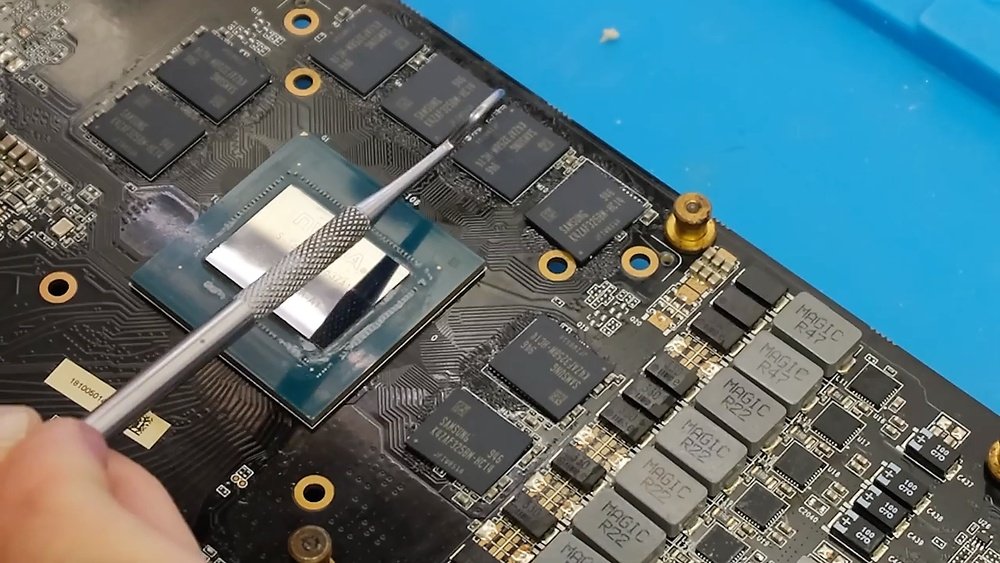
VRAM chips are soldered directly onto the GPU board. They are part of the card’s hardware design. Removing or adding VRAM chips requires special tools and skills. It also risks damaging the card beyond repair.
The GPU and VRAM work together closely. Each GPU model is tested with a specific VRAM amount. Changing VRAM could cause instability or errors. Manufacturers do not support or recommend VRAM upgrades.
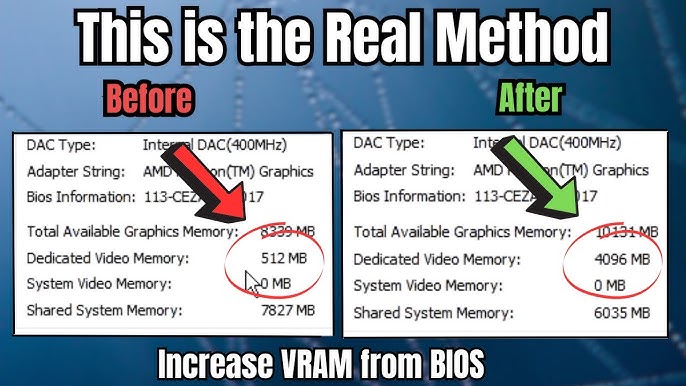
Some computers share system RAM with integrated graphics. This shared memory can increase VRAM-like capacity. Changing BIOS settings may allow more system RAM to be used.
This only applies to integrated GPUs, not dedicated cards. Increasing shared memory helps low-end graphics tasks. It does not match the speed or capacity of real VRAM.
For serious graphics work, a new GPU with more VRAM is best. It offers faster, stable, and reliable performance for games and software.
How To Check Your Current Vram
Before deciding on upgrades, know your VRAM size. On Windows, open Display Settings and check Advanced Display Info. It shows the dedicated video memory size.
On macOS, go to About This Mac > System Report > Graphics/Displays. This helps you understand your GPU’s VRAM capacity. Knowing this helps choose the right GPU for your needs.

Credit: www.maketecheasier.com
Differences Between Vram And System Ram
VRAM and system RAM are two types of memory in a computer. Both store data, but they serve different purposes. Understanding their differences helps explain why VRAM cannot be simply increased like system RAM.
VRAM stands for Video Random Access Memory. It is dedicated memory on a graphics card. VRAM holds images and textures the GPU uses to create visuals on screen. It works fast to handle complex graphics and high resolutions.
System RAM, or Random Access Memory, is the main memory for the computer. It stores data and programs the CPU needs to run. System RAM handles general tasks and multitasking. It is slower than VRAM but larger in capacity.
Purpose And Function
VRAM stores visual data for smooth graphics rendering. System RAM stores the operating system, applications, and active data. VRAM helps the GPU work efficiently. System RAM supports overall computer speed and performance.
Location And Access
VRAM is located on the graphics card itself. This proximity allows quick access to image data. System RAM is on the motherboard and accessed by the CPU. This difference affects speed and data transfer rates.
Capacity And Upgrade Options
VRAM size is fixed by the graphics card design. It cannot be upgraded separately. System RAM can be increased by adding modules to the motherboard. More system RAM improves general computer performance but does not increase VRAM capacity.
Common Myths About Adding Vram
Many believe VRAM can be increased like regular RAM. This idea spreads confusion about GPU upgrades. Understanding what VRAM is and how it works clears up these myths.
VRAM is built into the graphics card chip. It cannot be expanded or changed by users. Let’s explore some common myths about adding VRAM.
Myth 1: You Can Install More Vram On Any Gpu
People often think VRAM is like system memory. You cannot open a GPU and add VRAM chips. VRAM is soldered to the card during manufacturing. It stays fixed and cannot be upgraded.
Myth 2: Software Can Increase Vram Size
Some claim software tweaks can boost VRAM. Software might change settings but not physical VRAM size. It only adjusts how much system memory is shared in some cases. This does not equal real VRAM increase.
Myth 3: More Vram Always Means Better Performance
More VRAM helps in certain tasks but is not the only factor. GPU speed, memory type, and other specs matter too. Extra VRAM does not improve all games or apps alone.
Myth 4: Using Shared Memory Is The Same As Vram
Shared memory uses system RAM for graphics. It is slower than dedicated VRAM. Shared memory does not replace VRAM or boost its capacity. It is only a backup for low VRAM situations.
Alternatives To Increasing Vram
Increasing VRAM on a GPU is not possible in most cases. The VRAM is fixed on the graphics card. Still, there are ways to improve your graphics performance without changing the VRAM size.
These alternatives help your system handle graphics better. They can also improve gaming and video editing experiences. Let’s explore some practical methods.
Upgrading The Gpu
Replacing your current GPU with a newer model is a direct way to get more VRAM. Newer graphics cards come with higher VRAM and better performance. This upgrade improves overall gaming and graphic tasks.
Choose a GPU that fits your budget and needs. Check VRAM size and compatibility with your system before buying.
Optimizing Graphics Settings
Lowering graphics settings reduces VRAM usage. Adjust resolution, texture quality, and shadows in games or software. This helps your GPU run smoothly without needing extra VRAM.
Turn off unnecessary effects like anti-aliasing or motion blur. These settings often use a lot of VRAM. Optimizing settings balances visual quality and performance.
Using Virtual Memory
Virtual memory uses your computer’s storage as extra memory. It can help when VRAM runs out during heavy tasks. Increase virtual memory size in your system settings to improve performance.
Though slower than VRAM, virtual memory prevents crashes and freezes. It acts as a backup for your GPU’s memory needs.
Risks Of Modifying Gpu Hardware
Modifying GPU hardware comes with serious risks. Changing the VRAM on a graphics card is not a simple task. It requires deep knowledge and special tools. Many things can go wrong and cause permanent damage.
Even small mistakes can break the GPU. The card may stop working or perform worse than before. It is important to understand the dangers before trying any hardware changes.
Physical Damage To The Gpu
Opening the GPU can damage tiny parts. The VRAM chips are small and fragile. Removing or adding VRAM chips may break the circuit board. This damage can make the GPU unusable.
Voiding The Warranty
Most GPU warranties do not cover hardware changes. Modifying the card cancels the warranty. This means no free repairs or replacements. If the GPU fails, you pay the full cost.
Compatibility Issues
Not all VRAM chips fit every GPU. Using the wrong type can cause errors. The GPU might not recognize the added memory. This leads to crashes or poor performance.
Overheating Problems
Adding VRAM changes the heat output of the GPU. The cooling system may not handle the extra heat. Overheating can shorten the GPU’s life or cause shutdowns.
Software And Driver Conflicts
The GPU drivers may not support custom VRAM sizes. This can lead to system crashes or bugs. Software may fail to use the added memory correctly.

Credit: www.youtube.com
Future Trends In Vram Technology
VRAM technology is evolving fast. New designs aim to boost speed and capacity. This helps GPUs handle bigger tasks and better graphics. Advances in VRAM will impact gaming, design, and AI work.
Future VRAM will use smarter ways to store and move data. This means less delay and smoother visuals. Smaller chips will save energy and reduce heat. These changes will improve overall GPU performance.
Higher Bandwidth and Faster SpeedsVRAM will get faster to keep up with new GPUs. Higher bandwidth means quicker data transfer. This reduces lag and improves frame rates. Faster VRAM supports more detailed and complex images.
Increased VRAM CapacityVRAM sizes will grow to handle bigger files and textures. More VRAM allows better multitasking and large projects. This helps with 4K gaming, video editing, and 3D rendering.
Energy Efficiency ImprovementsNew VRAM will use less power while working harder. Lower energy use means cooler GPUs and longer device life. Efficient VRAM is crucial for laptops and compact PCs.
Integration with AI and Machine LearningFuture VRAM will support AI tasks better. It will handle large data sets quickly. This improves AI training and real-time data processing.
New Memory Types and TechnologiesEmerging VRAM types like HBM and GDDR will evolve. These offer better speed and power use than older types. New tech will push VRAM limits further.
Frequently Asked Questions
Can You Upgrade Vram On Any Gpu?
No, VRAM on most GPUs is soldered and cannot be upgraded. You must buy a new GPU with more VRAM for better memory capacity.
Does Adding More Vram Improve Gaming Performance?
More VRAM helps games with high-resolution textures and complex graphics. However, VRAM alone doesn’t guarantee better performance without a powerful GPU core.
Is Vram The Same As System Ram?
No, VRAM is dedicated video memory on the GPU. System RAM is general memory used by the CPU and other applications.
Can External Devices Increase Gpu Vram?
External devices like eGPUs can have their own VRAM, but they don’t add VRAM to your internal GPU. VRAM is fixed per GPU unit.
Conclusion
You cannot simply add more VRAM to a GPU like upgrading RAM in a computer. VRAM is built into the graphics card and cannot be increased afterward. To get more VRAM, you need to buy a new GPU with higher memory.
Choosing the right GPU depends on your needs and budget. Understanding this helps avoid confusion and wasted effort. Focus on selecting a GPU that matches your tasks for the best performance. This way, you get the best use of your computer and graphics power.
