
Have you ever wondered why your powerful new CPU isn’t delivering the speed you expected? You might be surprised to learn that your motherboard could be the hidden factor holding back your processor’s true potential.
If you want to get the most out of your computer, it’s crucial to understand how your motherboard affects CPU performance. Keep reading, because uncovering this connection could change the way you build or upgrade your PC—and unlock faster, smoother computing for you.
Motherboard Basics
The motherboard is the main circuit board inside a computer. It connects all parts and allows them to work together. Knowing the basics of a motherboard helps understand its effect on CPU performance.
Key Components
The motherboard has many important parts. The CPU socket holds the processor in place. Memory slots connect the RAM modules. Chipsets control data flow between parts. Expansion slots add extra cards like graphics or sound cards. Power connectors supply energy to the system.
Role In System Performance
The motherboard affects how fast the CPU works. It controls data speed between the processor and other parts. Some motherboards support higher CPU speeds than others. Quality chipsets improve communication and reduce delays. Poor design or old technology can limit CPU potential.

Credit: www.techpowerup.com
Cpu And Motherboard Compatibility
CPU and motherboard compatibility is vital for a computer’s performance. A CPU must fit the motherboard physically and work with its features. Without the right match, the CPU may not run at full speed or may not work at all.
Understanding compatibility helps avoid issues and ensures smooth operation. Two key factors affect this: socket types and chipset influence.
Socket Types
The socket is the physical slot on the motherboard for the CPU. Each CPU model fits only one or a few socket types. Using the wrong socket means the CPU cannot be installed or will not work.
Popular socket types include LGA 1151, AM4, and LGA 1200. Each type supports specific CPUs. Checking the socket type before buying is crucial.
Chipset Influence
The chipset controls communication between the CPU and other parts. It affects features like overclocking, power management, and connectivity.
Even with the right socket, an incompatible chipset can limit CPU performance. Chipsets are designed to support certain CPU generations and features.
Choosing a motherboard with a compatible chipset ensures the CPU runs efficiently and uses all its functions.
Factors That Affect Cpu Performance
Several factors affect CPU performance beyond just the processor itself. The motherboard plays a key role in supporting the CPU’s capabilities. It can either enable the CPU to run at full speed or limit its potential.
Understanding these factors helps you see how the motherboard impacts CPU performance. Let’s explore the main elements that matter most.
Power Delivery And Vrms
The motherboard supplies power to the CPU through circuits called VRMs (Voltage Regulator Modules). Good VRMs provide stable and clean power. This stability allows the CPU to maintain high speeds and avoid crashes.
Poor power delivery causes the CPU to throttle, reducing performance. Over time, weak VRMs can damage the CPU or cause system instability.
Bios And Firmware
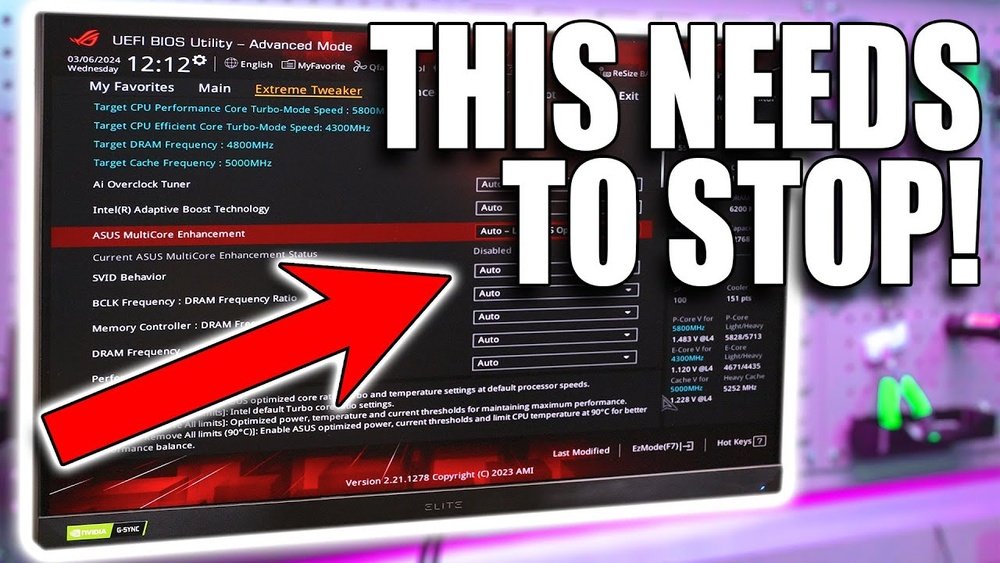
The BIOS is software on the motherboard that controls hardware settings. It manages CPU frequency, voltage, and other parameters. A well-updated BIOS can improve CPU efficiency and fix bugs.
Outdated or poorly designed BIOS may limit CPU speed or cause compatibility problems. Regular BIOS updates help the CPU run smoothly and reach its full potential.
Memory Support
The motherboard also controls the type and speed of memory the CPU can use. Faster RAM improves data access, boosting CPU performance. Limited memory support can bottleneck the CPU.
Choosing a motherboard with good memory compatibility ensures better overall system speed. It allows the CPU to process tasks more quickly and efficiently.
When Motherboards Limit Cpu Speed
Motherboards play a key role in how fast a CPU runs. Sometimes, the motherboard can slow down the CPU speed. This happens because the motherboard controls power, heat, and settings that affect the CPU.
Understanding these limits helps you know why your CPU might not reach full speed. It also guides you in choosing the right parts and settings for better performance.
Thermal Throttling
Motherboards monitor CPU temperature closely. If the CPU gets too hot, the motherboard lowers the speed. This protects the CPU from damage. Poor cooling or bad thermal paste can cause this. When thermal throttling happens, the CPU slows down to cool off.
Insufficient Power Supply
The motherboard needs to deliver enough power to the CPU. If the power supply is weak or unstable, the motherboard limits CPU speed. This prevents crashes and errors. High-performance CPUs need strong power delivery to run fast and steady.
Outdated Bios
BIOS controls how the motherboard works with the CPU. An old BIOS might not support the latest CPU features. It can also cause lower CPU speeds. Updating the BIOS often fixes these problems. It helps the motherboard and CPU work better together.
Overclocking And Motherboard Impact
Overclocking can boost CPU speed beyond its base limits. The motherboard plays a big role in how well the CPU performs during overclocking. It affects power delivery, stability, and cooling options. Choosing the right motherboard helps get the best out of your CPU.
Overclocking Features
Some motherboards have special settings for overclocking. These include adjustable voltage controls and frequency tuning options. They allow precise changes to CPU speed. Without these features, overclocking is limited or not possible. A good motherboard supports higher overclock speeds safely.
Stability And Cooling
Overclocking makes the CPU run hotter and use more power. The motherboard must provide stable power to avoid crashes. It also needs good cooling solutions or support for extra cooling parts. Better cooling keeps the CPU safe and stable during overclocking. Poor cooling or weak power delivery limits CPU performance.

Credit: www.youtube.com
Choosing The Right Motherboard
Choosing the right motherboard is key to getting the best CPU performance. The motherboard connects all parts of your computer. It affects speed, stability, and upgrade options. Picking the right one helps avoid bottlenecks that slow down your system.
Balancing Features And Budget
Motherboards come with many features. Some have more USB ports, faster RAM support, or better cooling options. Decide which features matter most. A high-end motherboard is not always necessary. Choose one that matches your budget and needs. Spending too much on extra features can waste money.
Future-proofing Considerations
Think about future upgrades before buying. Choose a motherboard that supports newer CPUs and memory types. Look for extra slots for RAM and storage. This saves money later by avoiding full replacement. A motherboard with good upgrade paths extends your computer’s life.

Credit: wccftech.com
Frequently Asked Questions
Can A Motherboard Bottleneck Cpu Performance?
Yes, a motherboard can bottleneck CPU performance if it lacks proper power delivery or chipset support. Low-quality motherboards may limit overclocking and reduce CPU efficiency, impacting overall speed and stability.
How Does Motherboard Chipset Affect Cpu Speed?
The chipset controls communication between the CPU and other components. An outdated or incompatible chipset can restrict CPU features, limiting performance and reducing system responsiveness.
Does Motherboard Ram Support Impact Cpu Performance?
Absolutely. Motherboards with limited RAM speed or capacity restrict CPU’s memory bandwidth. This can slow data processing and reduce multitasking efficiency, affecting overall system speed.
Can Bios Updates Improve Cpu Performance On Motherboards?
Yes, BIOS updates often enhance CPU compatibility and stability. Updated BIOS can unlock better CPU features, fix bugs, and improve system performance, making it essential for motherboard optimization.
Conclusion
A motherboard can affect how well a CPU works. It controls power and data flow to the processor. Using a weak or old motherboard may slow down the CPU. Choosing the right motherboard helps the CPU run at full speed.
Compatibility matters a lot for good performance. Don’t ignore motherboard quality when building or upgrading a PC. It plays a key role in overall system speed. Keep this in mind to get the best from your CPU.
