
Are you wondering if you can use AMD’s FSR technology on your Nvidia GPU? You’re not alone.
Many gamers want to boost their game’s performance without buying new hardware. Imagine getting sharper images and smoother gameplay without spending extra money. This article will clear up the confusion and give you the answers you need. Keep reading to find out how AMD FSR works, whether it’s compatible with your Nvidia graphics card, and how you can make the most of it.
Your gaming experience might be about to get a big upgrade!
Amd Fsr Basics
Understanding the basics of AMD FSR helps gamers know its benefits and use. This technology improves game visuals while keeping frame rates high. It works on many graphics cards, not just AMD models. Learning how FSR works can help you decide if it suits your gaming setup.
What Is Amd Fsr
AMD FSR stands for FidelityFX Super Resolution. It is a tool that boosts game performance. FSR uses smart upscaling to increase image quality. It takes a lower resolution image and makes it look sharper. This process helps games run smoother on less powerful hardware. FSR is open-source and available for many platforms.
How Fsr Enhances Gaming
FSR improves gaming by increasing frame rates without losing much image quality. It allows games to run faster on older or weaker GPUs. Players see clearer images and smoother gameplay. FSR supports various game engines and graphics cards. This means more gamers can enjoy better performance. The result is a more enjoyable gaming experience with less lag.
Nvidia Gpu Features
Nvidia graphics cards offer many features that improve gaming and graphics performance. They focus on speed, image quality, and smooth gameplay. Nvidia builds special tools to help games run better on their GPUs.
These features include advanced graphics processing, smart upscaling, and AI-driven enhancements. Nvidia designs these tools to work only with their own GPUs. This makes Nvidia GPUs popular among gamers and creators.
Key Nvidia Gpu Technologies
Nvidia GPUs use technologies like CUDA cores for fast computing. Ray tracing simulates light to create real-looking shadows and reflections. DLSS, or Deep Learning Super Sampling, uses AI to boost frame rates while keeping good image quality.
These technologies work together to deliver smooth and clear visuals. Nvidia also supports DirectX and Vulkan APIs to help game developers use GPU power fully. These features make Nvidia GPUs strong in gaming and 3D work.
Nvidia’s Native Upscaling Solutions
Nvidia offers native upscaling tools like DLSS. DLSS uses AI to increase game resolution without slowing the system. It improves frame rates and keeps images sharp.
Nvidia also provides NVIDIA Image Scaling, a simpler upscaling option. It works on many games and improves performance. Both tools are designed to work only with Nvidia GPUs, offering tailored support for users.
Fsr Compatibility With Nvidia Gpus
AMD’s FidelityFX Super Resolution (FSR) is a popular tool to boost game performance and image quality. Many gamers ask if FSR works on Nvidia GPUs. The good news: FSR is designed to work on many graphics cards, not just AMD’s. This makes it a flexible choice for gamers with Nvidia cards.
Cross-brand Support Explained
FSR is an open-source technology. It supports a range of graphics cards, including Nvidia models. This means Nvidia users can enjoy FSR’s upscaling benefits. FSR uses a spatial upscaling technique. It does not rely on specific hardware features. Therefore, it runs well on many GPUs, regardless of brand. Game developers can add FSR to games to support Nvidia cards too.
Performance On Different Nvidia Models
FSR works on Nvidia GeForce GTX and RTX series. Older models like GTX 10 series still benefit from FSR. Newer RTX cards often show better performance gains. The quality improvement varies by game and GPU power. FSR can raise frame rates while keeping visuals sharp. Some games let players choose FSR modes for balance. Overall, Nvidia users get a smoother experience with FSR enabled.

Credit: wccftech.com
Setting Up Fsr On Nvidia Gpus
Setting up AMD FSR on Nvidia GPUs is possible and can improve your gaming experience. AMD’s FidelityFX Super Resolution (FSR) helps boost frame rates while keeping good image quality. Nvidia users can use FSR in supported games to enjoy better performance. The setup process is simple but requires some steps to follow carefully.
Game Support And Requirements
Not all games support AMD FSR. You must check if your game has FSR support. Most newer games include it in their graphics settings. Also, your Nvidia GPU should be recent enough to handle FSR smoothly. Older models might not run FSR well or at all. Make sure your graphics driver is up to date for best results.
Step-by-step Activation Guide
First, open your game and go to the graphics settings menu.
Look for the option named “FidelityFX Super Resolution” or “FSR.”
Select FSR and choose the quality mode you want. Options usually include Ultra Quality, Quality, Balanced, and Performance.
Save the settings and restart your game if needed.
Test the game to see if the performance and visuals meet your expectations.
If you do not see FSR options, check for game updates or consult the game’s support page.
Performance And Visual Quality
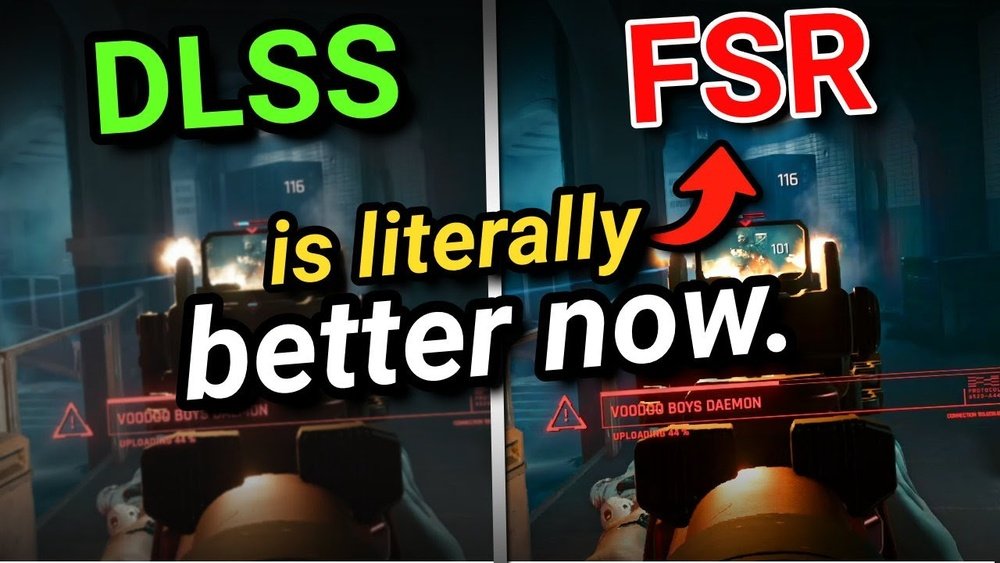
Performance and visual quality are key factors for gamers choosing upscaling technologies. AMD’s FidelityFX Super Resolution (FSR) works on various GPUs, including Nvidia. It boosts frame rates while trying to keep image quality high. Comparing how FSR stacks up against Nvidia’s DLSS helps gamers decide which fits their needs best.
Both FSR and DLSS aim to improve performance by rendering games at lower resolutions and upscaling them. The visual quality depends on the method each uses. FSR uses a spatial upscaling technique, while DLSS uses AI and deep learning models. These differences affect sharpness, detail, and overall image clarity.
Comparing Fsr Vs Dlss
FSR works on many graphics cards, including Nvidia models. It offers good performance boosts without needing special hardware. DLSS runs only on Nvidia RTX cards with dedicated AI cores. It often delivers better image quality due to its AI-based upscaling. FSR’s spatial method can sometimes produce softer images. DLSS tends to maintain sharper edges and clearer textures. Both have multiple quality modes that balance speed and visuals.
Real-world Gaming Benchmarks
In practical tests, FSR shows strong frame rate improvements on Nvidia GPUs. Games like “Resident Evil Village” and “Far Cry 6” run smoother with FSR enabled. DLSS usually provides higher frame rates and better visual fidelity on supported RTX cards. Some games may favor one over the other depending on optimization. Users report FSR can sometimes cause slight blurring. DLSS may have occasional artifacts but often looks cleaner overall.

Credit: www.reddit.com
Limitations And Considerations
Using AMD FSR on an Nvidia GPU brings some limits and points to think about. This section covers key issues that may affect your experience. Knowing these helps set the right expectations.
Potential Compatibility Issues
AMD FSR is designed mainly for AMD hardware. Nvidia GPUs do not officially support it. This can cause some games to not run well with FSR on Nvidia cards. Some titles may even block the option entirely. Drivers might not fully optimize FSR for Nvidia chips. This leads to bugs or lower quality images. Users may need to rely on third-party tools or mods. These are not always safe or stable.
Impact On Gpu Workloads
FSR changes how the GPU handles rendering. On Nvidia cards, it might increase workload instead of reducing it. This happens because Nvidia GPUs have different architectures. They may not process FSR’s upscaling as efficiently. This can cause higher power use and heat. Frame rates might drop in some cases. Testing performance for each game is important. It helps understand if FSR is worth enabling on your Nvidia system.
Future Of Fsr And Nvidia Gpus
The future of AMD’s FidelityFX Super Resolution (FSR) on Nvidia GPUs looks promising. Both companies aim to improve gaming visuals and performance. FSR offers a way to upscale game graphics without heavy hardware needs. Nvidia users watch closely for better compatibility and support. This could mean smoother gameplay and sharper images for many players.
Developers and GPU makers focus on enhancing upscaling technology. This progress could bring wider use of FSR across different devices. Nvidia GPUs might soon benefit from more FSR features. The gaming community waits to see how this technology evolves.
Upcoming Updates And Support
AMD plans regular updates to FSR technology. These updates improve quality and add new features. Nvidia GPUs could gain better support through these updates. Developers work on making FSR easier to use on all GPUs. Expect smoother integration and fewer issues in the future.
More games might include FSR options for Nvidia users. This means more choices and flexibility when gaming. Support for FSR on Nvidia hardware could expand faster than before. The goal is better performance without needing the latest GPU model.
Industry Trends In Upscaling
Upscaling technology grows in importance for gaming and media. Both AMD and Nvidia develop solutions to enhance visuals. The industry moves toward more universal tools that work across brands. Cross-platform upscaling helps players get good graphics on old and new GPUs.
AI and machine learning improve upscaling techniques. These methods create clearer images and reduce lag. Nvidia’s own DLSS and AMD’s FSR compete but also learn from each other. This rivalry benefits gamers with better technology and options.

Credit: www.reddit.com
Frequently Asked Questions
Can Amd Fsr Work On Nvidia Gpus?
Yes, AMD FSR is compatible with Nvidia GPUs. It works on a variety of hardware, improving game performance and visuals beyond AMD cards.
Is Amd Fsr Better Than Nvidia Dlss?
AMD FSR is open-source and works on more GPUs. Nvidia DLSS uses AI for higher image quality but needs RTX GPUs.
How To Enable Amd Fsr On Nvidia Graphics Cards?
To enable FSR on Nvidia GPUs, check if the game supports FSR. Then activate it in the game’s graphics settings menu.
Does Amd Fsr Improve Game Performance On Nvidia Gpus?
Yes, AMD FSR boosts frame rates and enhances visuals on Nvidia GPUs without significant quality loss.
Conclusion
AMD FSR is not officially supported on Nvidia GPUs yet. Still, some games may allow FSR to work with Nvidia cards through updates or mods. Performance and quality can vary in these cases. Nvidia has its own upscaling technology called DLSS.
Choosing between FSR and DLSS depends on your game and GPU. Keep an eye on future updates for better compatibility. Trying both options can help find what works best for you. Stay informed and enjoy smoother gaming experiences.
