
Have you ever wondered if your graphics card could be holding back your computer’s processor? Understanding whether a GPU can bottleneck a CPU is key to getting the best performance from your system.
If your games or apps aren’t running as smoothly as you expect, the answer might lie in how these two parts work together. Keep reading to find out how to spot a bottleneck, why it happens, and what you can do to fix it.
This knowledge will help you make smarter upgrades and enjoy a faster, smoother experience.
Credit: www.youtube.com
Gpu And Cpu Basics
The GPU and CPU are key parts of a computer. They work together to process data and run programs. Each has a special job. Understanding their basics helps explain how they affect each other.
Both the GPU and CPU have strengths. Their balance affects how well a computer performs tasks. Knowing their roles and what affects their speed is important.
Roles In Computing
The CPU is the brain of the computer. It handles general tasks and controls other parts. It processes instructions one by one or in small groups. The CPU manages the operating system and software.
The GPU focuses on graphics and images. It processes many tasks at the same time. This makes it good for video games and videos. GPUs also help with scientific calculations and data analysis.
Performance Factors
CPU speed depends on clock rate and cores. More cores allow more tasks at once. Higher clock speed means faster processing.
GPU speed depends on cores and memory. More cores help with parallel tasks. Faster memory improves data transfer. Both parts must work well together for best results.

Credit: www.corsair.com
What Causes Bottlenecks
Bottlenecks happen when one part of your computer works slower than another. This slows down the whole system. Understanding what causes bottlenecks helps in building a balanced PC. Both the CPU and GPU can limit performance. Let’s explore how each can cause bottlenecks.
Cpu Limitations
The CPU handles many tasks like running programs and managing data. If the CPU is slow, it cannot feed data fast enough to the GPU. This delay stops the GPU from working at full speed. Games and apps that need strong calculations show this problem clearly. A weak CPU may limit frame rates even with a good GPU. Older or low-end CPUs often cause bottlenecks in modern systems.
Gpu Limitations
The GPU processes graphics and images. A slow GPU struggles to render scenes quickly. This forces the CPU to wait, reducing the whole system’s speed. High-resolution settings and complex graphics demand more from the GPU. If the GPU cannot keep up, it becomes the bottleneck. Using a powerful CPU with a weak GPU leads to this issue. The GPU often limits gaming performance at high settings.
When Gpu Bottlenecks Cpu
Understanding when a GPU bottlenecks a CPU helps improve computer performance. Usually, the CPU limits speed. But sometimes, the GPU works harder and slows down the CPU.
This happens in specific tasks where the GPU has a bigger job than the CPU. Knowing these situations helps balance your system better.
High Resolution Gaming
High resolution gaming makes the GPU work very hard. Games with 4K or higher graphics demand more from the GPU.
The CPU waits for the GPU to finish rendering frames. This waiting causes the CPU to slow down.
Here, the GPU becomes the slowest part in the system. It limits the overall gaming speed.
Gpu-intensive Tasks
Tasks like video editing and 3D rendering use the GPU heavily. These tasks push the GPU to its limits.
The CPU waits for the GPU to complete its work. This creates a bottleneck where the CPU cannot work faster.
In these cases, upgrading the GPU improves the whole system speed more than upgrading the CPU.

Credit: www.reddit.com
Identifying Bottlenecks
Identifying bottlenecks in a computer system helps improve its speed. A bottleneck happens when one part limits the performance of others. For example, a powerful CPU might wait for a slow GPU, causing delays. Understanding which part causes the slow down is key to fixing the problem. This section explains how to find bottlenecks using tools and metrics.
Monitoring Tools
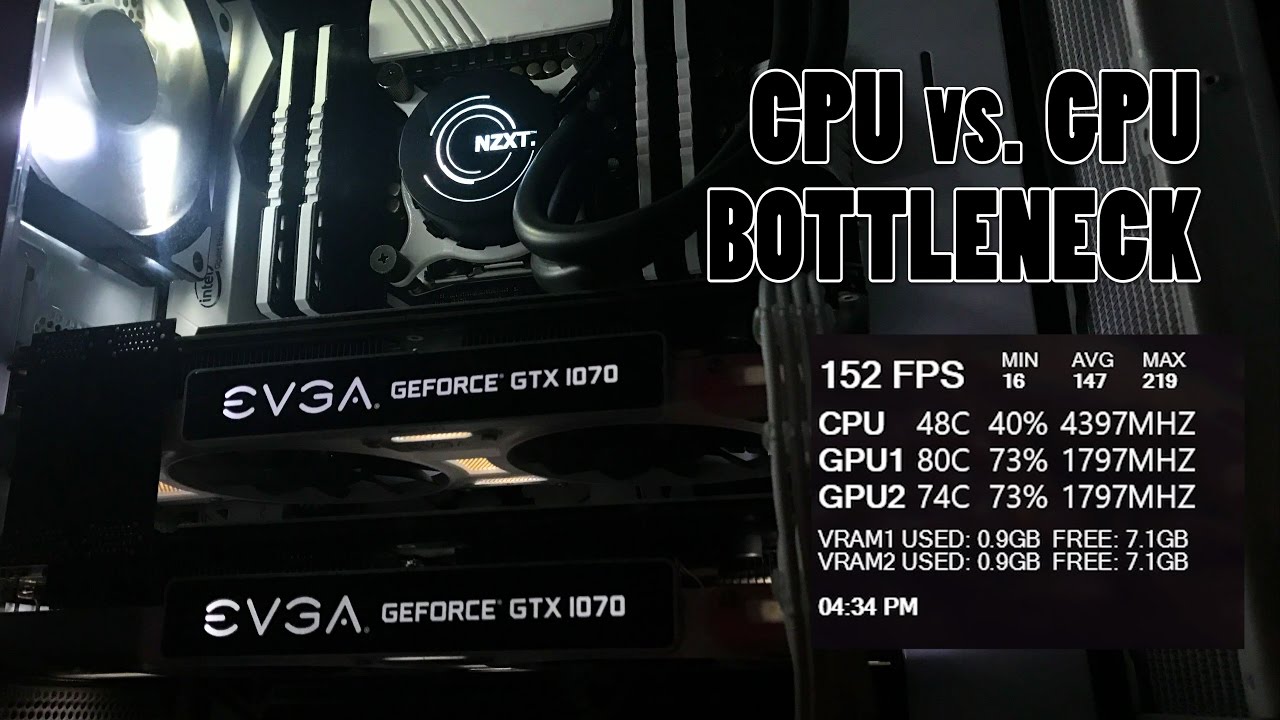
Use monitoring tools to check your CPU and GPU performance. These tools show real-time usage, temperature, and speed. Popular programs include MSI Afterburner, HWMonitor, and Task Manager. They help you see which part is working harder. High usage on one part while the other is low suggests a bottleneck.
Performance Metrics
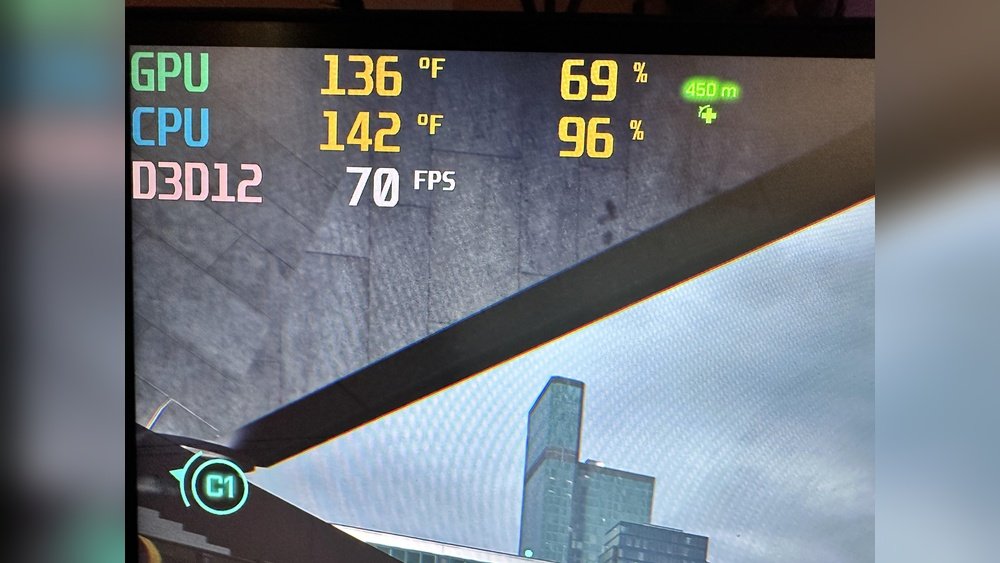
Focus on key performance metrics to spot bottlenecks. Check CPU and GPU usage percentages first. A CPU bottleneck shows near 100% CPU use but low GPU use. A GPU bottleneck shows the opposite. Frame rate drops also hint at bottlenecks. High frame times or stuttering can signal which part slows the system.
Balancing Cpu And Gpu
Balancing the CPU and GPU is key to a smooth computer experience. Both parts need to work well together. If one is too strong or weak, the other might not perform well. This mismatch can slow down tasks or games.
Finding the right balance helps each part run at its best. It avoids wasting power and money on parts that do not match. This balance ensures your system works fast and stable.
Choosing Compatible Hardware
Start by picking a CPU and GPU made for each other. Match their power and speed levels. A very fast CPU with a slow GPU can cause problems. The same goes for a strong GPU with a weak CPU.
Check the system requirements for your favorite programs or games. Use them as a guide to choose parts. Aim for a balanced setup that fits your budget and needs.
Optimizing Settings
Adjust system and game settings to suit your hardware. Lower graphics quality if the GPU struggles. Reduce background tasks to free CPU power.
Use tools to monitor CPU and GPU usage. This helps find which part limits performance. Change settings step-by-step to improve balance and speed.
Real-world Examples
Understanding real-world examples helps clarify how a GPU can bottleneck a CPU. These cases show practical effects on performance. They also reveal when and why a GPU limits the CPU’s potential.
Gaming Scenarios
Many gamers notice slowdowns in high-end titles. This happens when the GPU cannot render frames fast enough. The CPU waits for the GPU to finish, causing delays. For example, in graphically heavy games, a weak GPU restricts frame rates. The CPU may run well but must pause often. This reduces overall gaming smoothness and response time.
Older CPUs with modern GPUs can also face problems. The GPU processes images quickly, but the CPU struggles to keep up. This mismatch causes stutter and lag. The GPU’s power alone cannot fix this. Both parts must work in balance for smooth gameplay.
Professional Workloads
In professional tasks like video editing, GPU power is critical. A slow GPU delays rendering and previews. The CPU’s calculations must wait for the GPU’s output. When the GPU is weaker, projects take longer to finish. This bottleneck limits productivity and efficiency.
3D modeling and CAD applications also show this effect. Complex scenes need strong GPU support. A weak GPU slows viewport rendering. The CPU remains ready but idle during this wait. Upgrading the GPU improves workflow more than upgrading the CPU.
Frequently Asked Questions
Can A Gpu Bottleneck A Cpu In Gaming?
Yes, a GPU can bottleneck a CPU if it limits frame rates. This happens when the GPU is too weak to handle graphics demands, causing the CPU to wait. Balancing both components ensures smooth gaming performance without bottlenecks.
How To Identify If Gpu Bottlenecks Your Cpu?
Monitor your system’s performance using tools like MSI Afterburner. If GPU usage hits 100% while CPU usage is low, the GPU is bottlenecking. This indicates the GPU limits overall system speed, affecting tasks requiring high graphics processing.
Does Upgrading Gpu Reduce Cpu Bottlenecking?
Upgrading the GPU can reduce bottlenecks if the current GPU limits performance. A stronger GPU handles more graphics tasks, allowing the CPU to work efficiently. However, ensure the CPU is also capable to avoid shifting the bottleneck elsewhere.
What Causes A Gpu To Bottleneck A Cpu?
A GPU bottlenecks a CPU when it cannot process graphics fast enough. Causes include outdated GPU models, insufficient VRAM, or running high-resolution settings. This mismatch slows down the entire system, especially in graphics-intensive applications.
Conclusion
A GPU can slow down a CPU if it cannot keep up. Balancing both parts helps your computer run smooth. Choose a GPU that matches your CPU’s power. This avoids delays and keeps games or apps fast. Remember, a weak GPU can hold back strong CPUs.
Check your system before buying new hardware. This saves money and improves your experience. The right match makes your computer work better every day. Simple but smart choices matter most for good performance.
