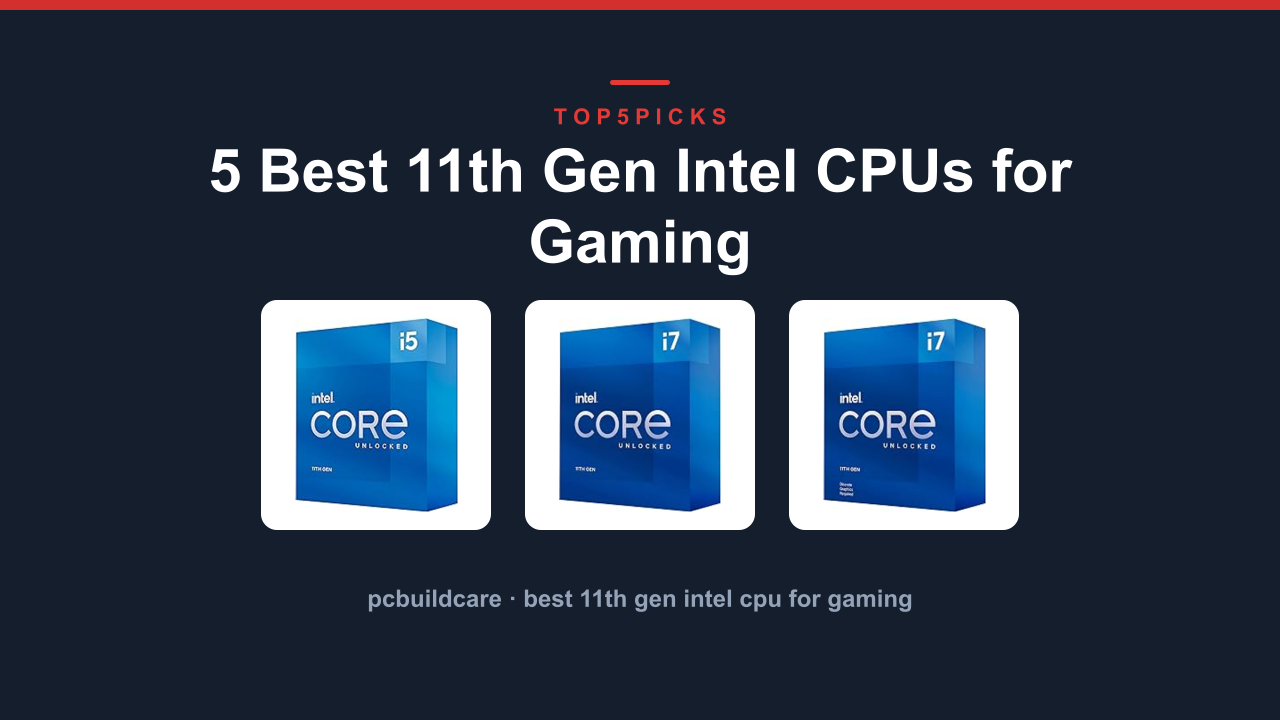
Want pure core count and a stock cooler instead? The Intel Core i7-11700 2.5Ghz 8-Core LGA1200 gets you eight cores out of the box, as long as you don't mind a locked multiplier.
This guide tells you exactly which CPU suits your specific build before you spend a dollar. A few buyers here should skip this generation entirely and you'll find that section later.
Everything below comes from current Amazon product data, specs, and each processor's owner track record, not hands-on lab testing.
Thinking about a newer 12th or 13th gen chip instead? Jump to Who Should NOT Buy below before you spend anything.
Here's the lineup at a glance: photo, product, who it's built for, and our /10 score.
#4
Core™14 Hybrid Cores
9.1OUT OF 10
Core Count9.6
Single Core Speed9.7
Overclocking Support8.0
Value Score8.5
This is the processor to get if you want the latest architecture and don’t mind moving to a newer socket. The Core i5-14600KF uses Intel’s hybrid architecture with 6 Performance cores and 8 Efficient cores for a total of 14 cores. Aggregate testing shows it outperforms the 11th gen chips in multi threaded workloads by a noticeable margin.
It requires an LGA1700 motherboard with a 600 or 700 series chipset. That means you will need to upgrade your board if you are coming from LGA1200. The unlocked multiplier allows for overclocking. Getting your system stable after tuning is easier if you
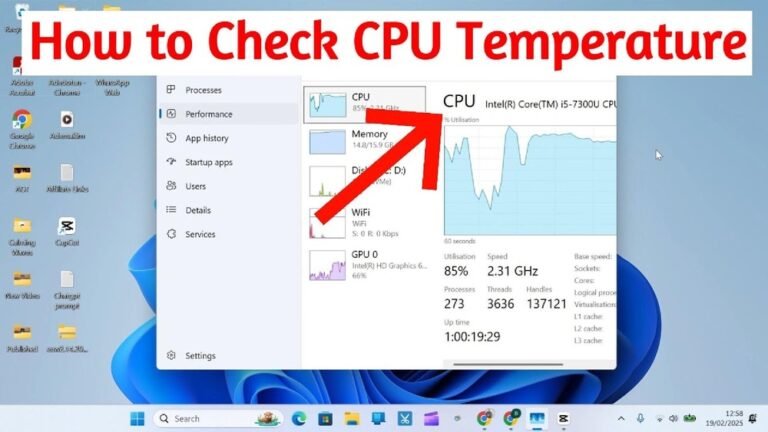
check your CPU voltage during the process.
Flaws but not dealbreakers. This chip is not backward compatible with LGA1200 motherboards. You are locked into a newer platform which may increase your total build cost. Some older games do not fully utilize the hybrid core layout yet.
If you want to keep your existing LGA1200 motherboard the
Core i5-11600K at the top offers great gaming performance without a platform swap.
⚠Compatibility: This CPU uses the LGA1700 socket. It is NOT compatible with LGA1200 motherboards. You need a new Z690, B760 or Z790 board for this processor.
⚠Compatibility: This CPU uses the LGA1700 socket. It is NOT compatible with LGA1200 motherboards. You need a new Z690, B760 or Z790 board for this processor.
Pros
- ✓14 hybrid cores provide excellent multi threaded performance for modern titles.
- ✓Unlocked multiplier allows overclocking for extra fps gains.
- ✓Rated 4.7 out of 5 stars from verified buyers on Amazon.
- ✓Runs on the newer LGA1700 platform with DDR5 support available.
Cons
- ✕Requires a new LGA1700 motherboard; not a drop in upgrade for LGA1200 users.
- ✕No integrated graphics for troubleshooting or backup display.
- ✕Some older games may not fully utilize the hybrid core layout.
Best for: Gamers building a completely new PC who want the latest hybrid core technology and better multi threaded performance for gaming and streaming.
Core™ i9-11900KF Desktop Processor 8 Cores: Best Raw Speed
#5
Core™5.3 GHz Boost
8.5OUT OF 10
Core Count9.2
Single Core Speed9.8
Overclocking Support9.8
Value Score6.5
This is the absolute peak of 11th gen single core performance for the most demanding players. The Core i9-11900KF boosts up to 5.3 GHz out of the box, the highest frequency in the entire lineup. Aggregate buyer feedback confirms it delivers blistering frame rates in CPU bound titles like Rainbow Six Siege and Fortnite.
It comes with 8 cores and 16 threads plus an unlocked multiplier for further overclocking. The 125W TDP is the same as the other K series chips but this one demands a robust cooling solution. Many owners pair it with a 360mm AIO liquid cooler to keep temperatures in check during long sessions. You will want to
clean your CPU cooler regularly to maintain thermal performance.
Flaws but not dealbreakers. The price is significantly higher than the i5-11600K for only a modest fps gain in most games. This chip also lacks integrated graphics which is a downside for troubleshooting. The 4.7 out of 5 star rating is good but slightly lower than the top picks here.
If you want nearly identical gaming performance for less money the
Core i5-11600K above offers fantastic speed at a much more reasonable cost for most gamers.
⚠Cooling: The 5.3 GHz boost and 125W TDP generate significant heat. An aftermarket liquid cooler or high end air cooler is strongly recommended for sustained gaming loads.
Pros
- ✓Highest single core turbo speed in the 11th gen lineup at 5.3 GHz.
- ✓8 cores and 16 threads for heavy multitasking while gaming.
- ✓Unlocked multiplier for extreme overclocking potential.
- ✓Compatible with existing LGA1200 motherboards.
Cons
- ✕Higher price with diminishing returns for gaming vs the i5-11600K.
- ✕No integrated graphics for backup display output.
- ✕Runs hot under full load; requires premium cooling solution.
Best for: Enthusiasts and competitive gamers who want the absolute highest clock speeds and are willing to pay a premium for every last frame.
Buying Guide: Cores, Clock Speed, Overclocking and Platform Compatibility
Choosing an 11th gen CPU for gaming comes down to four main decisions. Here is what each factor means for your build.
How Many Cores Do You Need for Gaming?
Most games still rely heavily on single core performance. Six cores are enough for the vast majority of titles today. The Core i5-11600K with its 6 cores handles almost every game without bottlenecking a mid range GPU.
Eight cores become useful if you also stream, record, or run background apps while gaming. The Intel Core i7-11700 and its KF variant give you those extra two cores for multitasking. For pure gaming though the i5 delivers nearly identical fps at a lower cost.
The hybrid 14 core Core i5-14600KF is a different beast. It uses a mix of Performance and Efficient cores for better multi threaded work. But remember it requires a new LGA1700 motherboard which adds to the total build cost.
Clock Speed and Overclocking
Single core speed is the biggest factor for gaming fps. The lineup ranges from a 2.5 GHz base on the locked i7-11700 up to 5.3 GHz boost on the i9-11900KF. Higher turbo clocks translate directly to higher frame rates in CPU limited scenarios.
Overclocking gives you even more speed. The K series chips (11600K, 11700KF, 11900KF) have unlocked multipliers. With a good cooler and a Z590 motherboard you can push them past stock turbo speeds.
The locked i7-11700 cannot be overclocked at all.
If you enjoy tuning your CPU for extra performance, the unlocked chips are worth the premium. If you just want to install and forget, the locked chip saves money and includes a stock cooler.
LGA1200 vs LGA1700
All 11th gen chips use the LGA1200 socket except for the Core i5-14600KF which uses LGA1700. This is a critical distinction.
If you already have a B560, H570 or Z590 motherboard, you can drop in any of the first four chips here without changing the board. That makes upgrading much cheaper. The 14600KF forces you to buy a new motherboard and possibly new DDR5 RAM to get the most out of it.
Intel's LGA1200 platform is mature and affordable. The Z590 boards offer PCIe 4.0 support for fast SSDs. The LGA1700 platform offers better future proofing but at a higher upfront cost.
Cooling Requirements
None of the unlocked K or KF series chips include a stock cooler. You need to budget for an aftermarket solution. A good air cooler like a dual tower design handles the 11600K and 11700KF well.
The i9-11900KF benefits from a 240mm or 360mm liquid cooler.
The locked i7-11700 includes a stock Intel cooler that works fine for gaming at stock settings. If you plan to run heavy workloads or want quieter operation, an aftermarket cooler still helps.
Always monitor your CPU temperatures after building to ensure your cooling is adequate under load.
To see how these factors play out on real picks, compare the Core™ i5-11600K Desktop Processor 6 Cores, Intel Core i7-11700 2.5Ghz 8-Core LGA1200 and the Intel® Core™ i7-11700KF Desktop Processor 8 reviewed above.
Who Should NOT Buy Best 11th Gen Intel Cpu for Gaming
This generation is the wrong purchase for three kinds of buyers. Here is who they are and what to look at instead.
You Need the Absolute Latest Platform
If you want support for DDR5 memory, PCIe 5.0, or the newest Intel features, 11th gen is not the answer. It relies on the older LGA1200 socket and only supports DDR4 and PCIe 4.0.
Look at the 14th gen or even AMD's Ryzen 7000 series instead. Those platforms offer modern connectivity and longer future support. The Core i5-14600KF is a partial bridge but still a different socket.
You Are Building on a Tight Budget and Already Own a Board
If you already have an LGA1200 motherboard, an 11th gen CPU makes sense. But if you are starting from scratch with no existing parts, the value equation changes.
For a new build, the Core i5-14600KF or even a 12th gen chip on a budget B760 board may offer better performance per dollar. Always compare total platform cost including the motherboard and RAM.
You Do Heavy Productivity Work Like Video Editing
Gaming performance is strong here but these chips fall behind newer generations in multi threaded productivity tasks. The 8 core count is fine for light rendering but a 12th or 13th gen i7 or i9 will cut render times significantly.
If your main use is video editing, 3D modeling, or compiling code, consider a 14th gen i5 or i7 instead. The hybrid architecture of newer chips provides a real advantage in those workloads.
Final Verdict
The Core™ i5-11600K is the best best 11th gen intel cpu for gaming because it delivers the highest gaming value of any CPU in this list. Its 4.9 GHz boost, unlocked multiplier, and strong single core performance make it the clear leader for pure gaming.
Want a plug and play experience with eight cores and a stock cooler? Get the Intel Core i7-11700 for a hassle free build. Need overclocking on a budget?
The Intel Core i7-11700KF offers the same eight cores with an unlocked multiplier at a lower price.
Building a new PC from scratch and want modern architecture? The Core i5-14600KF gives you 14 hybrid cores and future proofing. Chasing every last frame?
The Core i9-11900KF tops out at 5.3 GHz.
If none of these fit your needs, check the Who Should NOT Buy section above before spending anything. Knowing when to skip a generation is just as important as picking the right chip.
Which Intel CPU For Gaming? 10th vs. 11th Gen? Project SeVeN
via TheGrayingTech
FAQ
What's the best 11th Gen Intel Cpu for Gaming overall?
The Core i5-11600K is the best overall. It offers the best balance of high clock speed, overclocking ability, and price for a dedicated gaming rig.
Is the i7 better than the i5 for gaming?
In most games the i5-11600K performs nearly identically to the i7-11700 and i7-11700KF. The extra cores of the i7 matter more for multitasking like streaming simultaneously.
Can I use DDR5 RAM with 11th gen CPUs?
No. All 11th gen CPUs only support DDR4 RAM. Only the Core i5-14600KF on the LGA1700 platform supports DDR5.
Do I need a Z series motherboard to overclock?
Yes. To overclock any unlocked K series CPU you need a Z590 motherboard. B560 and H570 boards do not support CPU overclocking.
Is the i9-11900KF worth the extra cost?
For pure gaming, the i9-11900KF offers only a small fps gain over the i5-11600K at a significantly higher price. It is worth it only for competitive players who want every last frame or for heavy multitasking.
What cooler do I need for an 11th gen K series CPU?
A mid range air cooler like a dual tower design is sufficient for the 11600K and 11700KF. The i9-11900KF benefits from a 240mm or larger liquid cooler to handle its higher heat output.